

Most people don't know they can use AI on their phones.
It allows you to be 10x more productive.
Here are 7 ways to use AI on your phone:
It allows you to be 10x more productive.
Here are 7 ways to use AI on your phone:


2. Microsoft Copilot:
Chat assistant powered by OpenAI models GPT-4 and DALL·E 3. Access advanced AI capabilities, including building your own Copilot GPTs.
Android Link: tinyurl.com
iOS link: tinyurl.com
Chat assistant powered by OpenAI models GPT-4 and DALL·E 3. Access advanced AI capabilities, including building your own Copilot GPTs.
Android Link: tinyurl.com
iOS link: tinyurl.com

3. Gemini
Google Bard is now Gemini.
Android Link: tinyurl.com
Google App on iOS link: tinyurl.com
Note: On iOS, Google will roll out access to Gemini right from the Google app in the coming weeks.
Google Bard is now Gemini.
Android Link: tinyurl.com
Google App on iOS link: tinyurl.com
Note: On iOS, Google will roll out access to Gemini right from the Google app in the coming weeks.

4. ChatGPT
With ChatGPT in your pocket, you’ll find:
- Instant answers
- Tailored advice
- Creative inspiration
- Professional input
- Learning opportunities
Apple: shorturl.at
Android: shorturl.at
With ChatGPT in your pocket, you’ll find:
- Instant answers
- Tailored advice
- Creative inspiration
- Professional input
- Learning opportunities
Apple: shorturl.at
Android: shorturl.at


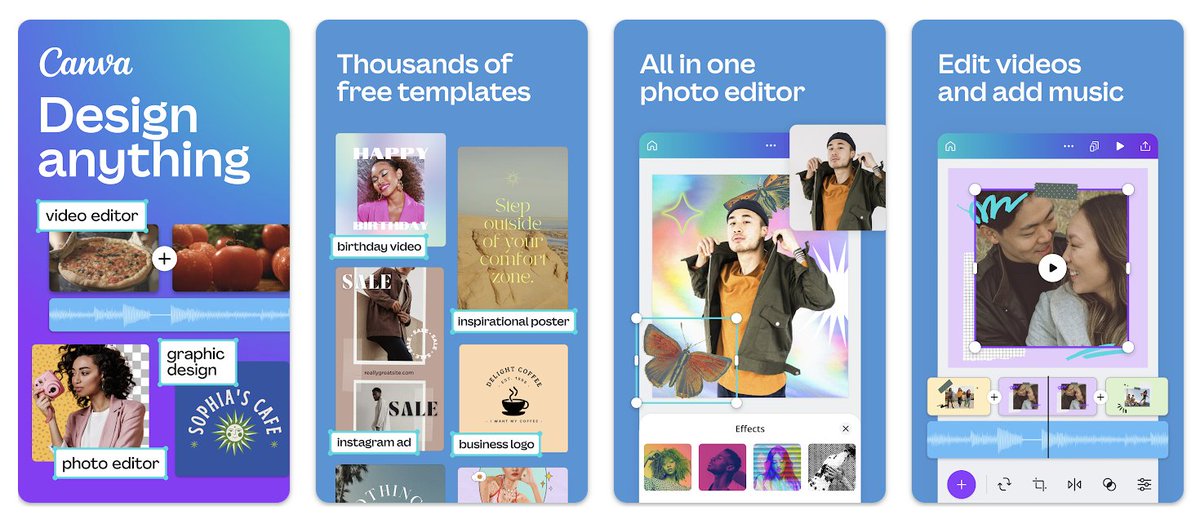
5. Canva + Magic Studio
- Free design tool with many features
- Access AI Powered tools for Design with Magic Studio
- Portable, user-friendly interface
🔗 canva.com
- Free design tool with many features
- Access AI Powered tools for Design with Magic Studio
- Portable, user-friendly interface
🔗 canva.com

6. Otter AI
- Take meeting notes automatically, and share with teammates to keep everyone in sync
- Record & Transcribe Live
- Enrich Notes with AI
Apple: shorturl.at
Android: shorturl.at
- Take meeting notes automatically, and share with teammates to keep everyone in sync
- Record & Transcribe Live
- Enrich Notes with AI
Apple: shorturl.at
Android: shorturl.at


7. Perplexity
Ask Anything. Search and discovery with AI
- Completely free
- Voice search available
perplexity.ai
Ask Anything. Search and discovery with AI
- Completely free
- Voice search available
perplexity.ai


Thanks for reading.
Get latest AI updates and Tutorials in your inbox for FREE.
Read and Join the "AI Toast" Community of 21000 readers:
aitoast.beehiiv.com
Get latest AI updates and Tutorials in your inbox for FREE.
Read and Join the "AI Toast" Community of 21000 readers:
aitoast.beehiiv.com

Don't forget to bookmark for later.
If you enjoyed reading this post, please support it with like/repost of the post below 👇
If you enjoyed reading this post, please support it with like/repost of the post below 👇
Loading suggestions...