

Goodbye Photoshop
AI can now create up to 500 images at once
Here's how:
AI can now create up to 500 images at once
Here's how:
Meet OpenArt - AI image generator that 10x your creativity and productivity.
It offers FREE Credits that give you access to all advanced features.
Try OpenArt free → Get.OpenArt.ai
It offers FREE Credits that give you access to all advanced features.
Try OpenArt free → Get.OpenArt.ai

1/ Bulk Create
- You can now bulk create up to 500 images at once! No more sitting and waiting.
- You can also customize all 500 prompts easily in a .csv or .txt file
- You can now bulk create up to 500 images at once! No more sitting and waiting.
- You can also customize all 500 prompts easily in a .csv or .txt file

2/ Theme Gallery
Find a range of exciting categories for AI image creation, such as cars, movie posters, 3D graffiti, and more!
Find a range of exciting categories for AI image creation, such as cars, movie posters, 3D graffiti, and more!

3/ Inpainting
It’s probably the best AI inpainting to your knowledge.
It’s probably the best AI inpainting to your knowledge.

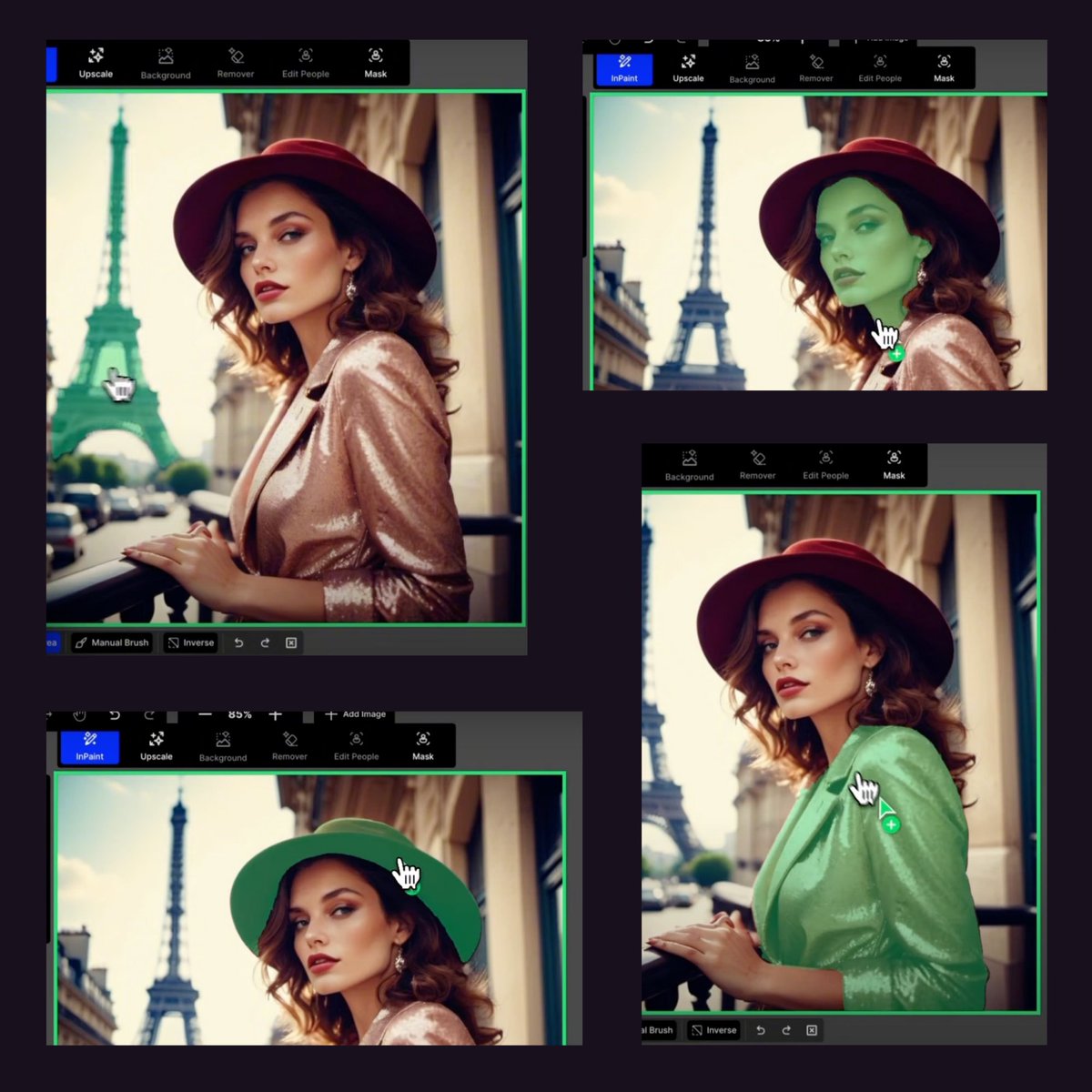
4/ Smart Select
It auto-detects parts of an image: Hair, Outfit, Background, different objects etc.
It auto-detects parts of an image: Hair, Outfit, Background, different objects etc.
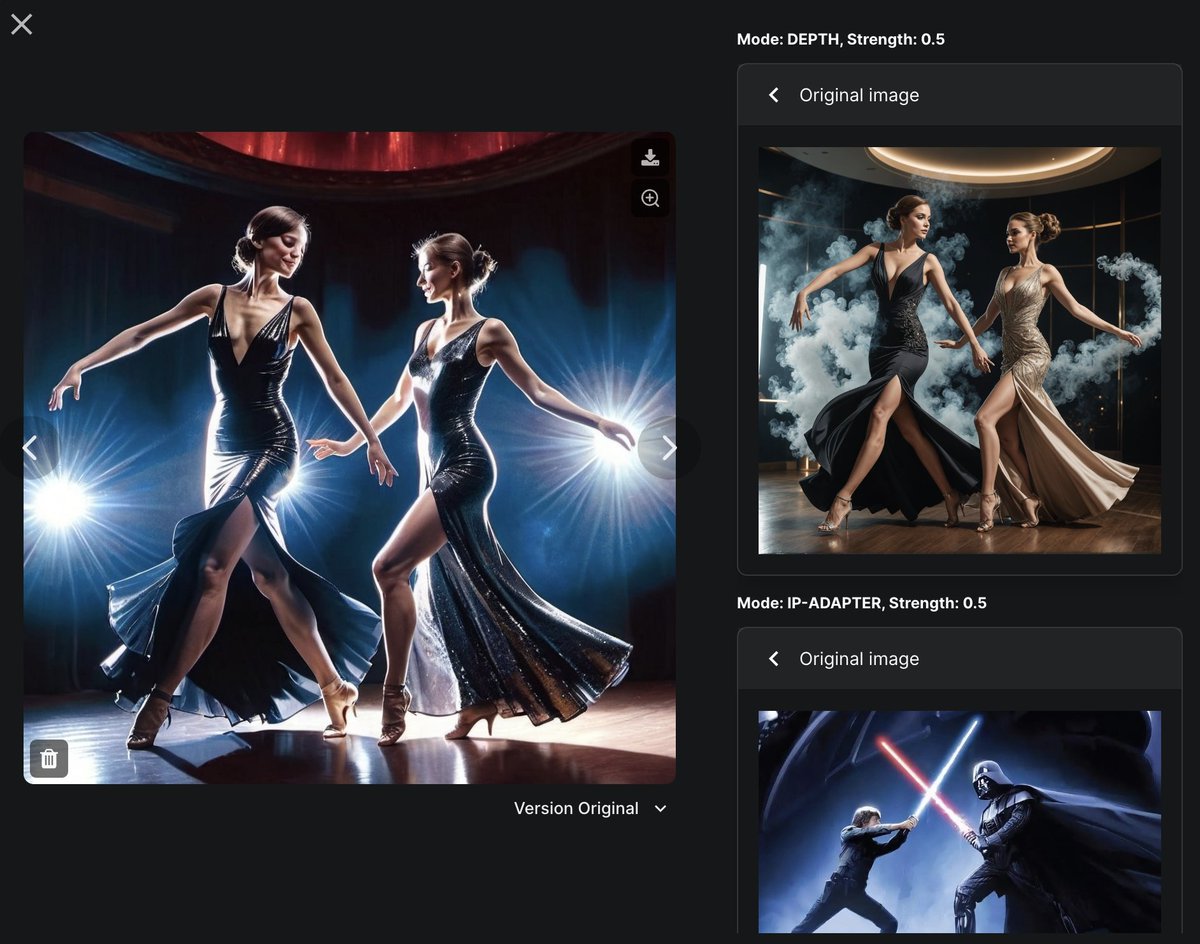
5/ Beyond editing
The OpenArt SDXL model provides high-quality and versatile outputs. It's image guidance is both powerful and user-friendly.
The OpenArt SDXL model provides high-quality and versatile outputs. It's image guidance is both powerful and user-friendly.

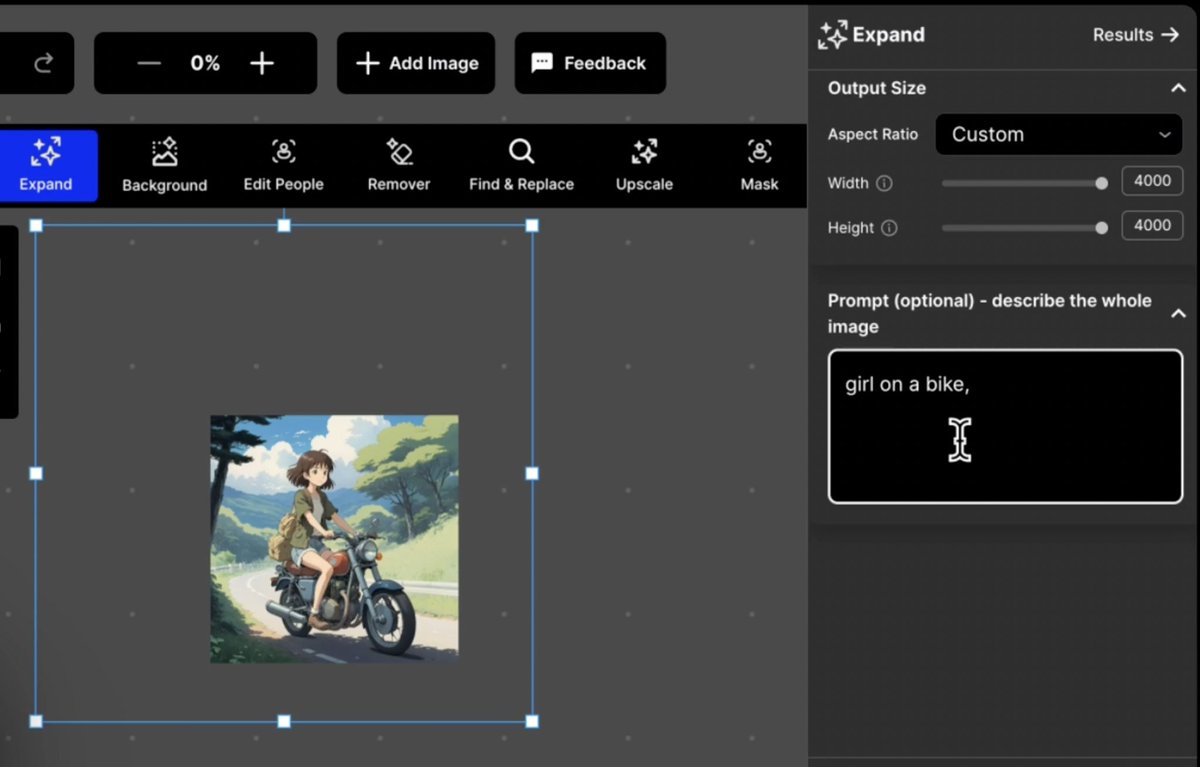
Outpainting is flexibility + control.
The aspect ratio is customizable with a draggable box or by entering dimensions. You can also use a text prompt for expansion details.
The aspect ratio is customizable with a draggable box or by entering dimensions. You can also use a text prompt for expansion details.
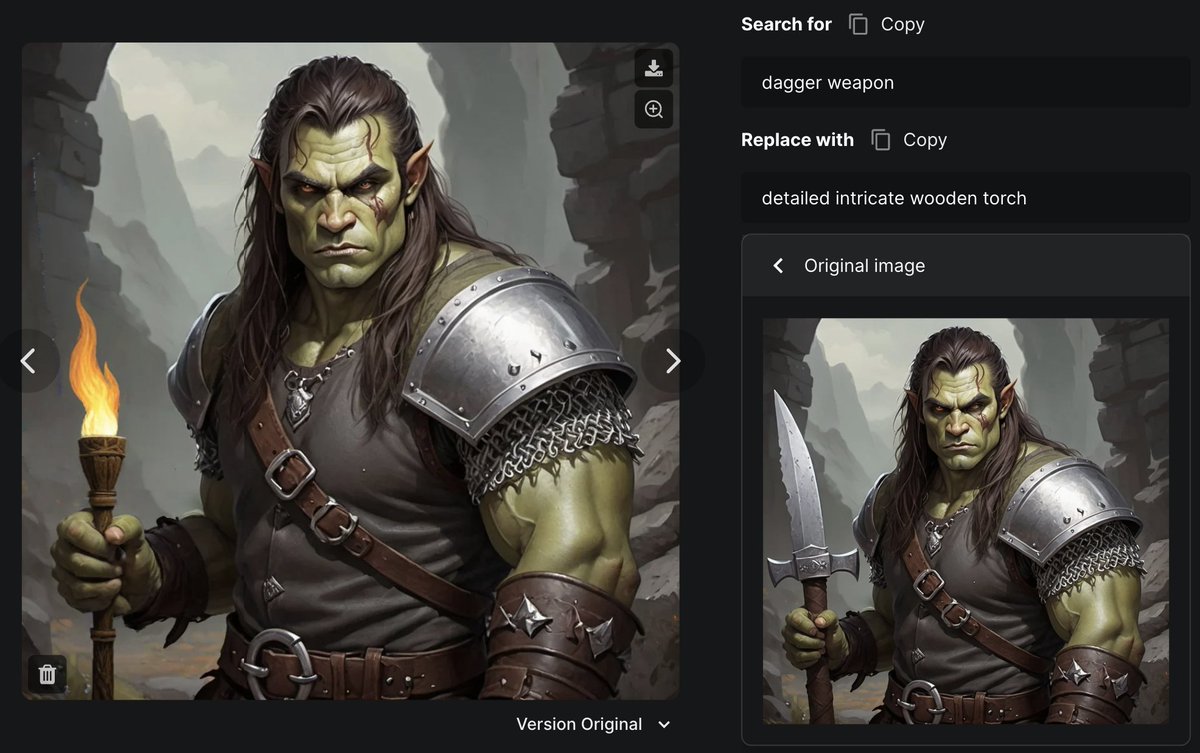
7/ Find & Replace
You type something in plain English, then type something you wanna swap it with, and AI does all the work for you.
You type something in plain English, then type something you wanna swap it with, and AI does all the work for you.

You can use OpenArt Find & Replace to one-click swap the weapon for your game character!
You get access to all editing features with their Starter plan @ $6/mo.
Can’t hurt to try and you might end up enjoying it like me → Get.OpenArt.ai
Can’t hurt to try and you might end up enjoying it like me → Get.OpenArt.ai
Get updates on AI and No-Code tools with tutorials.
Read and Join the "AI Toast" community of 17000 readers for FREE:
aitoast.beehiiv.com
Read and Join the "AI Toast" community of 17000 readers for FREE:
aitoast.beehiiv.com

I hope you've found this post helpful
Loading suggestions...