

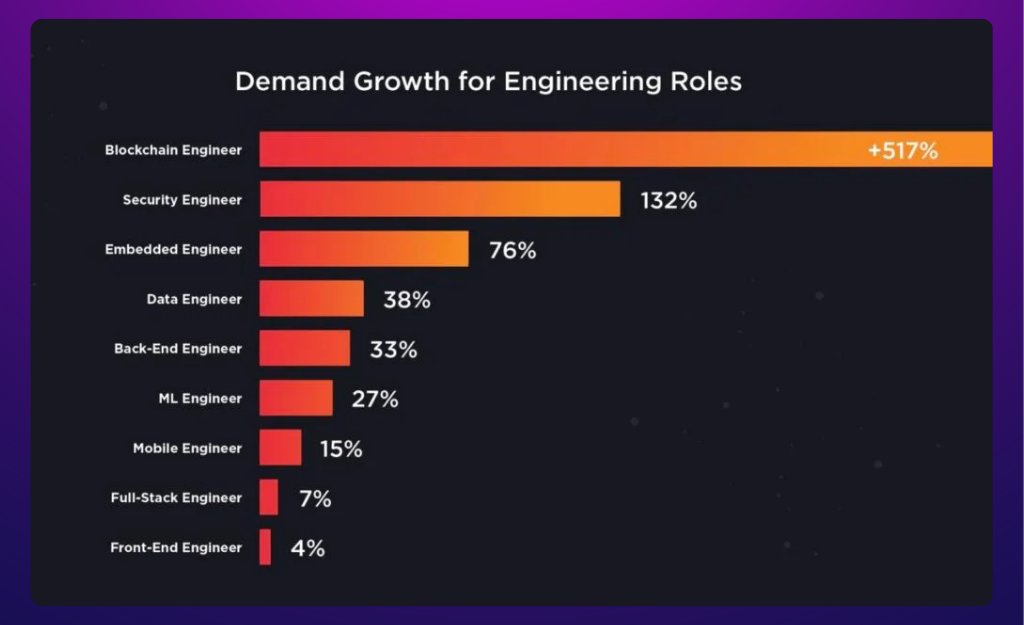
The more skills you have, the easier it is to make money in this ecosystem.
I made over $50K this year developing ICO contracts.
Many will hate me for sharing this, but here’s how to deploy an ICO contract without programming skills 🧵🔽
I made over $50K this year developing ICO contracts.
Many will hate me for sharing this, but here’s how to deploy an ICO contract without programming skills 🧵🔽
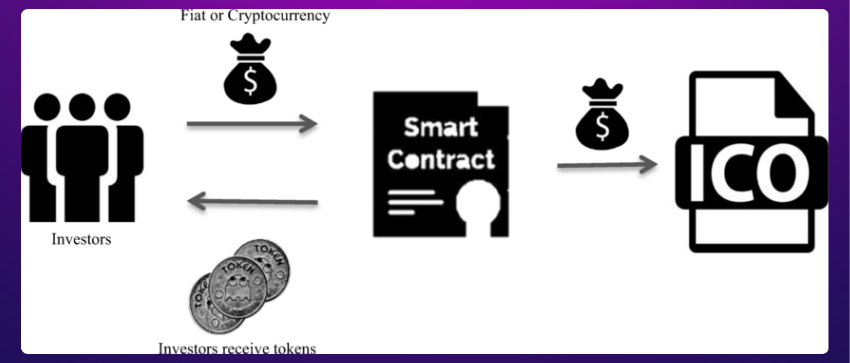
An ICO (Initial Coin Offering) is a way for startups to raise funds by selling new tokens to investors.
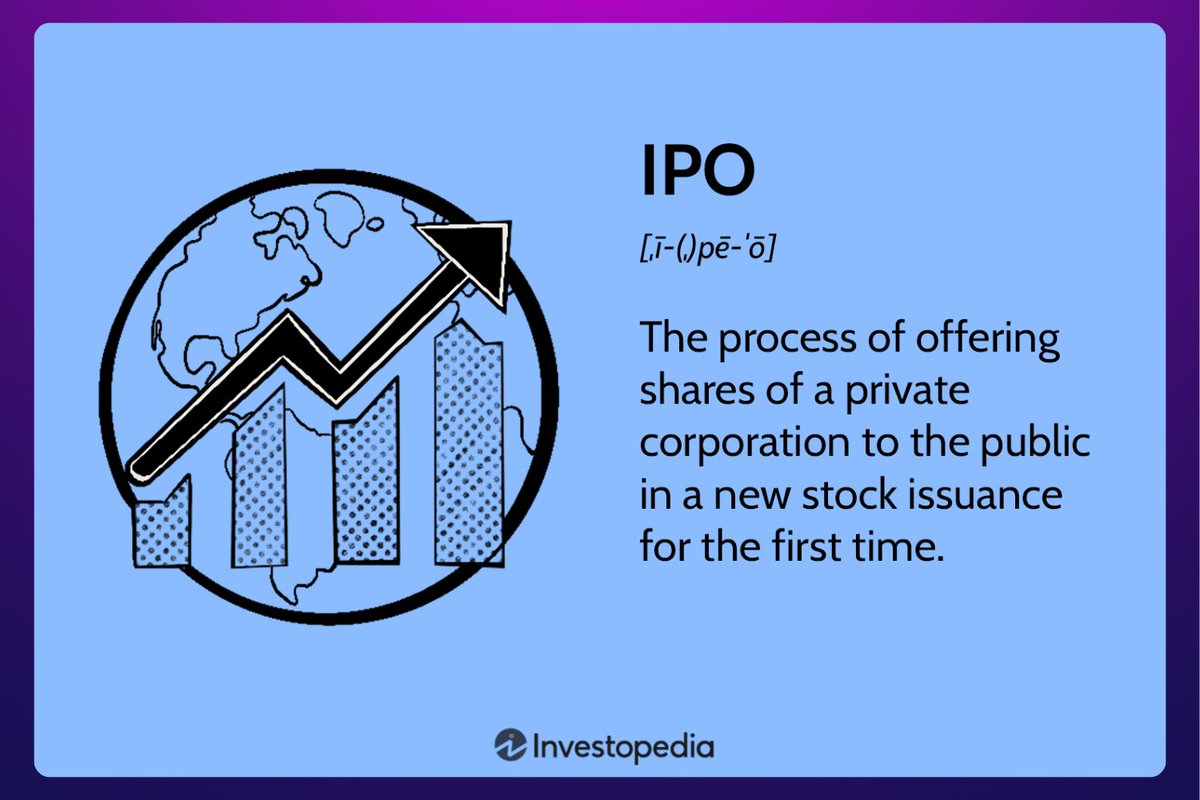
These tokens can be used on the project’s platform or traded, similar to buying shares in an IPO (Initial Public Offering) but with cryptocurrency.
These tokens can be used on the project’s platform or traded, similar to buying shares in an IPO (Initial Public Offering) but with cryptocurrency.
The goal of this thread is not to get you to participate in ICOs, and I do not recommend it.
Instead, the objective is to learn how to develop ICOs, which can help you make money by:
• Developing ICOs for various projects
• Creating an ICO for your own project
Instead, the objective is to learn how to develop ICOs, which can help you make money by:
• Developing ICOs for various projects
• Creating an ICO for your own project
To build a complete ICO, the smart contract must handle:
• The token sale
• The distribution
• The token withdrawal process
All of this might seem complicated, but keep reading, and I'll show you how to do it using a simple template.
• The token sale
• The distribution
• The token withdrawal process
All of this might seem complicated, but keep reading, and I'll show you how to do it using a simple template.
• Go to app.bunzz.dev
• Click on "Create Dapp"
• Choose the chain
• Search for "ICO"
• Set the _startTime and _endTime (start and end of the ICO)
• Click "Deploy" and confirm
The smart contract is now deployed, and you can verify it on the block explorer.
• Click on "Create Dapp"
• Choose the chain
• Search for "ICO"
• Set the _startTime and _endTime (start and end of the ICO)
• Click "Deploy" and confirm
The smart contract is now deployed, and you can verify it on the block explorer.


_startTime and _endTime must be provided in Unix Timestamp format.
The easiest way is to use "EpochConverter":
• Enter the start date in human-readable format
• Click on "Human date to Timestamp"
You will get the value you can use for deployment just below.
The easiest way is to use "EpochConverter":
• Enter the start date in human-readable format
• Click on "Human date to Timestamp"
You will get the value you can use for deployment just below.

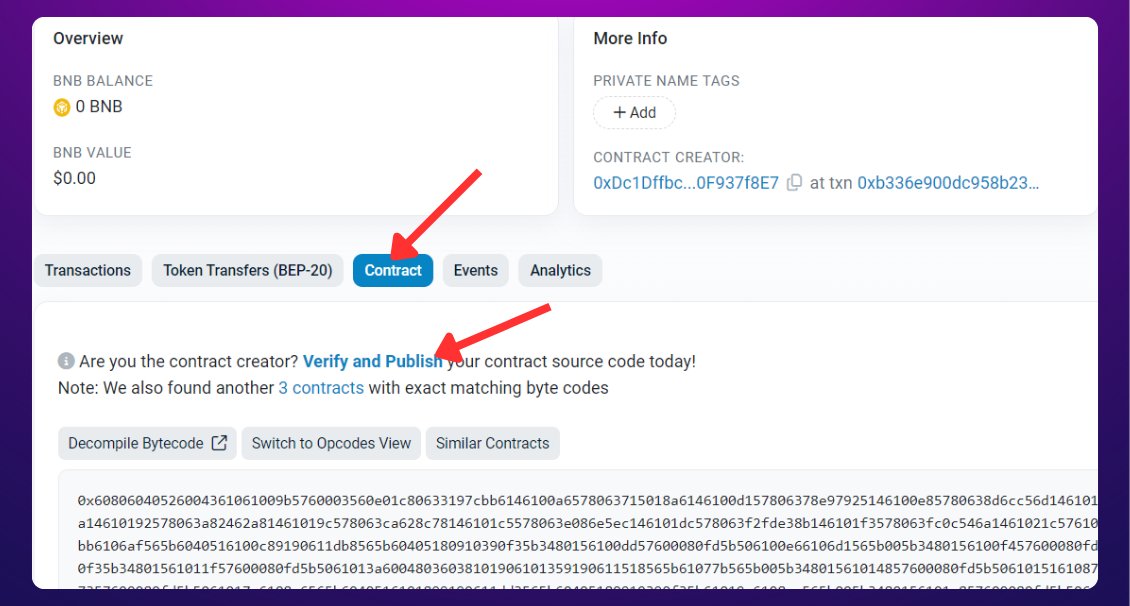
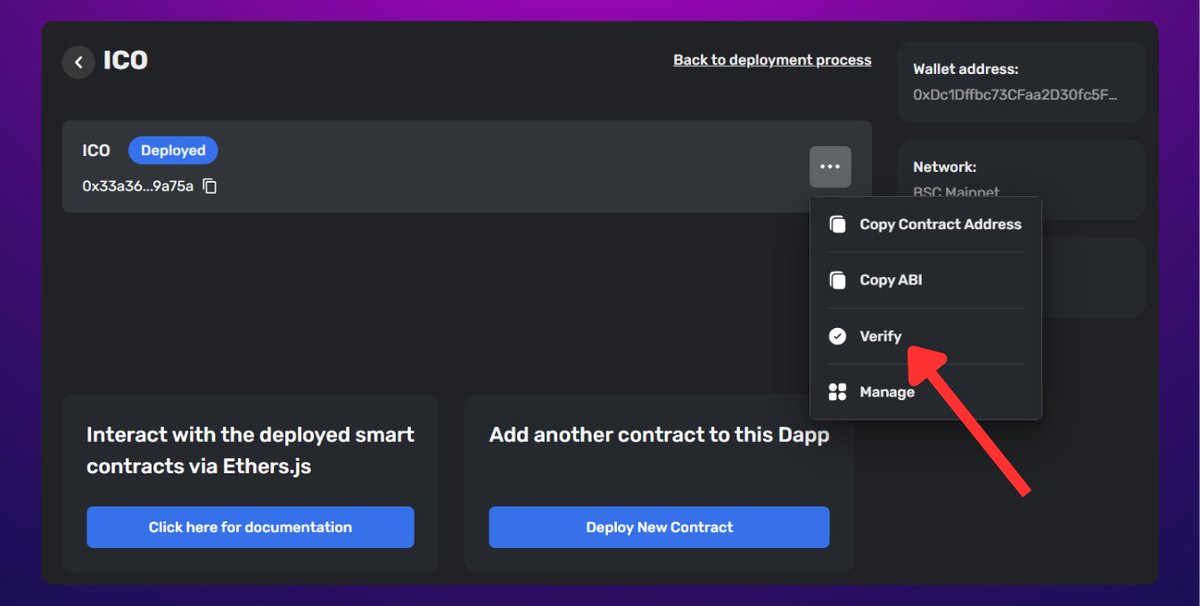
Verify the smart contract in the block explorer so that anyone can read it:
• Click on "Verify"
• Go to the block explorer
• Paste the smart contract address
• Go to "Contract"
• Click on "Verify and Publish"
• Fill in all the fields using the contract information
• Click on "Verify"
• Go to the block explorer
• Paste the smart contract address
• Go to "Contract"
• Click on "Verify and Publish"
• Fill in all the fields using the contract information
The smart contract is now finalized!
But it's not over yet, you now need a front end so that users can participate in the ICO via a web page.
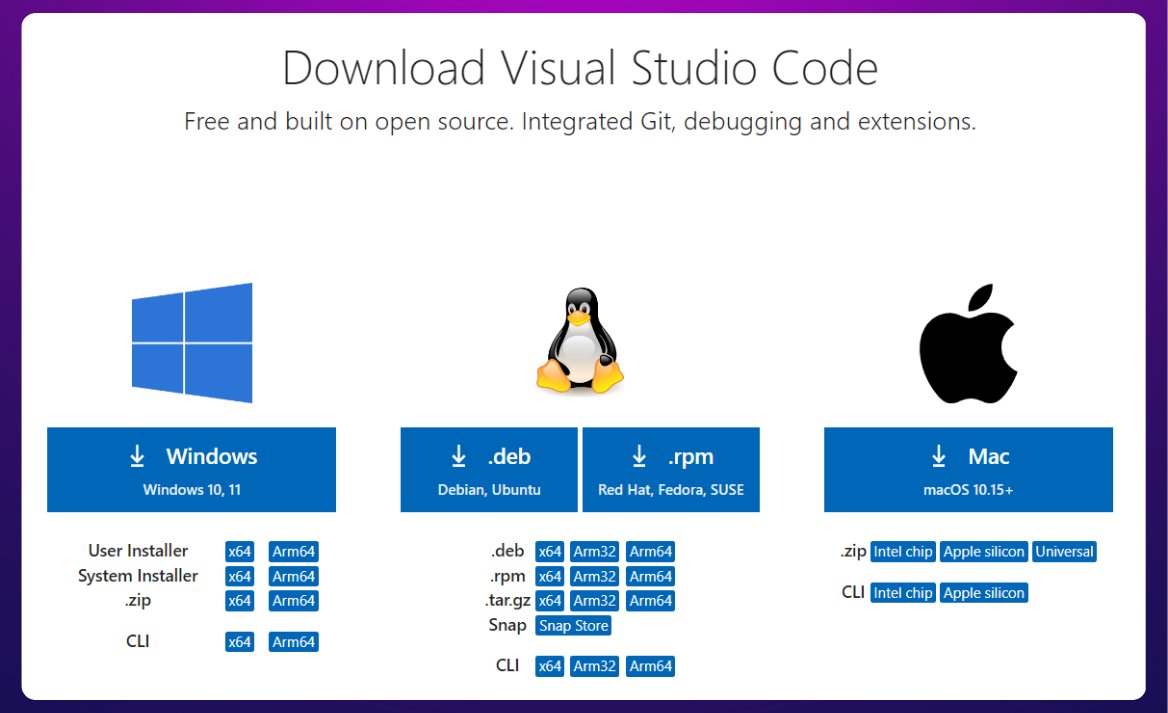
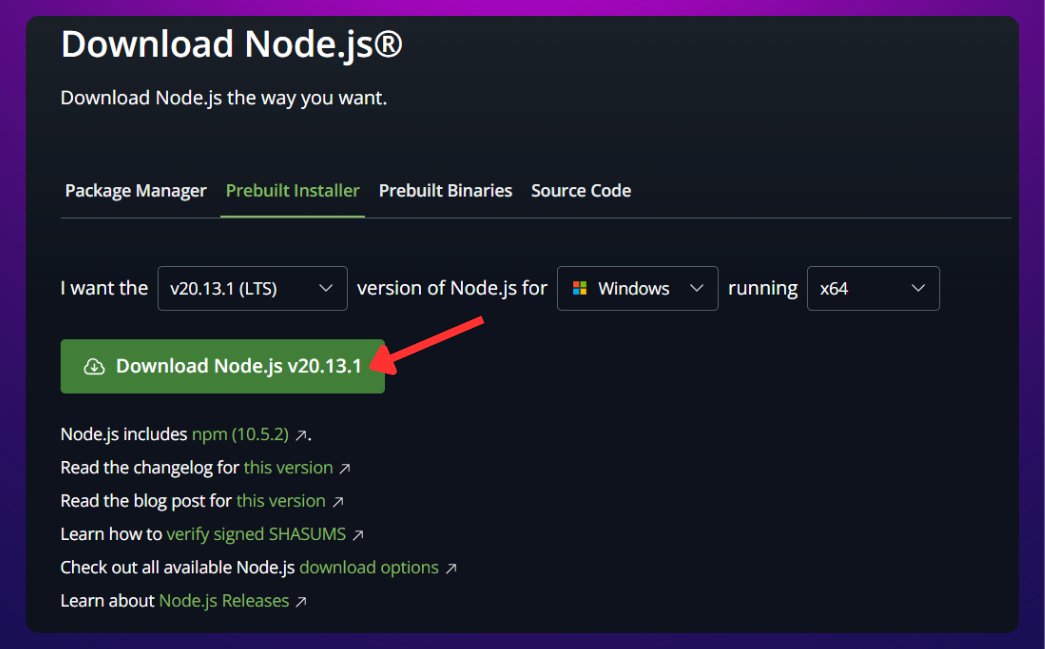
For this, you first need to install:
• Vscode (code editor)
• NodeJS (module manager)
But it's not over yet, you now need a front end so that users can participate in the ICO via a web page.
For this, you first need to install:
• Vscode (code editor)
• NodeJS (module manager)
We will use an existing template for the front end.
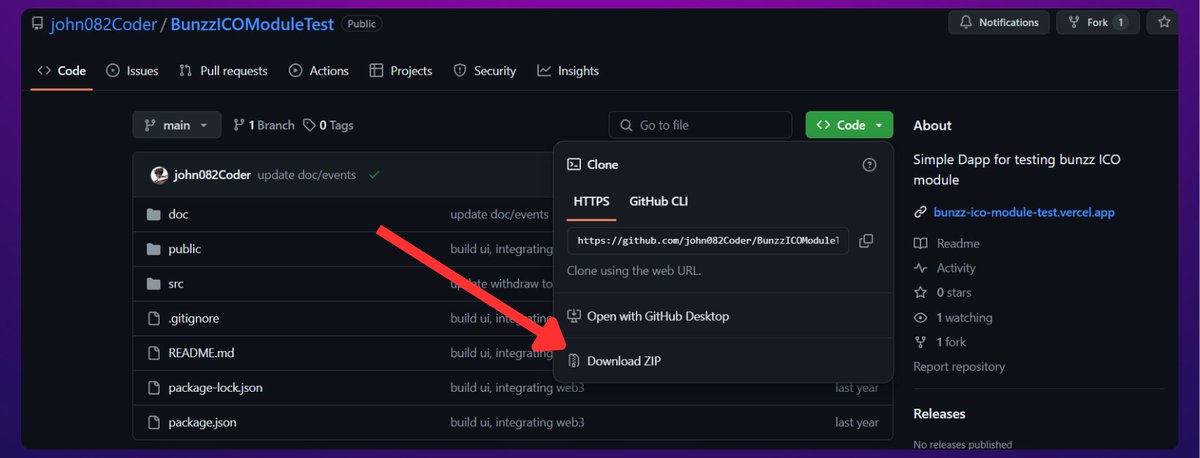
• Download this github.com and extract it into a folder
• Open the folder with Vscode
• Click on "Terminal" and "New Terminal"
• Run "npm install"
This will download all the necessary libraries.
• Download this github.com and extract it into a folder
• Open the folder with Vscode
• Click on "Terminal" and "New Terminal"
• Run "npm install"
This will download all the necessary libraries.

• Open the "ICO.json" file
It is located in "src/contracts/lib/abi".
Replace the ABI in this file with the one from the Bunzz dashboard.
• Open the "constants.js" file and replace the contract address with the one from the Bunzz dashboard.
It is located in "src/contracts/lib/abi".
Replace the ABI in this file with the one from the Bunzz dashboard.
• Open the "constants.js" file and replace the contract address with the one from the Bunzz dashboard.
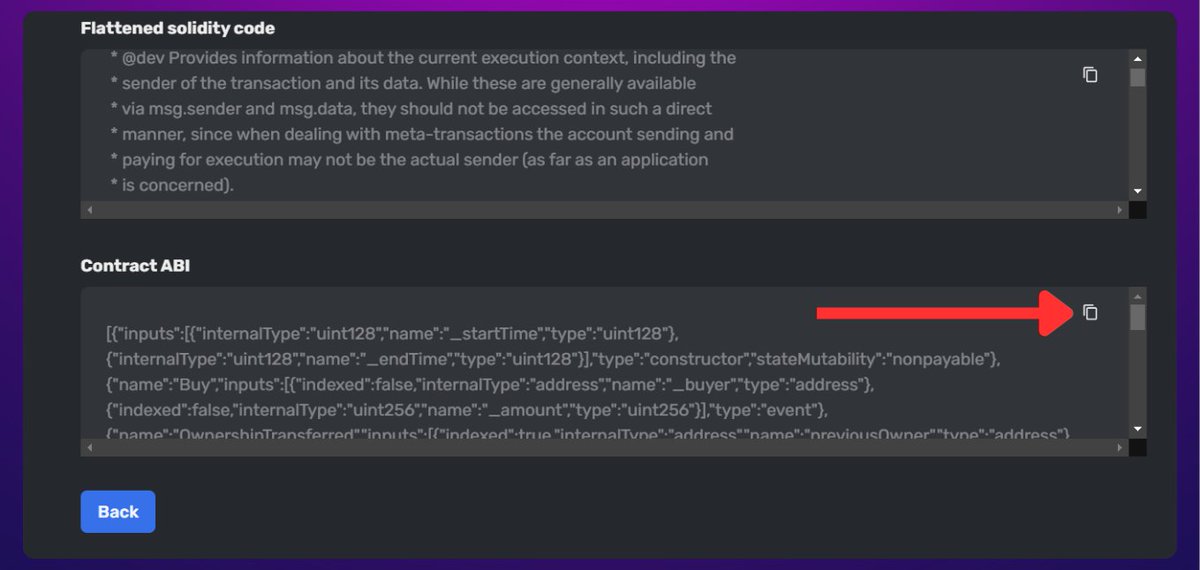
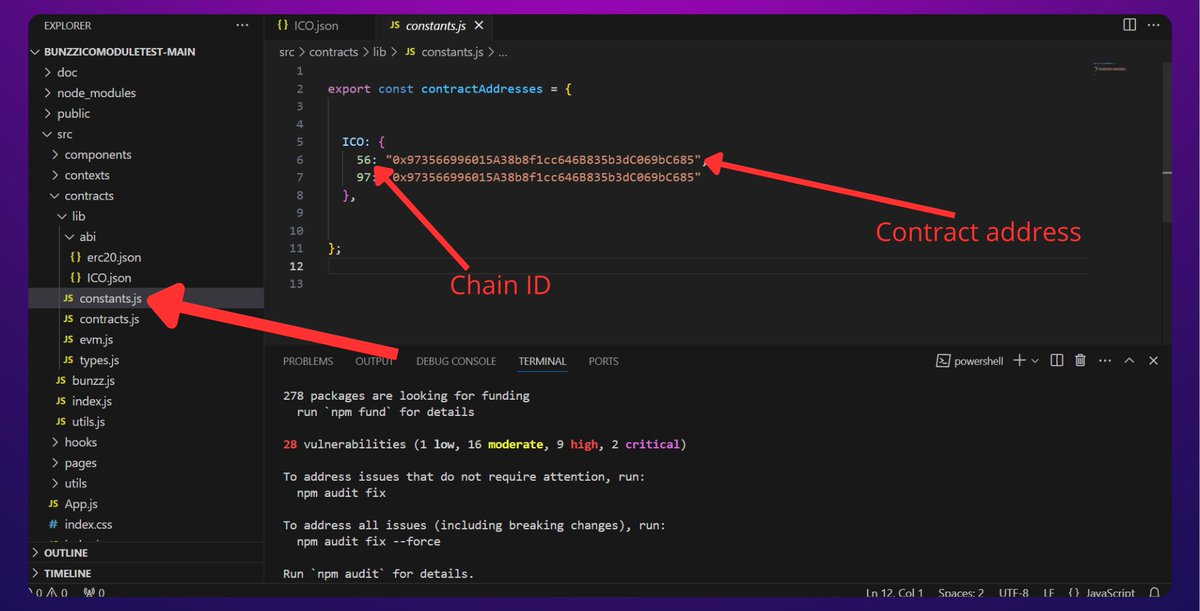
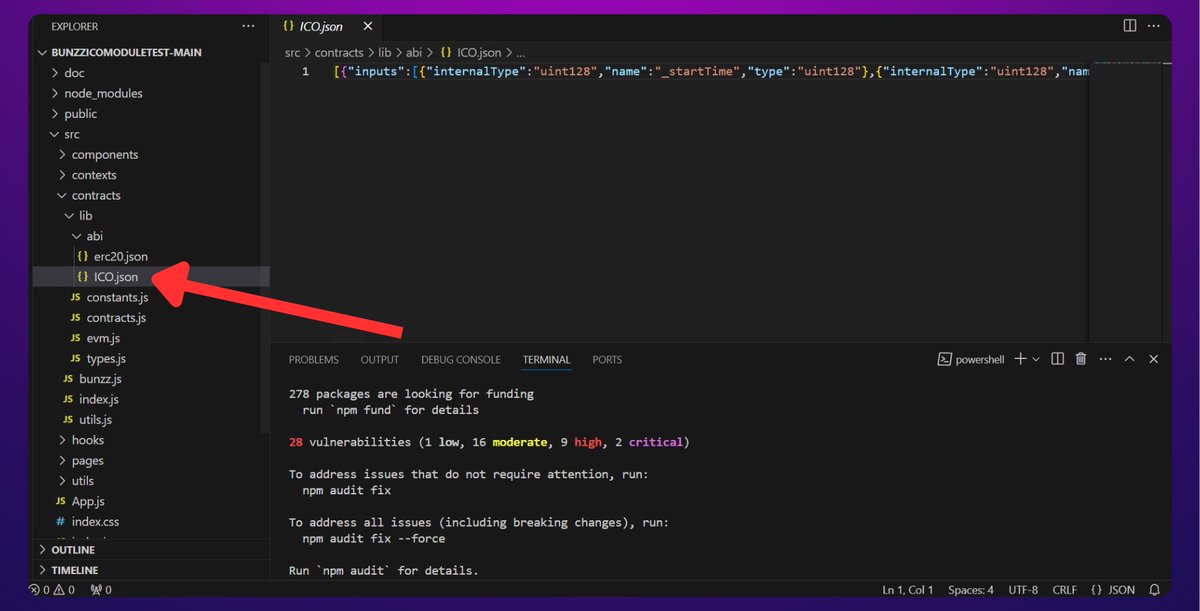
You have to do the same for "ERC20.json".
If you haven’t created an ERC20 token, you can also do it on Bunzz by following the same steps as above.
Once created, replace the ABI in "ERC20.json".
If you haven’t created an ERC20 token, you can also do it on Bunzz by following the same steps as above.
Once created, replace the ABI in "ERC20.json".
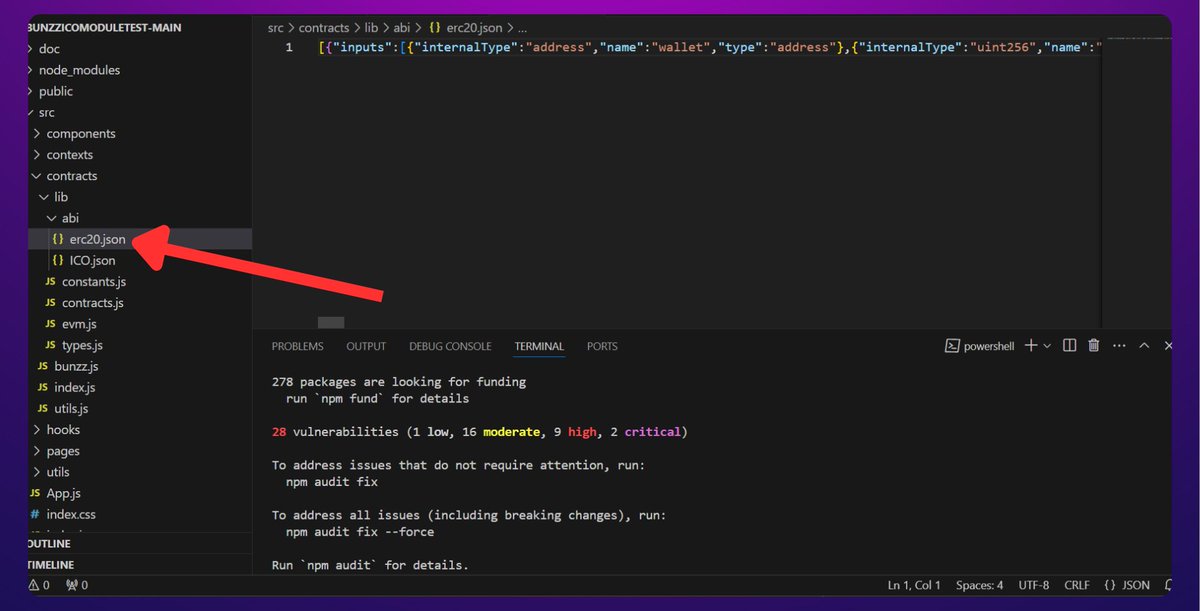
And that's it, you have finished the frontend.
To view the frontend, run: "npm run start"
A page will appear, and you will be able to manage all aspects of the ICO via this web page.
Users can also use it to participate.
To view the frontend, run: "npm run start"
A page will appear, and you will be able to manage all aspects of the ICO via this web page.
Users can also use it to participate.
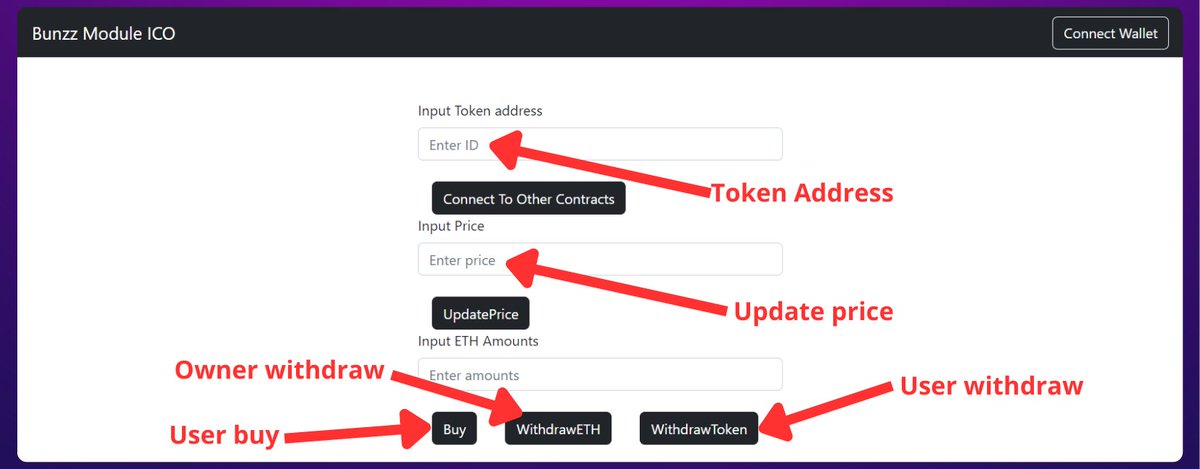
All that’s left is to make the frontend look nicer with some design work.
Then, you must buy a domain name and deploy your web page.
These last steps are elementary, you will find good tutorials online.
Then, you must buy a domain name and deploy your web page.
These last steps are elementary, you will find good tutorials online.

I hope you've found this thread helpful.
Follow me @the_smart_ape for more.
Like/Repost the quote below if you can:
Follow me @the_smart_ape for more.
Like/Repost the quote below if you can:
Loading suggestions...