

Convert your Python application into a website in 2 minutes.
Let me show you how:
Let me show you how:
There's no easy way than this to build a data, AI-based web applications.
I came across Taipy.
It is an open-source Python library for building production-ready front-end & back-end in no time.
I came across Taipy.
It is an open-source Python library for building production-ready front-end & back-end in no time.
Let's see in five simple steps how to build a movie recommendation system using Taipy.
Step 1: Installing Taipy
You of course need to install it.
Note: You must have Python and pip installed in your system.
Use this command:
`pip install taipy`
You of course need to install it.
Note: You must have Python and pip installed in your system.
Use this command:
`pip install taipy`
Step 2: Creating Scenarios
Taipy scenarios let us filter movie data based on your chosen genre.
In simple terms, consider it as a different scenario with different user input.
Every time you change your genre selection, the scenario runs to process your request.
Taipy scenarios let us filter movie data based on your chosen genre.
In simple terms, consider it as a different scenario with different user input.
Every time you change your genre selection, the scenario runs to process your request.
You can use the Taipy Studio extension in Visual Studio Code to configure your scenario with no code.
Your configuration is automatically saved as a TOML file.
Your configuration is automatically saved as a TOML file.

If you want to quickly test it out, you can download the config.toml file from here:
gist.github.com
gist.github.com
Step 3: Different scenarios filter function
Let's write a bit of a code.
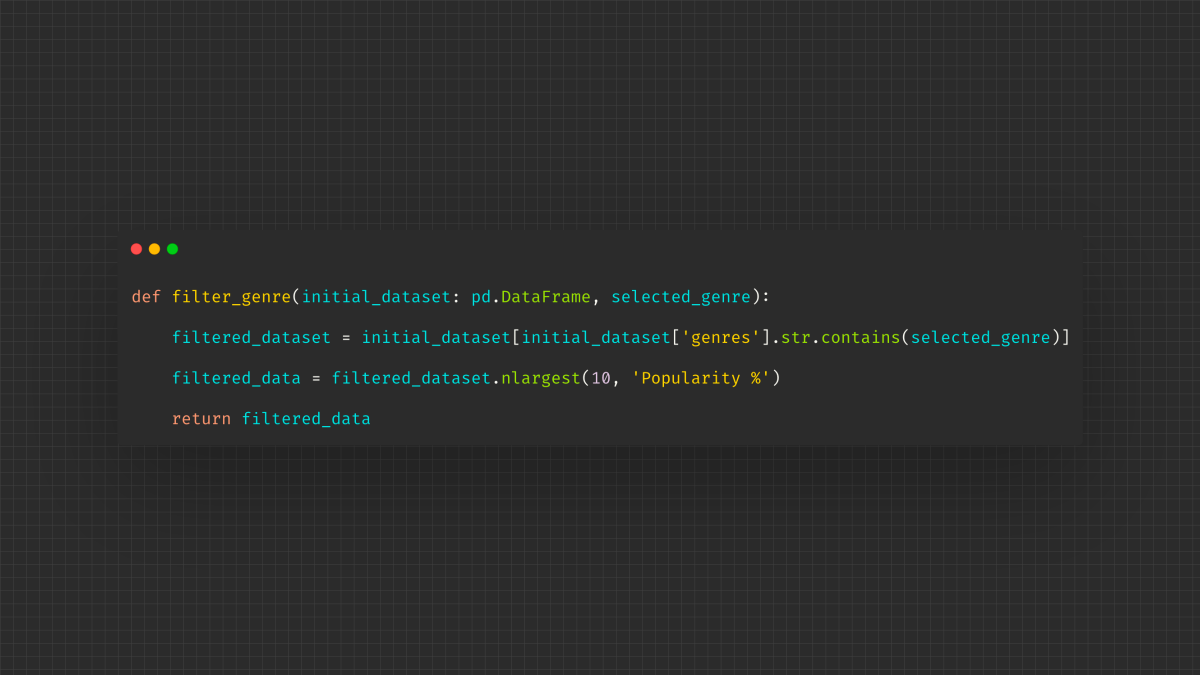
Code snippet below represents the filter function.
It will filter out the top 10 movies based on the selected genre.
Let's write a bit of a code.
Code snippet below represents the filter function.
It will filter out the top 10 movies based on the selected genre.
Step 4: Building the front-end
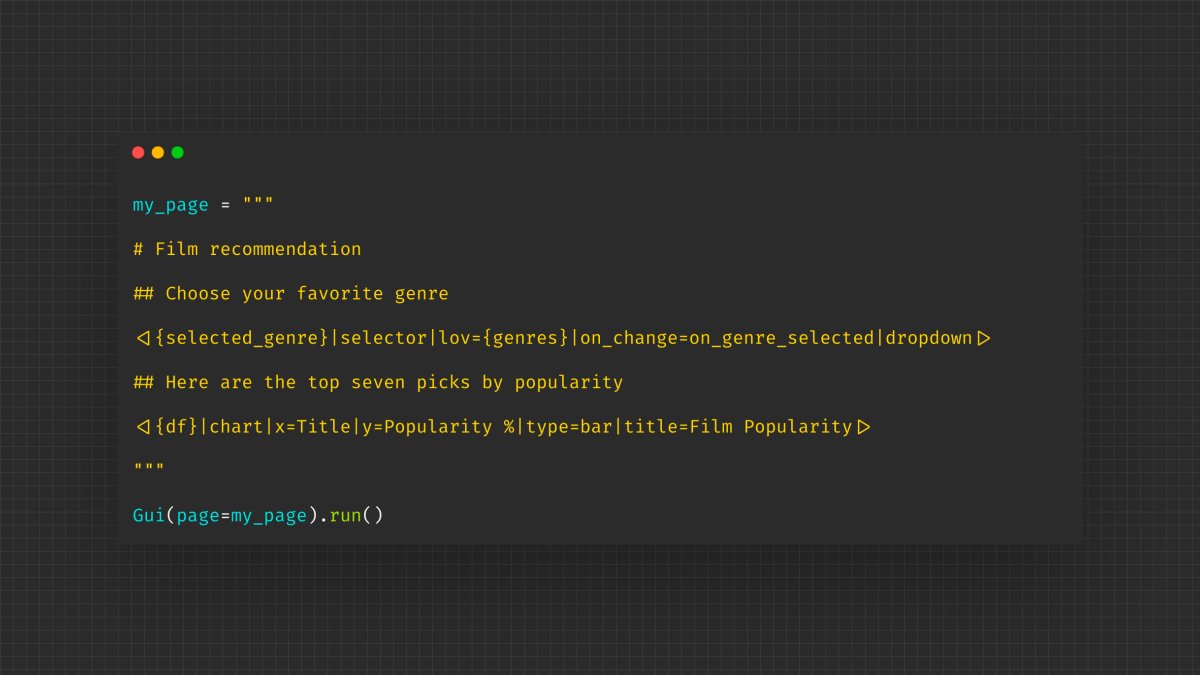
Taipy has well-written documentation where you can learn how to build layouts, action buttons, binding variables etc.
Taipy has well-written documentation where you can learn how to build layouts, action buttons, binding variables etc.

Here are a few things that make Taipy differ from similar products like Streamlit.
• Better performance.
• Highly scalable in terms of a number of users, number of GUI components
• Supports large data
Taipy is truly multi-user and provides for different user profiles.
• Better performance.
• Highly scalable in terms of a number of users, number of GUI components
• Supports large data
Taipy is truly multi-user and provides for different user profiles.
Loading suggestions...