

Microsoft released Copilot Pro, and it's insane.
It's like ChatGPT PRO for Word, PowerPoint, Excel, GPTs, and more!
Here're 13 Features of Copilot, you don't want to miss in 2024
It's like ChatGPT PRO for Word, PowerPoint, Excel, GPTs, and more!
Here're 13 Features of Copilot, you don't want to miss in 2024
1. Latest Launch: Copilot Pro
Gain access to the most advanced AI capabilities, including building your own Copilot GPTs.
Demo 👇
Gain access to the most advanced AI capabilities, including building your own Copilot GPTs.
Demo 👇

2. PowerPoint:
- Convert Word docs into presentations.
- Create quick presentations from files.
- Summarize lengthy presentations into key slides.
- Add new slides using prompts.
- Improve text, formatting, animations, and layout with natural language
- Convert Word docs into presentations.
- Create quick presentations from files.
- Summarize lengthy presentations into key slides.
- Add new slides using prompts.
- Improve text, formatting, animations, and layout with natural language

3. Copilot available on Phone
Android Link: play.google.com
iOS link: apps.apple.com
In the meantime, you can use the Bing app on iOS to enjoy all the features of Copilot!
Android Link: play.google.com
iOS link: apps.apple.com
In the meantime, you can use the Bing app on iOS to enjoy all the features of Copilot!
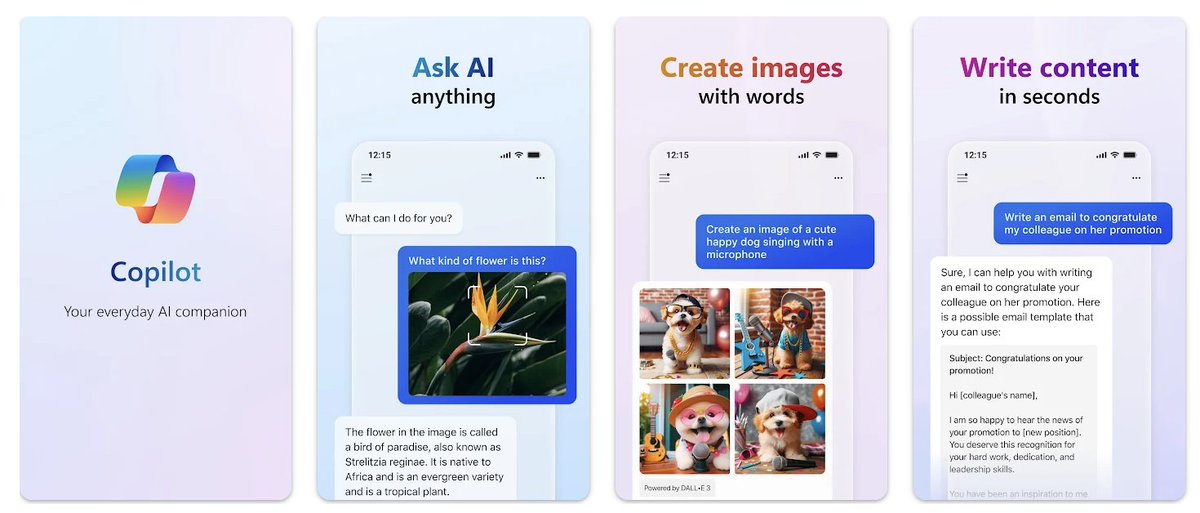

4. Bing Chat is now Copilot.
- You can use it on Edge, Chrome, Safari, and even on your phone.
- I'll show you it's latest AI features
🔗 copilot.microsoft.com
- You can use it on Edge, Chrome, Safari, and even on your phone.
- I'll show you it's latest AI features
🔗 copilot.microsoft.com

5. Excel:
- Make instant professional charts with existing data.
- Apply formulas/calculations based on prompts.
- Create visualizations like charts/graphs.
- Summarize trends and insights from data analysis.
- Model potential scenarios with what-if analysis.
- Make instant professional charts with existing data.
- Apply formulas/calculations based on prompts.
- Create visualizations like charts/graphs.
- Summarize trends and insights from data analysis.
- Model potential scenarios with what-if analysis.

6. Code Interpreter
Perform complex tasks such as:
- More accurate calculations
- Coding
- Data analysis
- Visualization
- Math and more.
Microsoft is gathering feedback on these features from a select group of users and plan to roll it out to a wider audience soon.
Perform complex tasks such as:
- More accurate calculations
- Coding
- Data analysis
- Visualization
- Math and more.
Microsoft is gathering feedback on these features from a select group of users and plan to roll it out to a wider audience soon.

7. Word
- Generate a draft of a complete document easily with a simple prompt.
- Summarize lengthy documents efficiently
- Rewrite sections of text or entire documents to be more concise or match a certain tone
- Generate a draft of a complete document easily with a simple prompt.
- Summarize lengthy documents efficiently
- Rewrite sections of text or entire documents to be more concise or match a certain tone

8. GPT-4 powers Copilot Chat
Software developers will love this.
- You can chat within your code editor, enabling faster coding and quicker access to answers.
- Detects security vulnerabilities and finds/fixes errors in code, terminal, and debugger.
Software developers will love this.
- You can chat within your code editor, enabling faster coding and quicker access to answers.
- Detects security vulnerabilities and finds/fixes errors in code, terminal, and debugger.

9. Build Your CoPilots (Similar to GPTs)
Use an end-to-end conversational design studio to:
- Extend and customize Copilot for Microsoft 365
- Build your own copilot
Use an end-to-end conversational design studio to:
- Extend and customize Copilot for Microsoft 365
- Build your own copilot

10. Microsoft Teams
- Creates agendas for your meetings.
- Takes notes during meetings, capturing key points and action items.
- Suggests discussion points
- Get meeting recaps and insights.
- Creates agendas for your meetings.
- Takes notes during meetings, capturing key points and action items.
- Suggests discussion points
- Get meeting recaps and insights.

11. Copilot Studio:
- Create AI helpers that works with Microsoft 365 (No programming skills required)
- Teach them using your information and files.
- Set them up on various websites and systems.
- Create AI helpers that works with Microsoft 365 (No programming skills required)
- Teach them using your information and files.
- Set them up on various websites and systems.

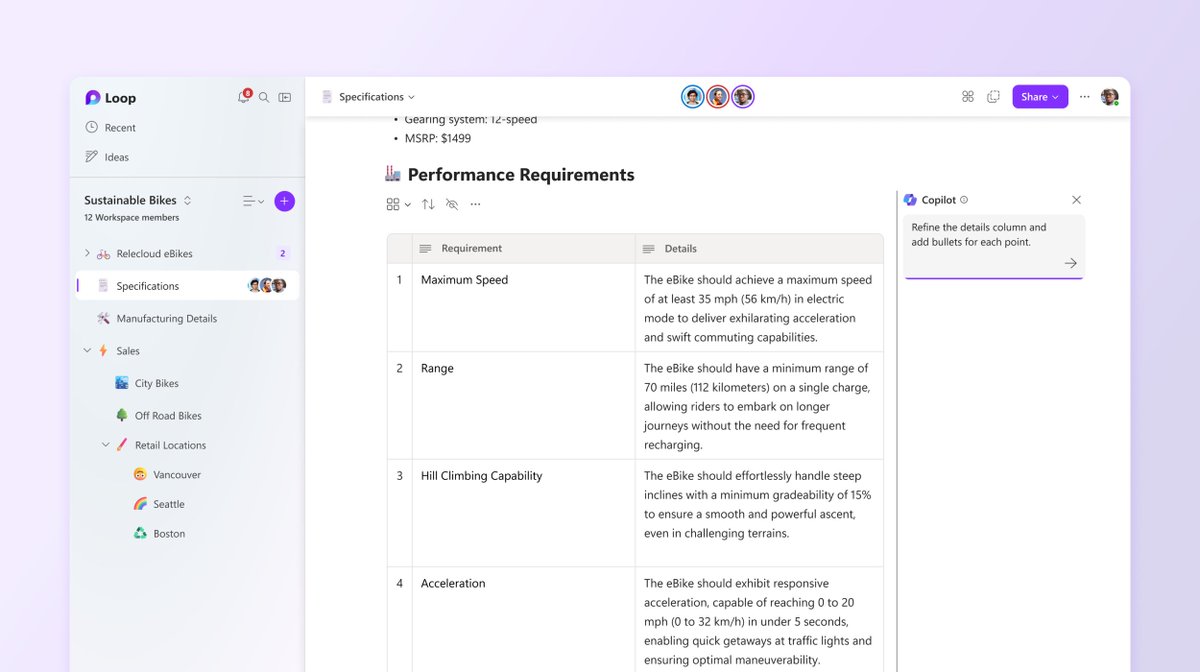
12. Copilot in Loop
- Plan, brainstorm, and collaborate easier
- Collaborate, co-create, and stay in sync
- Plan, brainstorm, and collaborate easier
- Collaborate, co-create, and stay in sync
13. Outlook:
- Draft effective emails
- Schedule follow-ups and create agendas based on past conversations
- Translate an email response
- Summarize long emails
- Draft effective emails
- Schedule follow-ups and create agendas based on past conversations
- Translate an email response
- Summarize long emails

Thanks for reading.
If you enjoyed reading this post, you will love my Newsletter on AI updates and Monetisation Tips.
Join AI Toast Community. Subscribe for FREE:
aitoast.beehiiv.com
If you enjoyed reading this post, you will love my Newsletter on AI updates and Monetisation Tips.
Join AI Toast Community. Subscribe for FREE:
aitoast.beehiiv.com

That's a wrap!
Hope you enjoyed it.
If you find this post helpful, please :
1. Follow me @CodeByPoonam for more.
2. Like/Repost the first tweet below for support.
Hope you enjoyed it.
If you find this post helpful, please :
1. Follow me @CodeByPoonam for more.
2. Like/Repost the first tweet below for support.
Loading suggestions...