

With Excel, there are pretty much no limits to what you can accomplish.
Lucky for you, I’ve assembled the most valuable functions that will help you a lot
Every Excel function you NEED to know
Lucky for you, I’ve assembled the most valuable functions that will help you a lot
Every Excel function you NEED to know
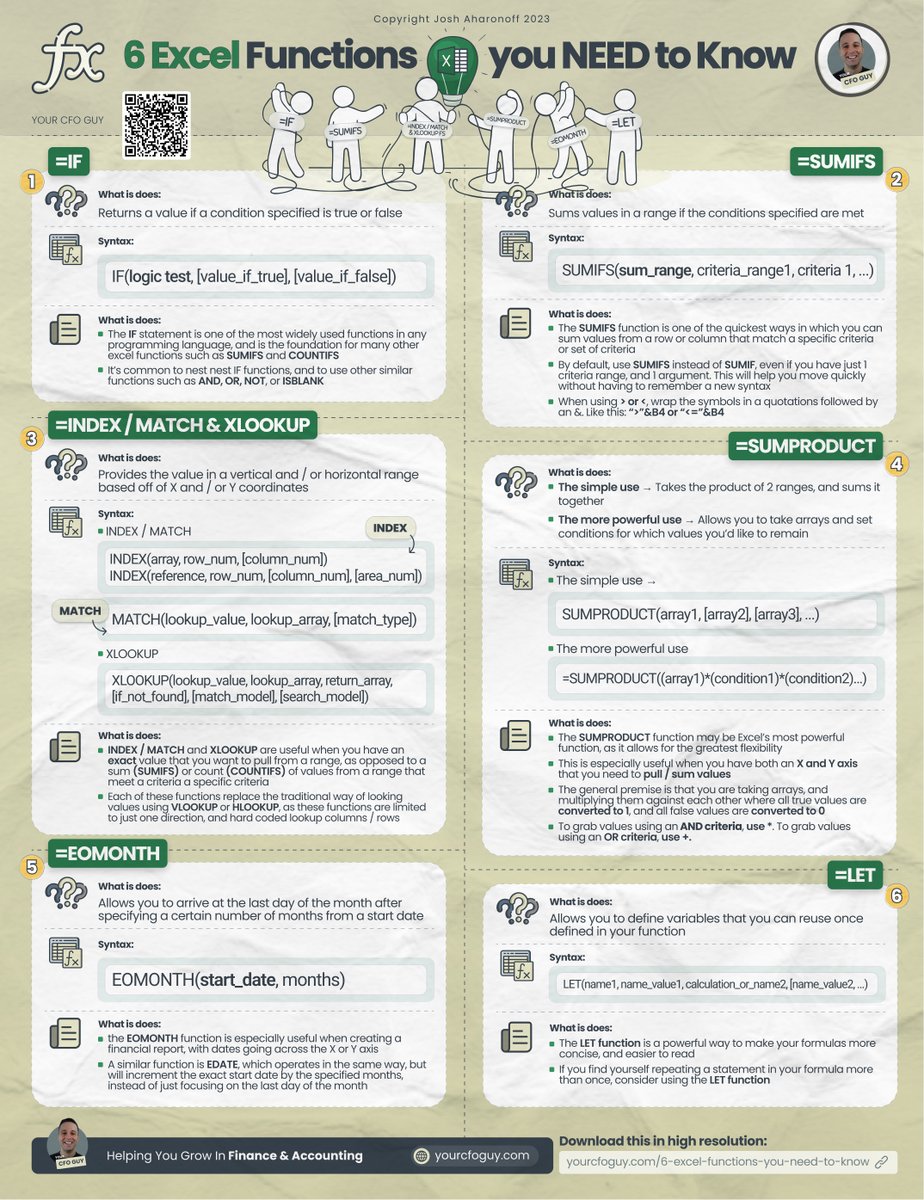
1️⃣ =IF
This is the simplest function…but it’s also one of the most important.
IF this condition is true, return me this value
if it’s false, return me this other value
Pretty much every programming language in the world has an if function, an excel is no different.
This is the simplest function…but it’s also one of the most important.
IF this condition is true, return me this value
if it’s false, return me this other value
Pretty much every programming language in the world has an if function, an excel is no different.

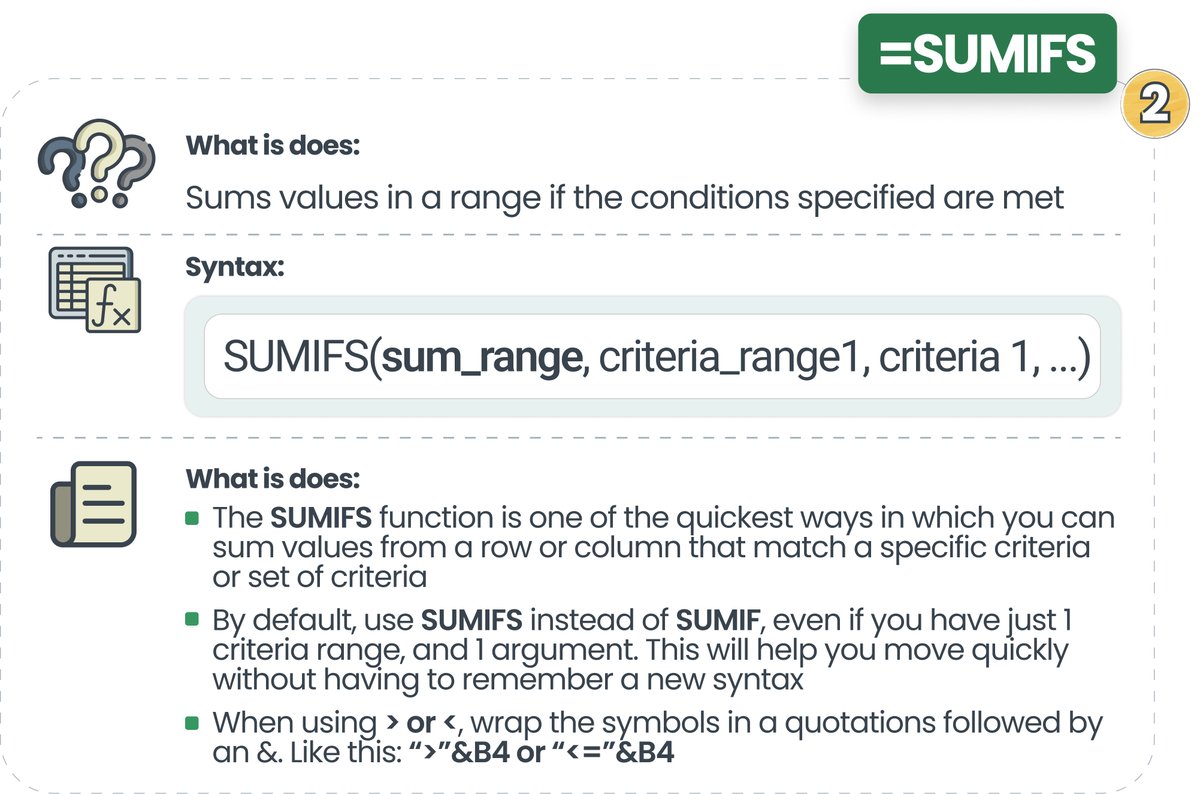
2️⃣ =SUMIFS
This function builds on the IF function, but this time by combining it with a SUM function.
The idea is fairly simple:
SUM values in a range IF they meet a certain set of criteria.
This is especially useful when you want to sum values across an X or Y axis…
This function builds on the IF function, but this time by combining it with a SUM function.
The idea is fairly simple:
SUM values in a range IF they meet a certain set of criteria.
This is especially useful when you want to sum values across an X or Y axis…
3️⃣ =INDEX / MATCH & =XLOOKUP
Need to look up a precise value in a data set?
I’m begging you…stop using VLOOKUP.
There’s just no need.
My personal favorite lookup function is still an INDEX / MATCH function…
Need to look up a precise value in a data set?
I’m begging you…stop using VLOOKUP.
There’s just no need.
My personal favorite lookup function is still an INDEX / MATCH function…

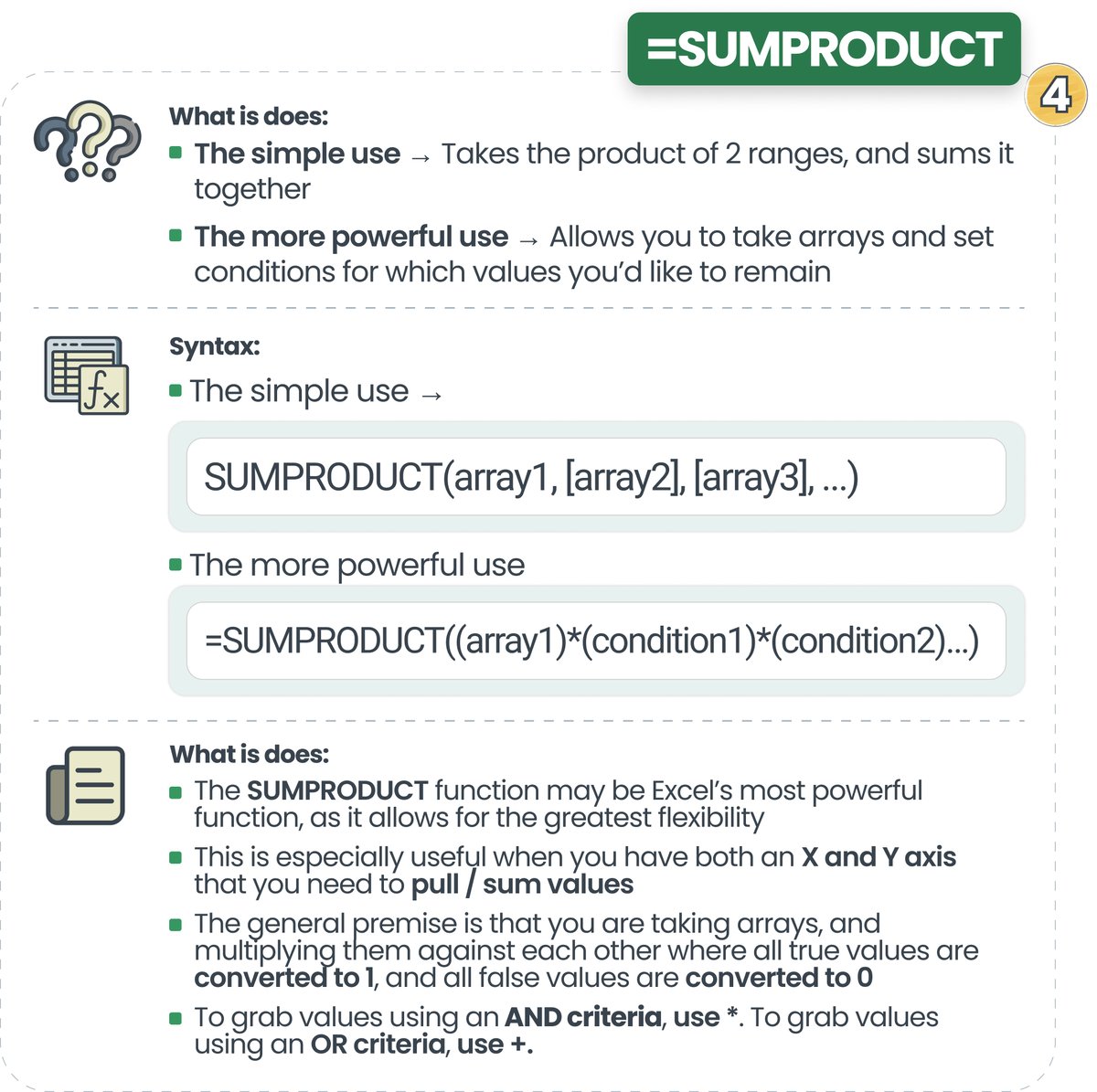
4️⃣ =SUMPRODUCT
Most people think SUMPRODUCT is just a way to take the product of 2 ranges, and sum them together…
but there’s so much more to it.
With SUMPRODUCT, you can take an array with both an X and Y axis, and multiple it by several conditions….
Most people think SUMPRODUCT is just a way to take the product of 2 ranges, and sum them together…
but there’s so much more to it.
With SUMPRODUCT, you can take an array with both an X and Y axis, and multiple it by several conditions….
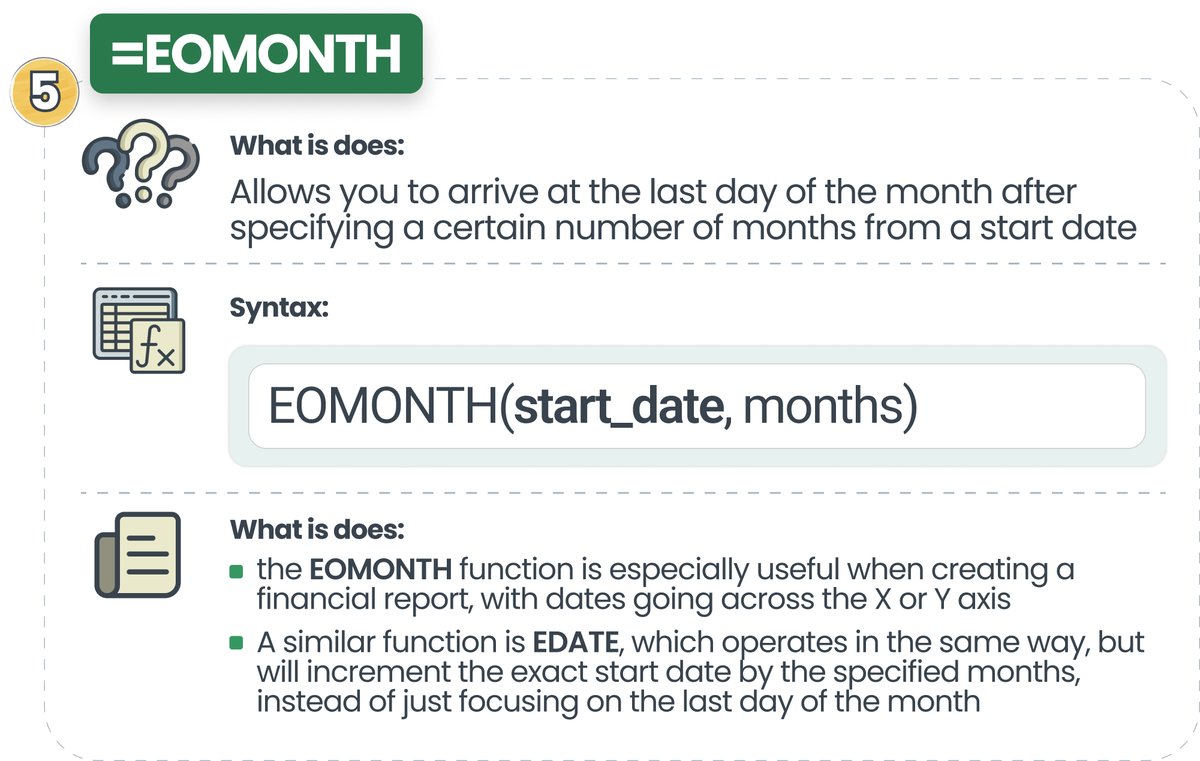
5️⃣ =EOMONTH
Almost every report in Finance & Accounting has your months going across the the X axis…
EOMONTH allows you to easily create those.
Simply take your starting month, and increment it by however many months you need to get the last day of the next month.
Almost every report in Finance & Accounting has your months going across the the X axis…
EOMONTH allows you to easily create those.
Simply take your starting month, and increment it by however many months you need to get the last day of the next month.
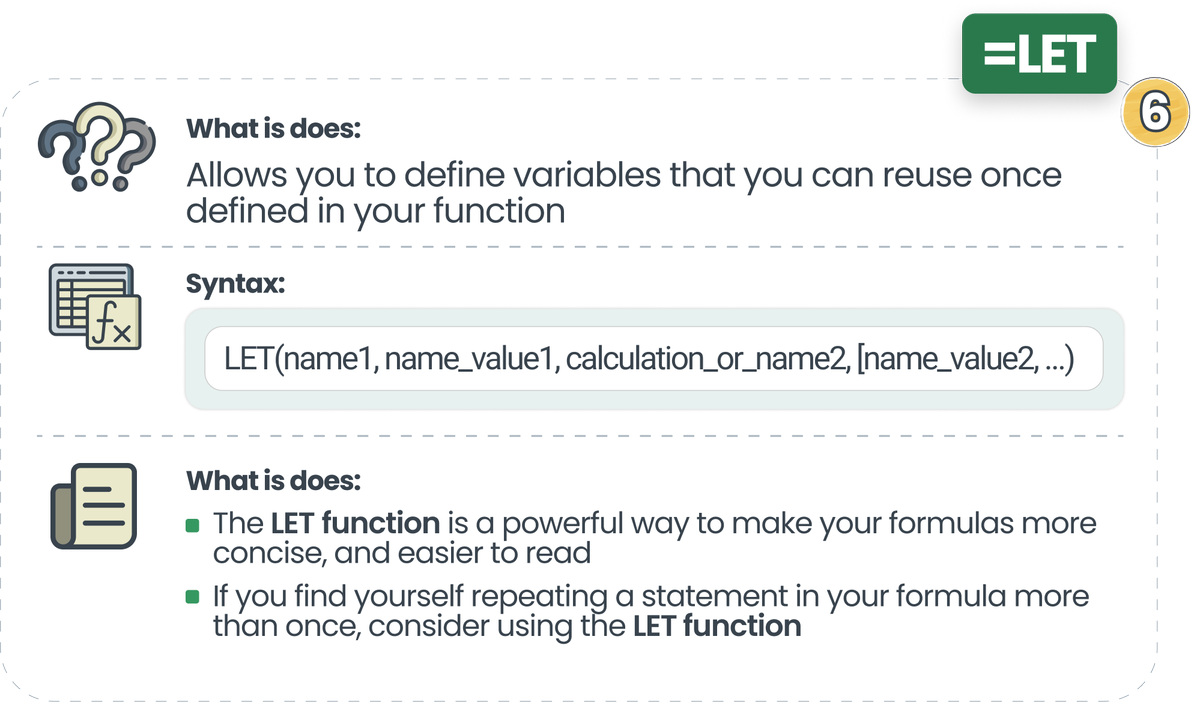
6️⃣ =LET
This is a really cool one that many don’t know about.
With the LET function, you can actually create variables inside your function that you can then reuse.
This is really useful when you have a long function where you repeat certain aspects multiple times…
This is a really cool one that many don’t know about.
With the LET function, you can actually create variables inside your function that you can then reuse.
This is really useful when you have a long function where you repeat certain aspects multiple times…
These are my 6 favorite functions in excel…
there are countless others that are a must know.
Which ones would you add?
𝗜𝗳 𝘆𝗼𝘂 𝗲𝗻𝗷𝗼𝘆𝗲𝗱 𝘁𝗵𝗶𝘀, 𝗰𝗼𝗻𝘀𝗶𝗱𝗲𝗿 𝗷𝗼𝗶𝗻𝗶𝗻𝗴 𝗺𝘆 𝗻𝗲𝘄𝘀𝗹𝗲𝘁𝘁𝗲𝗿 🚩
yourcfoguy.com
there are countless others that are a must know.
Which ones would you add?
𝗜𝗳 𝘆𝗼𝘂 𝗲𝗻𝗷𝗼𝘆𝗲𝗱 𝘁𝗵𝗶𝘀, 𝗰𝗼𝗻𝘀𝗶𝗱𝗲𝗿 𝗷𝗼𝗶𝗻𝗶𝗻𝗴 𝗺𝘆 𝗻𝗲𝘄𝘀𝗹𝗲𝘁𝘁𝗲𝗿 🚩
yourcfoguy.com

Loading suggestions...