

This post contains EVERYTHING you can do in excel 😱👇
Excel continues to be the #1 tool used for Finance & Accounting professionals…
and for good reason.
With excel, there are pretty much no limits to what you can accomplish.
Let’s do a walk through it all 👀 :
Excel continues to be the #1 tool used for Finance & Accounting professionals…
and for good reason.
With excel, there are pretty much no limits to what you can accomplish.
Let’s do a walk through it all 👀 :
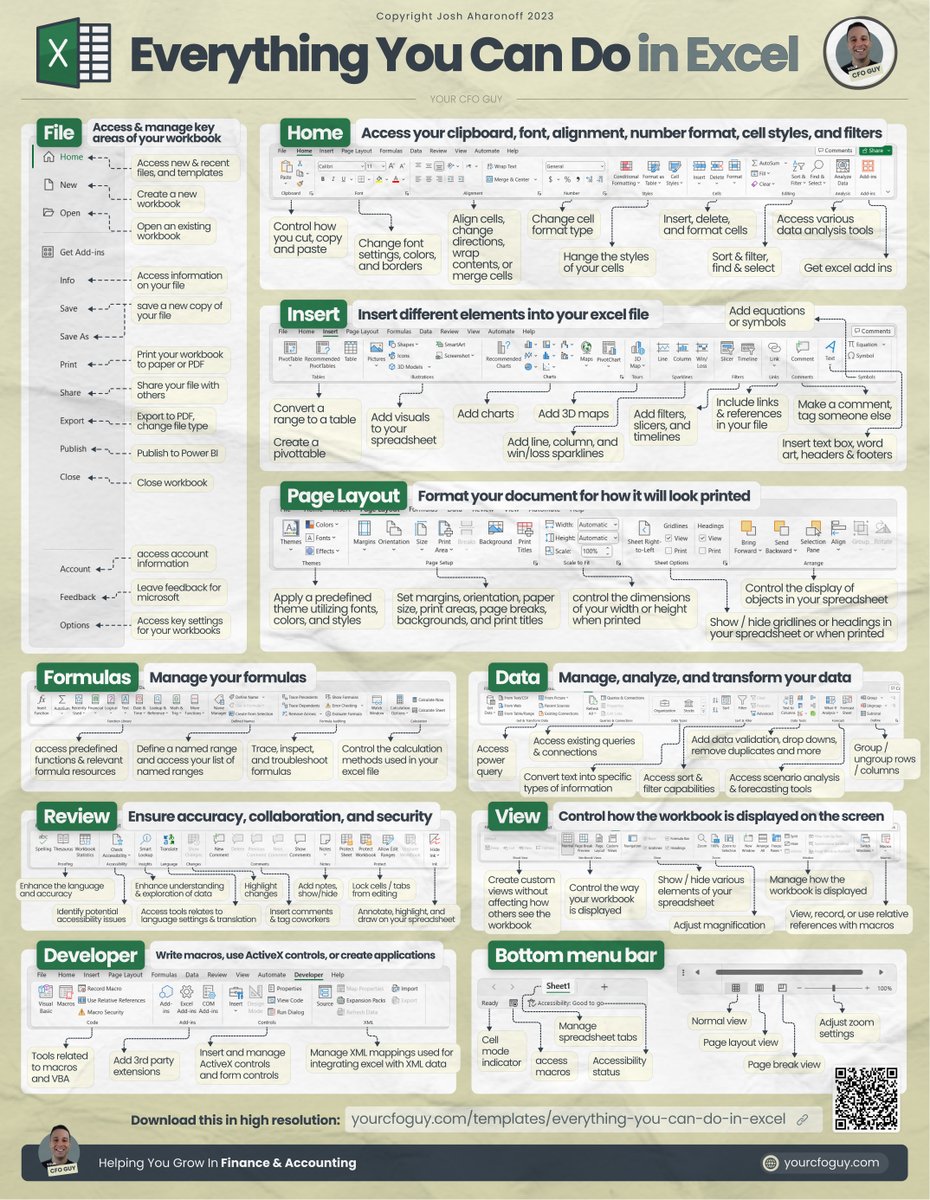
📁 File → access & manage key areas of your workbook
This is where most people start out when they open an excel file…
here you can create a new file…open an existing file..
access a template…or access key options.
This is where most people start out when they open an excel file…
here you can create a new file…open an existing file..
access a template…or access key options.
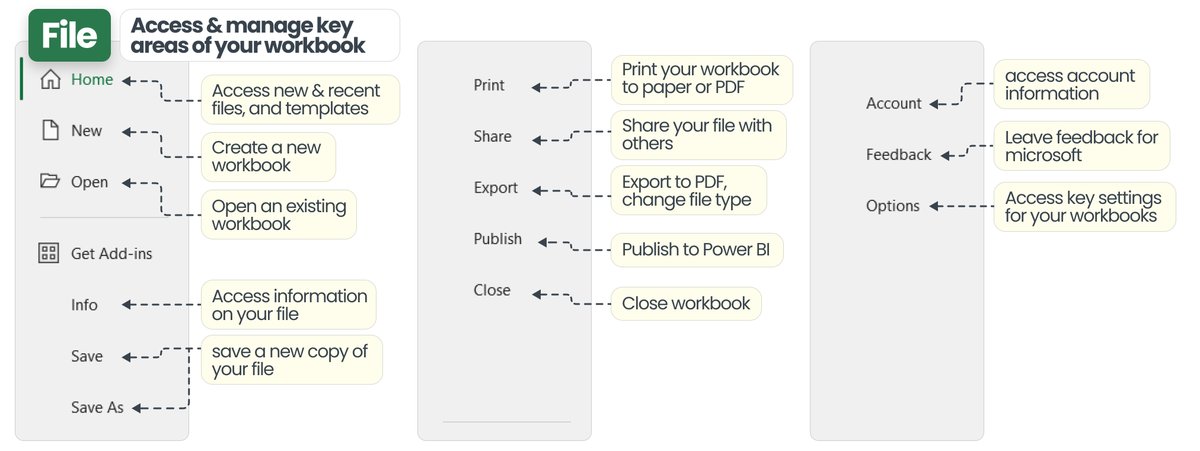
🏠 Home → access your clipboard, font, alignment, number format, cell styles, and filters
My favorite tools here are:
• Set paste options
• Control cell aesthetics
• Change cell format
• Formatting cells
My favorite tools here are:
• Set paste options
• Control cell aesthetics
• Change cell format
• Formatting cells
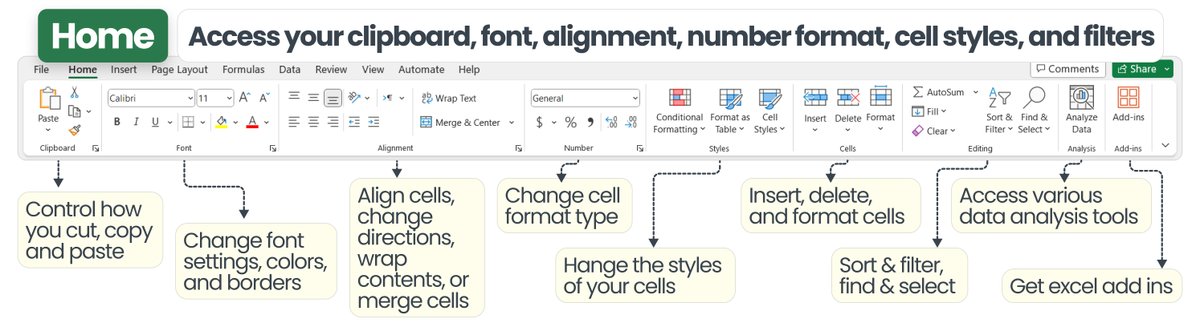
⬆️ Insert → insert different elements into your excel file
this is where we get one of my favorite excel tools…
tables & pivottables
But there’s so much more that you can do in this section, such as…
• inserting shapes & illustrations
• inserting charts
• sparklines
this is where we get one of my favorite excel tools…
tables & pivottables
But there’s so much more that you can do in this section, such as…
• inserting shapes & illustrations
• inserting charts
• sparklines
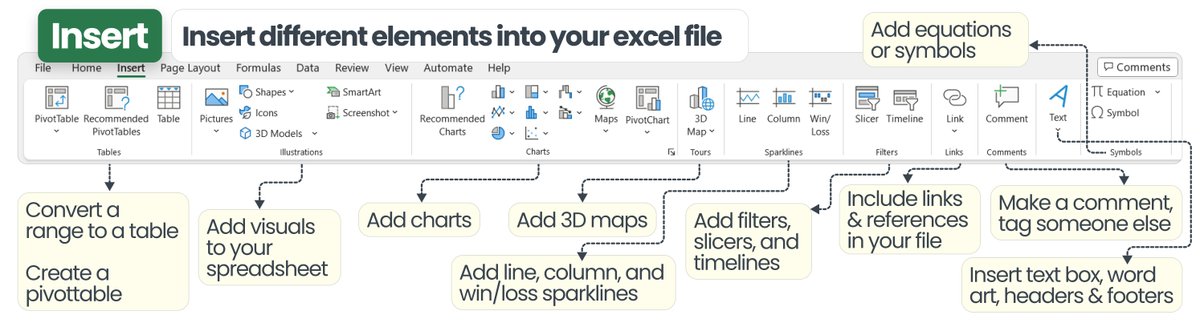
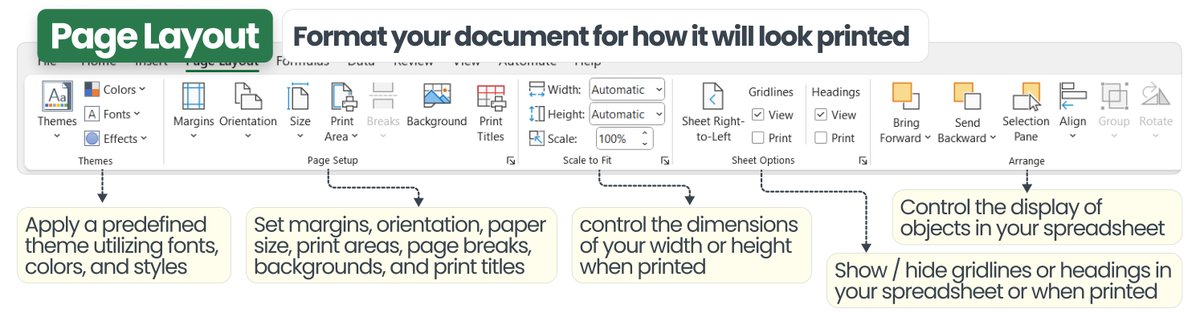
📄 Page Layout → format your document for how it will look printed
Gonna print your document? This section has got you covered
I especially find this one useful when preparing pitch decks
Gonna print your document? This section has got you covered
I especially find this one useful when preparing pitch decks
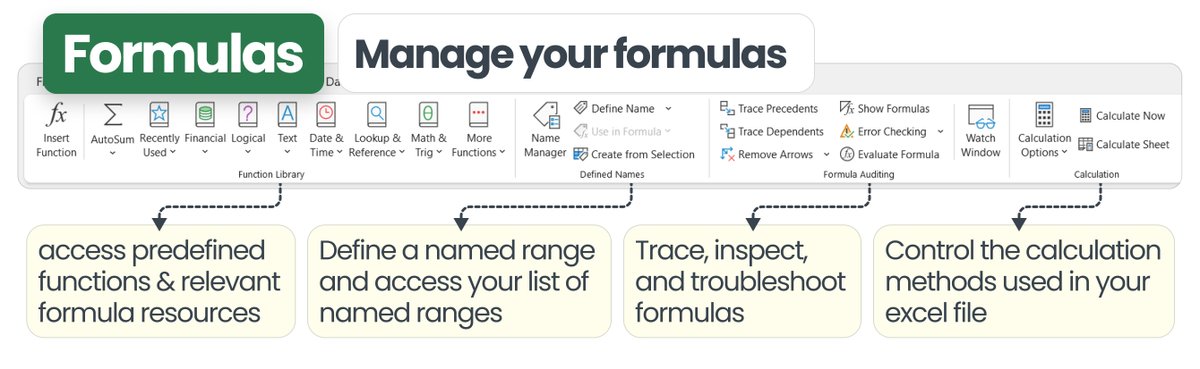
🔣Formulas → manage your formulas
oh man…so much ot say on this one.
Then, master this section by learning:
• Formula auditing
• Watch window
and much more here to learn about here
oh man…so much ot say on this one.
Then, master this section by learning:
• Formula auditing
• Watch window
and much more here to learn about here
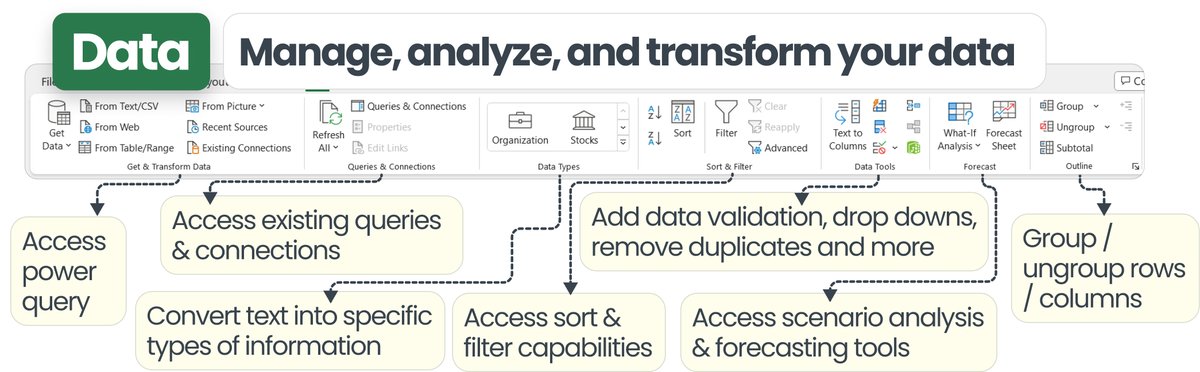
🔢Data → manage, analyze, and transform your data
BIG section…because it introduces my favorite tool…
power query
Something that you ABSOLUTELY need to learn.
Here you can also:
• Set data validation/drop downs
• Group / ungroup
And much more
BIG section…because it introduces my favorite tool…
power query
Something that you ABSOLUTELY need to learn.
Here you can also:
• Set data validation/drop downs
• Group / ungroup
And much more
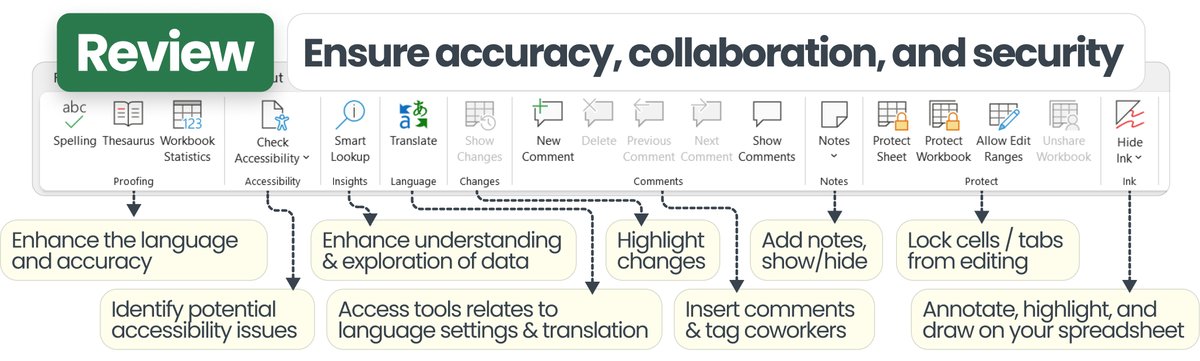
🧐Review → ensure accuracy, collaboration, and security
favorite tools here are protecting a range from being edited, and utilizing notes / comments
favorite tools here are protecting a range from being edited, and utilizing notes / comments
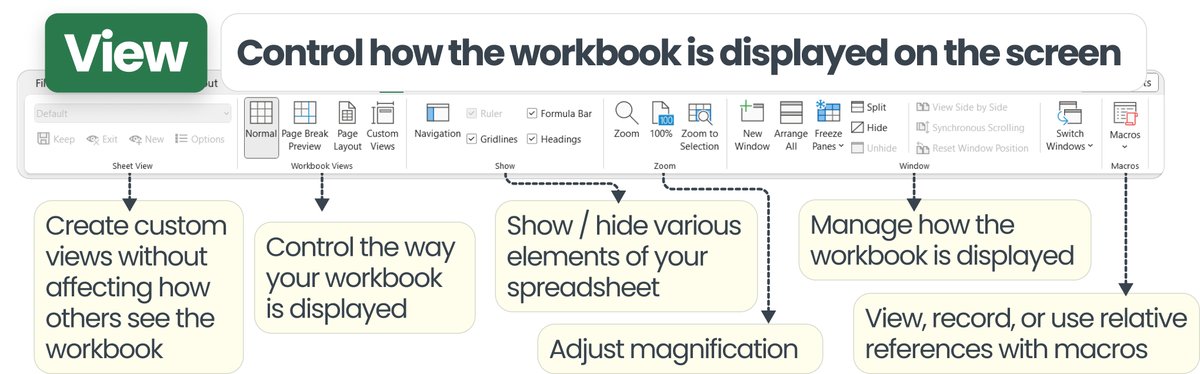
👀View → control how the workbook is displayed on the screen
favorite tools here are to hide gridlines, and duplicate a window on a 2nd monitor
favorite tools here are to hide gridlines, and duplicate a window on a 2nd monitor
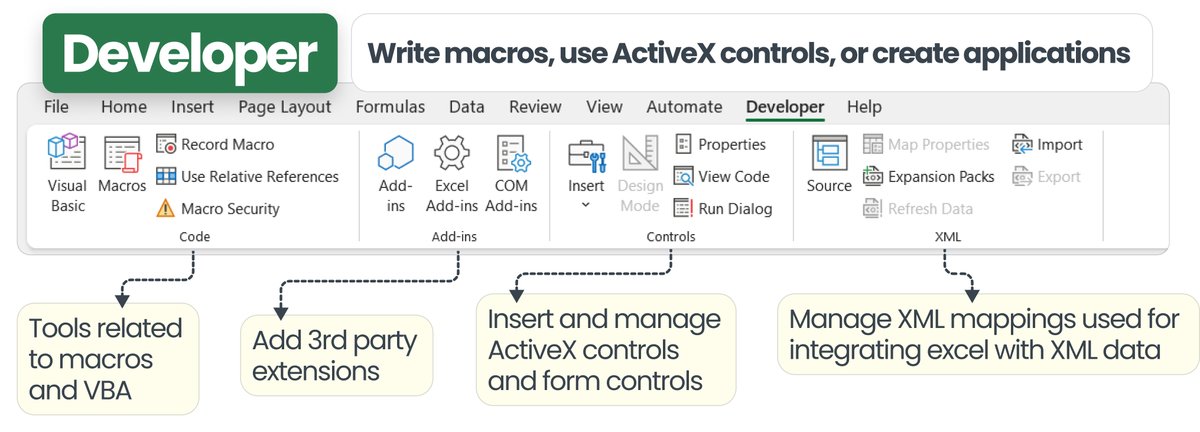
🤖Developer → write macros, use ActiveX controls, or create applications
favorite tools here are to add active x / form controls for easy buttons
favorite tools here are to add active x / form controls for easy buttons
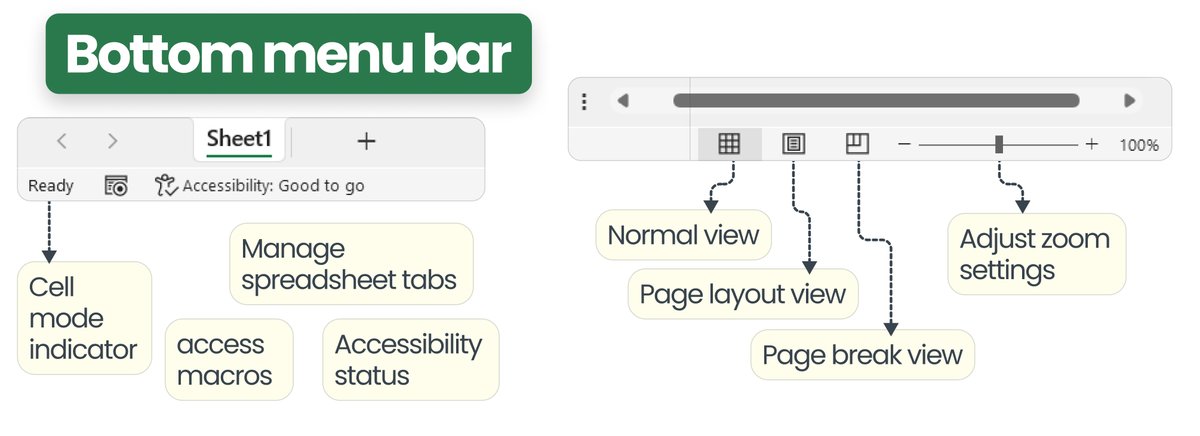
🔍 Bottom menu bar → control tabs, access cell mode indicator and more
That’s about everything you can do in excel…
What would you add?
𝗔𝗻𝗱 𝘁𝗵𝗮𝘁'𝘀 𝗮 𝘄𝗿𝗮𝗽! 🚩🚩
𝗜𝗳 𝘆𝗼𝘂 𝗲𝗻𝗷𝗼𝘆𝗲𝗱 𝘁𝗵𝗶𝘀, 𝗰𝗼𝗻𝘀𝗶𝗱𝗲𝗿 𝗷𝗼𝗶𝗻𝗶𝗻𝗴 𝗺𝘆 𝗻𝗲𝘄𝘀𝗹𝗲𝘁𝘁𝗲𝗿 yourcfoguy.com
What would you add?
𝗔𝗻𝗱 𝘁𝗵𝗮𝘁'𝘀 𝗮 𝘄𝗿𝗮𝗽! 🚩🚩
𝗜𝗳 𝘆𝗼𝘂 𝗲𝗻𝗷𝗼𝘆𝗲𝗱 𝘁𝗵𝗶𝘀, 𝗰𝗼𝗻𝘀𝗶𝗱𝗲𝗿 𝗷𝗼𝗶𝗻𝗶𝗻𝗴 𝗺𝘆 𝗻𝗲𝘄𝘀𝗹𝗲𝘁𝘁𝗲𝗿 yourcfoguy.com

Loading suggestions...