

If you're not familiar with @taikoxyz's previous incentivized testnet and what Taiko really is, I strongly suggest you go through this thread to get a clear understanding.
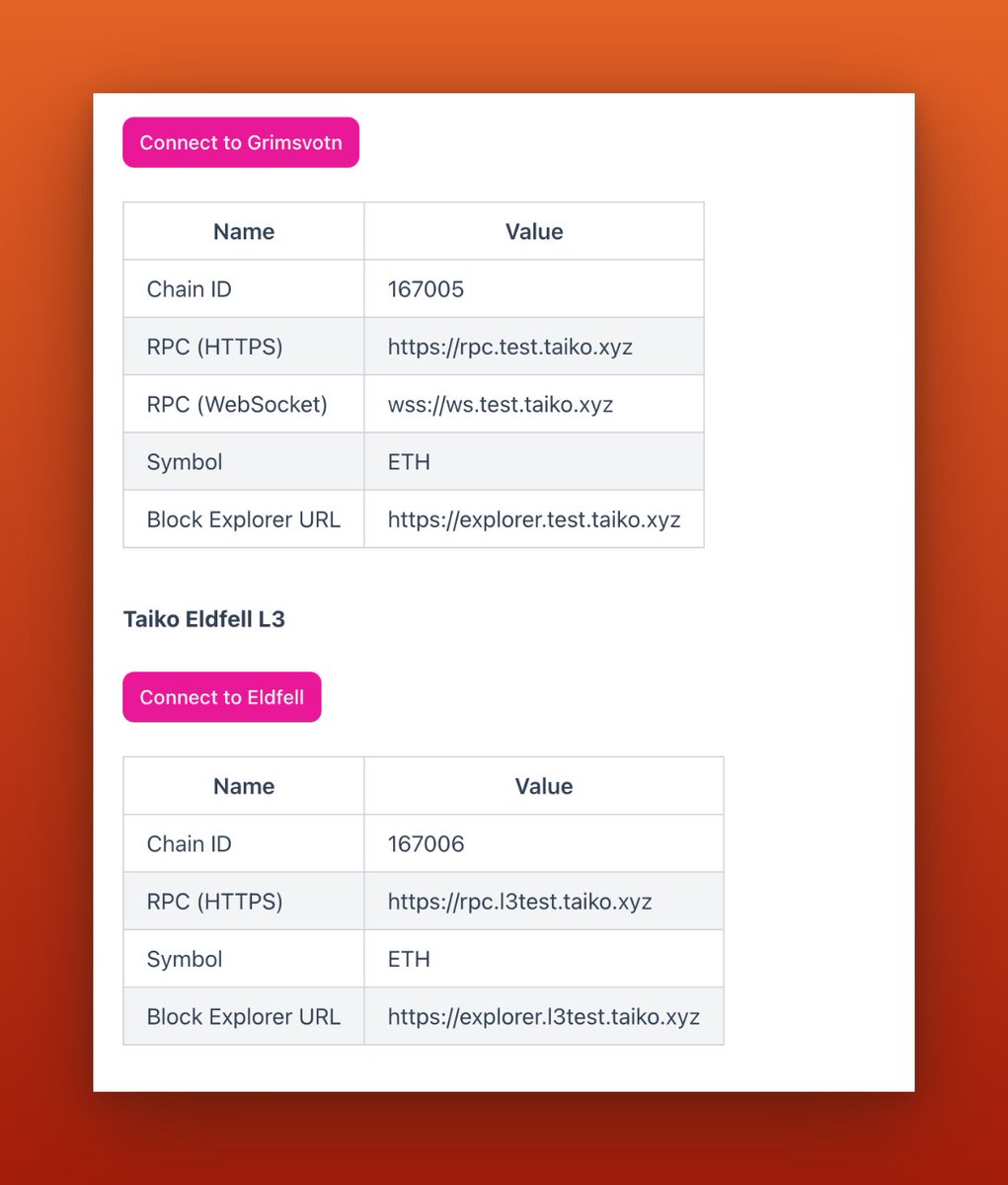
To begin interacting with the Alpha-4 testnet, you can add the networks by visiting this website: taiko.xyz
Please note that Taiko Grimsvotn L2 is simply a rebrand of the Taiko Alpha-3 testnet. So if you've already done the alpha-3 testnet, there's no need to add.
Please note that Taiko Grimsvotn L2 is simply a rebrand of the Taiko Alpha-3 testnet. So if you've already done the alpha-3 testnet, there's no need to add.
Once you've added all the networks, please visit this website: bridge.l3test.taiko.xyz and connect your @MetaMask wallet.
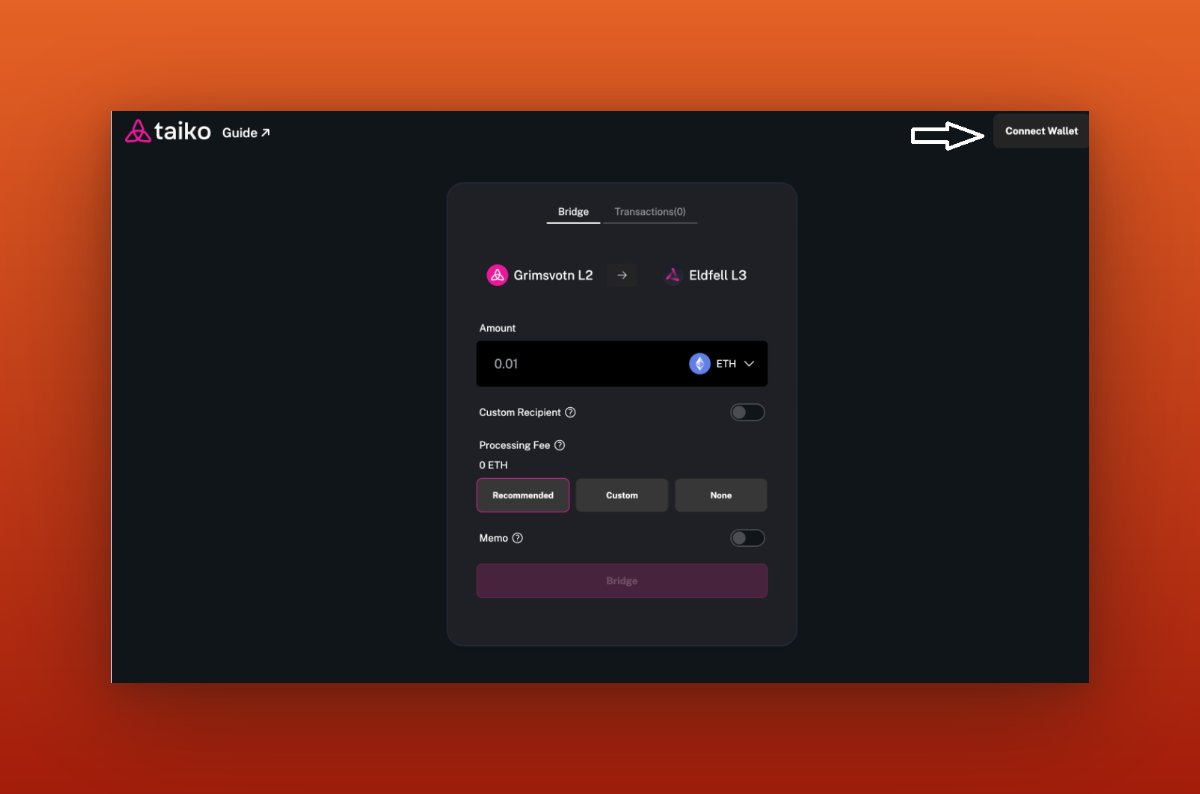
If you have been following my Alpha-3 testnet thread, you should have funds in your "Grimsvotn L2" network. However, if you don't have your funds yet, please review the thread for further instructions.
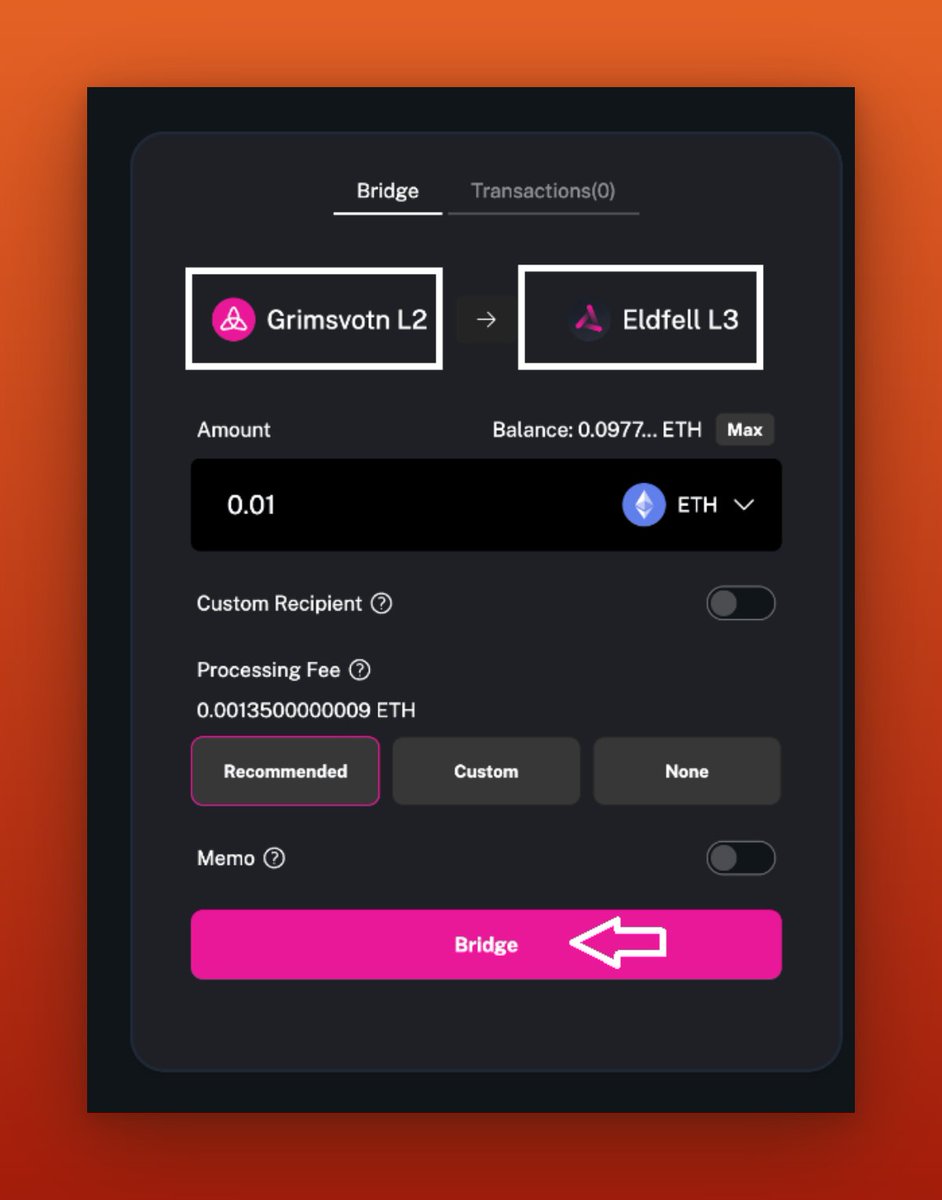
Now that you have funds in your wallet, let's bridge them to "Eldfell L3."
While your transaction is pending, you can claim galxe points by visiting this link: galxe.com.
While your transaction is pending, you can claim galxe points by visiting this link: galxe.com.

Now that you have successfully bridged your funds to "Eldfell L3," let's swap some tokens on the Eldfell L3 network. You can do this by visiting the following link: swap.l3test.taiko.xyz.
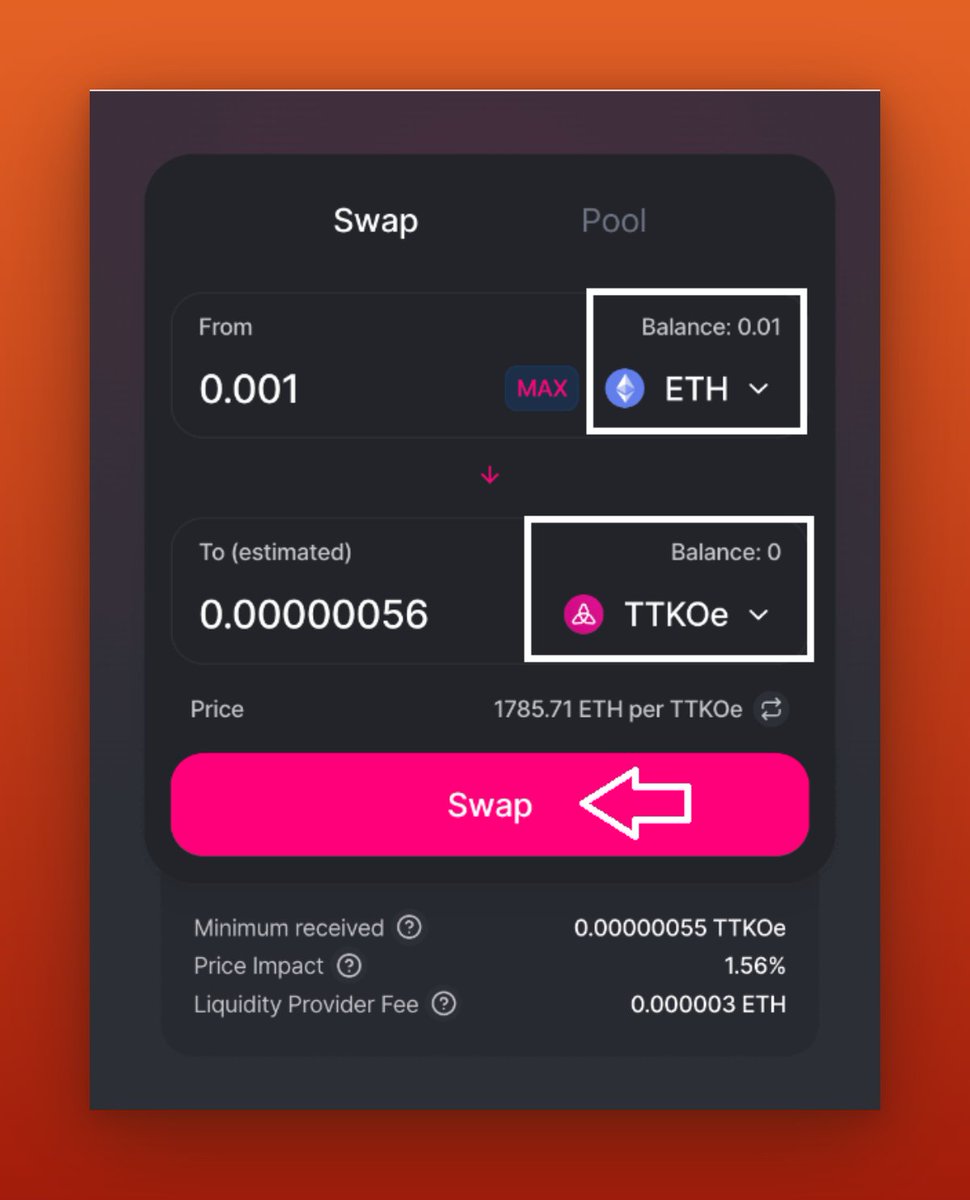
We have successfully completed the bridging and swapping task. Now, let's proceed to deploy our own smart contract. After that, we can mint our own token and bridge it across the networks.
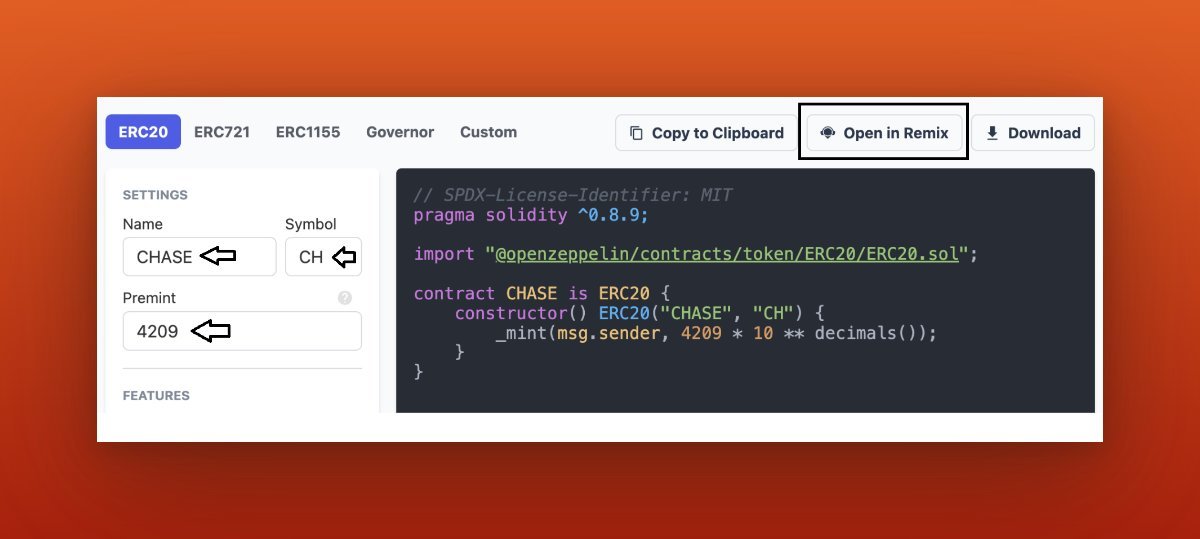
Simply go here docs.openzeppelin.com and fill in the details as shown in the image below after that click on "Open in Remix." then click the tiny "Ethereum sign" on your screen's left side.
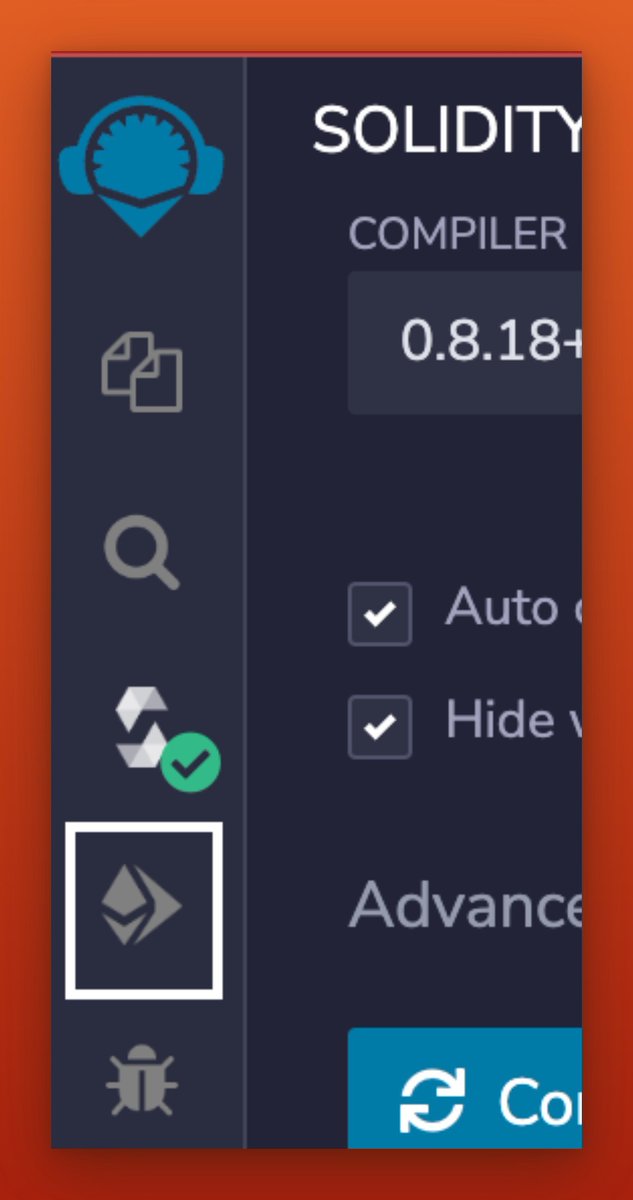

Then select "Injected Provider" from the drop-down menu for the environment's fields and press the "Deploy" button.
Make sure you're connected to "Taiko" or "Grimsvotn L2" in your @MetaMask wallet before clicking on the "Deploy" button.
Make sure you're connected to "Taiko" or "Grimsvotn L2" in your @MetaMask wallet before clicking on the "Deploy" button.
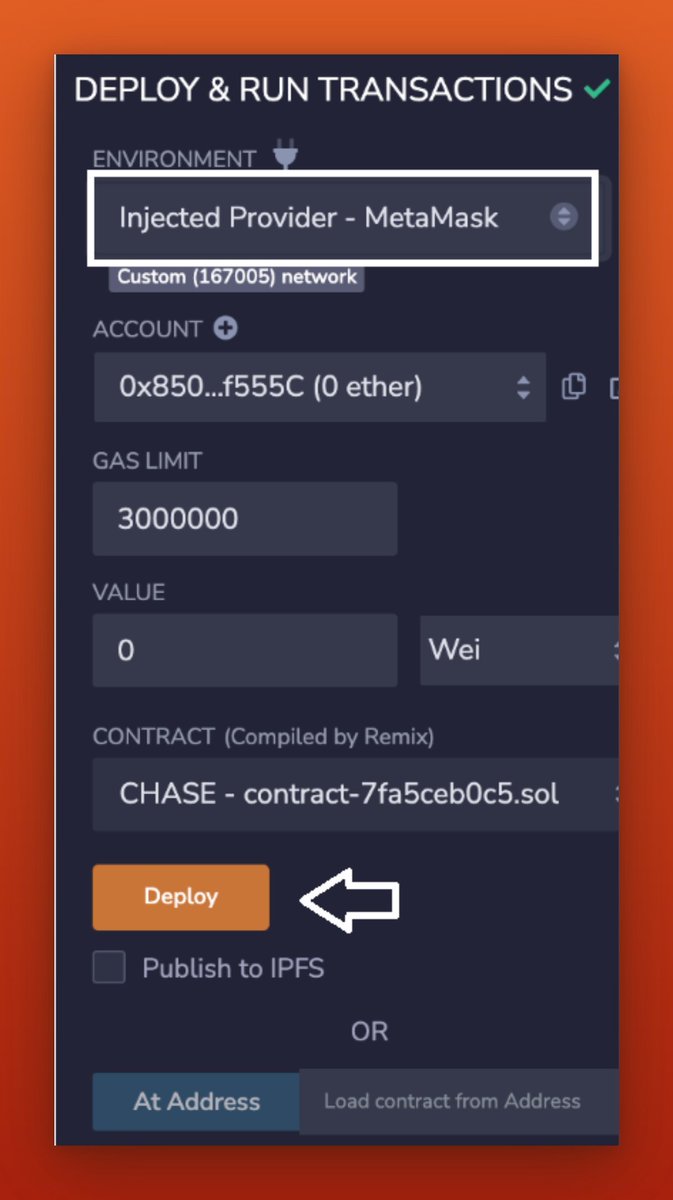
After you confirm the transaction, your contract deployment will be ready shortly.
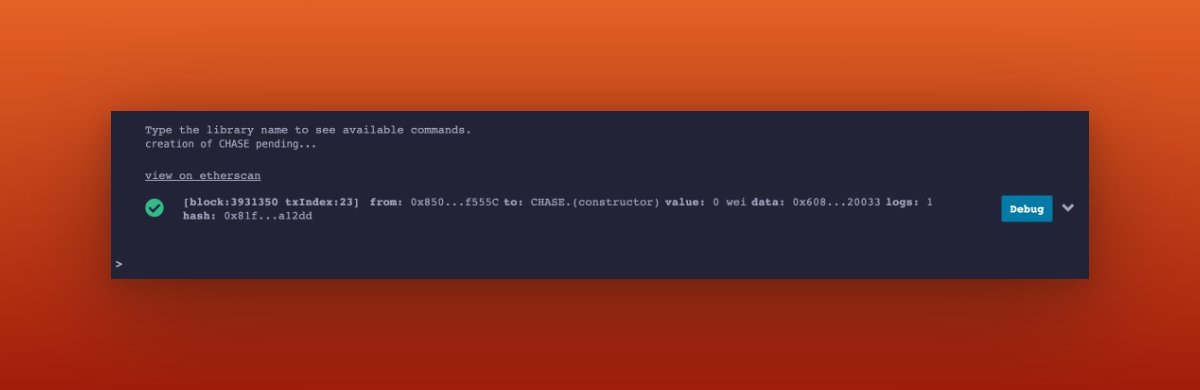
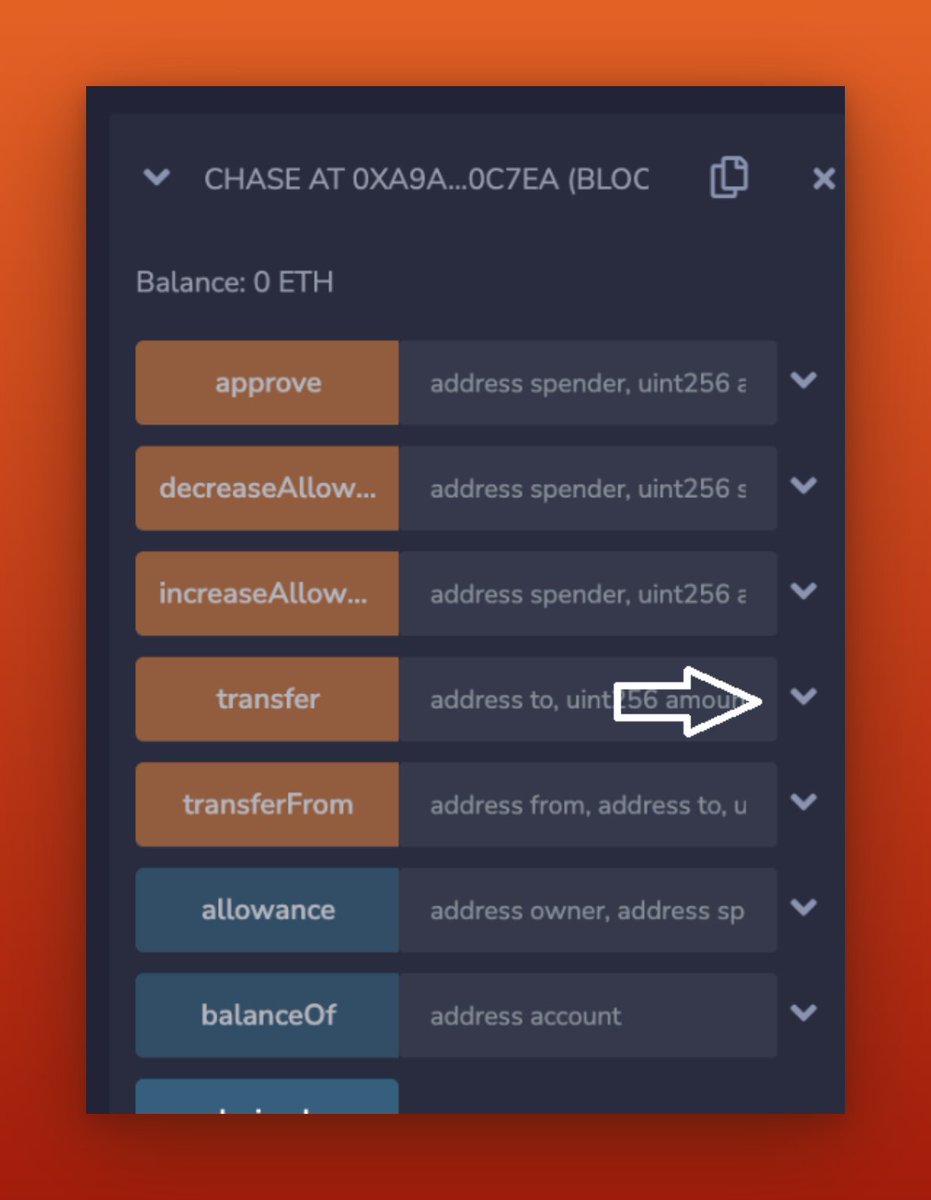
Next, scroll down and find the section labeled "Deployed contracts". Click on your contract to open the window, and then select the "transfer" option.
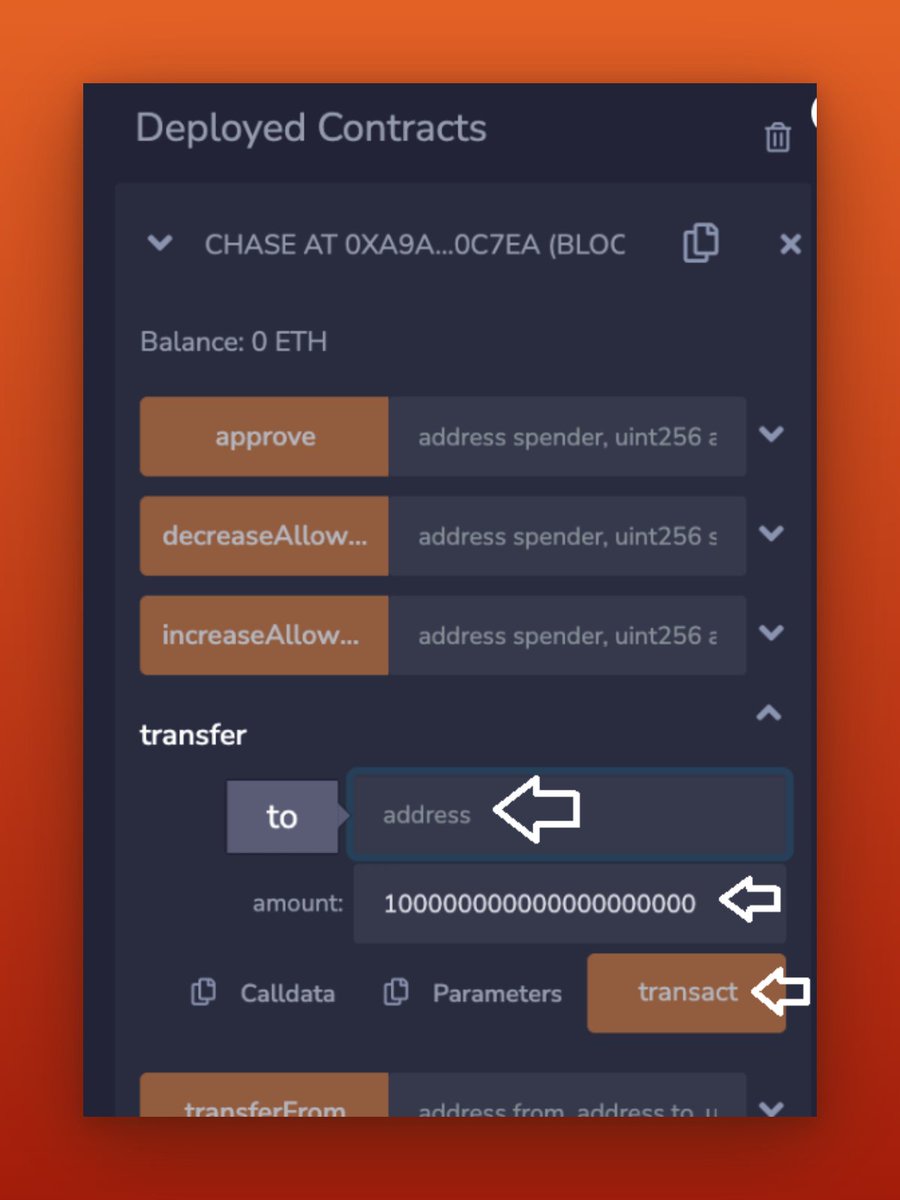
Please provide your wallet address and the desired amount to initiate a transfer. For example, if you wish to transfer 100 tokens, type "1" followed by 20 zeros.
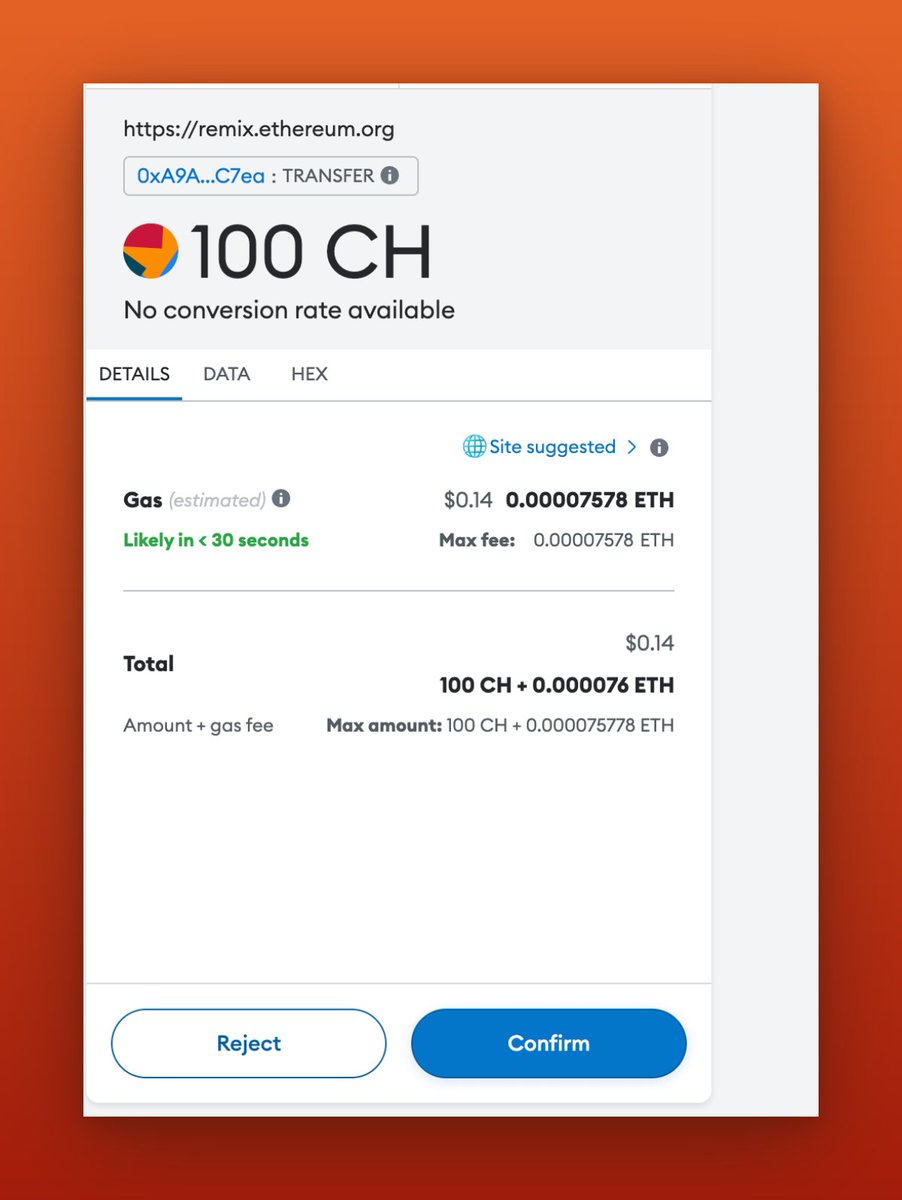
Afterward, click on "Transact" and confirm the transaction in your wallet.
Afterward, click on "Transact" and confirm the transaction in your wallet.
After receiving your own token, you can bridge it to "Grimsvotn L2" by visiting bridge.l3test.taiko.xyz and following these steps:
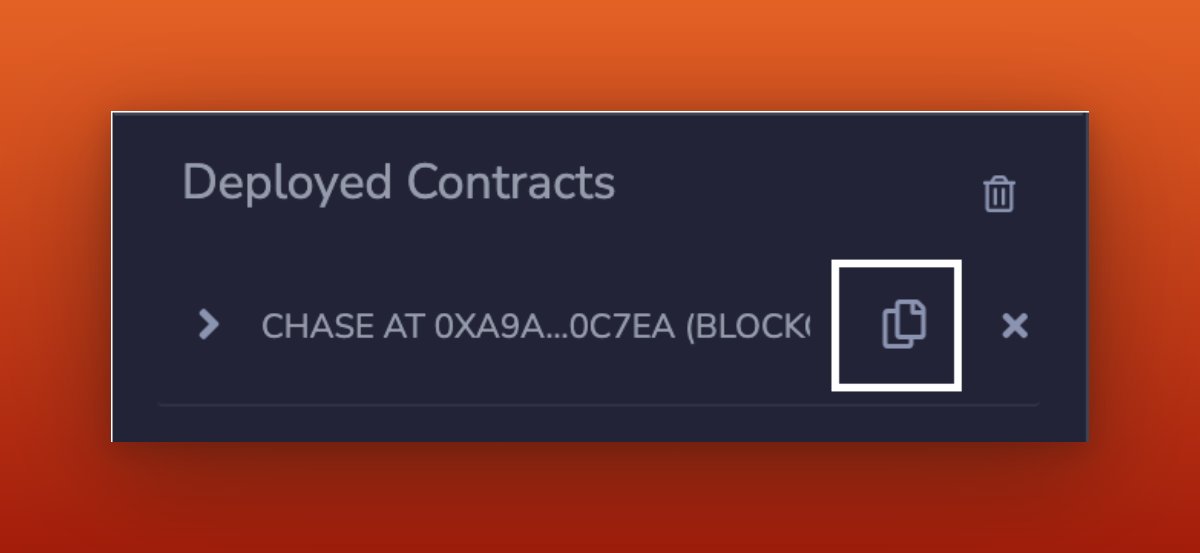
1) Copy your contract address.
2) Go to the provided link.
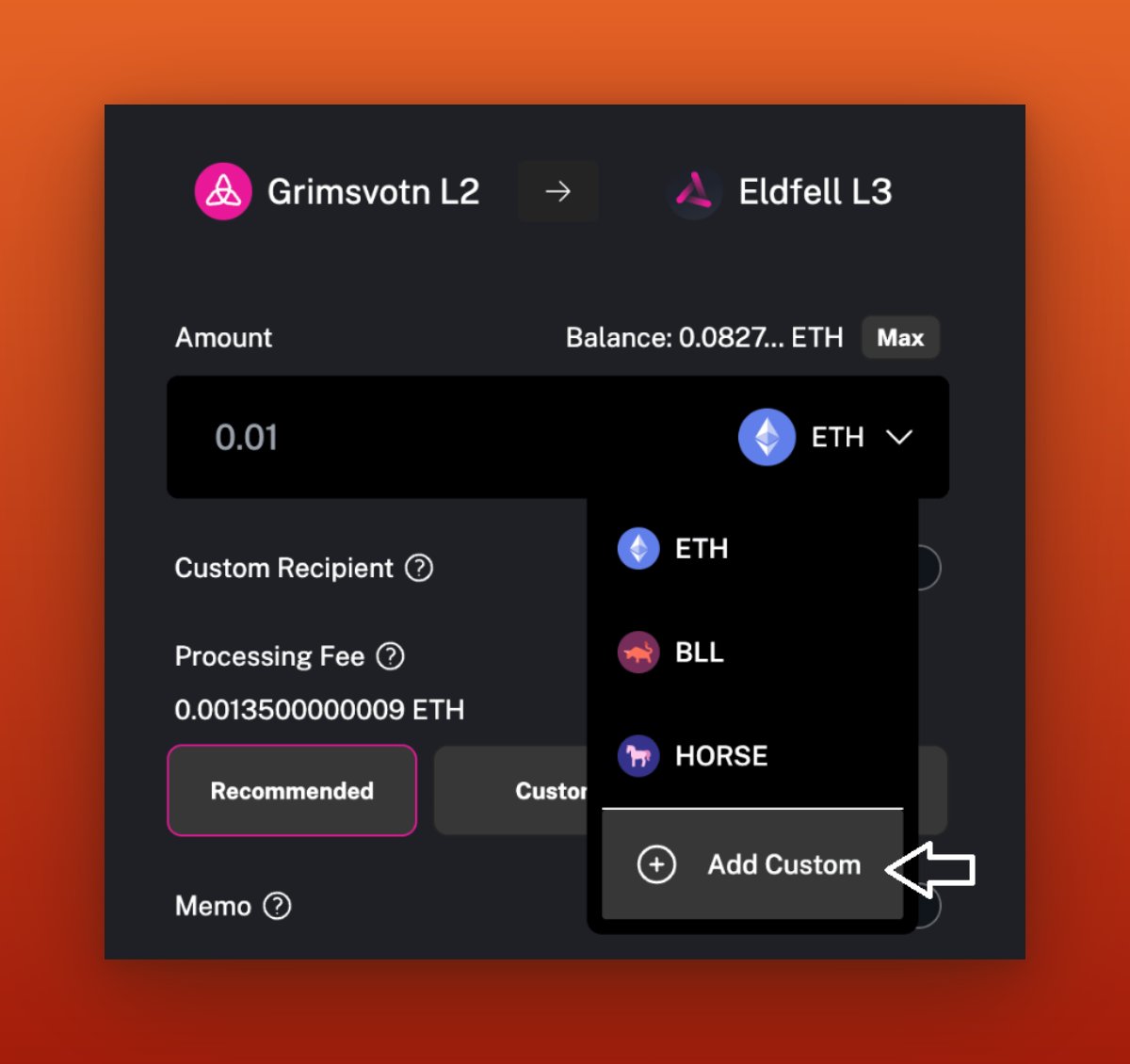
3) Click on Add Custom.
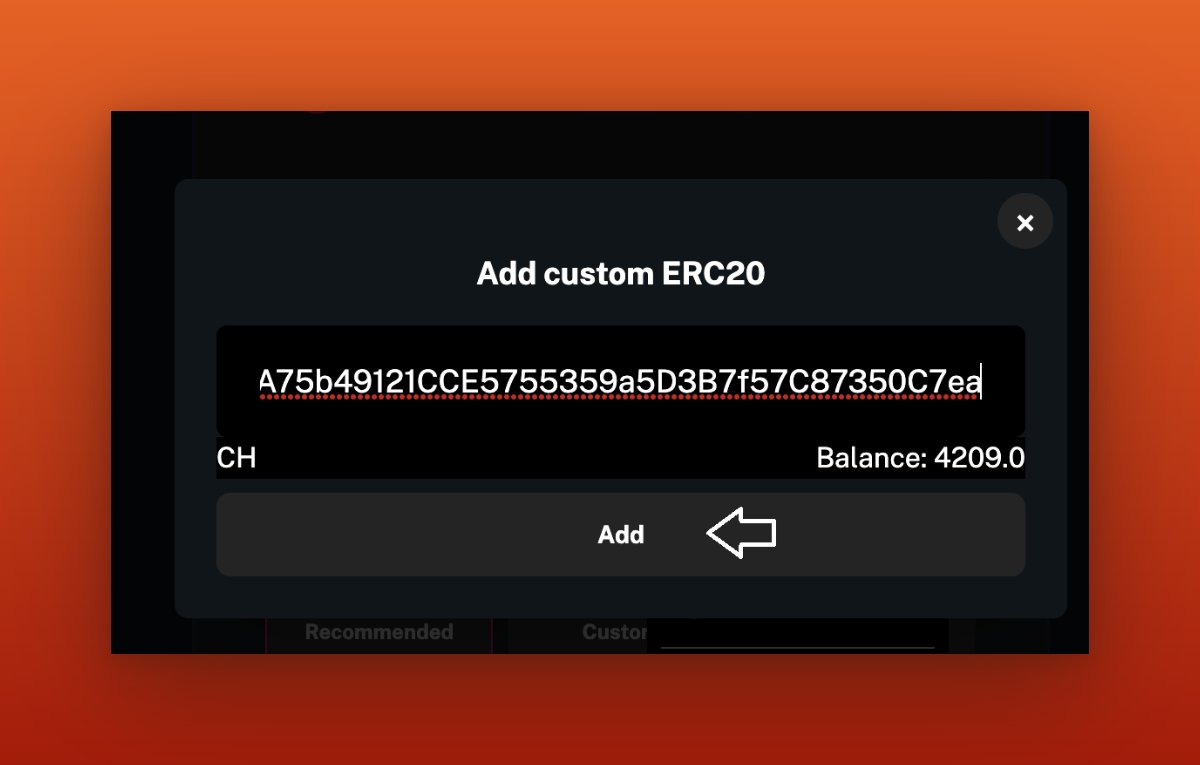
4) Paste your contract address to add your token to Taiko Bridge.
1) Copy your contract address.
2) Go to the provided link.
3) Click on Add Custom.
4) Paste your contract address to add your token to Taiko Bridge.
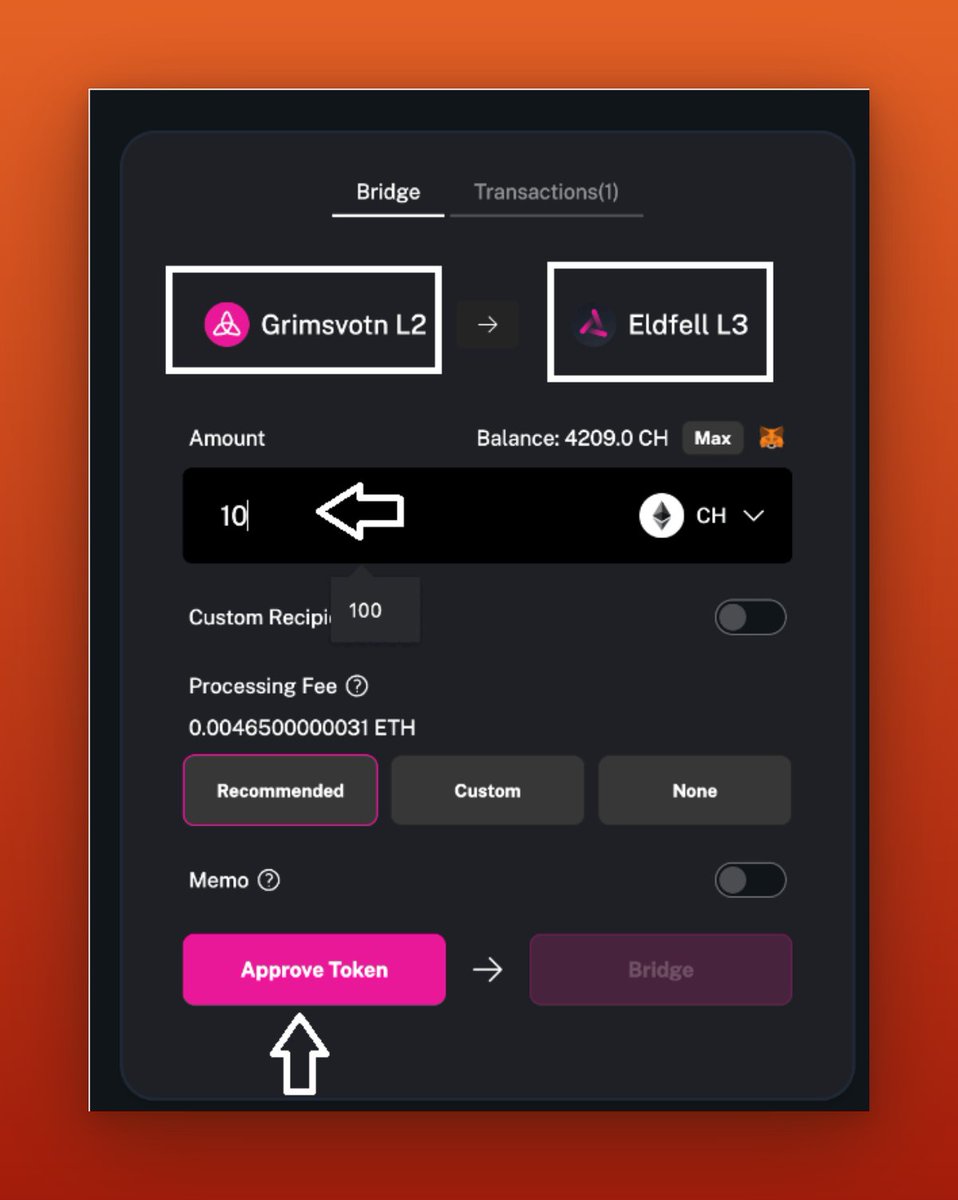
Once you've approved your tokens, you can bridge them to the Eldfell L3 Network.
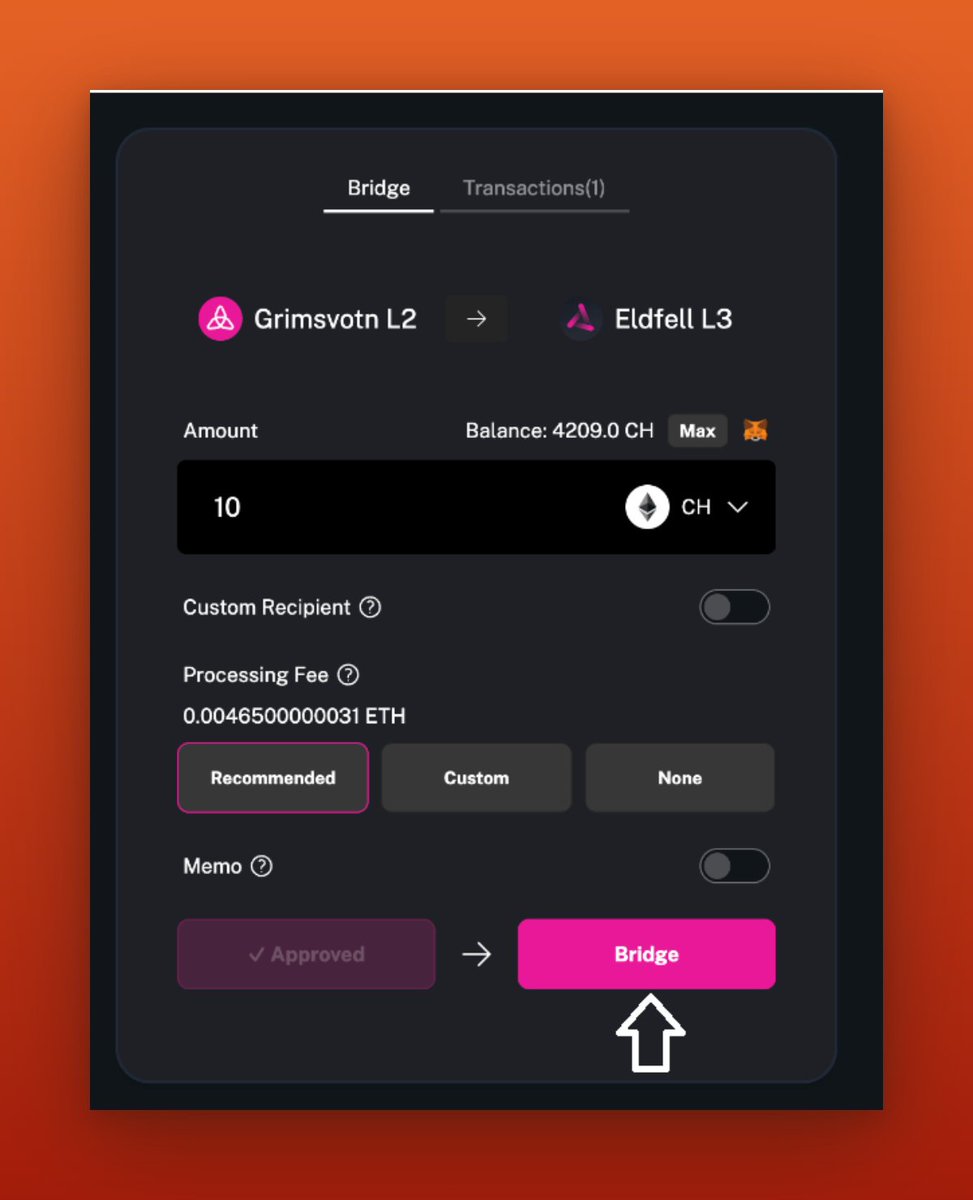
Congratulations! You have successfully minted your own token and bridged it to "Eldfell L3." Great job!
This is it for @taikoxyz Alpha-4 testnet.
Please do well to follow, like, retweet, and tag your friends so they do not miss out. And don't forget to turn on posts with 🔔 too. Thank you😌
Please do well to follow, like, retweet, and tag your friends so they do not miss out. And don't forget to turn on posts with 🔔 too. Thank you😌
Loading suggestions...