

📕Visual Guide: Midjourney v5.2
→ Make Incredible Images!
→ What do you think of the new MJ?
🧵Top 7 New Features Below👇
#midjourneyV52 #AIart
→ Make Incredible Images!
→ What do you think of the new MJ?
🧵Top 7 New Features Below👇
#midjourneyV52 #AIart
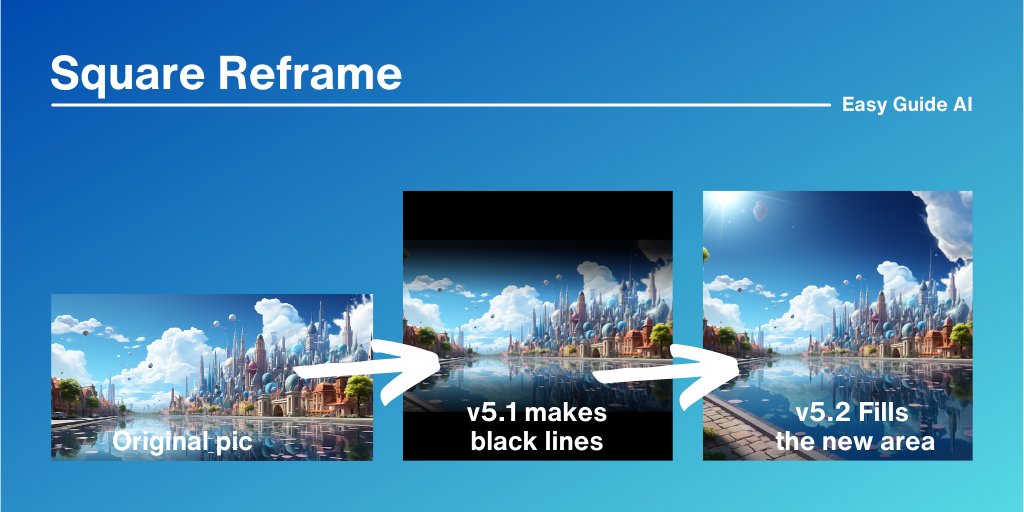
Square Reframe
→Upsize a pic
→Select Make Square
Great for: resizing any pic to become 'social media friendly', using generative fill
#AIArtworks
→Upsize a pic
→Select Make Square
Great for: resizing any pic to become 'social media friendly', using generative fill
#AIArtworks
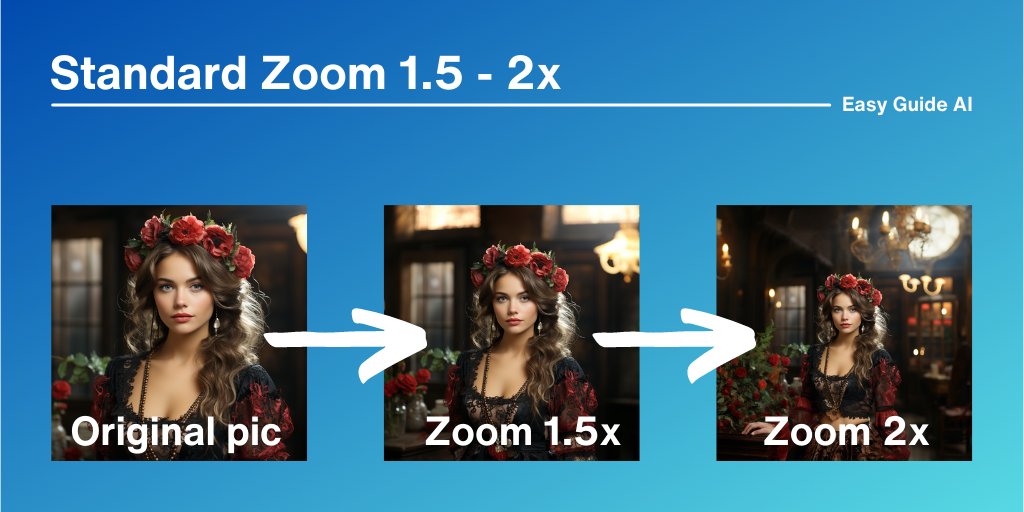
Standard Zoom 1.5 - 2x
→Upsize a pic
→Select Zoom 1.5x or 2x
Great for: short Zooms & adding more detail to a pic
#midjourney52
→Upsize a pic
→Select Zoom 1.5x or 2x
Great for: short Zooms & adding more detail to a pic
#midjourney52
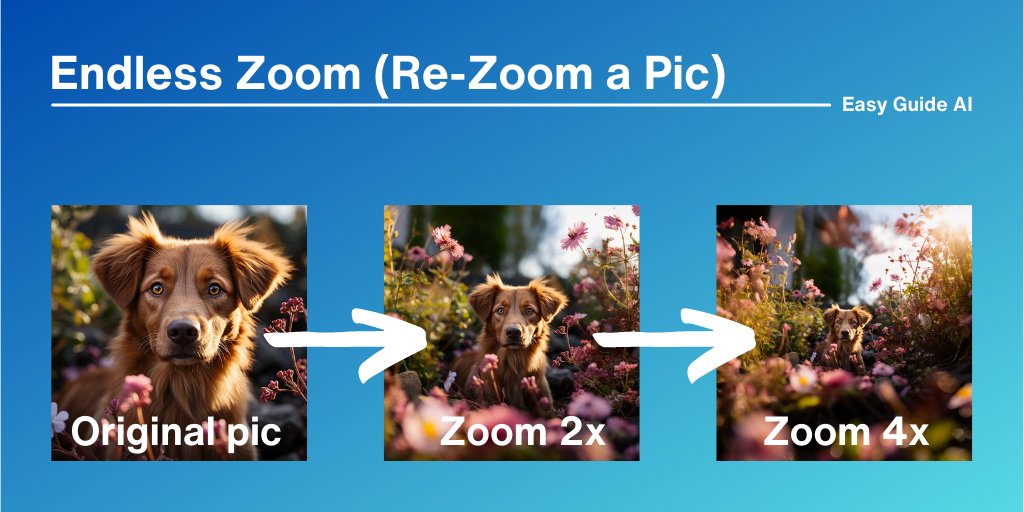
Endless Zoom (Re-Zoom a Pic)
→Upsize a pic
→Select Zoom 2x
→Upsize the new pic
→Select Zoom 2x again (repeat as needed)
Great for: making big new environments around a specific character
→Upsize a pic
→Select Zoom 2x
→Upsize the new pic
→Select Zoom 2x again (repeat as needed)
Great for: making big new environments around a specific character
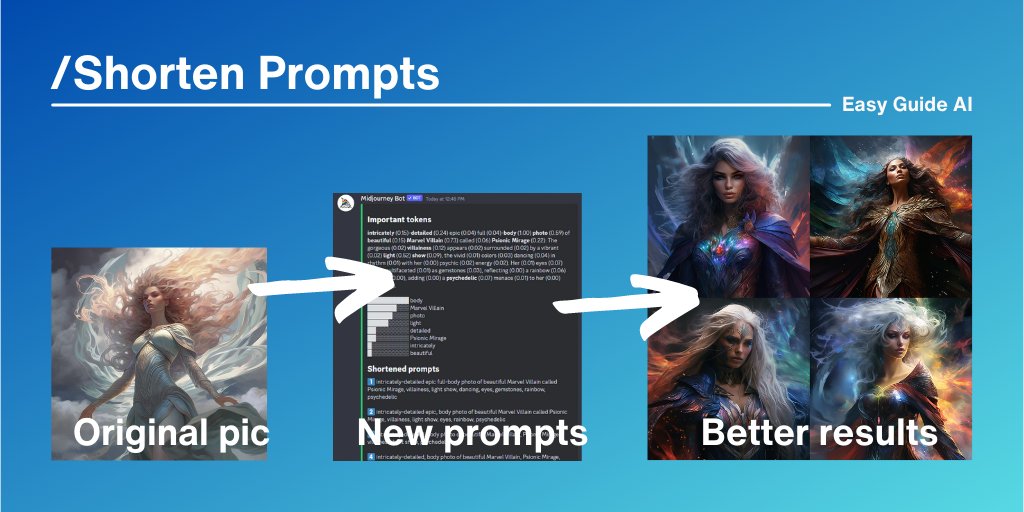
Custom Zoom Reframing
→Upsize a pic
→Select Custom Zoom
→Add your new frame
e.g. --ar 4:5 (portrait) or --ar 16:9 (landscape)
Great for: artists/designers/brands to customize images size to fit the picture & any online platform
→Upsize a pic
→Select Custom Zoom
→Add your new frame
e.g. --ar 4:5 (portrait) or --ar 16:9 (landscape)
Great for: artists/designers/brands to customize images size to fit the picture & any online platform
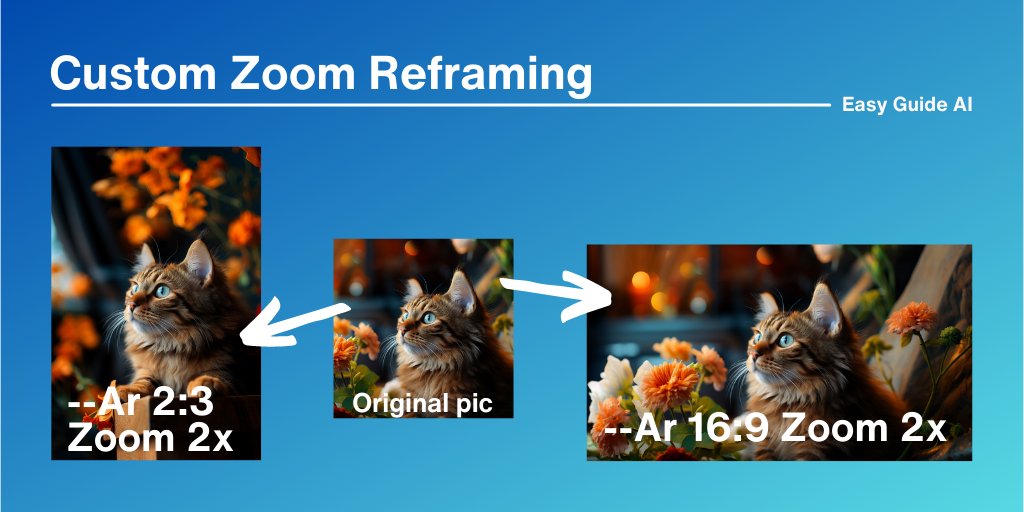
Variation Mode
→/Settings
→select variation mode
Great for: overall foundation of your prompt
→Low variation: consistent brand/character images
→High variation: creativity & artistically expressive pics
→/Settings
→select variation mode
Great for: overall foundation of your prompt
→Low variation: consistent brand/character images
→High variation: creativity & artistically expressive pics
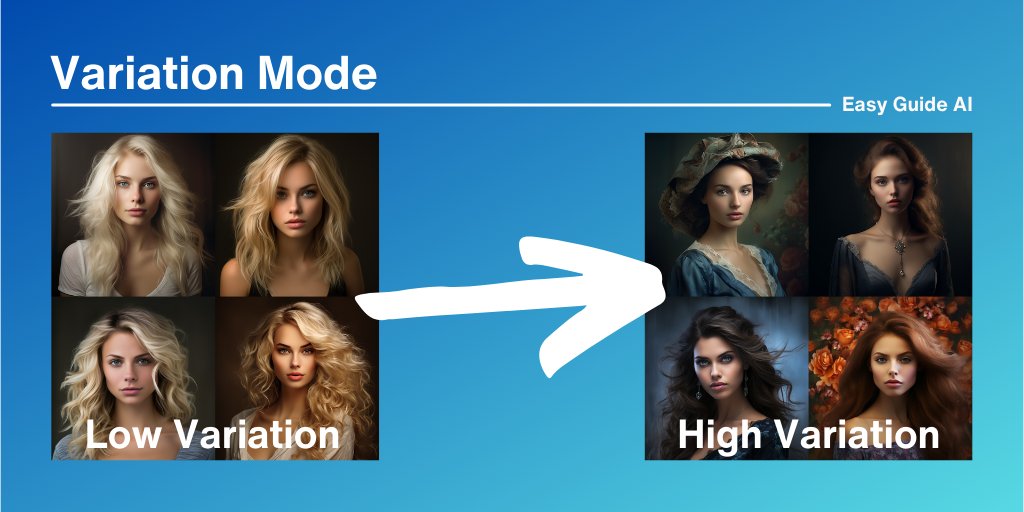
Vary Individual Pics
→Upsize a pic
→Select Vary (strong) or Vary (Subtle)
Great for: specific image customizability
→Vary Subtle: you want slight changes
→Vary Strong: you need lots of variety added
→Upsize a pic
→Select Vary (strong) or Vary (Subtle)
Great for: specific image customizability
→Vary Subtle: you want slight changes
→Vary Strong: you need lots of variety added
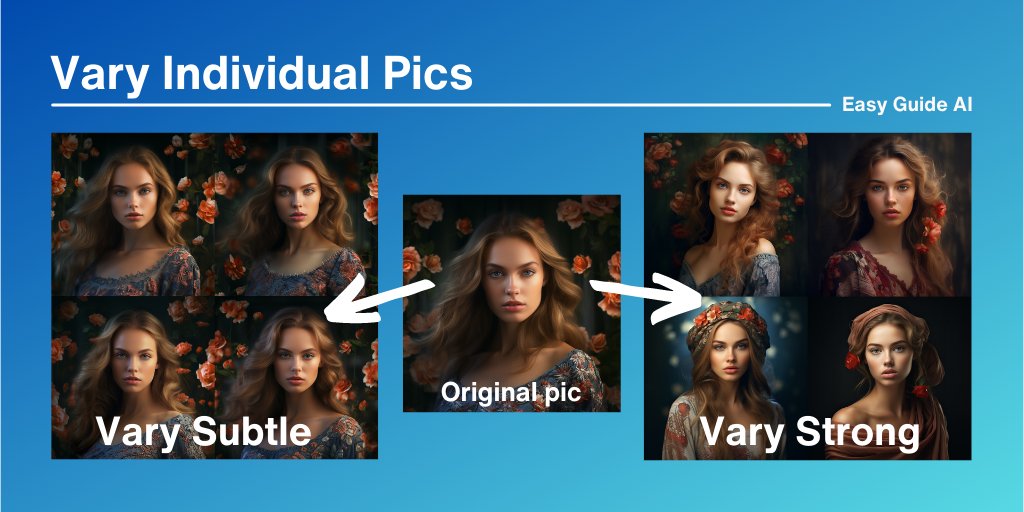
/Shorten Prompts
→/Shorten
→Add long prompt
→Get 5 new power prompts
→/Shorten
→Add long prompt
→Get 5 new power prompts

/Shorten Prompts
(continued)
Great for: Shorter & more powerful prompts.
→Get better overall images with clearer prompts.
→Get creativity: 5 new options shows exciting new perspectives to your image
(continued)
Great for: Shorter & more powerful prompts.
→Get better overall images with clearer prompts.
→Get creativity: 5 new options shows exciting new perspectives to your image
What do you think of the new Midjourney?
What pics have you created?
What pics have you created?
Loading suggestions...