

I've used Microsoft Excel for 20 years and these 15 shortcuts will maximize your productivity 100X
(Don't use Excel again without knowing these shortcuts):
(Don't use Excel again without knowing these shortcuts):
1) Formatting Shortcuts:
• Ctrl + Shift + $ (currency format)
• Ctrl + Shift + % (percent format)
• Ctrl + Shift + # (date format)
• Ctrl + B A (bold format)
• Ctrl + I (italic format)
• Ctrl + U (underline format)
• Ctrl + 5 (strike format)
• Ctrl + 1 (Format Cells box)
• Ctrl + Shift + $ (currency format)
• Ctrl + Shift + % (percent format)
• Ctrl + Shift + # (date format)
• Ctrl + B A (bold format)
• Ctrl + I (italic format)
• Ctrl + U (underline format)
• Ctrl + 5 (strike format)
• Ctrl + 1 (Format Cells box)

2) Pivot Table Shortcuts:
• ALT + N + V (create pivot table)
• ALT + J + T + L (view/Hide Field List)
• Alt + H, S, C (unhide / clear filter on an item)
• ALT + N + V (create pivot table)
• ALT + J + T + L (view/Hide Field List)
• Alt + H, S, C (unhide / clear filter on an item)

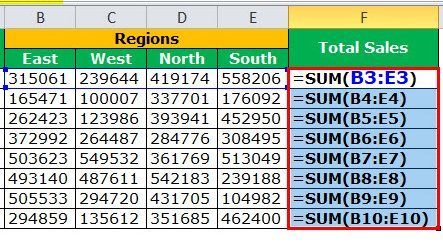
3) Display Formulas in Cells:
• Ctrl + ~
Example:
If you have a cell that contains a formula, you can use Ctrl + ~ to switch between the formula view and the value view of the cell. This allows you to see the underlying formula used to calculate the cell value.
• Ctrl + ~
Example:
If you have a cell that contains a formula, you can use Ctrl + ~ to switch between the formula view and the value view of the cell. This allows you to see the underlying formula used to calculate the cell value.
4) Repeat the Last Action:
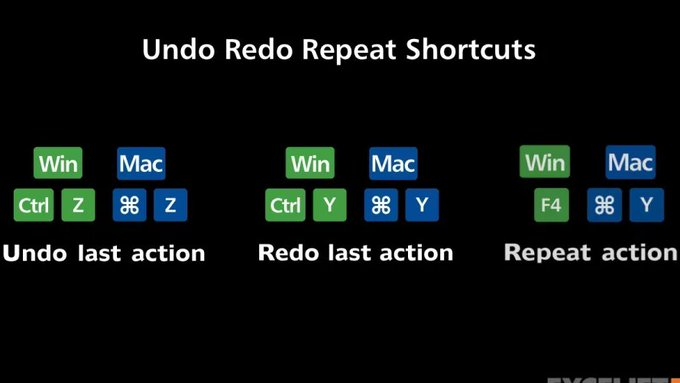
• Ctrl + Y
Example:
You have just applied a formatting style to a cell, use Ctrl + Y to quickly apply the same formatting to another cell.
• Ctrl + Y
Example:
You have just applied a formatting style to a cell, use Ctrl + Y to quickly apply the same formatting to another cell.
5) Insert current date / Insert current time:
• Ctrl + ; (date)
• Ctrl + Shift + ; (time)
Example:
When tracking the progress of a project, add the date each time a task is completed. Use Ctrl + ; to quickly insert the current date.
• Ctrl + ; (date)
• Ctrl + Shift + ; (time)
Example:
When tracking the progress of a project, add the date each time a task is completed. Use Ctrl + ; to quickly insert the current date.

6) Autosize columns:
• Alt + H + O + I
Example:
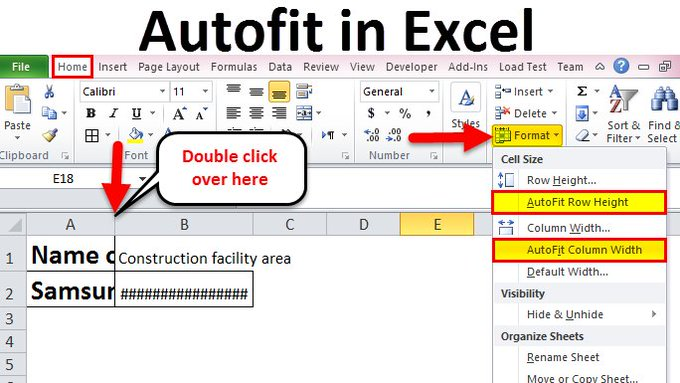
If you have multiple columns, and some of the columns contain text or numbers that are too wide to display in full, then use Alt + H + O + I to quickly adjust the width of the columns to display the full content of the cells.
• Alt + H + O + I
Example:
If you have multiple columns, and some of the columns contain text or numbers that are too wide to display in full, then use Alt + H + O + I to quickly adjust the width of the columns to display the full content of the cells.
7) Insert a hyperlink:
• Ctrl + K
Example:
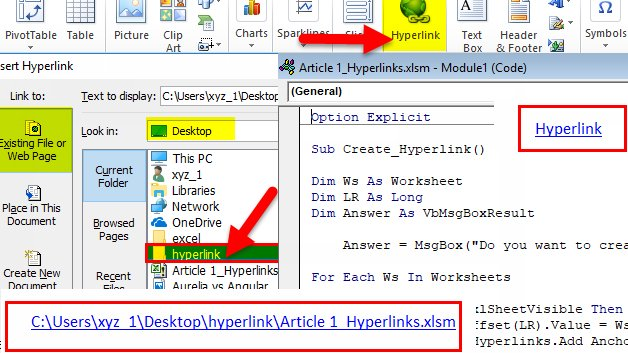
This shortcut is useful for quickly creating a hyperlink to a website, file, or another location in your spreadsheet.
• Ctrl + K
Example:
This shortcut is useful for quickly creating a hyperlink to a website, file, or another location in your spreadsheet.
8) AutoSum:
• Alt + =
Example:
The AutoSum shortcut is useful for quickly calculating the sum of a range of cells without having to manually type in the formula
• Alt + =
Example:
The AutoSum shortcut is useful for quickly calculating the sum of a range of cells without having to manually type in the formula

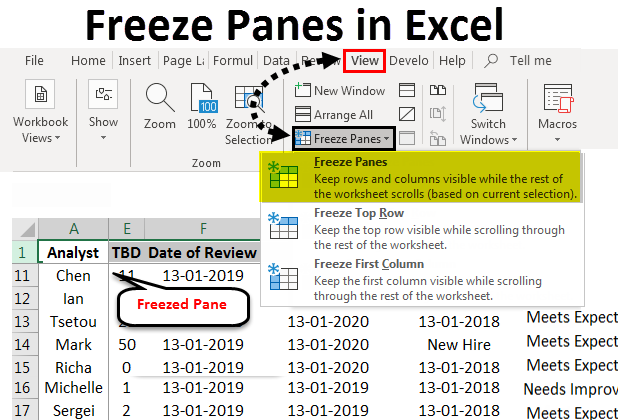
9) Freeze Panes- Rows & Columns:
• Alt + W + F + F
Example:
If you have data with headers in the top row, and you want to keep the headers visible while scrolling, use Alt + W + F + F to freeze the top row, so the headers remain visible while scrolling through the data.
• Alt + W + F + F
Example:
If you have data with headers in the top row, and you want to keep the headers visible while scrolling, use Alt + W + F + F to freeze the top row, so the headers remain visible while scrolling through the data.
10) Add Filters:
• Ctrl + Shift + L
Example:
This shortcut adds a filter to the selected cells, allowing you to sort and filter the data based on certain information, such as sales data for a time period or region.
Use filter options to display only the information you need.
• Ctrl + Shift + L
Example:
This shortcut adds a filter to the selected cells, allowing you to sort and filter the data based on certain information, such as sales data for a time period or region.
Use filter options to display only the information you need.
11) Open spelling & grammar check:
• F7
Example:
Useful for quickly checking your worksheet for spelling and grammar errors to ensure accuracy and professionalism.
• F7
Example:
Useful for quickly checking your worksheet for spelling and grammar errors to ensure accuracy and professionalism.

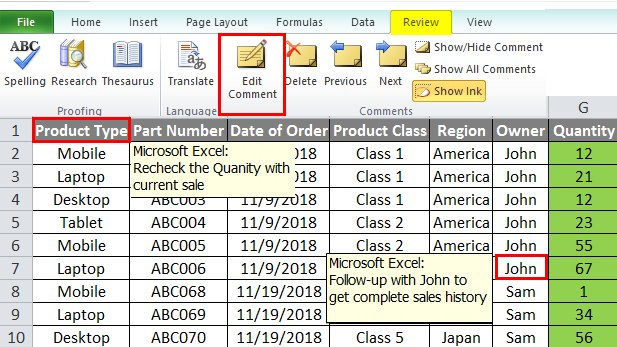
12) Insert and Edit Comment in a Cell:
• Shift + F2
Example:
This shortcut is useful for adding comments to cells to provide additional information or context about the data.
• Shift + F2
Example:
This shortcut is useful for adding comments to cells to provide additional information or context about the data.
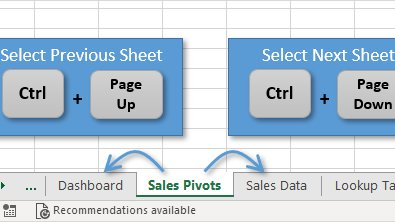
13) Move Between Workbook Sheets:
• Ctrl + Page Up
• Ctrl + Page Down
Examples:
This allows you to quickly move between sheets in a workbook, without having to manually click on each sheet tab.
This saves time compared to manually clicking on each sheet tab to navigate.
• Ctrl + Page Up
• Ctrl + Page Down
Examples:
This allows you to quickly move between sheets in a workbook, without having to manually click on each sheet tab.
This saves time compared to manually clicking on each sheet tab to navigate.
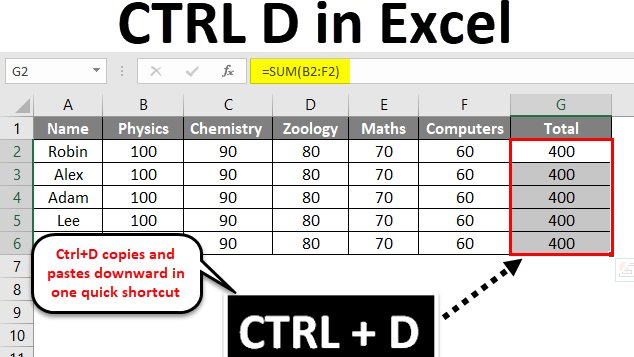
14) Fill down / Fill right:
• Ctrl + D (down)
Example: This is useful for quickly copying data or formulas from the top cell to the cells below.
• Ctrl + R (right)
Example: This is useful for quickly copying data or formulas from the leftmost cell to the cells to the right.
• Ctrl + D (down)
Example: This is useful for quickly copying data or formulas from the top cell to the cells below.
• Ctrl + R (right)
Example: This is useful for quickly copying data or formulas from the leftmost cell to the cells to the right.
15) Paste Special:
• Ctrl + Alt + V
Example:
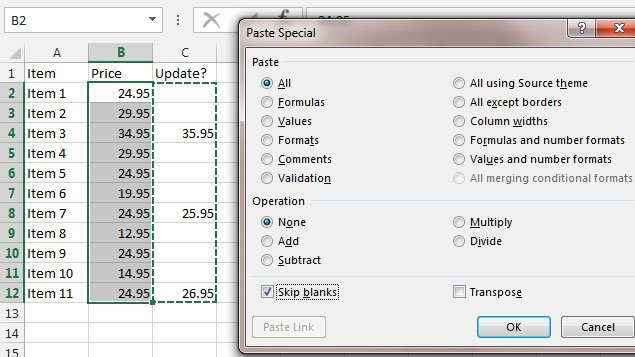
This shortcut opens the Paste Special dialog box, allowing you to select the options for pasting the copied data, such as formatting, formulas, values, or comments.
• Ctrl + Alt + V
Example:
This shortcut opens the Paste Special dialog box, allowing you to select the options for pasting the copied data, such as formatting, formulas, values, or comments.
Microsoft Excel is a must-have skill in today's job market! These threads take time to write so if you found it helpful, please:
• RT the FIRST tweet to share🔁
• Follow me @FluentInFinance
• Sign-up for my newsletter to learn more valuable skills: TheMoneyNewsletter.com!
• RT the FIRST tweet to share🔁
• Follow me @FluentInFinance
• Sign-up for my newsletter to learn more valuable skills: TheMoneyNewsletter.com!

Loading suggestions...