

8 Things to DO to make 100X as a NEWBIE
>>>> A condom strategy <<<<
>>>> A condom strategy <<<<

1. Go to dexscreener site (not the app)
• Click on Explore
• Click on “New Pairs”
• Click on “Rank & Filter”
Then follow this simple guide 👇
• Click on Explore
• Click on “New Pairs”
• Click on “Rank & Filter”
Then follow this simple guide 👇
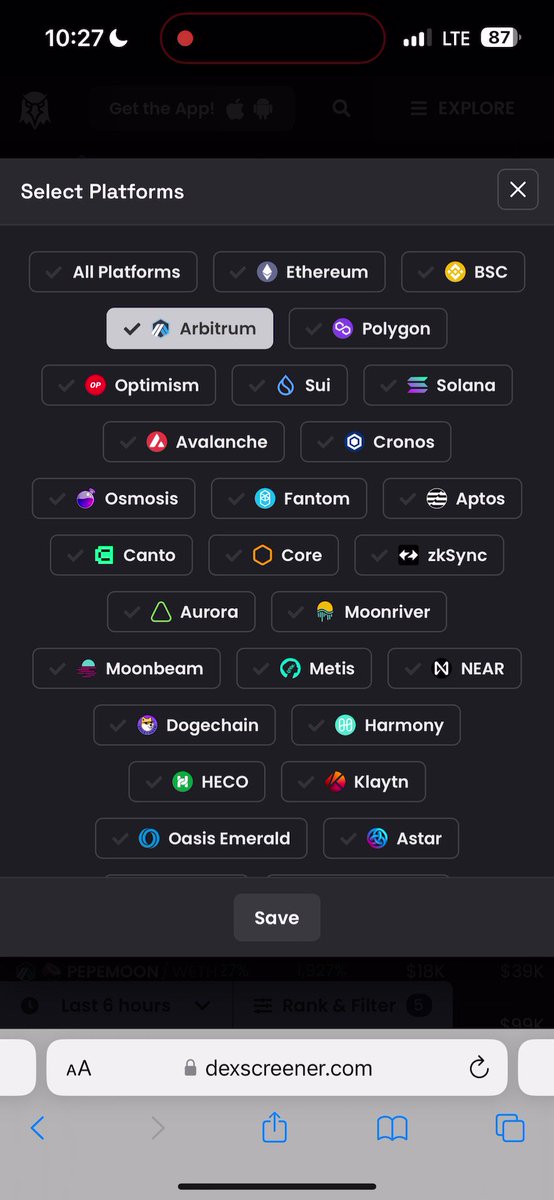
2. Start your personal filter
• Pick 1 from your list
• Click on “Show Chart/ Trading History”
Aim:
• Check that people that bought have sold
• Check that liquidity is not added by 1 person
• Check for large buys & sells
Let’s dive into each aim:
• Pick 1 from your list
• Click on “Show Chart/ Trading History”
Aim:
• Check that people that bought have sold
• Check that liquidity is not added by 1 person
• Check for large buys & sells
Let’s dive into each aim:
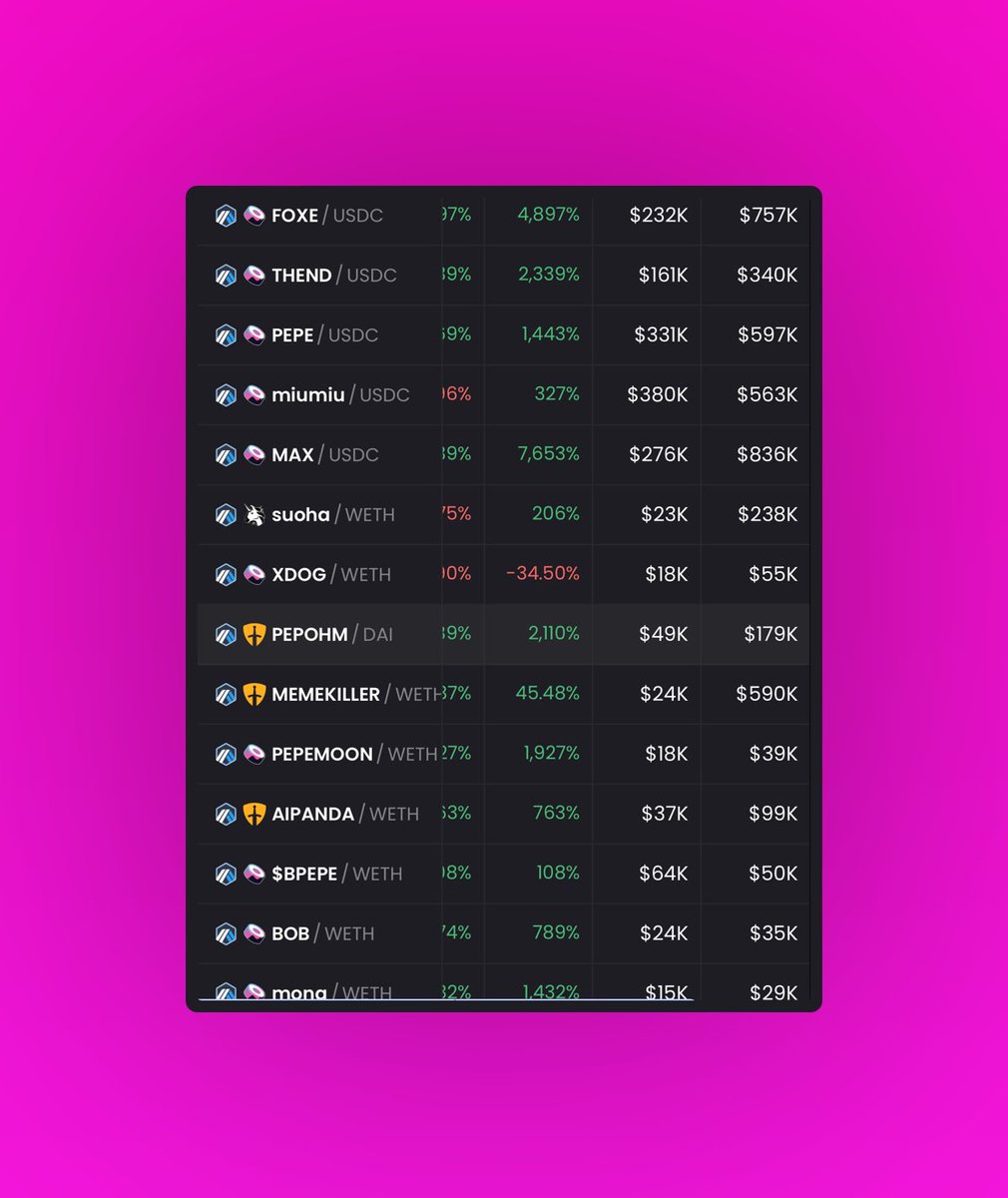
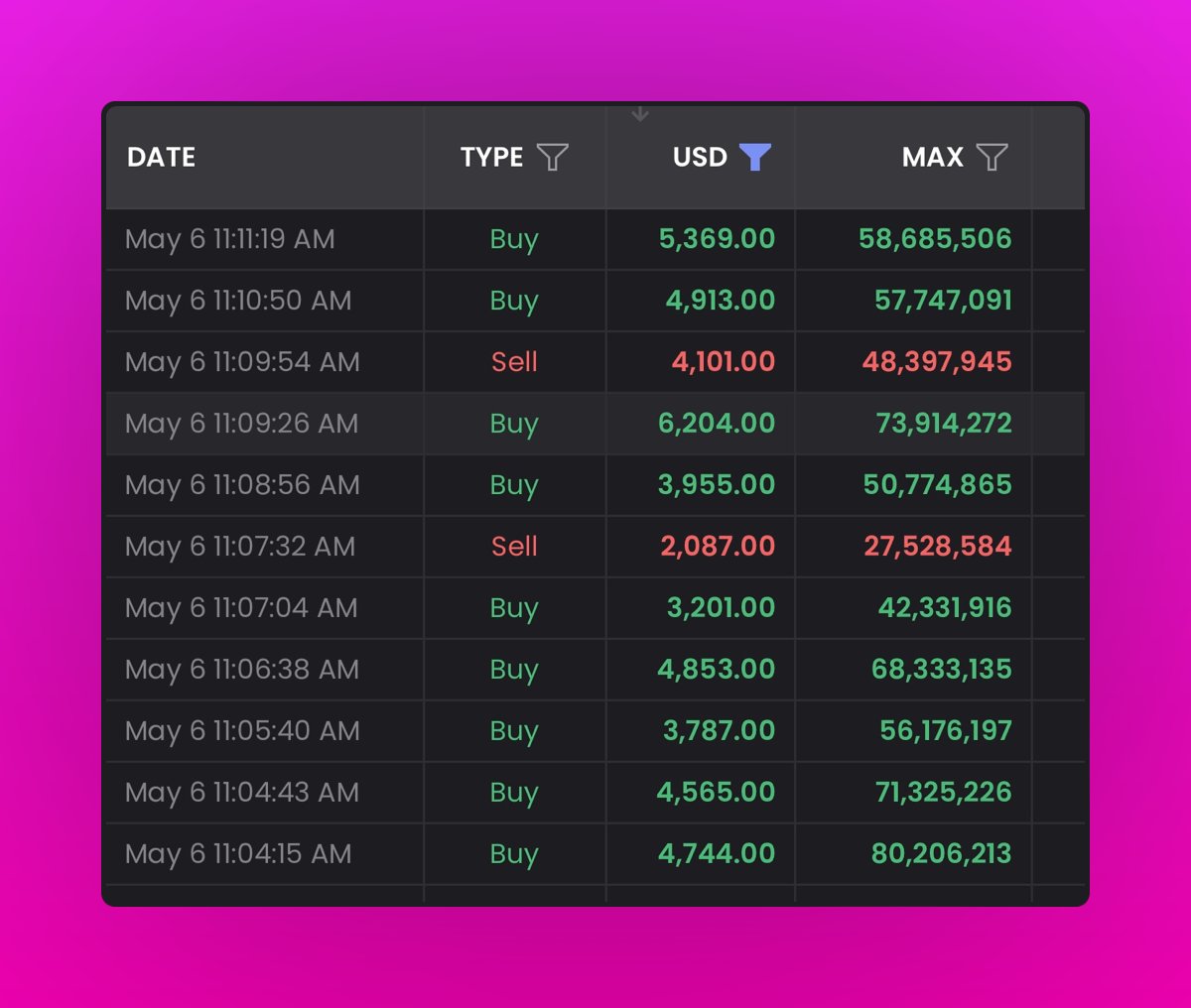
3. Buy & Sell Check
• Click on “Show Chart/ Trading History”
• Click “Type”
• Click “ Buy/Sell”
• Click “USD”
• Filter $2000 in min and $10000 in max
• Click on “Show Chart/ Trading History”
• Click “Type”
• Click “ Buy/Sell”
• Click “USD”
• Filter $2000 in min and $10000 in max
Now you can see who has bought & sold
Next you want to pick 1 person, like this:
• I picked 27C031
• Copied his address to see if he can sell
• Found out he can’t sell
Next you want to pick 1 person, like this:
• I picked 27C031
• Copied his address to see if he can sell
• Found out he can’t sell

4. Liquidity Check
• Pick one from your filtered list
• Click on “Show Chart/ Trading History”
• Click “Type”
• Click “Add/Remove”
If it’s a rug you’ll see that only one person added.
Here’s a video guide:
• Pick one from your filtered list
• Click on “Show Chart/ Trading History”
• Click “Type”
• Click “Add/Remove”
If it’s a rug you’ll see that only one person added.
Here’s a video guide:

5. Scan for Big Buys
• Click on “Show Chart/ Trading History”
• Click “USD”
• Filter $2000 for min and $10000 for max
This filter helps you when you’re looking for who’s a whale and who’s early
• Click on “Show Chart/ Trading History”
• Click “USD”
• Filter $2000 for min and $10000 for max
This filter helps you when you’re looking for who’s a whale and who’s early
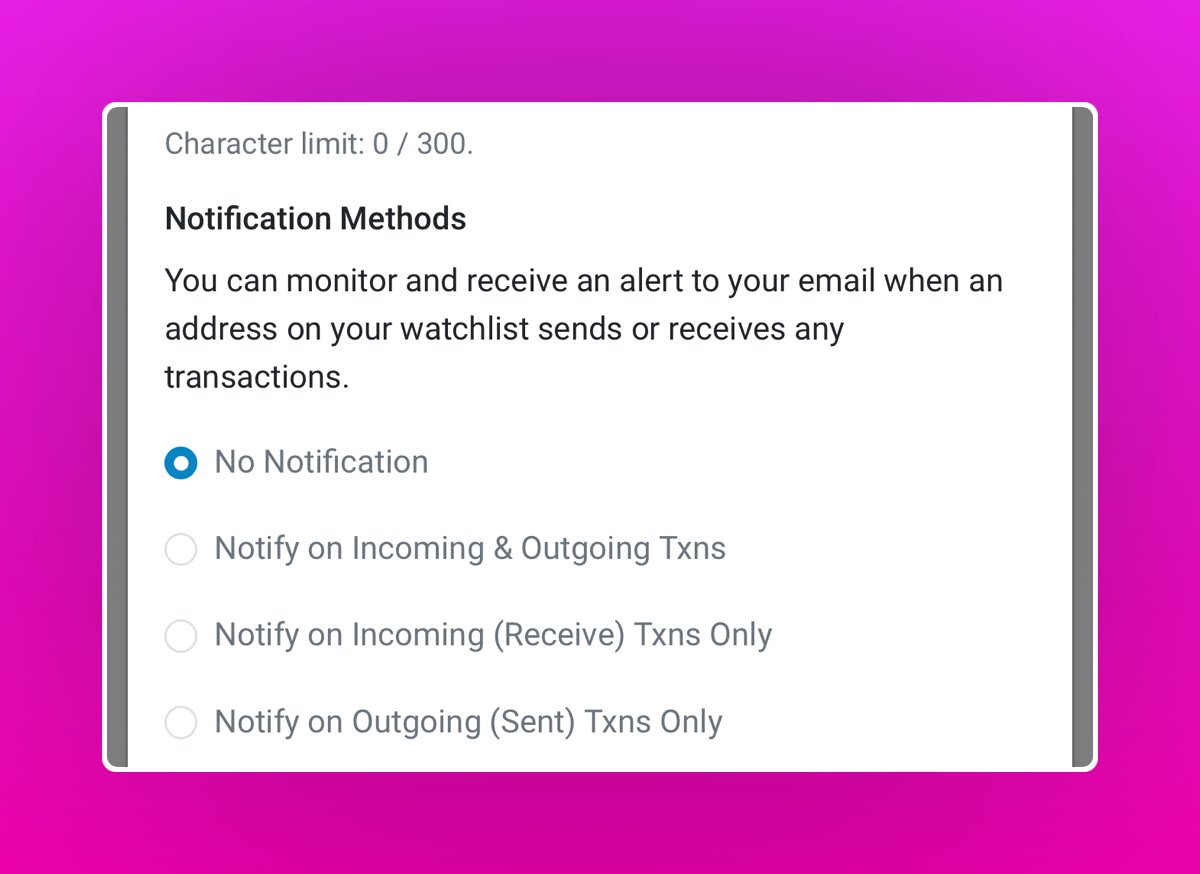
6. Always track ruggers & put them on your blacklist
• Log in to etherscan(dot)io
• Click on the 3 bars at top right
• Copy to whale or scammer address
• Add to watch list
• Log in to etherscan(dot)io
• Click on the 3 bars at top right
• Copy to whale or scammer address
• Add to watch list
7. Check CA with no transaction history
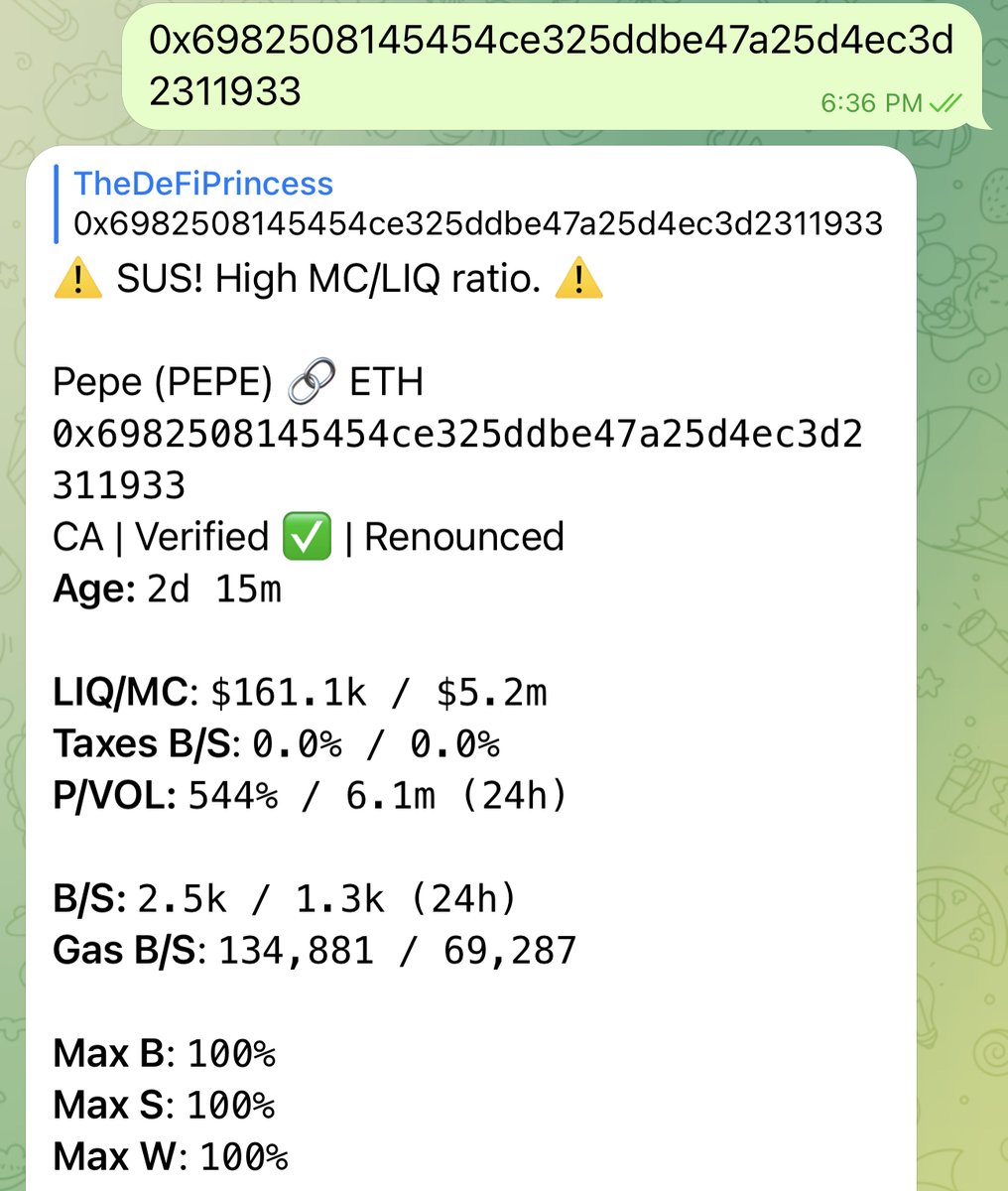
Use SUSBOT, here’s how:
• Create a group on Telegram
• Search SUSBOT
• Click to see details
• Add to group
• Paste contract address
NOTE: SUSBOT cannot always be correct, so make sure to ask questions on the TG group
Use SUSBOT, here’s how:
• Create a group on Telegram
• Search SUSBOT
• Click to see details
• Add to group
• Paste contract address
NOTE: SUSBOT cannot always be correct, so make sure to ask questions on the TG group
8. Use Twitter Advanced Search
Make a list of projects that did 100X (e.g $PEPE)
Go to the chart
Find the date range before the hype
For $PEPE since it launched 14th April, 2023
We want to find people that were calling it 5 days before and 8 days after
Here’s how:
Make a list of projects that did 100X (e.g $PEPE)
Go to the chart
Find the date range before the hype
For $PEPE since it launched 14th April, 2023
We want to find people that were calling it 5 days before and 8 days after
Here’s how:
Just use the "until" and "since" query
since: the old date
until: the recent date
$PEPE since:2023-04-01 until:2023-04-22
An important note: dates must be formatted in "YYYY-MM-DD" format with no space between them and the colon.
since: the old date
until: the recent date
$PEPE since:2023-04-01 until:2023-04-22
An important note: dates must be formatted in "YYYY-MM-DD" format with no space between them and the colon.
I hope you enjoy these because this is how I found this guy
Follow me @defiprincess_ for more strategies
Follow me @defiprincess_ for more strategies
Now if you liked this thread you’ll like my upcoming newsletter — DeFi Money Letters
3 times a week I show you how to make money with:
- DeFi business Tips
- DeFi Strategies
- Growth Hacks
Join 3500+ others here👇
defiprincess.substack.com
3 times a week I show you how to make money with:
- DeFi business Tips
- DeFi Strategies
- Growth Hacks
Join 3500+ others here👇
defiprincess.substack.com

Loading suggestions...