

How to reduce screen time by 50 minutes daily (backed by science).
Grayscale mode:
Grayscale mode:
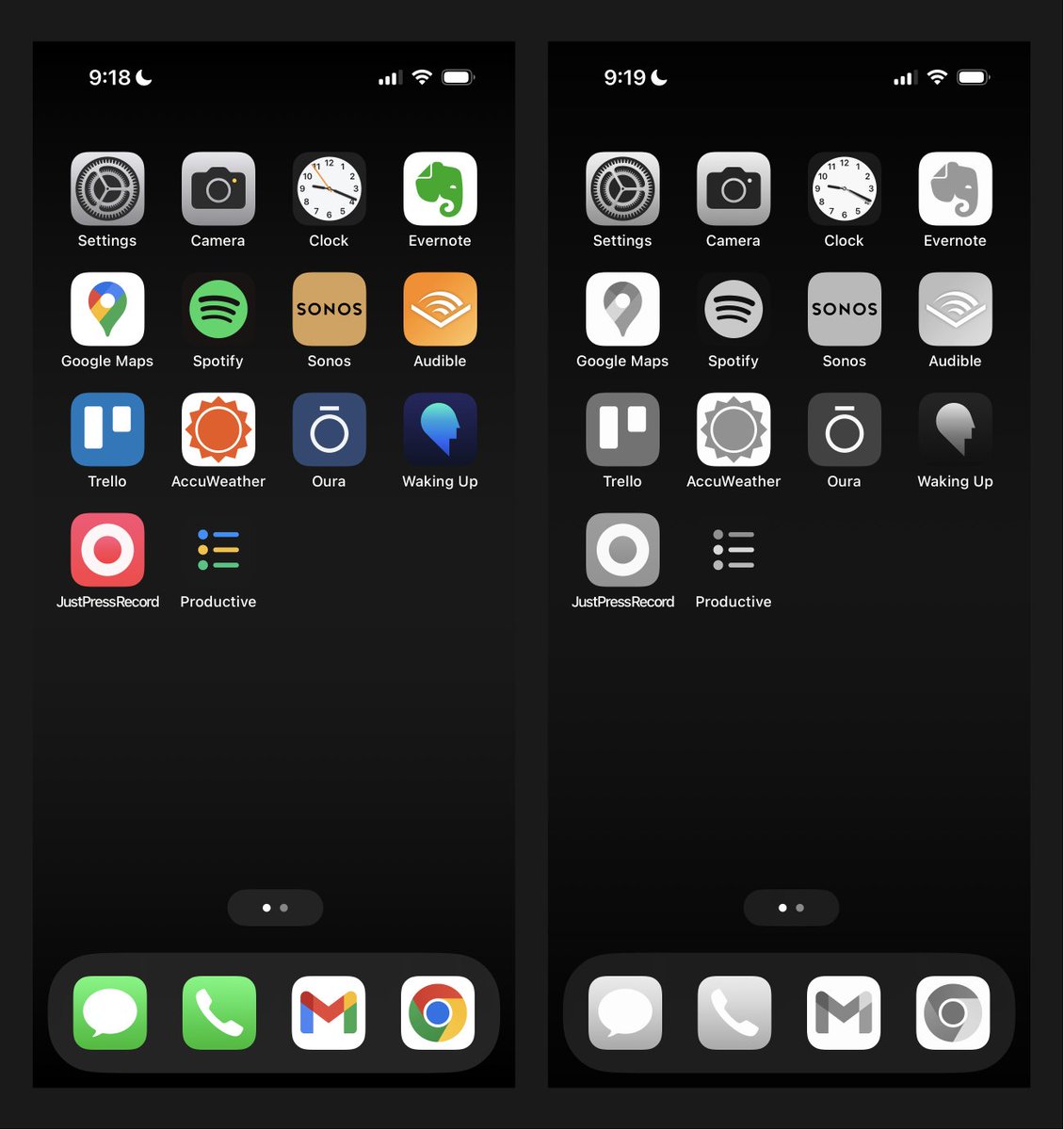
In 2 minutes, you’ll get a brutally effective hack for cutting your mobile screen time.
You’ll reclaim 50 minutes per day (on average).
Grayscale mode reduces phone usage even more than “app limits” and “downtime” features.
Here’s a quick tutorial…
You’ll reclaim 50 minutes per day (on average).
Grayscale mode reduces phone usage even more than “app limits” and “downtime” features.
Here’s a quick tutorial…
First, why does grayscale mode work?
It dulls the colorful visual stimulus—
making your phone less addictive (and generally unappealing to engage with).
Fewer candy-colored apps mean less temptation for dopamine snacks.
Onwards to the setup…
It dulls the colorful visual stimulus—
making your phone less addictive (and generally unappealing to engage with).
Fewer candy-colored apps mean less temptation for dopamine snacks.
Onwards to the setup…
Grayscale Setup for iPhone:
• Settings
• Accessibility
• Display and Text Size
• Color Filters On
• Grayscale Checked
• Settings
• Accessibility
• Display and Text Size
• Color Filters On
• Grayscale Checked
Pro Tip for iPhone:
Create a shortcut to toggle between color and grayscale (via a triple click on the side button).
How to configure the shortcut:
• Settings
• Accessibility
• Accessibility Shortcut (near the bottom)
• Select Color Filters
Create a shortcut to toggle between color and grayscale (via a triple click on the side button).
How to configure the shortcut:
• Settings
• Accessibility
• Accessibility Shortcut (near the bottom)
• Select Color Filters
Grayscale Setup for Android
• Settings
• Accessibility
• Under the Display section, click Text and Display
• Select Color Correction, then choose the Grayscale option
• Settings
• Accessibility
• Under the Display section, click Text and Display
• Select Color Correction, then choose the Grayscale option
Unfortunately, it can be easy to fall out of the habit of grayscale mode.
For example, you might turn it off to review creative work but then forget to turn it back on.
So set an automation…
For example, you might turn it off to review creative work but then forget to turn it back on.
So set an automation…
How to set a grayscale automation:
iPhone:
• YouTube tutorial: “iPhone Greyscale Schedule Shortcut & Automation”
• I set daily timers for 5am and 5pm
Android:
• Settings
• Tap Digital Wellbeing & parental controls
• Tap Bedtime mode and turn on
• Tap Customize Screen
iPhone:
• YouTube tutorial: “iPhone Greyscale Schedule Shortcut & Automation”
• I set daily timers for 5am and 5pm
Android:
• Settings
• Tap Digital Wellbeing & parental controls
• Tap Bedtime mode and turn on
• Tap Customize Screen
I joke that the most productive app on your phone is called airplane mode.
Now, the second-best? Grayscale mode.
It’s a feature that gives you time rather than takes it.
Now, the second-best? Grayscale mode.
It’s a feature that gives you time rather than takes it.
Thanks for reading! Follow me @SystemSunday for more content on high-performance living.
P.S. If you like personal development, you'll love my weekly newsletter (it’s free).
Every Sunday I feature the best systems for health, wealth, and free time.
Join 115,000+ people in my profile's bio link.
Every Sunday I feature the best systems for health, wealth, and free time.
Join 115,000+ people in my profile's bio link.
Loading suggestions...