

There is a proven system to learn faster and remember more: Spaced Repetition.
Studies report 2-3x increase in retention.
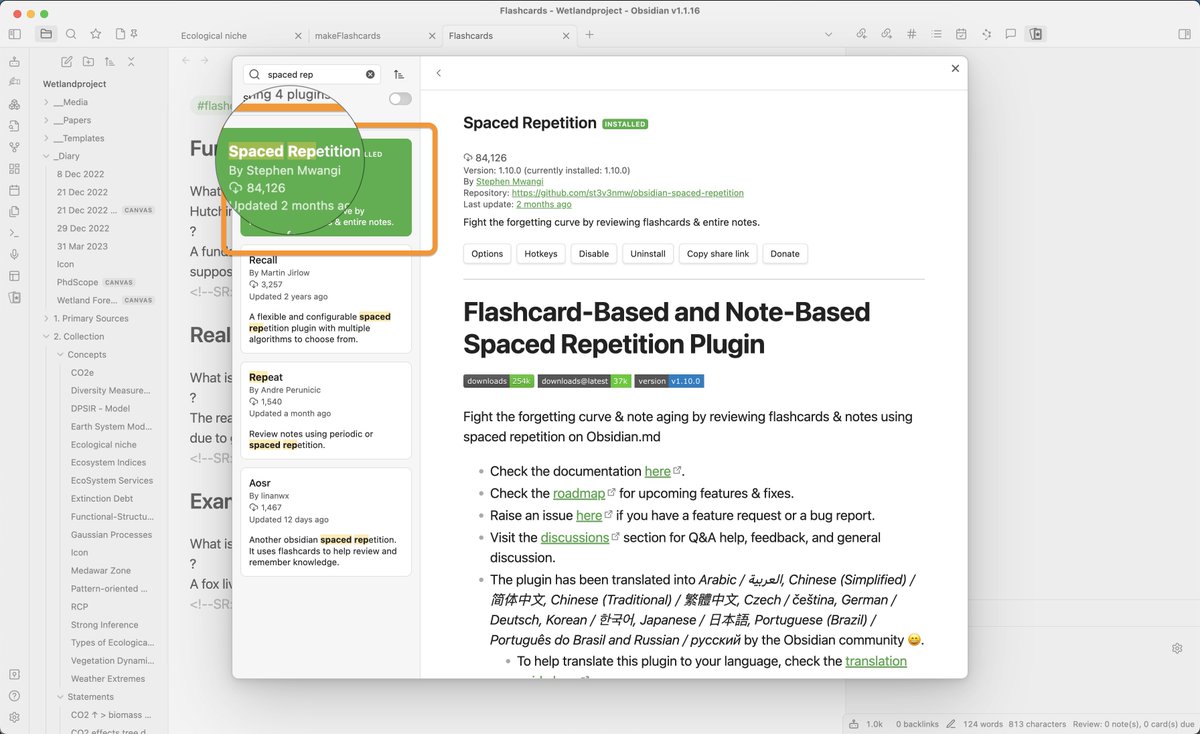
Here is how you can add it to your notes with a simple plugin:
👇
Studies report 2-3x increase in retention.
Here is how you can add it to your notes with a simple plugin:
👇

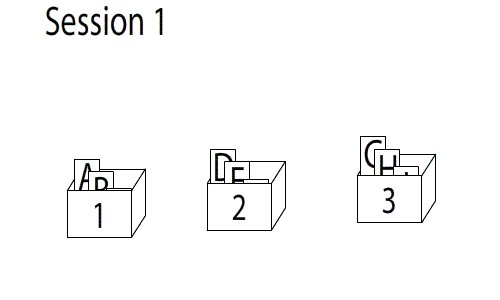
Spaced Repetition (SR) asks you to recall something repeatedly.
Write what you learn on a card and put it in the repeat-daily-box (1).
If you remember well, move it right to the repeat-weekly-box (2), then monthly (3).
If not, move it back left.
(intervals may vary)
Write what you learn on a card and put it in the repeat-daily-box (1).
If you remember well, move it right to the repeat-weekly-box (2), then monthly (3).
If not, move it back left.
(intervals may vary)
@ankiapp @obsdmd To add new flashcards you need to:
1. Add a tag #flashcards to the note with the flashcards.
2. Add questions and answers in the format
QUESTION : ANSWER
Embed them into the note they belong to.
Here is a note on capitols. Naturally the respective flashcards go here.
1. Add a tag #flashcards to the note with the flashcards.
2. Add questions and answers in the format
QUESTION : ANSWER
Embed them into the note they belong to.
Here is a note on capitols. Naturally the respective flashcards go here.


@ankiapp @obsdmd It is very easy to create multple decks of flashcards.
Use different hastags in the note. e.g.:
#flashcards/geography
#flashcards/ecology
These could be different courses, topics or projects!
Use different hastags in the note. e.g.:
#flashcards/geography
#flashcards/ecology
These could be different courses, topics or projects!


@ankiapp @obsdmd Summary
► Install Spaced Repetion plugin
► Add #flashcards/deckname to notes containing flashcards
► One-line flashcards syntax is Q : A
► For multi-line use Q ? A in 3 separate lines
► Review entire notes by adding #review
Notes and Flashcards are in one system: Powerful!
► Install Spaced Repetion plugin
► Add #flashcards/deckname to notes containing flashcards
► One-line flashcards syntax is Q : A
► For multi-line use Q ? A in 3 separate lines
► Review entire notes by adding #review
Notes and Flashcards are in one system: Powerful!
Loading suggestions...