


The table is made of сells, rows, and a header.
First, create a variant set to house all variations of your cells and header cell components.
Expose nested props to be able to control individual details from the component level.
First, create a variant set to house all variations of your cells and header cell components.
Expose nested props to be able to control individual details from the component level.

Combine Header components into an auto layout group.
Customize and add your project information to the header of your table.
Customize and add your project information to the header of your table.

Combine cell components to create a table row.
Customize individual cells using properties to create a row with your project's details.
Duplicate the resulting table row to create a full table.
Customize individual cells using properties to create a row with your project's details.
Duplicate the resulting table row to create a full table.

Combine header and duplicated table rows into a single Table frame. Set the header and rows to Fill in the width and stay Fixed in height.
Note: For all nested cell elements, set the height to Fill. To avoid half pixels on resize.
Note: For all nested cell elements, set the height to Fill. To avoid half pixels on resize.

Set the cell column you want to hide on resize and set its nested elements width to Fill.
Choose the column you want to stay visible on resize and set its nested elements width to stay Fixed.
Choose the column you want to stay visible on resize and set its nested elements width to stay Fixed.

Shrink it! ✨
Control which columns are visible on resize by changing the column width constraints.
Control which columns are visible on resize by changing the column width constraints.
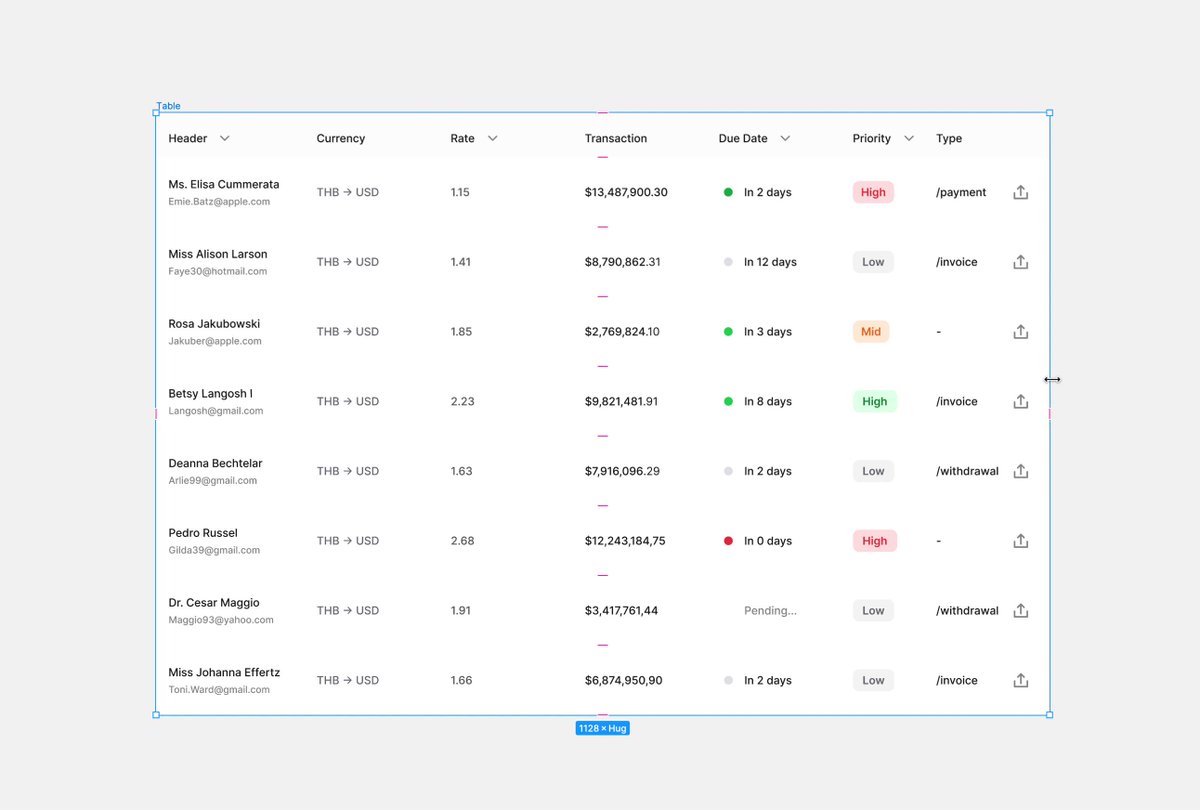
Find out more components like this one in the FramesX UI kit.
✓ Variant sets
✓ Auto layout ready
✓ Optimized properties
framesxfigma.buninux.com
✓ Variant sets
✓ Auto layout ready
✓ Optimized properties
framesxfigma.buninux.com
Loading suggestions...