

My website is fast, ranks well in Google results, and is a crucial part of our sales funnel.
Here's my site's exact tech stack.
This is NOT a beginner stack. I've optimized for speed + great UI/UX, not ease of setup.
Just want to share what I'm using in case it's helpful.
Here's my site's exact tech stack.
This is NOT a beginner stack. I've optimized for speed + great UI/UX, not ease of setup.
Just want to share what I'm using in case it's helpful.

At a glance:
- Platform: @WordPress (self-hosted)
- Hosting: @Vultr HF VPS, managed through @gridpane
- Theme: custom-built by @yomartholomew, some @elemntor
- CDN: @Cloudflare
- Backups: @gridpane managed, sent to S3
- Speed plugins: @FlyingPress_ and @_perfmatters
- Platform: @WordPress (self-hosted)
- Hosting: @Vultr HF VPS, managed through @gridpane
- Theme: custom-built by @yomartholomew, some @elemntor
- CDN: @Cloudflare
- Backups: @gridpane managed, sent to S3
- Speed plugins: @FlyingPress_ and @_perfmatters
Other tools that are related to the site:
- Checkout pages: @lmsqueezy (great for beginners)
- SEO tracking: @ahrefs
- Cookie consent: @iubenda
- Speed testing: @gtmetrix
- Checkout pages: @lmsqueezy (great for beginners)
- SEO tracking: @ahrefs
- Cookie consent: @iubenda
- Speed testing: @gtmetrix
You can check out the site here: thomasjfrank.com
Here's a bit of detail on each of the pieces in the tech stack:
Here's a bit of detail on each of the pieces in the tech stack:
Platform
I've been building on @WordPress since 2009.
It's still the most powerful/flexible platform out there for people who don't want to code a full web app from scratch.
I self-host the open-source WP software, but there's also WordPress.com.
I've been building on @WordPress since 2009.
It's still the most powerful/flexible platform out there for people who don't want to code a full web app from scratch.
I self-host the open-source WP software, but there's also WordPress.com.
Hosting (1/2)
I moved to @Gridpane late last year and love it.
It's not a host; it's a platform that lets you set up and manage WordPress on servers from a variety of platforms - Vultr, Linode, Google Cloud, etc.
There's a learning curve, but it gives me so much control.
I moved to @Gridpane late last year and love it.
It's not a host; it's a platform that lets you set up and manage WordPress on servers from a variety of platforms - Vultr, Linode, Google Cloud, etc.
There's a learning curve, but it gives me so much control.
Hosting (2/2)
My actual VPS instance (i.e. the server that hosts my site) is from @Vultr.
I use a single High-Frequency instance that costs $24/mo.
This gives me the computing power and bandwidth I'd need to easily handle even millions of visit a month.
My actual VPS instance (i.e. the server that hosts my site) is from @Vultr.
I use a single High-Frequency instance that costs $24/mo.
This gives me the computing power and bandwidth I'd need to easily handle even millions of visit a month.
Theme (1/2)
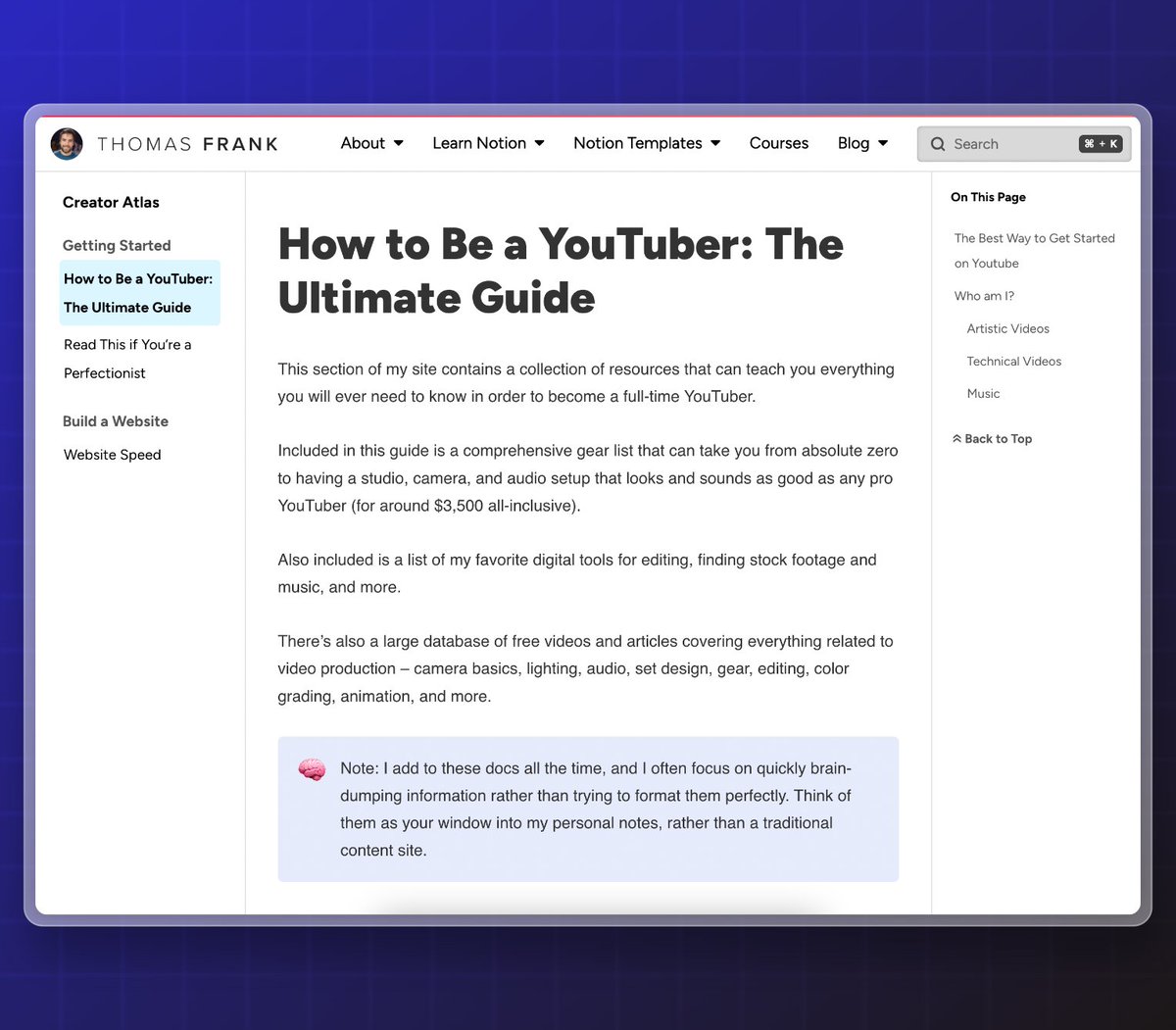
We just launched a brand-new theme, designed in @figma by me and coded by @yomartholomew.
We did this for two reasons:
1. It's significantly faster than using @elemntor for everything
2. There wasn't a WP theme in existence that can do a docs-style page like this.
We just launched a brand-new theme, designed in @figma by me and coded by @yomartholomew.
We did this for two reasons:
1. It's significantly faster than using @elemntor for everything
2. There wasn't a WP theme in existence that can do a docs-style page like this.
Theme (2/2)
I've used Gitbook and Notaku for docs-style pages in the past, but I wanted to move them to my main site for SEO reasons.
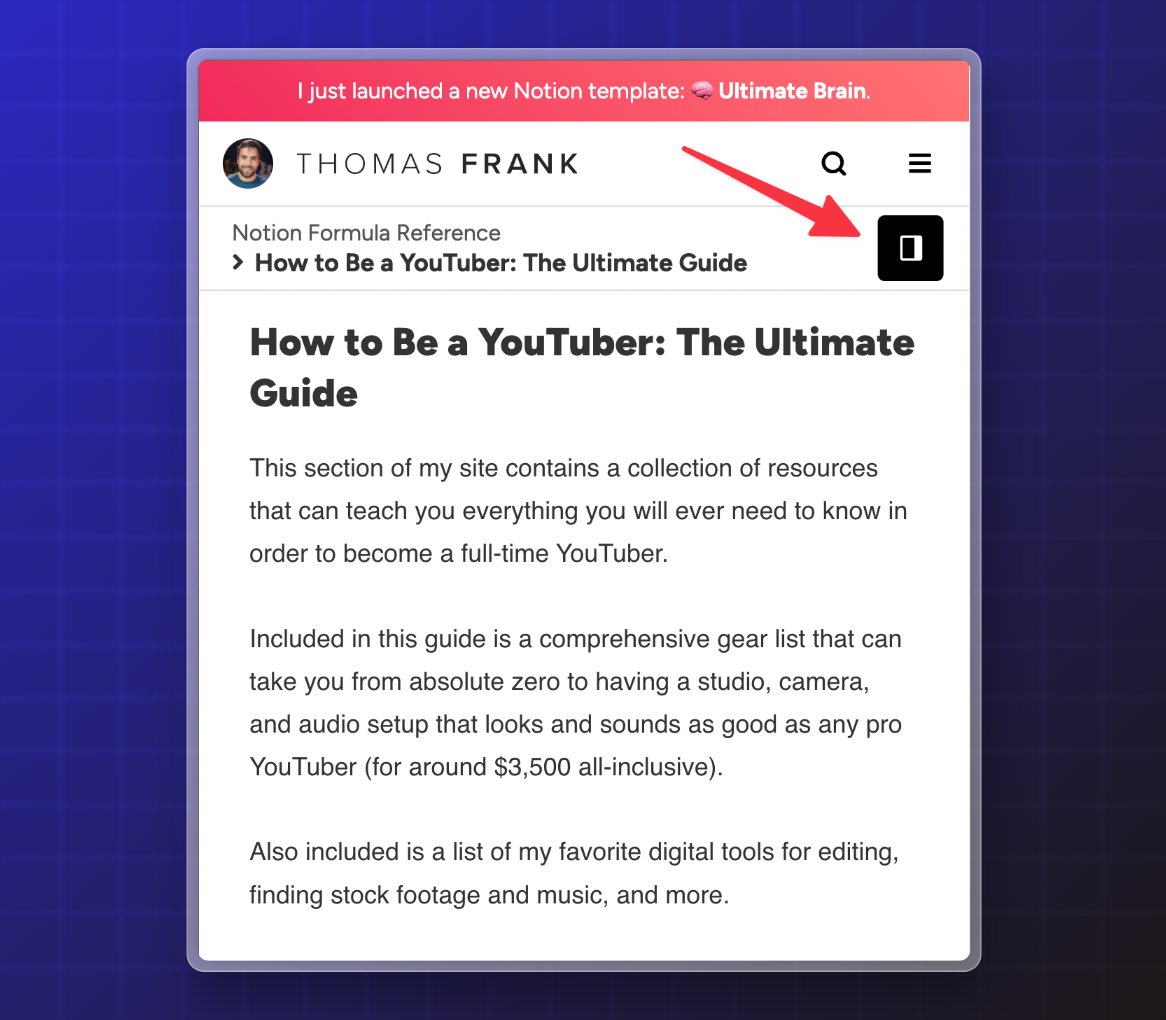
This also gave us the chance to build some stuff that seemingly no one includes – like a button to show the on-page Table of Contents on mobile.
I've used Gitbook and Notaku for docs-style pages in the past, but I wanted to move them to my main site for SEO reasons.
This also gave us the chance to build some stuff that seemingly no one includes – like a button to show the on-page Table of Contents on mobile.
CDN
I use @Cloudflare on all my sites, both for its Content Delivery Network (CDN) tools that increase site speed, and for its SSL certs and DDoS protection.
Specifically, I use:
- Cloudflare Pro
- Argo
- Tiered Cache
- Smart Routing
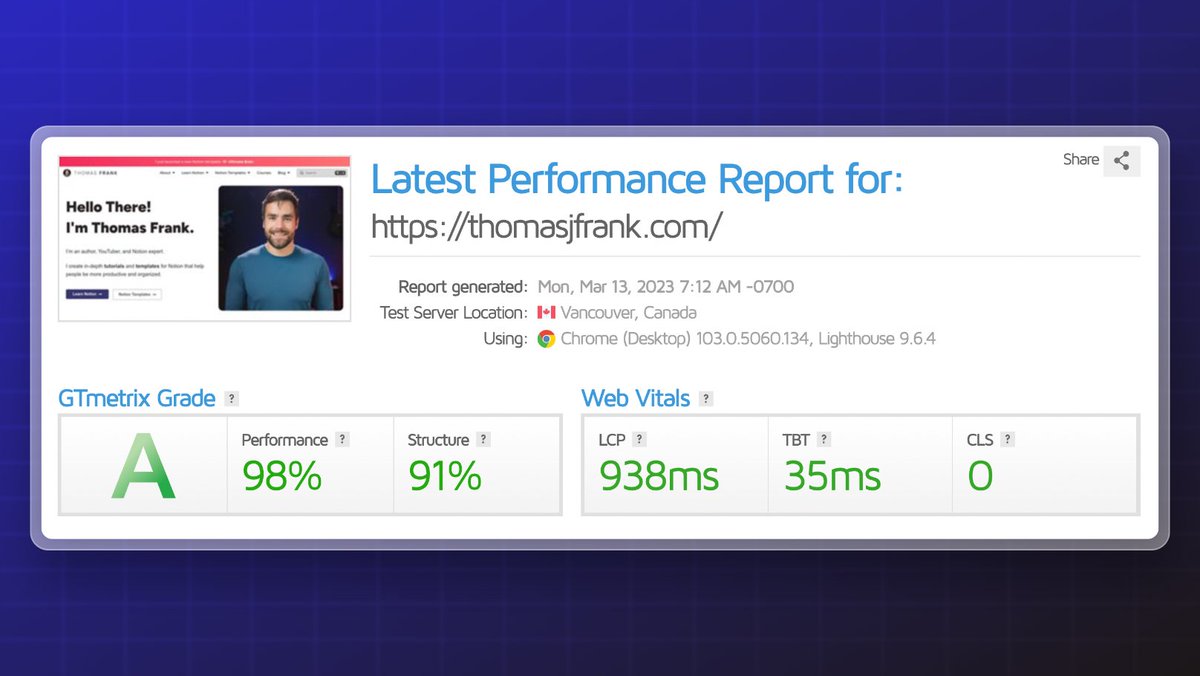
These help our loading times feel instant.
I use @Cloudflare on all my sites, both for its Content Delivery Network (CDN) tools that increase site speed, and for its SSL certs and DDoS protection.
Specifically, I use:
- Cloudflare Pro
- Argo
- Tiered Cache
- Smart Routing
These help our loading times feel instant.
Plugins
I use @FlyingPress_ for CSS/JS minification and font optimization.
I also use @_perfmatters to enable/disable scripts on a per-page basis. This minimizes the number of resource calls for each page.
For caching, I use @gridpane's server-level Nginx/Redis caches.
I use @FlyingPress_ for CSS/JS minification and font optimization.
I also use @_perfmatters to enable/disable scripts on a per-page basis. This minimizes the number of resource calls for each page.
For caching, I use @gridpane's server-level Nginx/Redis caches.
Backups
Through Gridpane, I've set up a schedule of daily site backups.
These are stored both locally and remotely.
For remote storage, I automatically send each backup to an Amazon S3 bucket.
Through Gridpane, I've set up a schedule of daily site backups.
These are stored both locally and remotely.
For remote storage, I automatically send each backup to an Amazon S3 bucket.
If you want more detail on this stack, I've put together a guide:
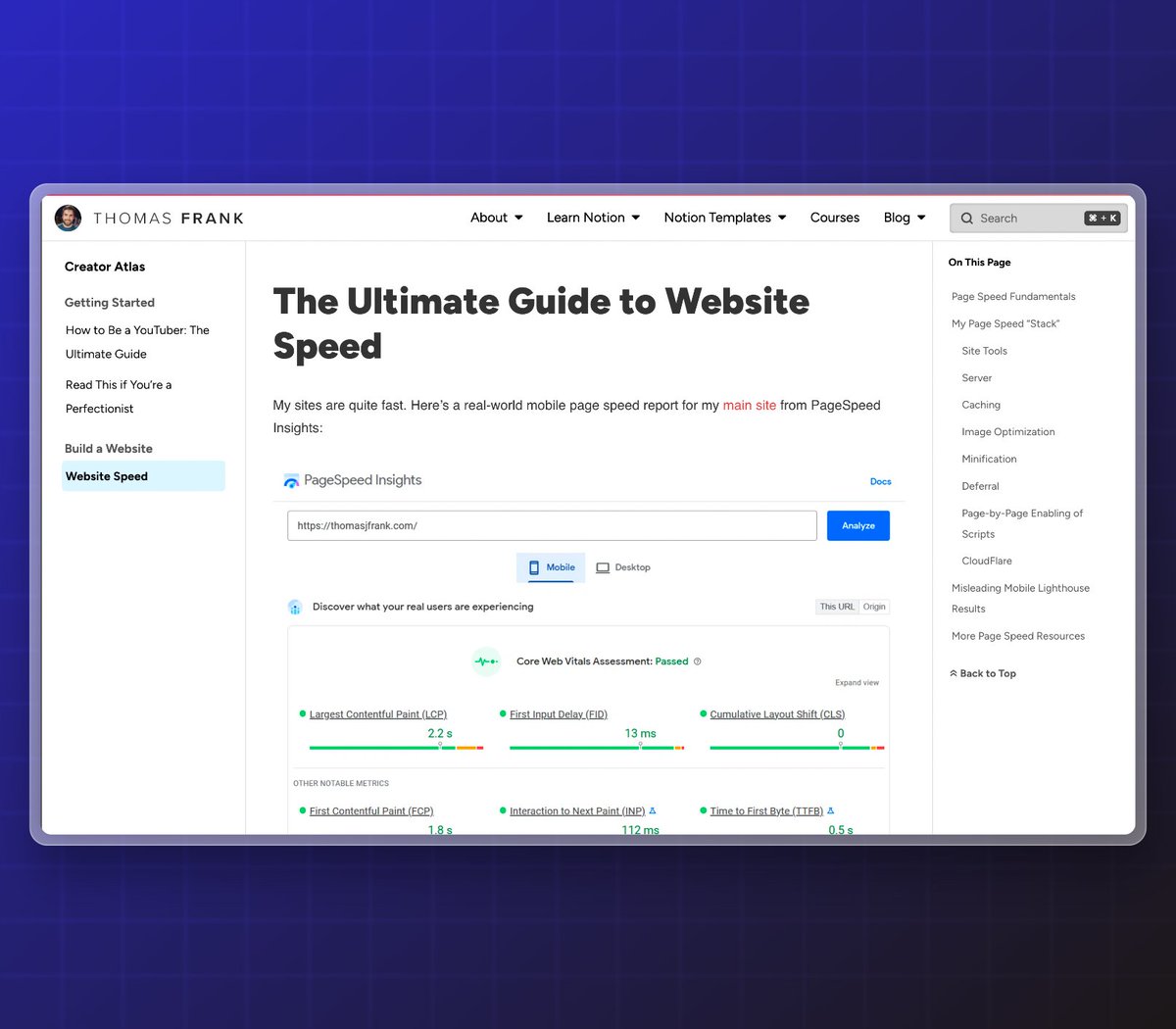
The Ultimate Guide to Website Speed
Read here: thomasjfrank.com
The Ultimate Guide to Website Speed
Read here: thomasjfrank.com
If you're just starting out, remember that this site and stack are the product of YEARS of tinkering and learning.
You don't have to start out this complex.
Remember: Make a mess, get feedback, then improve.
You don't have to start out this complex.
Remember: Make a mess, get feedback, then improve.
I'll be releasing guides for those Notion-based platforms in the near future.
If you want to know when they go live, you can join 50,000+ folks on my Notion Tips newsletter here:
#get-the-newsletter" target="_blank" rel="noopener" onclick="event.stopPropagation()">thomasjfrank.com
If you want to know when they go live, you can join 50,000+ folks on my Notion Tips newsletter here:
#get-the-newsletter" target="_blank" rel="noopener" onclick="event.stopPropagation()">thomasjfrank.com
Loading suggestions...