

How I made over $16000 in one trade using @Blockpour

5 months ago, I was looking into learning EVERYTHING about on-chain analytics
Nansen seemed to be the only viable option
Because I didn’t understand Etherscan — at the time
But Nansen was quite expensive for me
So when I heard about trying out the beta for Blockpour…
Nansen seemed to be the only viable option
Because I didn’t understand Etherscan — at the time
But Nansen was quite expensive for me
So when I heard about trying out the beta for Blockpour…
I was sold!
And if you read this you’d be too!
Here’s a quick Blockpour guide in 8 tweets ➕ my $16k trade guide at the end
And if you read this you’d be too!
Here’s a quick Blockpour guide in 8 tweets ➕ my $16k trade guide at the end
1/ Introduction
Blockpour is an analytics platform that aggregates on-chain data into useful & tradable information
Why should this be important to you?
As a DeFi trader, you need to have a pulse on EVERYTHING onchain — if you don’t…
You leave a LOT of money on the table
Blockpour is an analytics platform that aggregates on-chain data into useful & tradable information
Why should this be important to you?
As a DeFi trader, you need to have a pulse on EVERYTHING onchain — if you don’t…
You leave a LOT of money on the table
2/ IMPORTANT Blockpour Sections
1️⃣ Network Trade Count
2️⃣ RugPulls
3️⃣ Top Movers
4️⃣ Liquidity Pool Activity
5️⃣ Live Trades
6️⃣ Trending Tokens
I’m now going to show you how to use all of these:
1️⃣ Network Trade Count
2️⃣ RugPulls
3️⃣ Top Movers
4️⃣ Liquidity Pool Activity
5️⃣ Live Trades
6️⃣ Trending Tokens
I’m now going to show you how to use all of these:
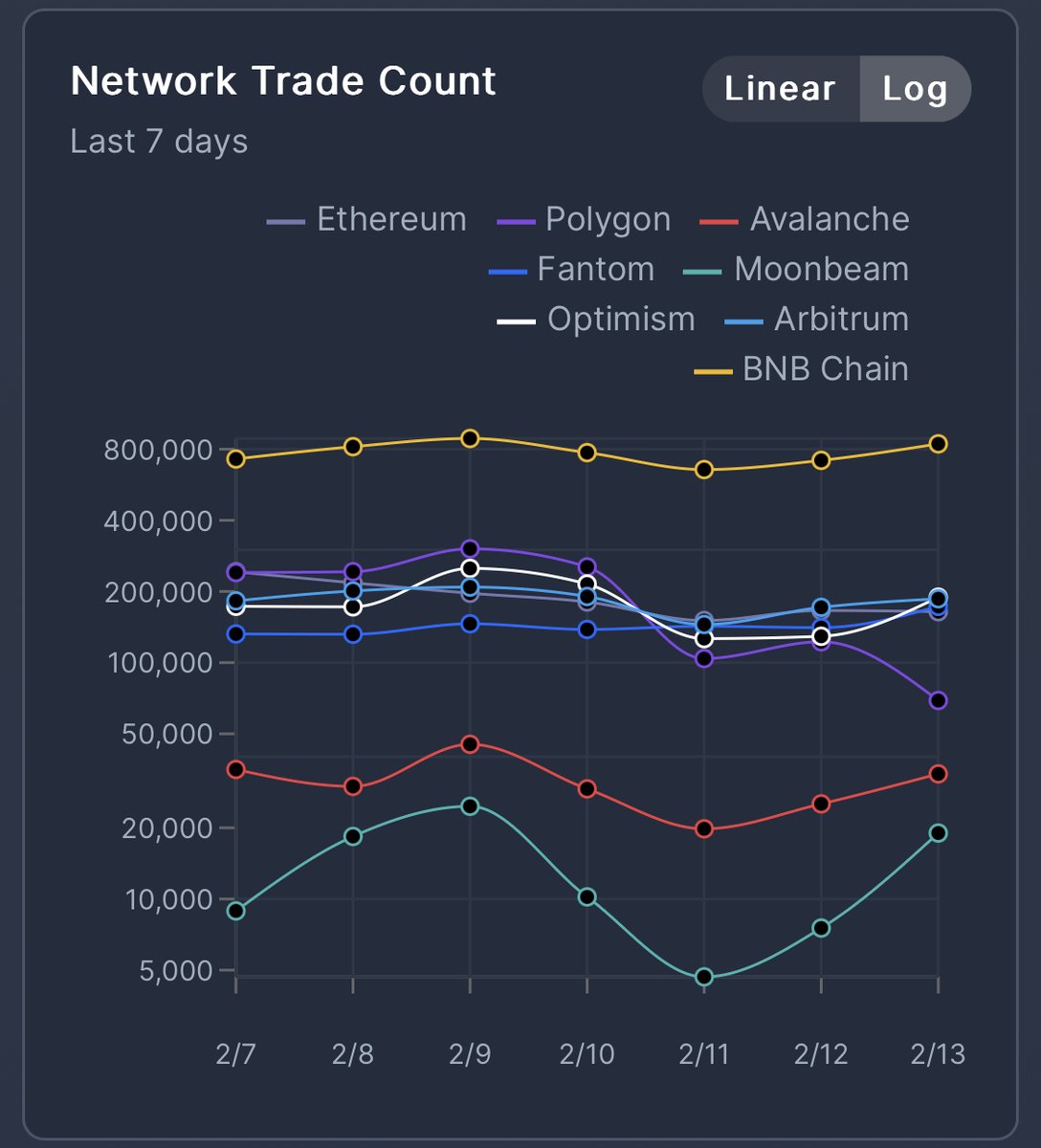
1️⃣Network Trade Count:
This counts the number of trades that have taken place on a blockchain in 7 days
Importance:
Let’s say you want to make a quick 2x …
Knowing the network trade count would be a good head start to know where people are taking trades
This counts the number of trades that have taken place on a blockchain in 7 days
Importance:
Let’s say you want to make a quick 2x …
Knowing the network trade count would be a good head start to know where people are taking trades
2️⃣Rugpulls
Blockpour tracks all liquidity pool actions as they occur live - that includes liquidity pool adds and removals
With an indexer that automatically searches for any liquidity pool action that results in 90% liquidity removal in a single action
It is then rug flagged
Blockpour tracks all liquidity pool actions as they occur live - that includes liquidity pool adds and removals
With an indexer that automatically searches for any liquidity pool action that results in 90% liquidity removal in a single action
It is then rug flagged
3️⃣Top Movers
You can pick the blockchain you want to check the top movers
Arbitrum, Optimism, Ethereum… and so on
Importance:
Tokens that appear in “Top Movers” give you a hack about what investors are eager to trade
You can pick the blockchain you want to check the top movers
Arbitrum, Optimism, Ethereum… and so on
Importance:
Tokens that appear in “Top Movers” give you a hack about what investors are eager to trade
4️⃣Liquidity Pool Activity
Shows real time addition or removal of liquidity across all network liquidity pools
Degen farmers who want to know what pools are active for a quick profits can make good use of this
Shows real time addition or removal of liquidity across all network liquidity pools
Degen farmers who want to know what pools are active for a quick profits can make good use of this
5️⃣Live Trades
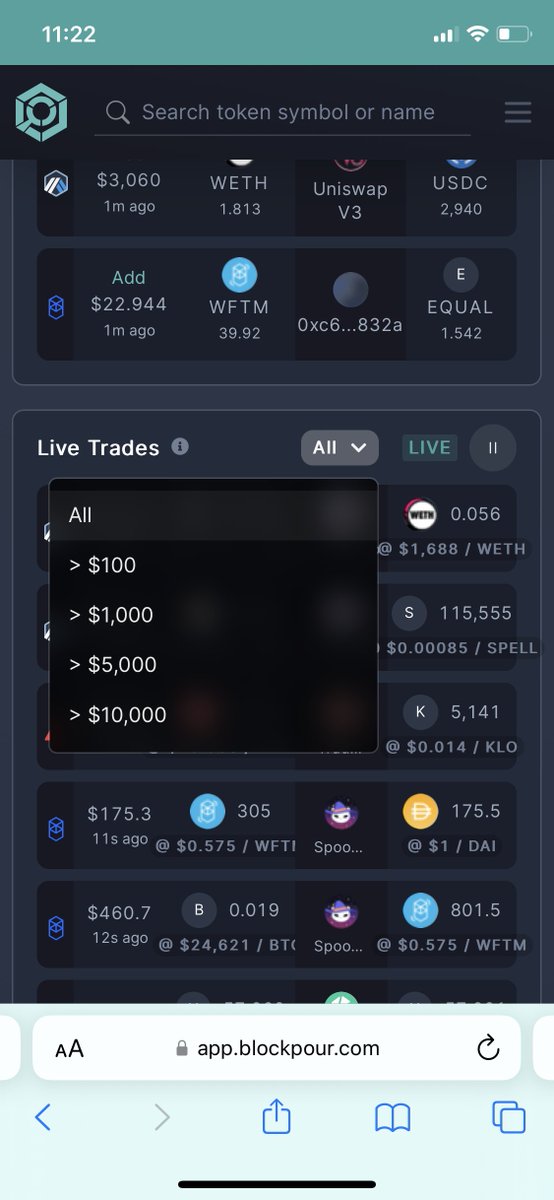
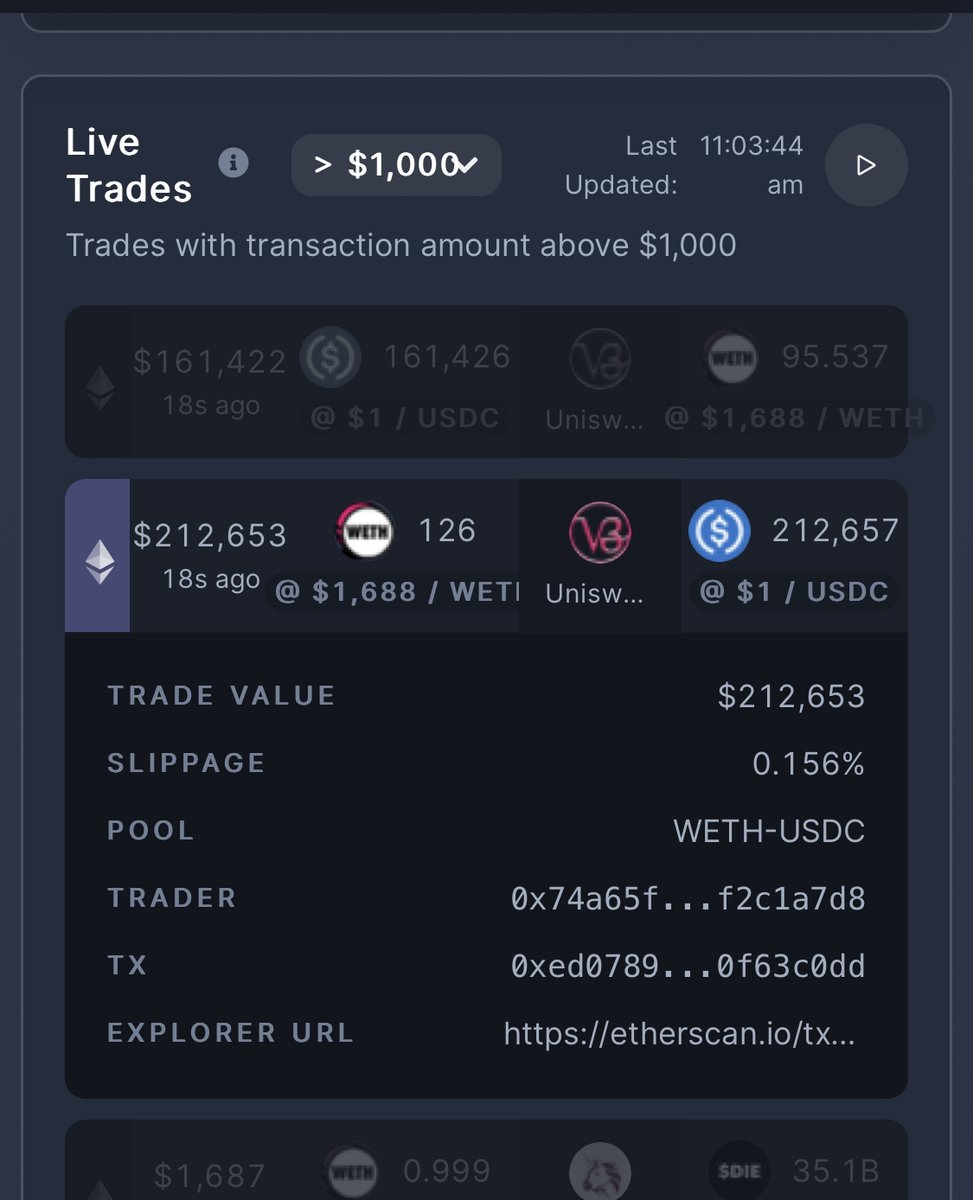
Shows real time token swaps across all blockchains
You can pick the size of trades you want to see by clicking “all” ($100, $1000, $5000, $10000)
I particularly use this with $5k-$10k to see what tokens whales are buying
Shows real time token swaps across all blockchains
You can pick the size of trades you want to see by clicking “all” ($100, $1000, $5000, $10000)
I particularly use this with $5k-$10k to see what tokens whales are buying
6️⃣Trending Tokens
Shows tokens with the highest trade count and updates hourly
It’s best to click on other pages as the first page shows USDT, BNB and ETH which aren’t what you’re to look at
Shows tokens with the highest trade count and updates hourly
It’s best to click on other pages as the first page shows USDT, BNB and ETH which aren’t what you’re to look at
How I made $16000 in 1 trade
This took a lot of time. I had to sit on the platform for a week and study the strategies that could work
What mainly helped?
Tbh?
- Trending Tokens
- Live Trades
For live trades I noticed that USDT takes a large portion of trades and…
This took a lot of time. I had to sit on the platform for a week and study the strategies that could work
What mainly helped?
Tbh?
- Trending Tokens
- Live Trades
For live trades I noticed that USDT takes a large portion of trades and…
When people swap large amounts of USDT, 70% of the time they’re taking profits
But the few big buys that come are from traders that have good track record
So I track their transactions using Etherscan
This is where your understanding of on chain analysis comes in
But the few big buys that come are from traders that have good track record
So I track their transactions using Etherscan
This is where your understanding of on chain analysis comes in
My winning trade came from tracking 1 trader who always bought large amount of tokens ($1k to $5k)
Plus I found the token on trending tokens which aided my conviction
This is a strategy that works for me
Plus I found the token on trending tokens which aided my conviction
This is a strategy that works for me
I set up my maestro bot to copy trade his trades and bought this token in December for $1200
Early last week the token was worth $16000 and I sold for profits
Of course you’d make losses with this
But what’s a little loss compared to 20X gains?
Early last week the token was worth $16000 and I sold for profits
Of course you’d make losses with this
But what’s a little loss compared to 20X gains?
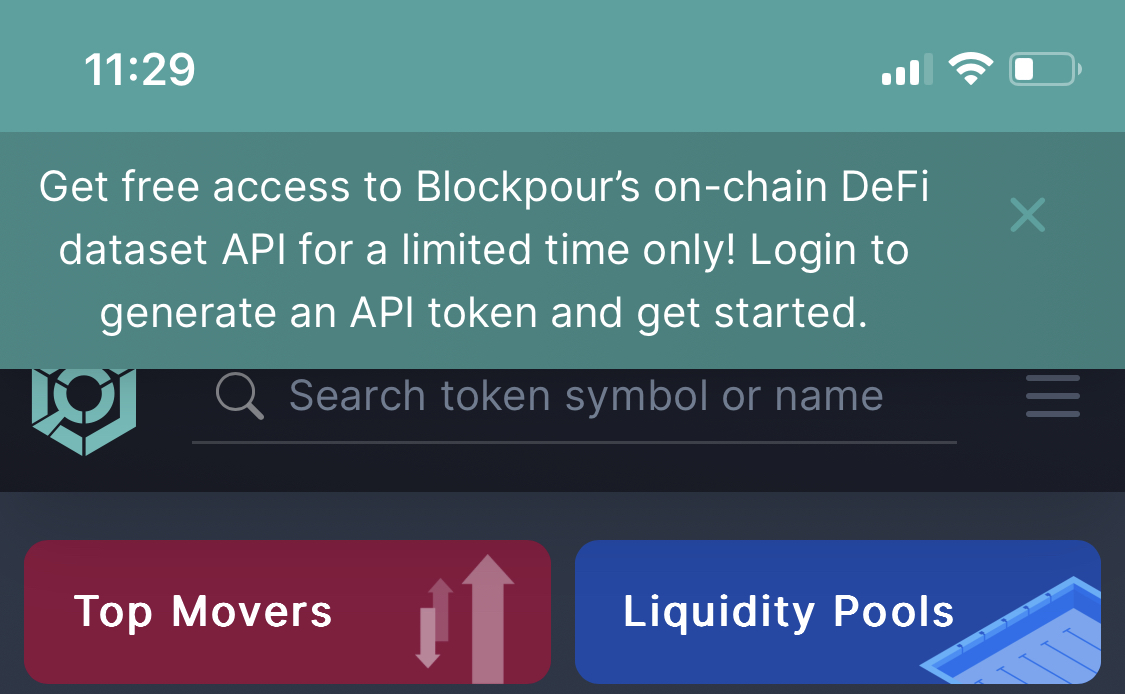
Now Blockpour is giving access to an on-chain data API
Importance:
Unlocks MORE data
So if you feel you want to keep making money—without stress…
Login here 👇 and generate an API token
app.blockpour.com
Importance:
Unlocks MORE data
So if you feel you want to keep making money—without stress…
Login here 👇 and generate an API token
app.blockpour.com
Proposed upgrades
This is my opinion as a trader
There needs to be more tokens with low mcap available to track their live trades
That’s that for me
What do YOU think Blockpour should add to be better ?
This is my opinion as a trader
There needs to be more tokens with low mcap available to track their live trades
That’s that for me
What do YOU think Blockpour should add to be better ?
That’s a wrap!
If you liked this thread:
Follow @Blockpour & @defiprincess_ for more threads & on chain insights
If you liked this thread:
Follow @Blockpour & @defiprincess_ for more threads & on chain insights
Loading suggestions...