

How to write a smart contract for a fully on-chain @jackbutcher Checks derivative (code breakdown):
Think about the art before you write a line of code.
Checks have an 8x10 grid of symbols.
You need to work with the Check symbol or use something similar.
Checks have an 8x10 grid of symbols.
You need to work with the Check symbol or use something similar.
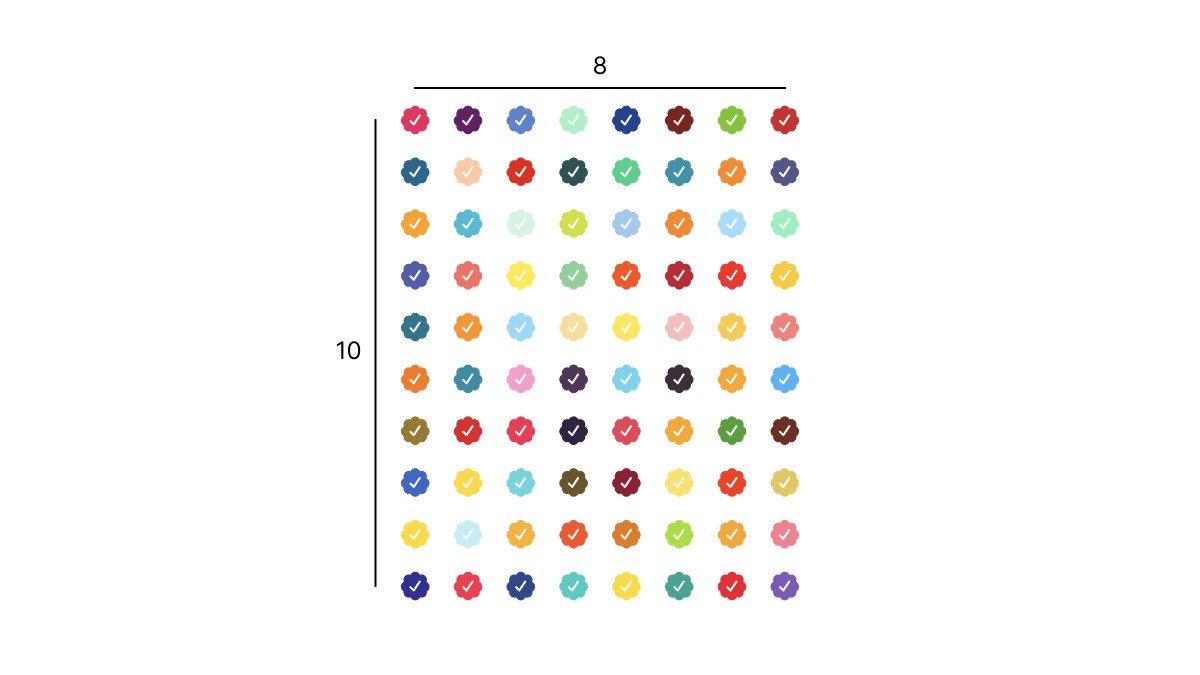
We've seen two main types of derivative:
1. Those re-colouring the existing Check symbols
2. Those using different symbols in place of the Checks
1. Those re-colouring the existing Check symbols
2. Those using different symbols in place of the Checks
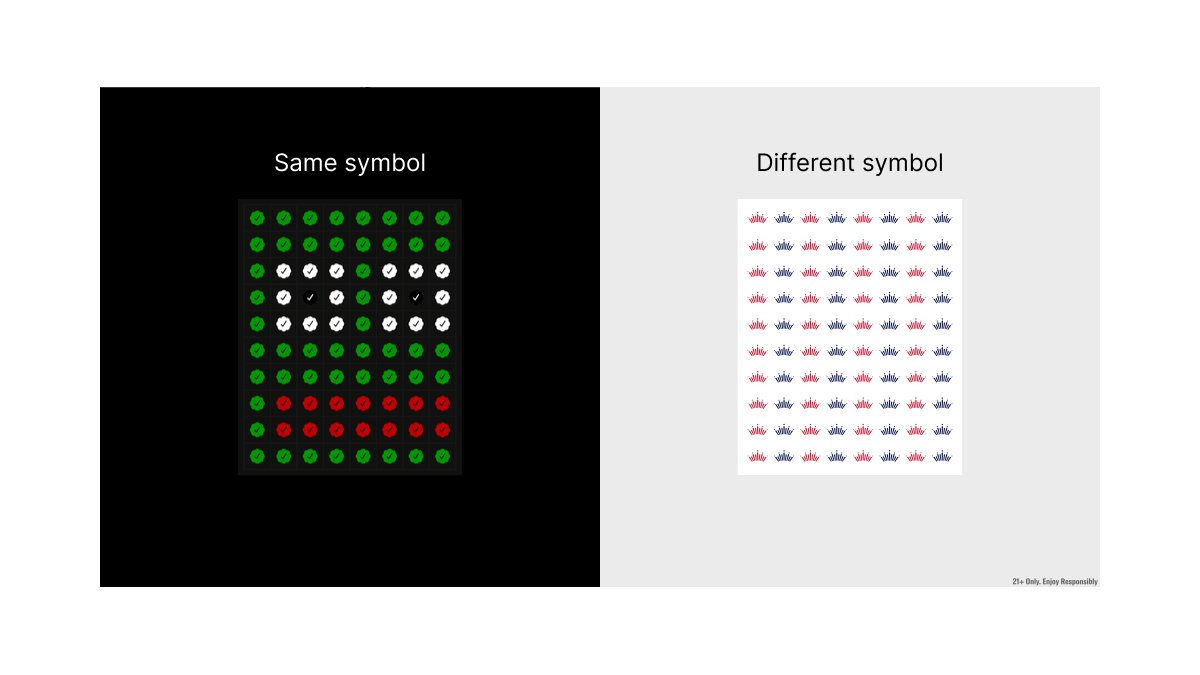
Type 1 derivatives (like @Vince_Van_Dough's) are simpler because you know the art will work:
- Retain the grid
- Change Check colours to represent another image
- Retain the grid
- Change Check colours to represent another image
If you choose route 2 with your art (like @budweiserusa), pick a symbol that looks aesthetically pleasing:
- Square outer dimensions
- Limited colours
-- 1 primary that you can recolour
-- 1-2 extras for accents (black/white)
- Simple shape
-- 1 main path that you can recolour
- Square outer dimensions
- Limited colours
-- 1 primary that you can recolour
-- 1-2 extras for accents (black/white)
- Simple shape
-- 1 main path that you can recolour
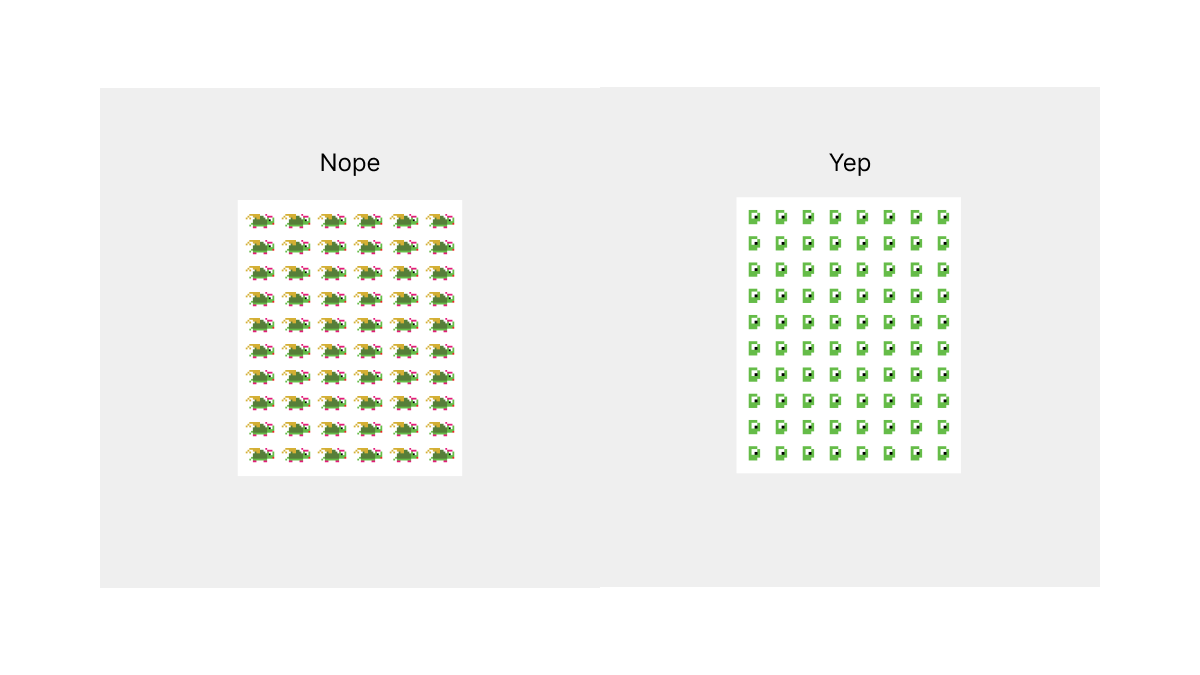
Top tip:
Mock up your grid of symbols in Figma to make sure that the final output from your smart contract will work:
figma.com
Mock up your grid of symbols in Figma to make sure that the final output from your smart contract will work:
figma.com
On to the contract code:
First things first, add your ASCII art, it's the best bit of writing smart contracts.
Here's a simple text to ASCII art tool you can use: patorjk.com
First things first, add your ASCII art, it's the best bit of writing smart contracts.
Here's a simple text to ASCII art tool you can use: patorjk.com
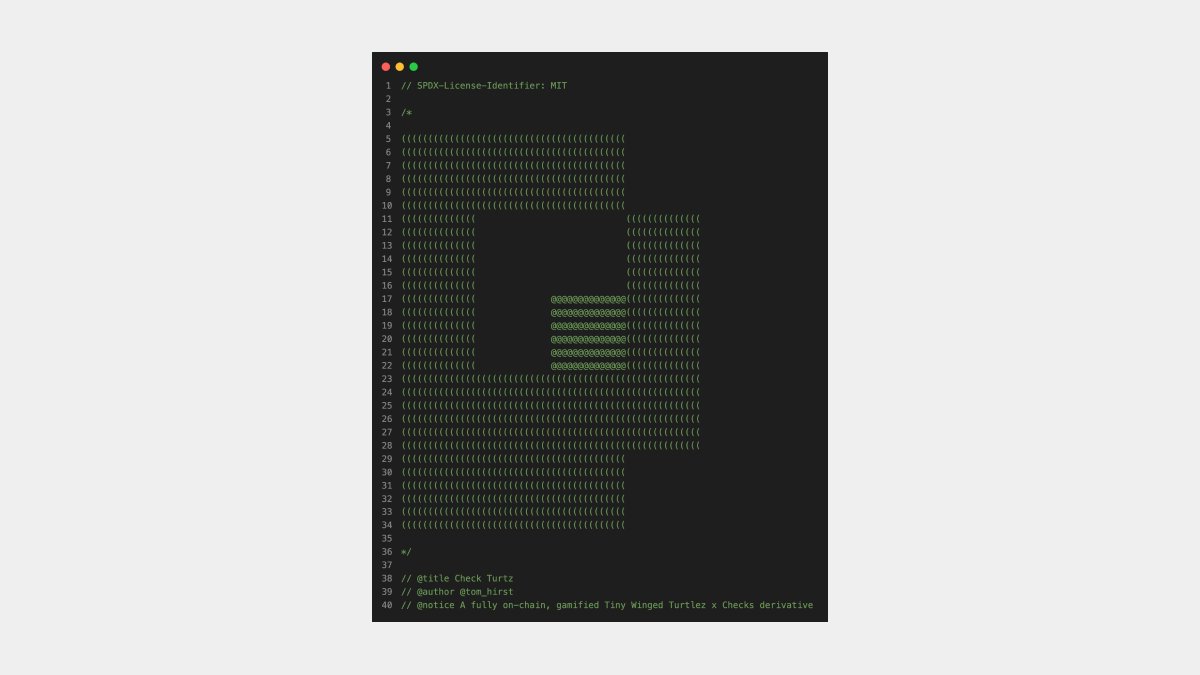
Let's start by inheriting battle-tested libraries from @OpenZeppelin.
If you want to serve different artwork and metadata per token, go with ERC721.
You'll also need the Base64 and Strings utilities.
Plus, Ownable, if you have any post deploy admin only functionality.
If you want to serve different artwork and metadata per token, go with ERC721.
You'll also need the Base64 and Strings utilities.
Plus, Ownable, if you have any post deploy admin only functionality.
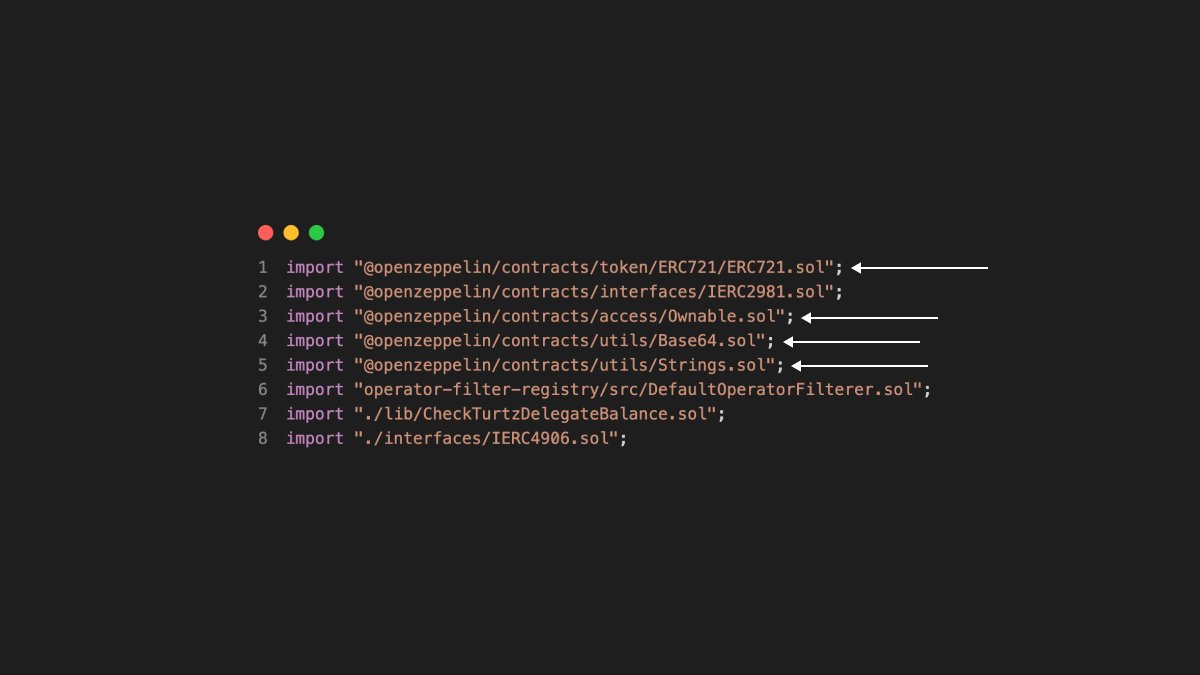
Notable useful extras:
- ERC2981 to inform marketplaces of your desired royalty percentage and payment destination
- Default Operator Filter if you want to block non-royalty paying marketplaces and retain royalties on @opensea
- ERC4906 to emit metadata update events
- ERC2981 to inform marketplaces of your desired royalty percentage and payment destination
- Default Operator Filter if you want to block non-royalty paying marketplaces and retain royalties on @opensea
- ERC4906 to emit metadata update events
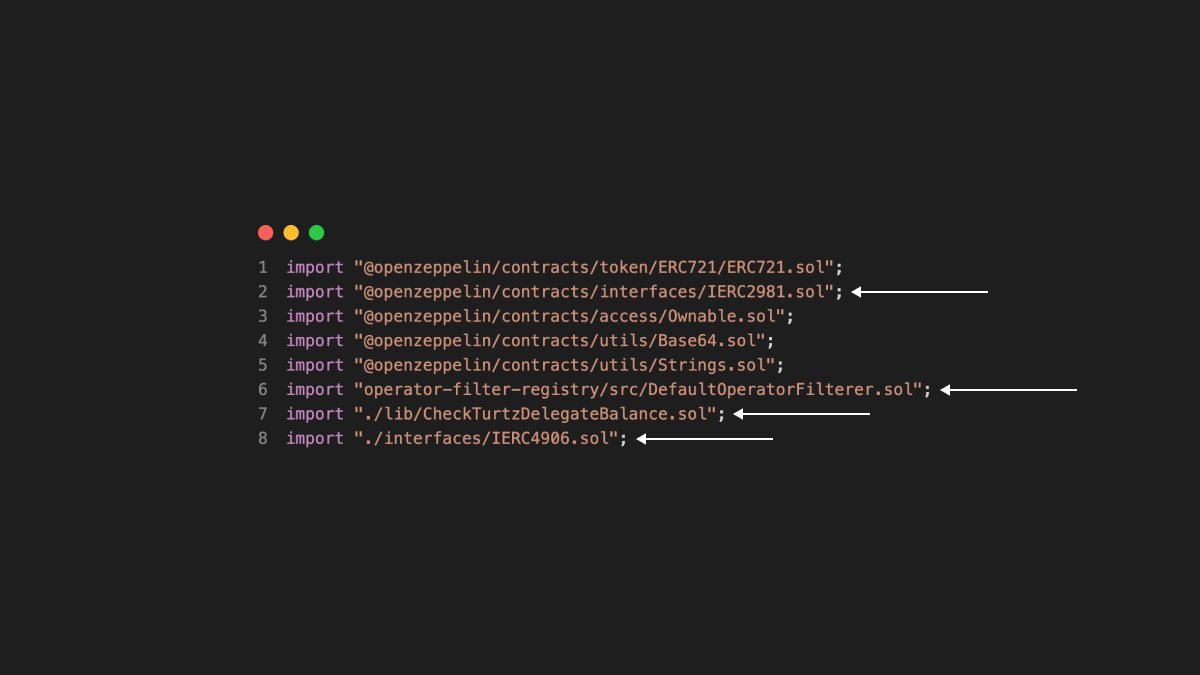
And Check Turtz Delegate Balance:
A small contract I wrote using warm.xyz by @wenewlabs to delegate token balances from cold to hot wallets.
A small contract I wrote using warm.xyz by @wenewlabs to delegate token balances from cold to hot wallets.
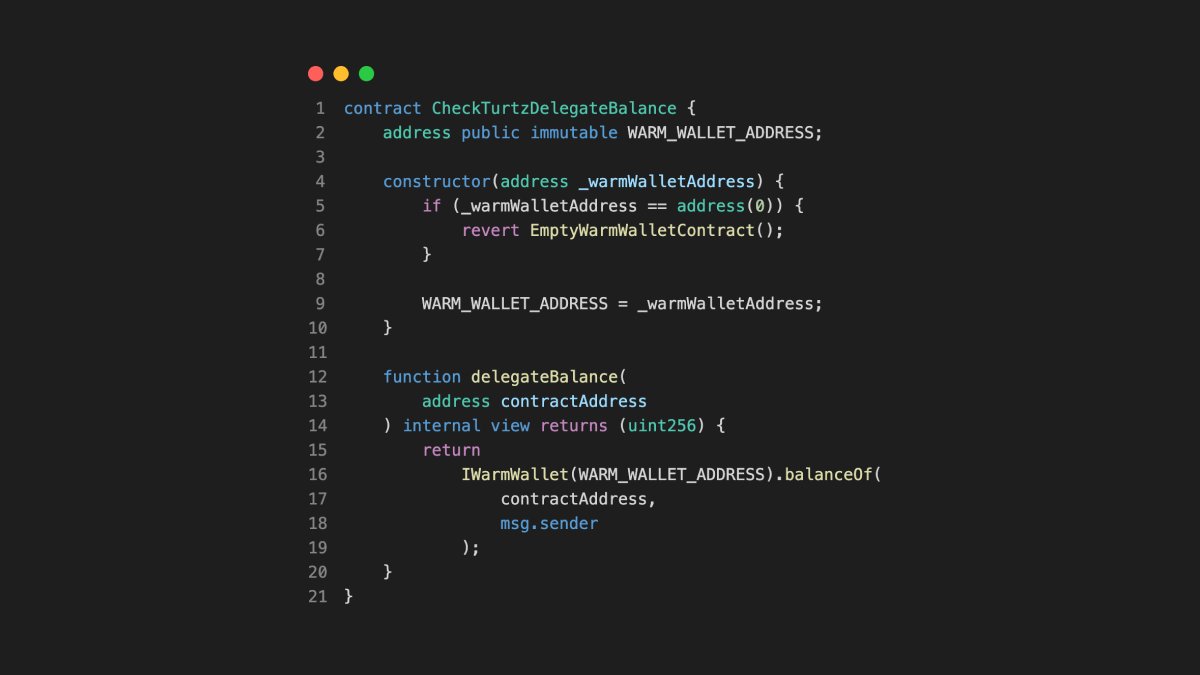
Next, let's break down what we know about Checks:
- Checks were available for a set period of time
- Checks was a 1 per wallet open edition
- Checks uses a set colour palette
- Checks uses the same symbol in 80 different positions
- Checks will be burnable in the near future
- Checks were available for a set period of time
- Checks was a 1 per wallet open edition
- Checks uses a set colour palette
- Checks uses the same symbol in 80 different positions
- Checks will be burnable in the near future
You can add a time limit by feeding your constructor a mintEnds time to reference later.
Pick a time stamp in the correct format here: unixtimestamp.com
Pick a time stamp in the correct format here: unixtimestamp.com
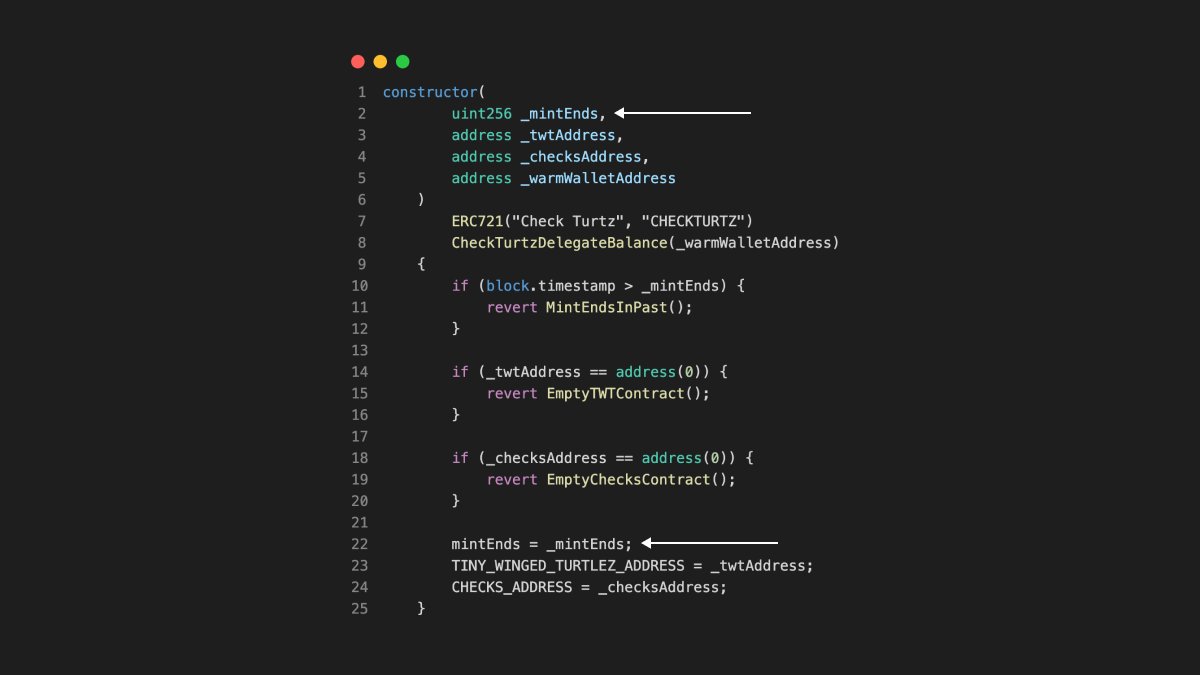
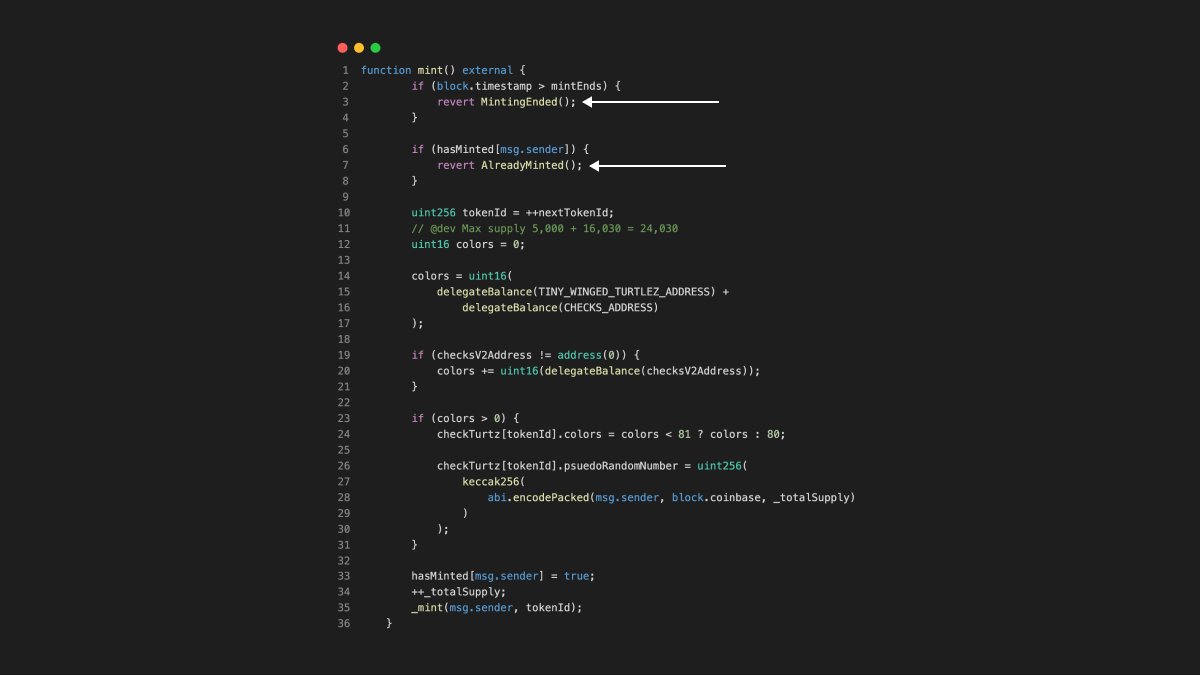
You can match up Check's minting restraints by storing addresses that have minted against a boolean flag and adding reverts to your mint function if:
- The mint period has ended
- An address has already minted
- The mint period has ended
- An address has already minted
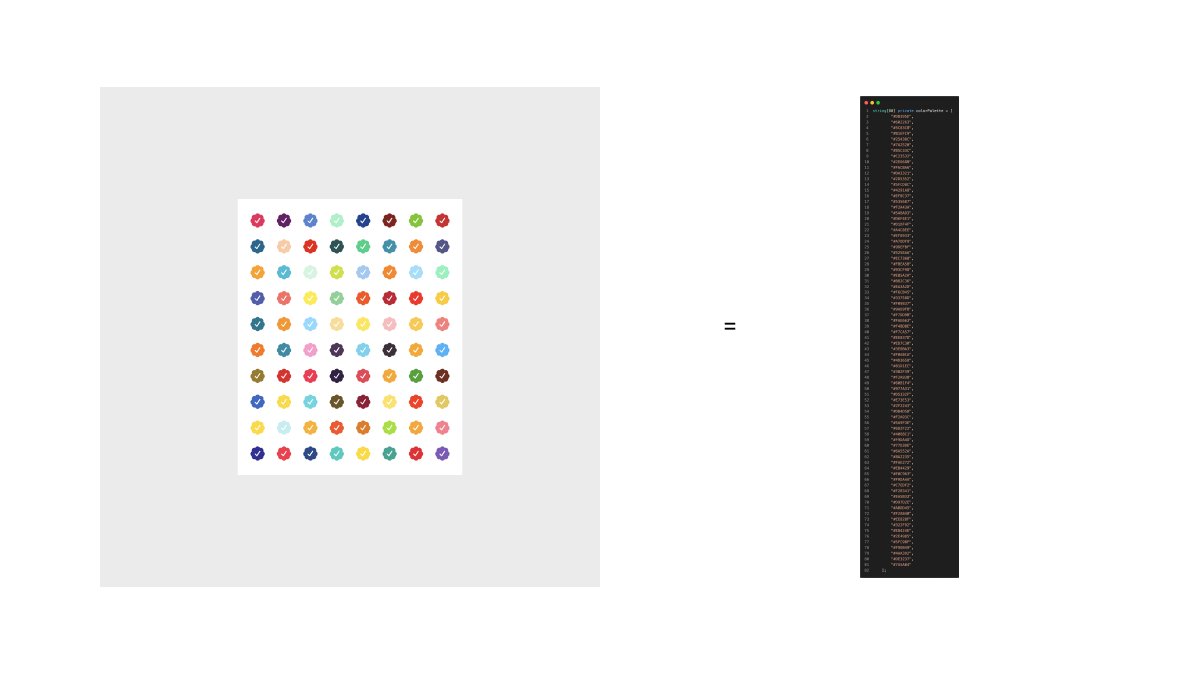
Lift the Checks colour palette and store the hex codes in an array.
You'll reference this when serving artwork in your contract's tokenURI output.
You'll reference this when serving artwork in your contract's tokenURI output.
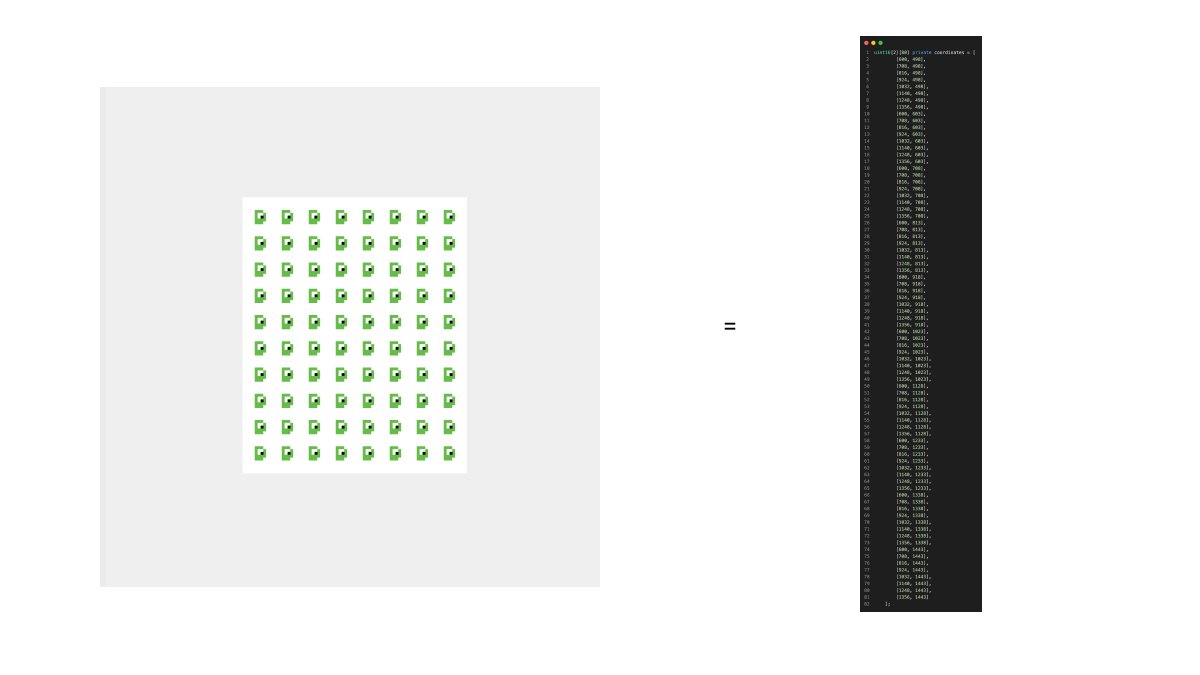
You need to tell your render function where each symbol will be positioned within your grid.
This requires some coordinate setting.
It's possible to loop 80x and calculate placements, but loops are expensive, so put the coordinates, in order, in an array to reference later.
This requires some coordinate setting.
It's possible to loop 80x and calculate placements, but loops are expensive, so put the coordinates, in order, in an array to reference later.
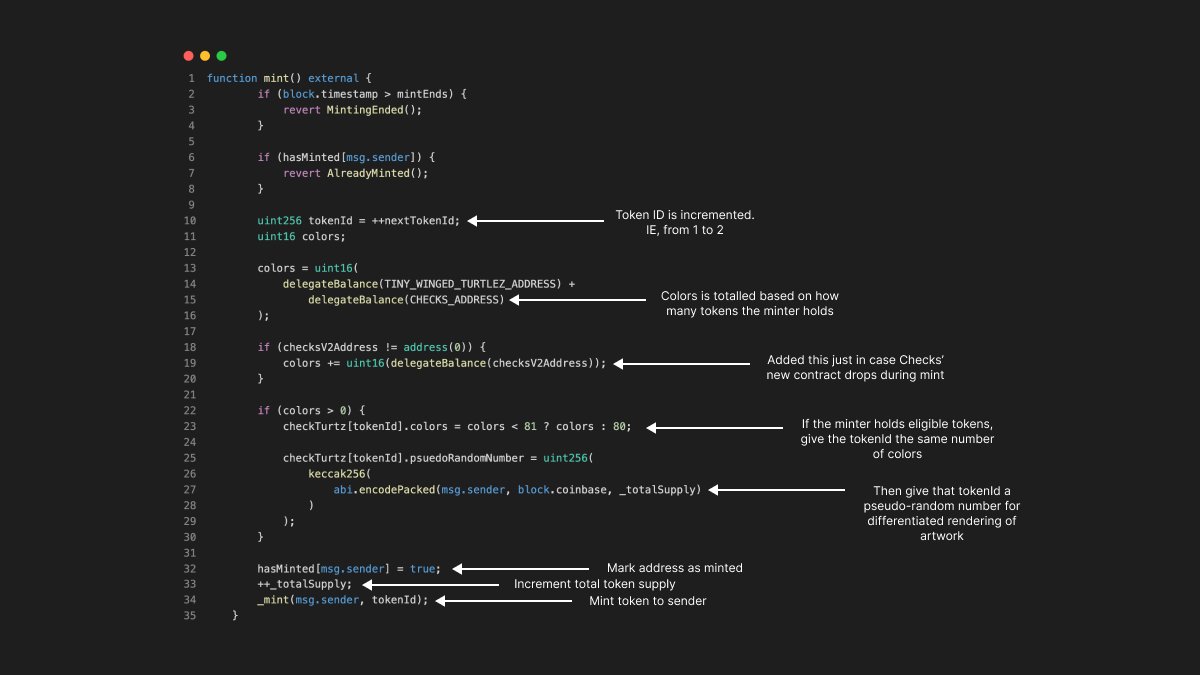
Here's a walk through of what happens when someone mints:
Here's a walk through of what happens when the tokenURI is called (for display on marketplaces) [1/5]:
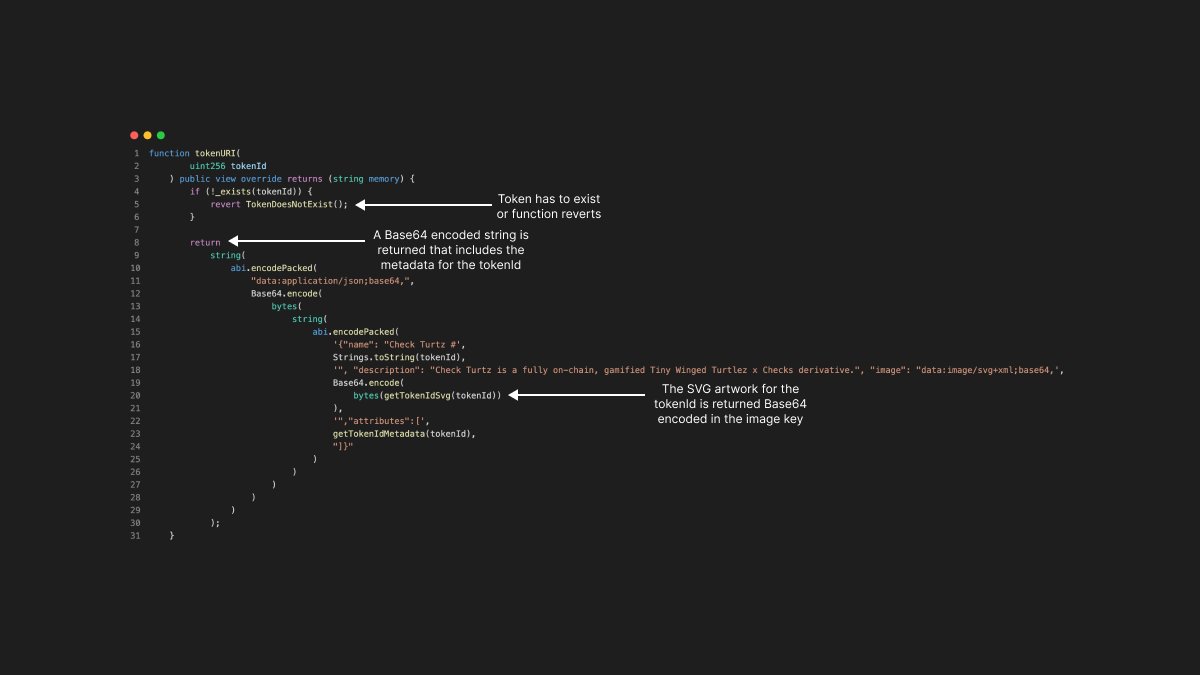
Here's the getTokenIdMetadata function in more detail [2/5]:
![Here's the getTokenIdMetadata function in more detail [2/5]: https://t.co/uwJBxeFy57](https://pbs.twimg.com/media/FoiXRhZagAAXE9D.jpg)
Here's the getTokenIdSvg function in more detail [3/5]:
![Here's the getTokenIdSvg function in more detail [3/5]: https://t.co/XTNLyfJQS2](https://pbs.twimg.com/media/FoiXR__agAAXHrx.jpg)
Here's the getFrame function in more detail [4/5]:
![Here's the getFrame function in more detail [4/5]: https://t.co/eZGt0596HN](https://pbs.twimg.com/media/FoiXSeWaQAAiqXn.jpg)
And finally, here's the getTurtGrid function in more detail [5/5]:
![And finally, here's the getTurtGrid function in more detail [5/5]: https://t.co/9RKX17CmoK](https://pbs.twimg.com/media/FoiXS8QagAArb9B.jpg)
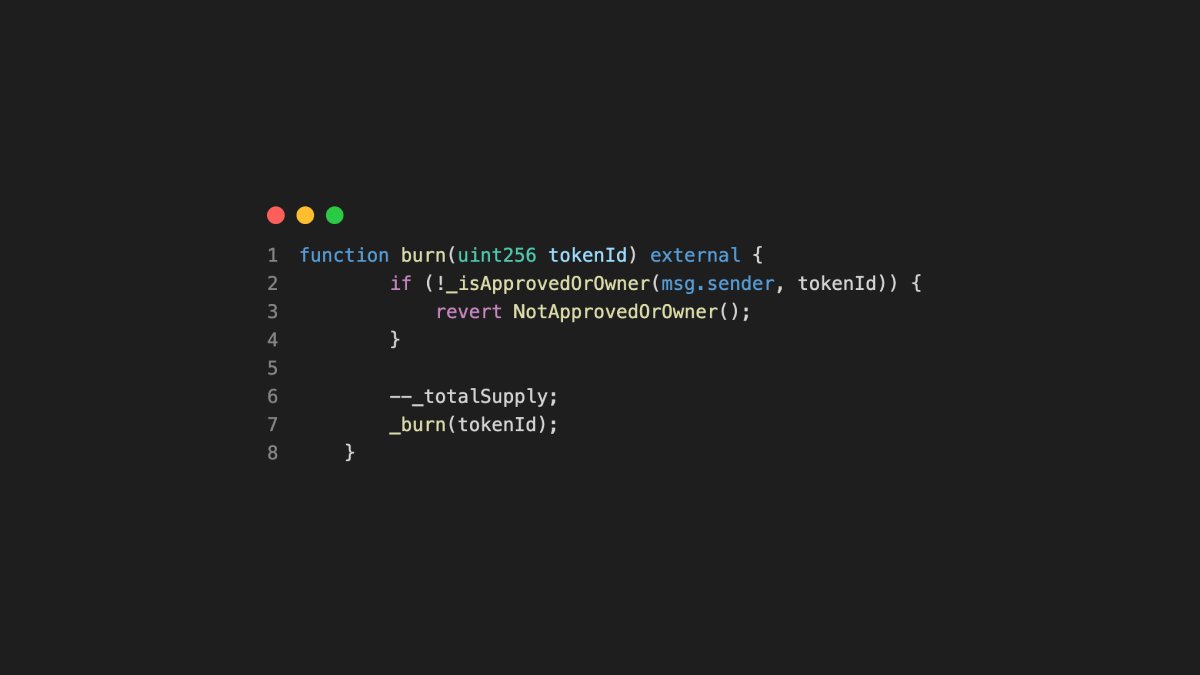
If you want to mimic Checks' burn from open edition to originals at a later date, you'll want to include a burn function in your contract.
Optional: Reduce totalSupply when tokens are sent to the burn address.
Optional: Reduce totalSupply when tokens are sent to the burn address.
Think about how you can make things interesting.
Sometimes the art is enough, but doing things manually, without @manifoldxyz or @ourZORA, opens up more possibilities.
For example:
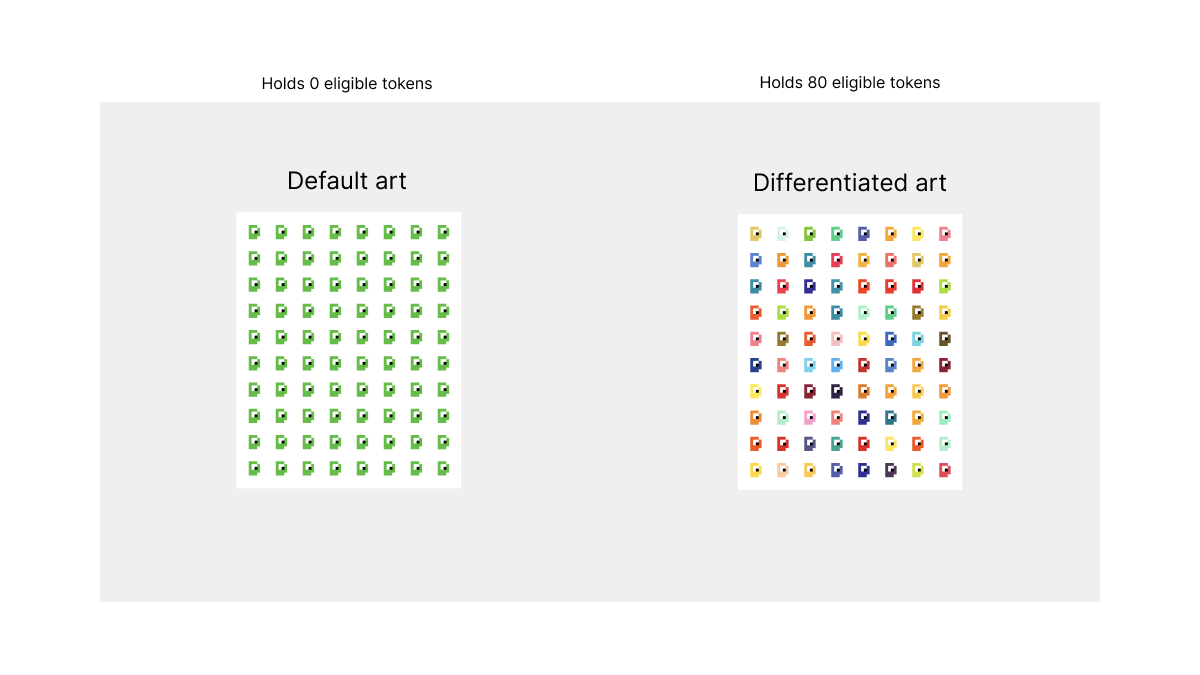
Changing the open edition artwork depending on what the minting wallet holds.
Sometimes the art is enough, but doing things manually, without @manifoldxyz or @ourZORA, opens up more possibilities.
For example:
Changing the open edition artwork depending on what the minting wallet holds.
If you want to implement something similar, you can check the balanceOf the msg.sender at mint time and store it against the tokenId being minted.
In Check Turtz, I do this against the @TinyWingedTurtz and Checks contract addresses to return the desired result.
In Check Turtz, I do this against the @TinyWingedTurtz and Checks contract addresses to return the desired result.
Here's what a holder of 80 Checks and/or @TinyWingedTurtz gets when minting over someone with 0:
Think about any Easter Eggs you might add to your contract.
They're fun to hide in there and your collectors will appreciate the effort.
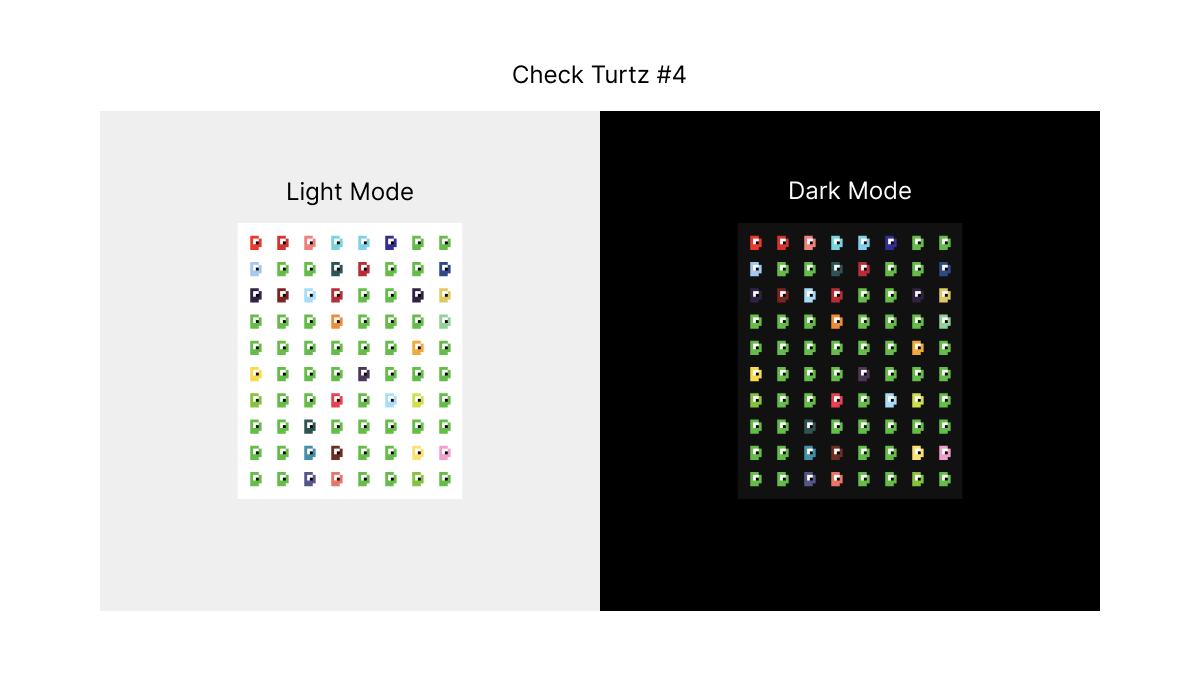
Here's the Dark Mode surprise I added to Check Turtz:
They're fun to hide in there and your collectors will appreciate the effort.
Here's the Dark Mode surprise I added to Check Turtz:
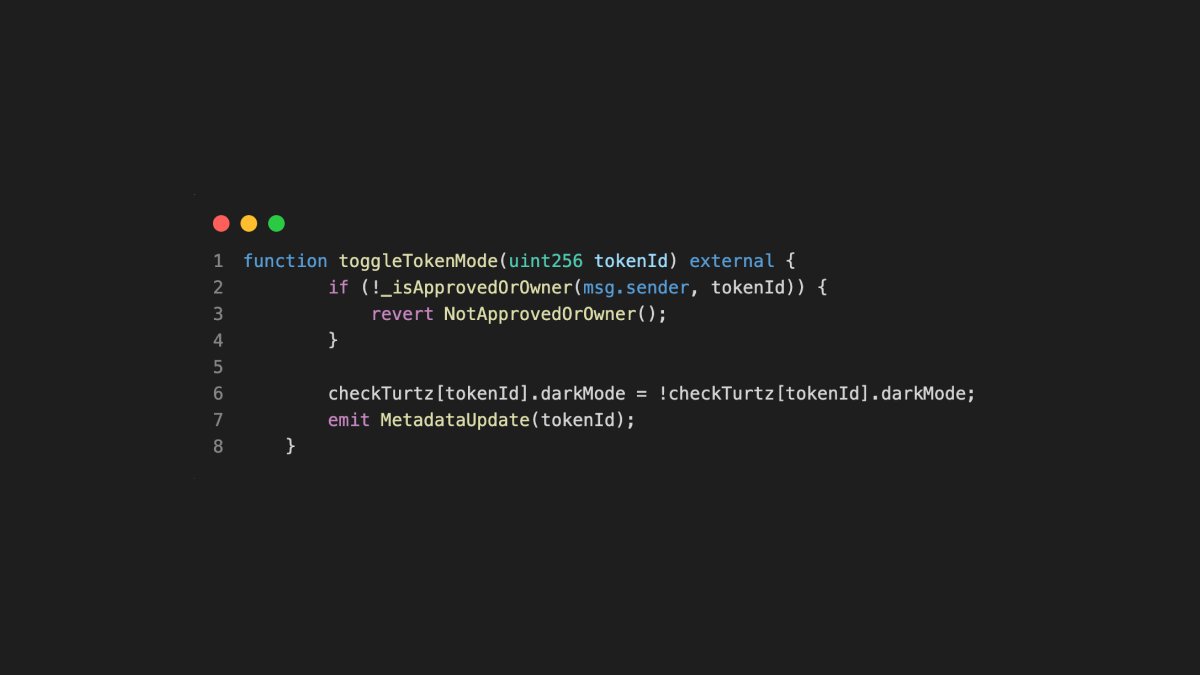
And this is how it switches the token artwork when activated by a token holder:
That's it!
This is how I built Check Turtz.
A fully on-chain, gamified @TinyWingedTurtz x Checks derivative.
You can browse the full smart contract here:
#code" target="_blank" rel="noopener" onclick="event.stopPropagation()">etherscan.deth.net
This is how I built Check Turtz.
A fully on-chain, gamified @TinyWingedTurtz x Checks derivative.
You can browse the full smart contract here:
#code" target="_blank" rel="noopener" onclick="event.stopPropagation()">etherscan.deth.net
And remember:
@TinyWingedTurtz and Checks holders unlock differentiated art when minting Check Turtz.
The @TinyWingedTurtz mint closes in 24 hours, too:
tinywingedturtlez.com
@TinyWingedTurtz and Checks holders unlock differentiated art when minting Check Turtz.
The @TinyWingedTurtz mint closes in 24 hours, too:
tinywingedturtlez.com
Loading suggestions...