

A quick glance at "CSS Specificity"
Thread🧵
Thread🧵
🔶 CSS Specificity
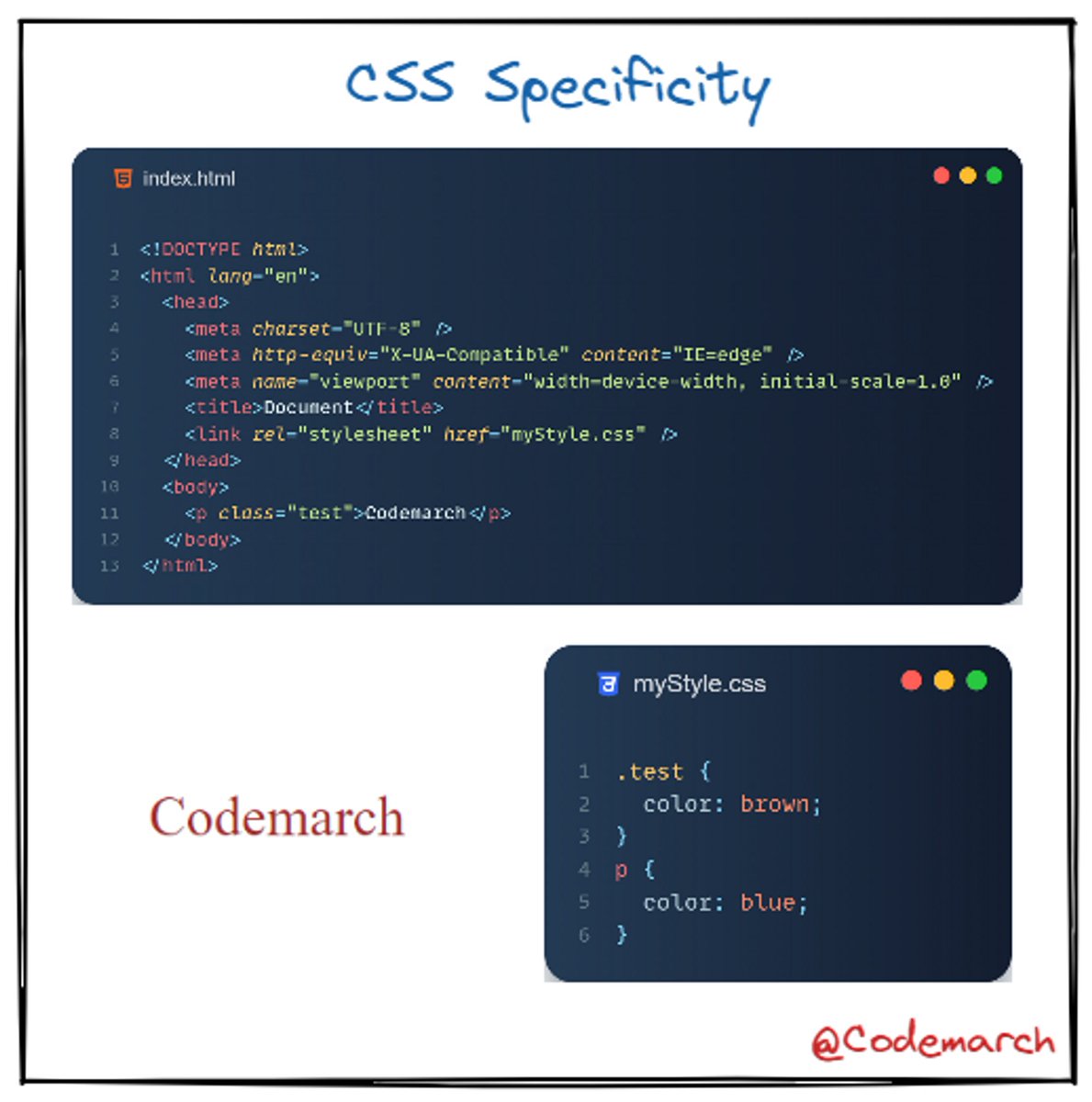
If there are two or more CSS rules that point to the same element, the selector with the highest specificity value will "win", and its style declaration will be applied to that HTML element.
If there are two or more CSS rules that point to the same element, the selector with the highest specificity value will "win", and its style declaration will be applied to that HTML element.
There are four categories that define the specificity level of a selector:
1. Inline styles - Example: <h1 style="color: pink;">
2.IDs - Example: #navbar
1. Inline styles - Example: <h1 style="color: pink;">
2.IDs - Example: #navbar
3.Classes, pseudo-classes, attribute selectors - Example: .test, :hover, [href]
4.Elements and pseudo-elements -
Example: h1, :before
4.Elements and pseudo-elements -
Example: h1, :before
🔶 How to Calculate Specificity?
Memorize how to calculate specificity!
Start at 0, add 100 for each ID value, add 10 for each class value (or pseudo-class or attribute selector), add 1 for each element selector or pseudo-element.
Memorize how to calculate specificity!
Start at 0, add 100 for each ID value, add 10 for each class value (or pseudo-class or attribute selector), add 1 for each element selector or pseudo-element.

Example-
if you enjoyed this thread, please like, comment, and retweet the opening tweet.
🔹Follow @codemarch
🔹You can also check our HTML & CSS Visual Treat!😍for more!!!
codemarch.gumroad.com
🔹Follow @codemarch
🔹You can also check our HTML & CSS Visual Treat!😍for more!!!
codemarch.gumroad.com
جاري تحميل الاقتراحات...