

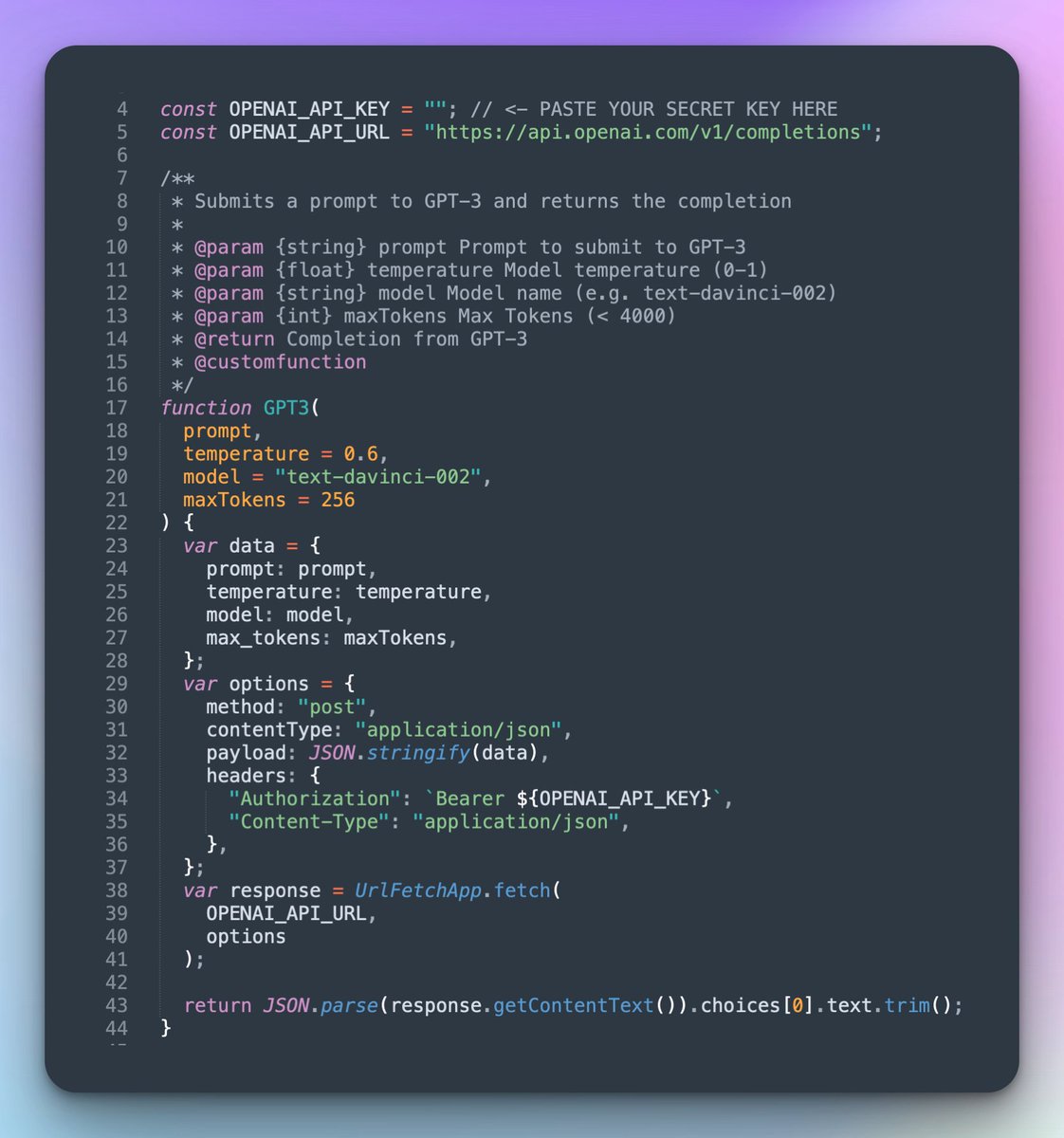
#GPT3 in @googlesheets in 3 steps! 🔥
1⃣ Copy this sheet: docs.google.com
2⃣ Got to `Extensions` > `Apps Script`
3⃣ Paste your @OpenAI #API Key` > Save script
Now you're all set to use GPT-3 in Sheets! 🚀
👇 Demo video below, script courtesy of @SteveNouri
1⃣ Copy this sheet: docs.google.com
2⃣ Got to `Extensions` > `Apps Script`
3⃣ Paste your @OpenAI #API Key` > Save script
Now you're all set to use GPT-3 in Sheets! 🚀
👇 Demo video below, script courtesy of @SteveNouri

If you want to add this #GPT3 script 👆 to an existing sheet without starting fresh, you can download it from the following Gist:
🐙 gist.github.com
🐙 gist.github.com
Loading suggestions...