

7 number formatting shortcuts: 🔢
1. CTRL SHIFT !
The CTRL SHIFT ! automatically applies number formatting to the selected cells. Number format rounds numbers to two decimal places and adds commas.
The CTRL SHIFT ! automatically applies number formatting to the selected cells. Number format rounds numbers to two decimal places and adds commas.
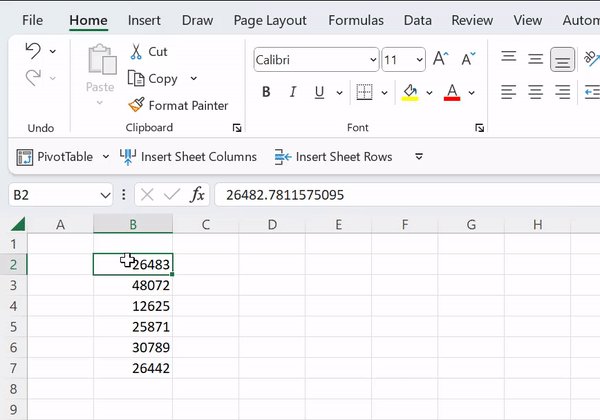
2. CTRL SHIFT @
Never waste your time formatting time values manually again with the CTRL SHIFT @ shortcut. CTRL SHIFT @ automatically applies time formatting to the selected cells for you.
Never waste your time formatting time values manually again with the CTRL SHIFT @ shortcut. CTRL SHIFT @ automatically applies time formatting to the selected cells for you.

3. CTRL SHIFT #
Efficiently format date values in Excel with the CTRL SHIFT # shortcut! CTRL SHIFT # automatically applies date formatting to the selected cells.
Efficiently format date values in Excel with the CTRL SHIFT # shortcut! CTRL SHIFT # automatically applies date formatting to the selected cells.
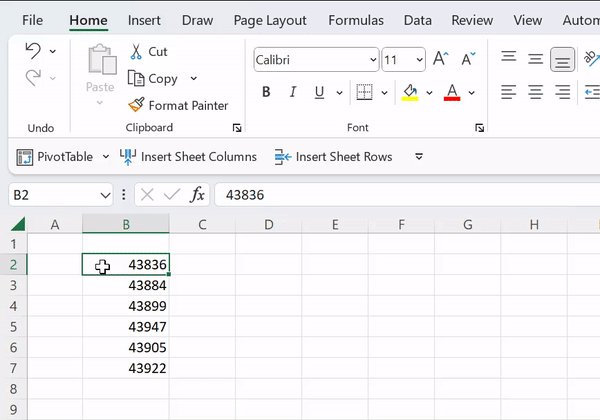
5. CTRL SHIFT %
Formatting data to percentages has never been easier than with the CTRL SHIFT % shortcut. CTRL SHIFT % automatically applies percentage formatting to the selected cells.
Formatting data to percentages has never been easier than with the CTRL SHIFT % shortcut. CTRL SHIFT % automatically applies percentage formatting to the selected cells.

6. CTRL SHIFT ^
Easily apply scientific number formatting to the selected cells with the CTRL SHIFT ^ shortcut.
Easily apply scientific number formatting to the selected cells with the CTRL SHIFT ^ shortcut.
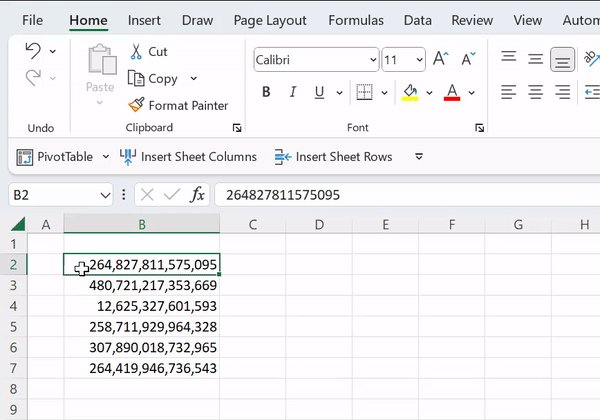
7. CTRL SHIFT ~
We’ve learned a lot of number formatting shortcuts, but what if we need to convert numbers back into their raw format? The CTRL SHIFT ~ has you covered. CTRL SHIFT ~ automatically applies general number formatting to the selected cells.
We’ve learned a lot of number formatting shortcuts, but what if we need to convert numbers back into their raw format? The CTRL SHIFT ~ has you covered. CTRL SHIFT ~ automatically applies general number formatting to the selected cells.

Never format numbers in Excel manually again now that you've learned these shortcuts!
To learn all of Excel’s shortcuts and productivity hacks like this, make sure to sign up for my new course! #excel
Sign up here 👇🏼 education.morningbrew.com
To learn all of Excel’s shortcuts and productivity hacks like this, make sure to sign up for my new course! #excel
Sign up here 👇🏼 education.morningbrew.com
Follow me @exceldictionary for even more Excel tips and tricks.
And if you never want to forget my excel tips at your desk, check out my shortcut merch, templates, and ebooks.
shop.morningbrew.com
And if you never want to forget my excel tips at your desk, check out my shortcut merch, templates, and ebooks.
shop.morningbrew.com
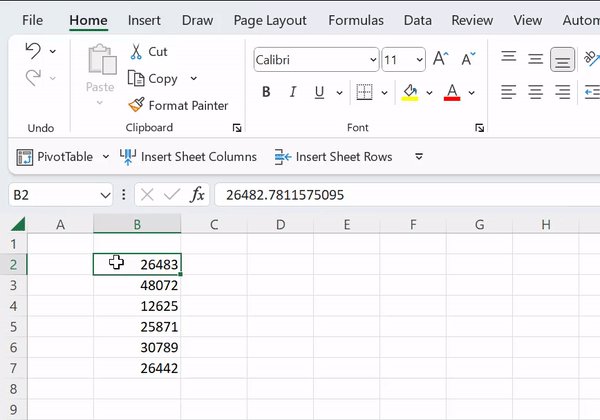
It appears I forgot number four... so here it is:
4. CTRL SHIFT $
A majority of the time, we work with profitability data in Excel. Make sure your data is formatted correctly with CTRL SHIFT $. The CTRL SHIFT $ shortcut quickly formats numbers as currency values.
4. CTRL SHIFT $
A majority of the time, we work with profitability data in Excel. Make sure your data is formatted correctly with CTRL SHIFT $. The CTRL SHIFT $ shortcut quickly formats numbers as currency values.
Loading suggestions...