

5 Excel tips to take into 2023:
1. AutoSum
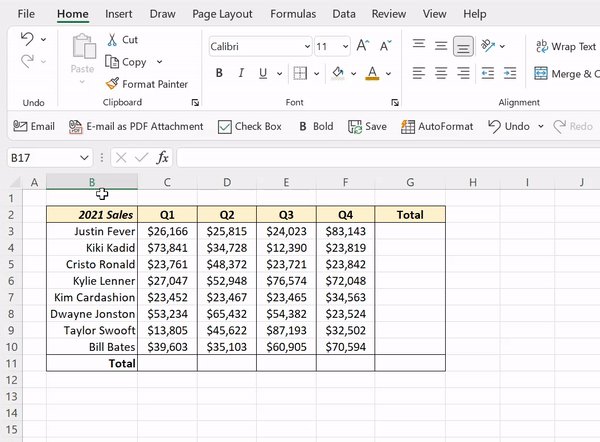
Say goodbye to manually summing data in 2023 and hello to AutoSum. AutoSum automatically detects surrounding data and sums it using the SUM function. Just select the cell you want to calculate the sum in, and press ALT =.
Say goodbye to manually summing data in 2023 and hello to AutoSum. AutoSum automatically detects surrounding data and sums it using the SUM function. Just select the cell you want to calculate the sum in, and press ALT =.
2. Flash Fill
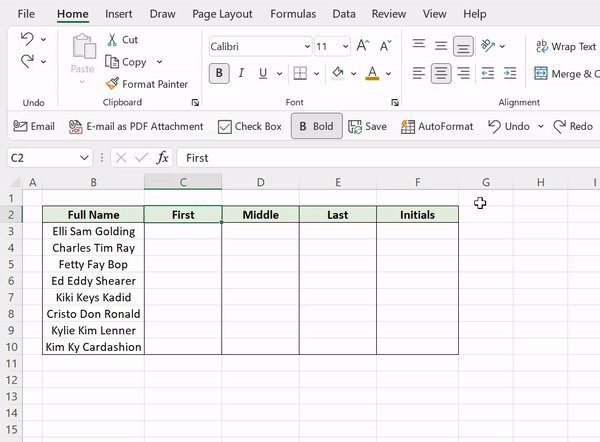
Thanks to Flash Fill, you can officially retire writing complex text functions to manipulate data in 2022. Flash Fill automatically fills data down a column based on detected patterns. Just enter how you want the data to appear and just hit CTRL E!
Thanks to Flash Fill, you can officially retire writing complex text functions to manipulate data in 2022. Flash Fill automatically fills data down a column based on detected patterns. Just enter how you want the data to appear and just hit CTRL E!
3. XLOOKUP
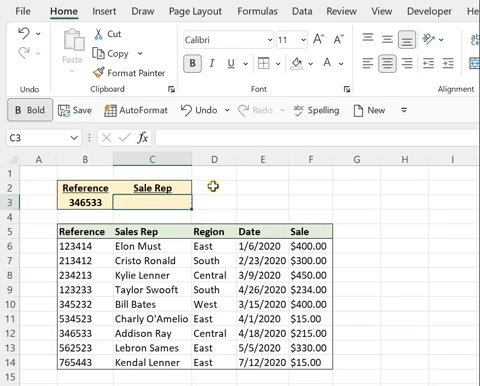
Say adios to VLOOKUP/INDEX MATCH and meet XLOOKUP. XLOOKUP searches for a value in an array (lookup_array) and returns a corresponding value in another array (return_array). It can search in any direction, reverse search, return more than one value, and much more!
Say adios to VLOOKUP/INDEX MATCH and meet XLOOKUP. XLOOKUP searches for a value in an array (lookup_array) and returns a corresponding value in another array (return_array). It can search in any direction, reverse search, return more than one value, and much more!
4. Center Across Selection
Let’s leave merging cells in 2022. Instead, use Center Across Selection. Just select the text followed by the cells you want to center the text across > Home tab > Alignment Settings > Center Across Selection under horizontal.
Let’s leave merging cells in 2022. Instead, use Center Across Selection. Just select the text followed by the cells you want to center the text across > Home tab > Alignment Settings > Center Across Selection under horizontal.

5. AutoFit
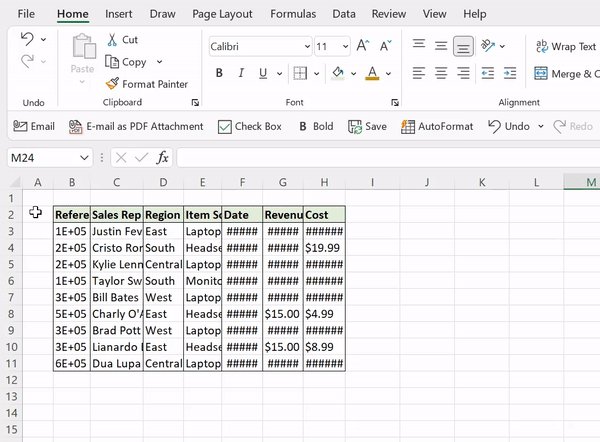
The AutoFitting shortcuts will get you one step closer to retiring the mouse in 2023. Instead of adjusting columns/rows in the header with the mouse, use the AutoFitting shortcuts! ALT H O I autofits selected columns, while ALT H O A autofits selected rows.
The AutoFitting shortcuts will get you one step closer to retiring the mouse in 2023. Instead of adjusting columns/rows in the header with the mouse, use the AutoFitting shortcuts! ALT H O I autofits selected columns, while ALT H O A autofits selected rows.
Loading suggestions...