

Image manipulation using Javascript 🚀
🧵👇
🧵👇
Don't forget to bookmarked it for future reference...
★ Image manipulation
• Image manipulation in JavaScript refers to the process of altering and modifying images using JavaScript code.
• This can include actions such as cropping, resizing, applying filters, and changing the color or brightness of an image.
• Image manipulation in JavaScript refers to the process of altering and modifying images using JavaScript code.
• This can include actions such as cropping, resizing, applying filters, and changing the color or brightness of an image.
• Image manipulation is often used to improve the appearance or functionality of images on a website or application.
• There are several libraries and frameworks available that can be used to perform image manipulation using JavaScript, such as the canvas element in HTML5 etc.
• There are several libraries and frameworks available that can be used to perform image manipulation using JavaScript, such as the canvas element in HTML5 etc.
★ Example :
1. First, we will create a canvas element in our HTML file:
<canvas id="canvas"></canvas>
2. Next, in our JavaScript file, we retrieve the canvas element and set its width and height:
1. First, we will create a canvas element in our HTML file:
<canvas id="canvas"></canvas>
2. Next, in our JavaScript file, we retrieve the canvas element and set its width and height:
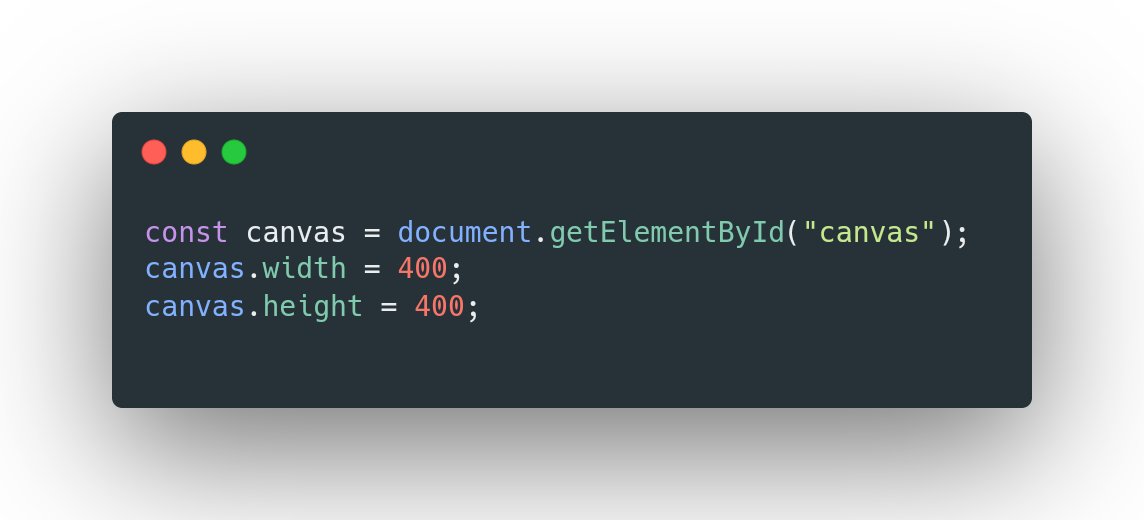
3. Now, we create a context object which will allow us to draw on the canvas:
const ctx = canvas.getContext("2d");
4. Now we use the context object to draw an image onto the canvas. In this example, we will draw a simple image of a cat onto the canvas:
const ctx = canvas.getContext("2d");
4. Now we use the context object to draw an image onto the canvas. In this example, we will draw a simple image of a cat onto the canvas:

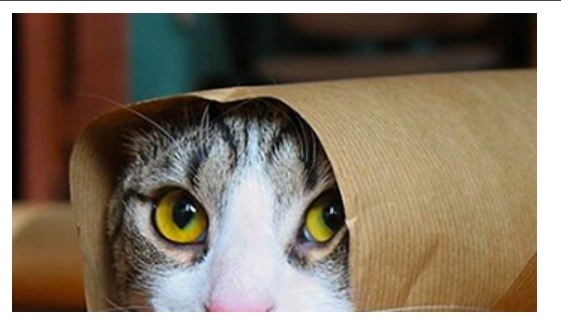
5. To perform image manipulation, we can use the context object's transform() method.
For example, we can rotate the image by 45 degrees using the following code:
For example, we can rotate the image by 45 degrees using the following code:

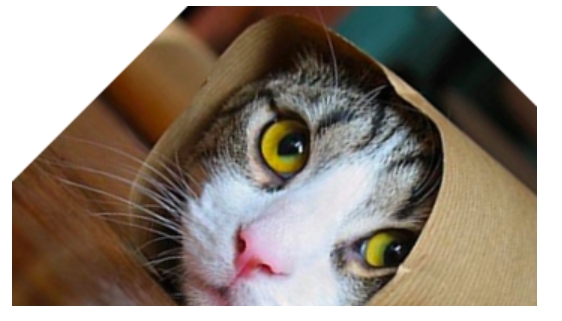
• This is just a basic example of how you can use the Canvas API to perform image manipulation using JavaScript.
There are many other methods and options available for more advanced image manipulation.
For more 👇
developer.mozilla.org
There are many other methods and options available for more advanced image manipulation.
For more 👇
developer.mozilla.org
End thread 🧵
If this thread helpful for you then :
1. Do Retweet the FIRST TWEET.
2. Follow me and turn on the notifications: @personalvipin
HTML
CSS
Javascript
Thank you ❤️
If this thread helpful for you then :
1. Do Retweet the FIRST TWEET.
2. Follow me and turn on the notifications: @personalvipin
HTML
CSS
Javascript
Thank you ❤️
جاري تحميل الاقتراحات...