

Did you know that you could fine-tune your own Stable Diffusion model, host it online and have ~3.5s inference latency, all cost-free? Here's the step-by-step tutorial on how to do it: 🎨
Colab link to follow along: colab.research.google.com (h/t TheLastBen)
🧵 (takes around 2hrs)
Colab link to follow along: colab.research.google.com (h/t TheLastBen)
🧵 (takes around 2hrs)

- Set your colab to use GPU by going to: Runtime -> Change runtime type -> GPU
- Sign up and get your huggingface token huggingface.co
- Sign up and get your huggingface token huggingface.co


- Group 20-30 images of the new person/object you want to teach the model in a folder. IMPORTANT: Rename them such as test (1).jpg, test (2).png... where the first word is the id you want to later use in your prompts.
- Drag and drop that folder to Files tab to upload
- Drag and drop that folder to Files tab to upload
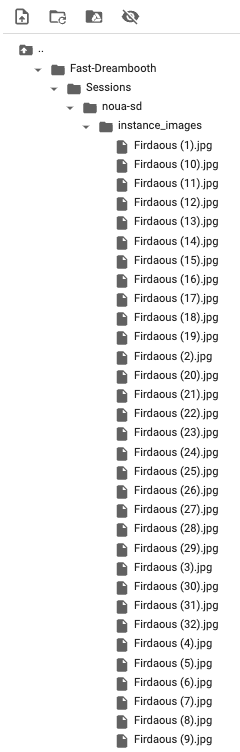
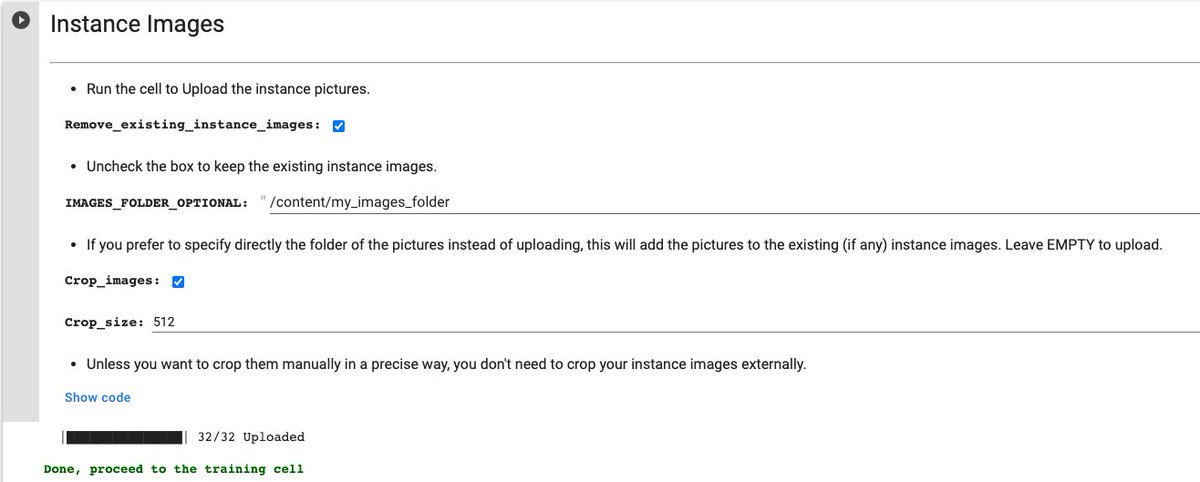
After uploading the folder you can right-click on it to copy its path, which you can put in "IMAGES_FOLDER_OPTIONAL". Running the cell now should crop all pictures and put them in the right folder
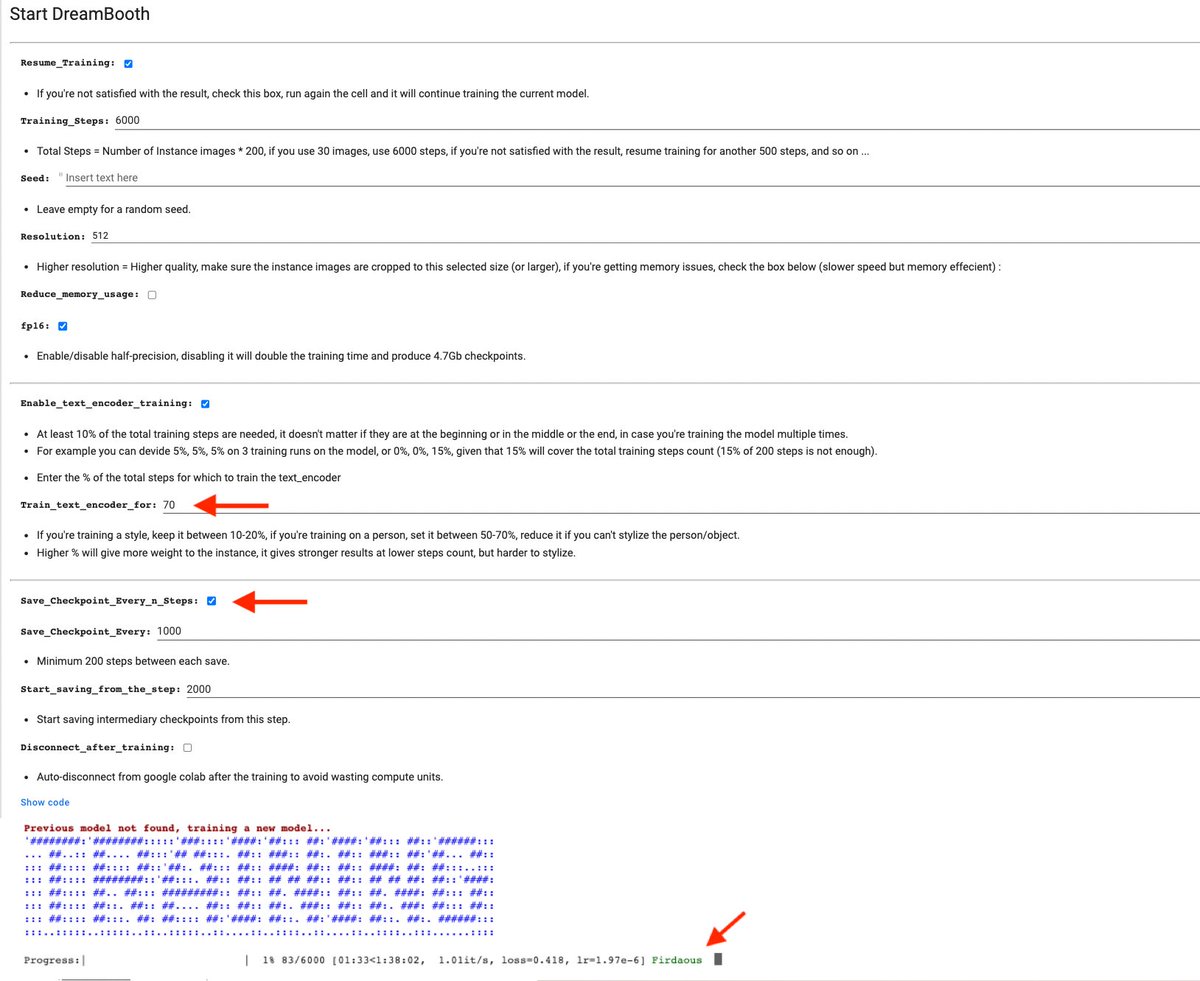
Make sure you check "Save_Checkpoint_Every_n_Steps" to not lose your trained model checkpoints even if you get disconnected from your colab, then start training!
P.S: The name(s) of new classes the model is training on should show up in green next to the progress bar.
P.S: The name(s) of new classes the model is training on should show up in green next to the progress bar.
You can checkout this awesome blog by @psuraj28 @pcuenq and
@NineOfNein for the recommended settings when training Stable Diffusion with Dreambooth:
huggingface.co
@NineOfNein for the recommended settings when training Stable Diffusion with Dreambooth:
huggingface.co

Here's where the fun begins!
You can either test your model using the amazing webui tool from AUTOMATIC1111, but it would only keep functioning as long as your colab session is active ⏱
You can either test your model using the amazing webui tool from AUTOMATIC1111, but it would only keep functioning as long as your colab session is active ⏱
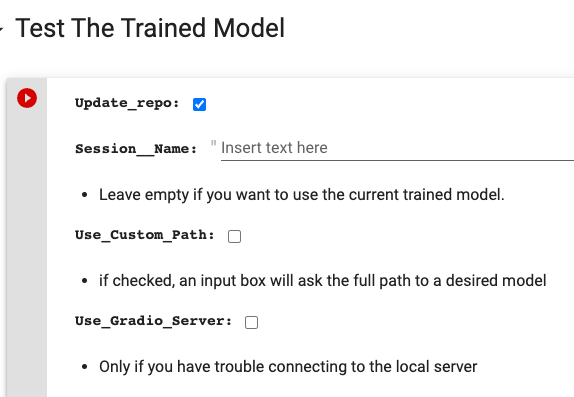
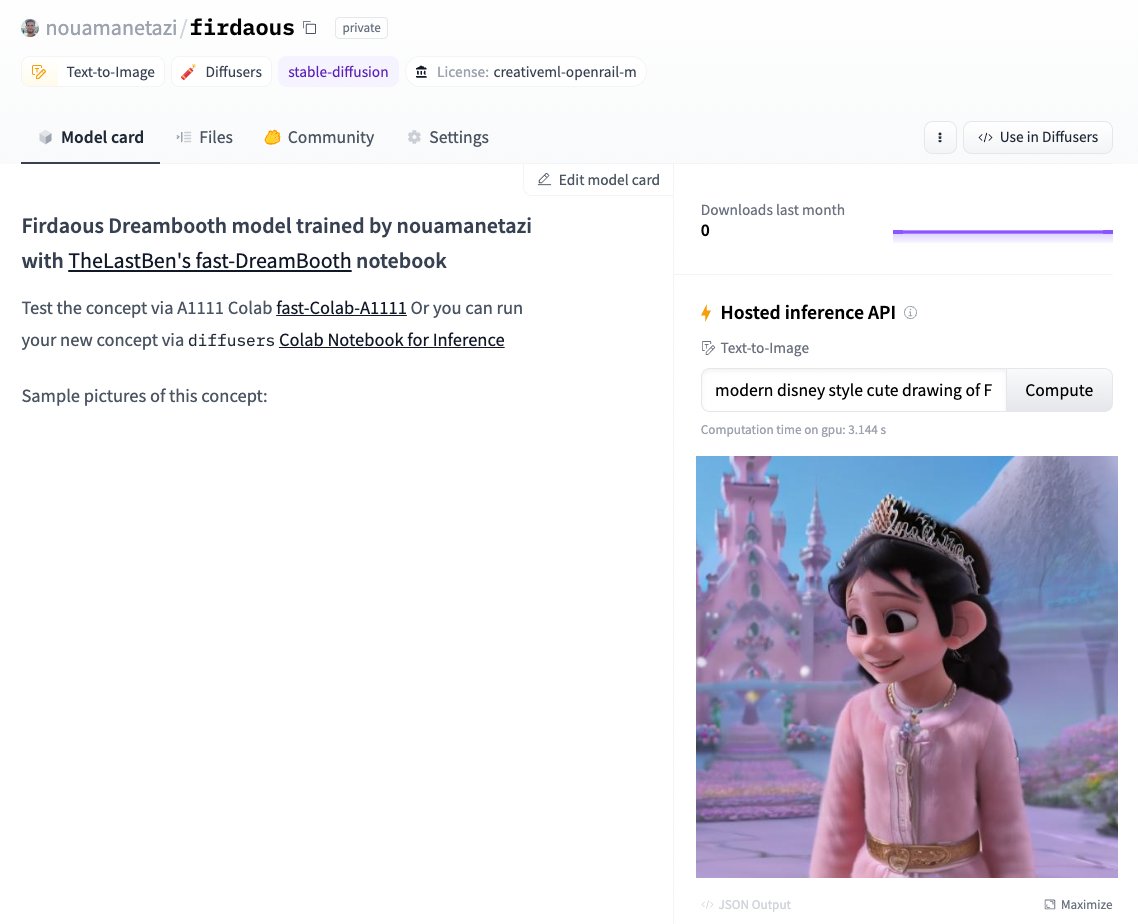
or you can host your model PRIVATELY on huggingface and play around with the API inference which now benefits from a set of optimizations from my previous thread (w/ @nicolas), as well as faster attention thanks to xFormers. Latency is now ~3.5s on T4 GPUs ⚡️
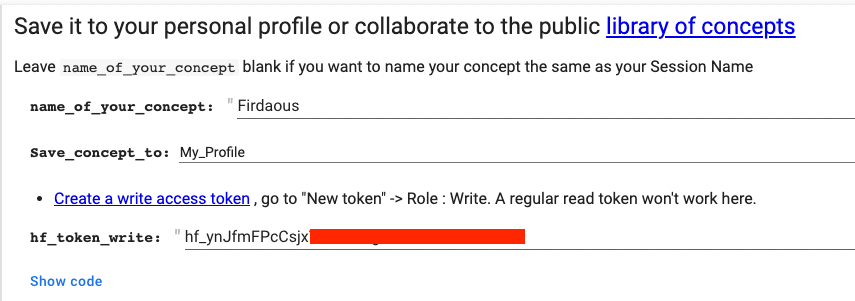
You can also share your model if you'd like to the public ✨library of concepts✨ huggingface.co


P.S. In case you only have .ckpt files corresponding to original stable diffusion checkpoints, you can always convert them to the diffusers format by using this very convenient space by @hahahahohohe huggingface.co

I personally know of a little princess that gets really excited everytime she clicks on the Compute button 🤗
You can also check other cool artstyles already uploaded to huggingface that you can use as your base model:
huggingface.co
(🧵 n/n)
You can also check other cool artstyles already uploaded to huggingface that you can use as your base model:
huggingface.co
(🧵 n/n)


Update: In case you reached the free limit for #colab GPUs, or if you prefer an easier GUI solution which is open/hackable. You can now use @hugginface Spaces for your #dreambooth training, thanks to @multimodalart 🤗
Loading suggestions...