

10 (free!) keyword research tools that *aren't* Google Keyword Planner 🔑
On a tight budget, or can't justify paying for SEO tools?
Kickstart your keyword research with these tools 👇
Let's dive in:
On a tight budget, or can't justify paying for SEO tools?
Kickstart your keyword research with these tools 👇
Let's dive in:

1. Google Trends
Use Google Trends to visualize the relative search popularity of a keyword over time—and to avoid targeting the wrong keywords.
Looking at the below, which would you choose to create content for?
If your answer's the Apple Watch Series 3, think again. 🤔
Use Google Trends to visualize the relative search popularity of a keyword over time—and to avoid targeting the wrong keywords.
Looking at the below, which would you choose to create content for?
If your answer's the Apple Watch Series 3, think again. 🤔
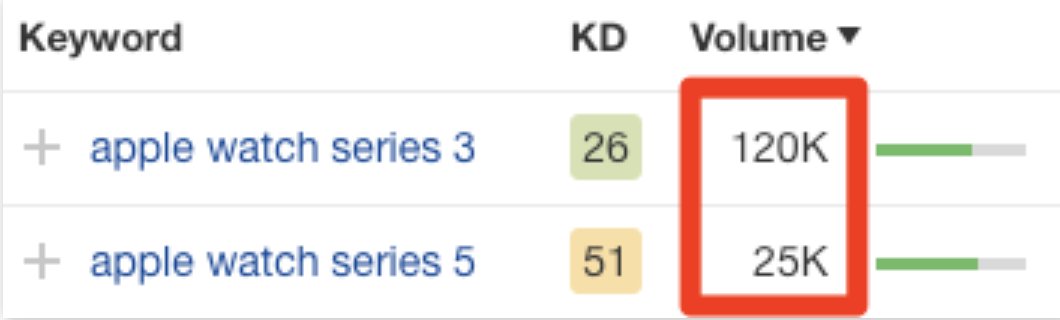
1. Google Trends (continued)
Search volumes are averages taken over many months or years.
Looking at data for the past 12 months in Google Trends, you'll notice searches for "apple watch series 5" overtook "apple watch series 3"—so prioritizing the former would make more sense.
Search volumes are averages taken over many months or years.
Looking at data for the past 12 months in Google Trends, you'll notice searches for "apple watch series 5" overtook "apple watch series 3"—so prioritizing the former would make more sense.
2. Ahrefs' Keyword Generator
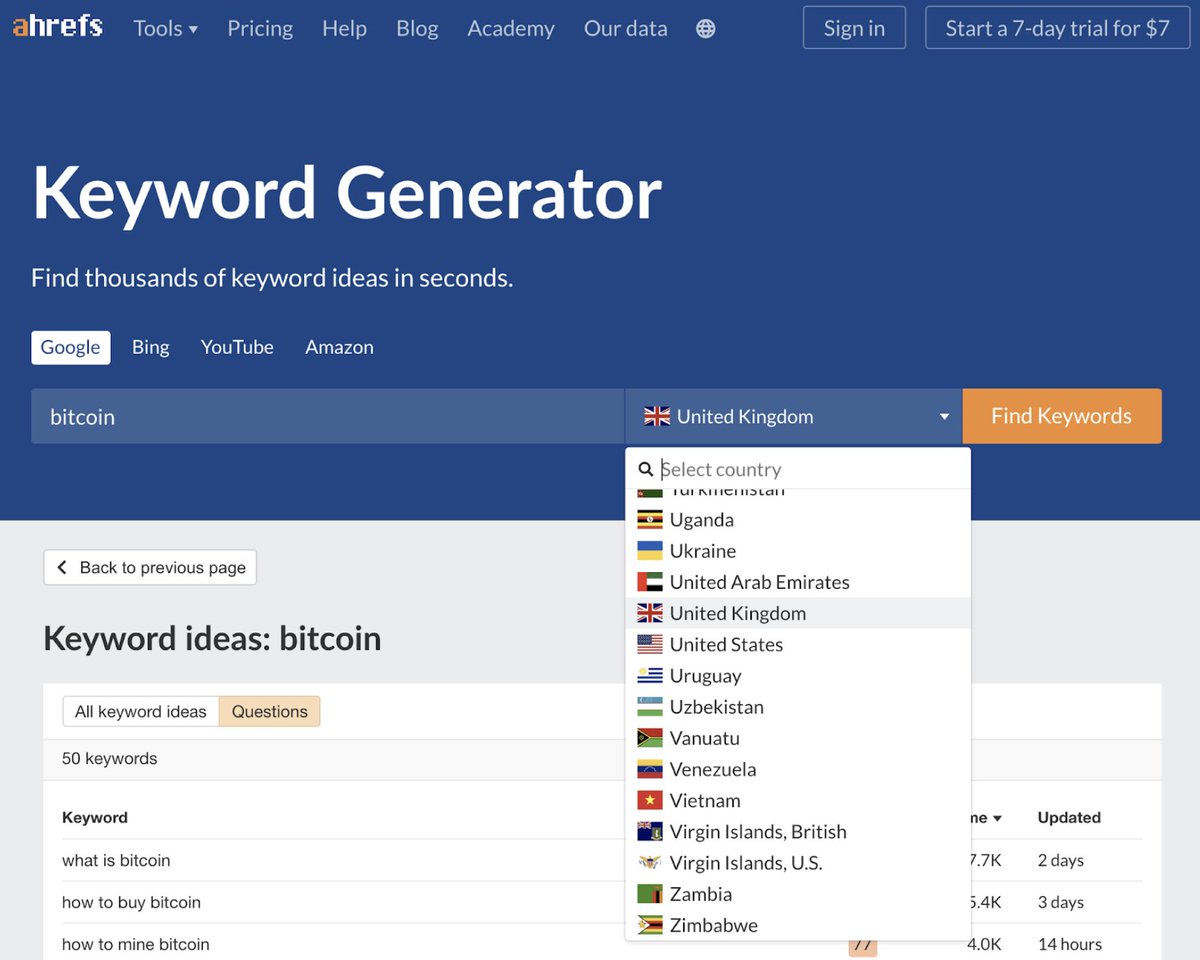
Use it to find up to 150 keyword ideas for any seed keyword, and from >170 countries.
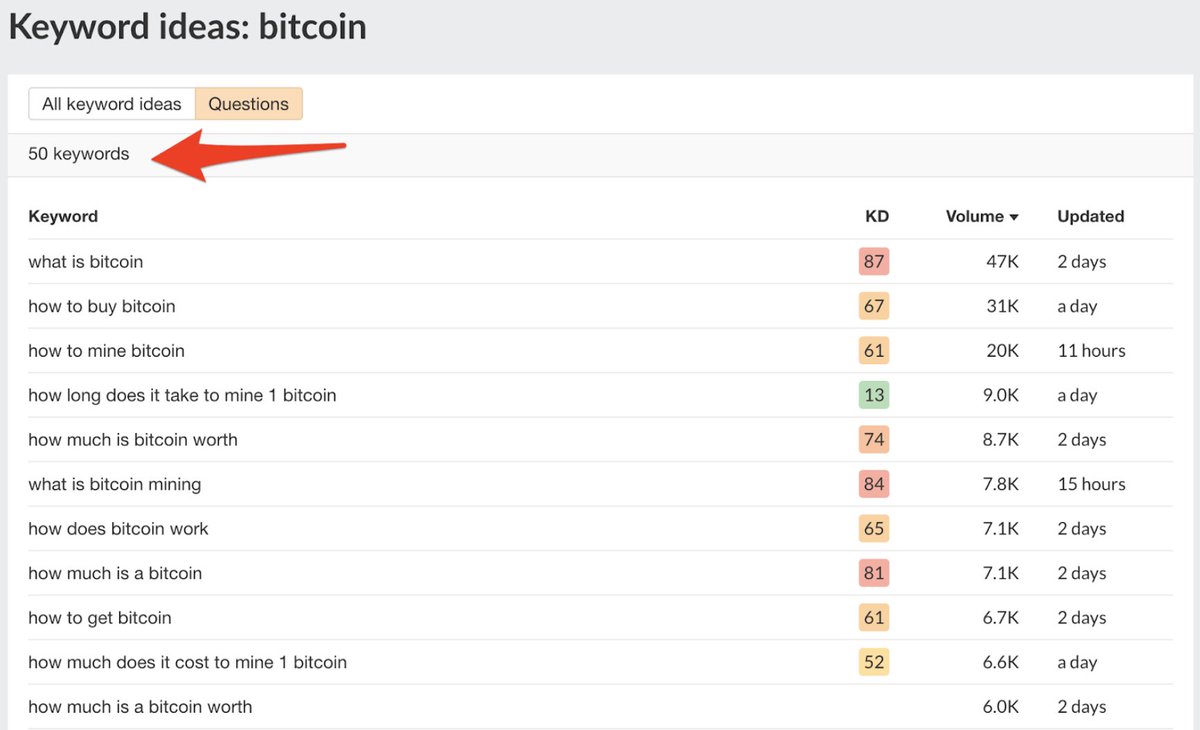
E.g. "Bitcoin" yields 100 keywords ideas + 50 question-type queries.
You can also use the Keyword Generator to find keyword ideas for Bing, YouTube, and Amazon.
Use it to find up to 150 keyword ideas for any seed keyword, and from >170 countries.
E.g. "Bitcoin" yields 100 keywords ideas + 50 question-type queries.
You can also use the Keyword Generator to find keyword ideas for Bing, YouTube, and Amazon.

3. Keyword Sheeter
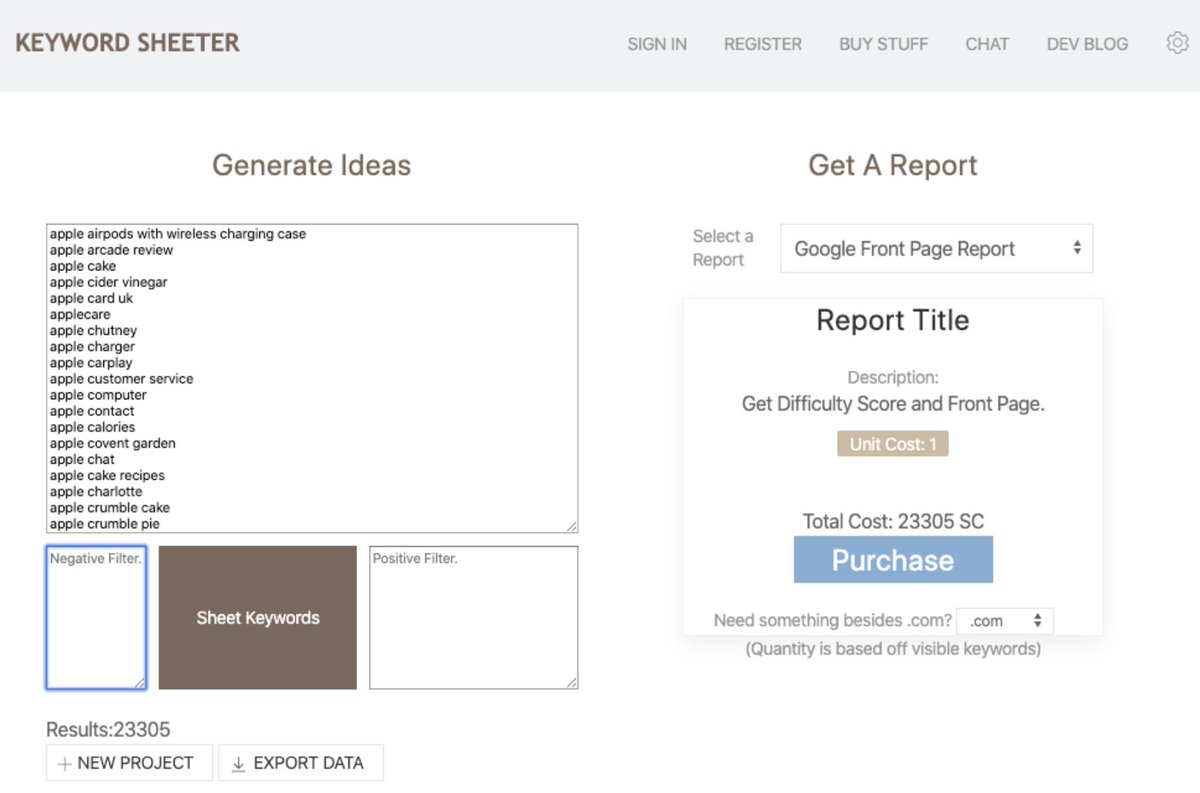
Keyword Sheeter pulls scores of autocomplete suggestions from Google—around 1,000 ideas a minute.
Simply enter one or more seed keywords and click “Sheet keywords".
It doesn't show search volumes or trends data, but you *can* export the results for free.
Keyword Sheeter pulls scores of autocomplete suggestions from Google—around 1,000 ideas a minute.
Simply enter one or more seed keywords and click “Sheet keywords".
It doesn't show search volumes or trends data, but you *can* export the results for free.
4. Answer the Public
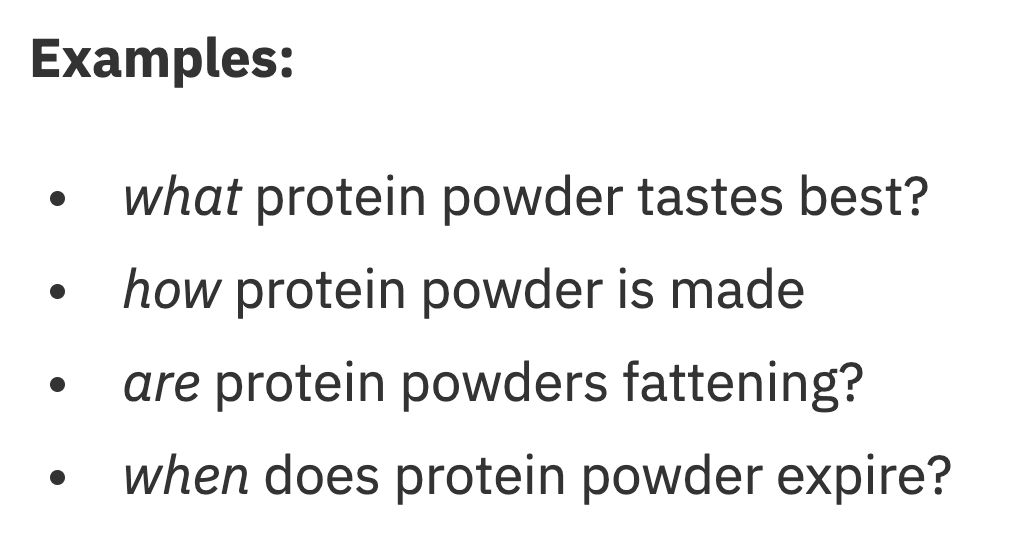
Answer the Public finds questions, prepositions, comparisons, alphabeticals, and related searches.
Let's use an example seed keyword: "Protein powder".
i) Questions: Who, what, why, where, how, which, when, are, is.
🔽
Answer the Public finds questions, prepositions, comparisons, alphabeticals, and related searches.
Let's use an example seed keyword: "Protein powder".
i) Questions: Who, what, why, where, how, which, when, are, is.
🔽
4. Answer the Public (continued)
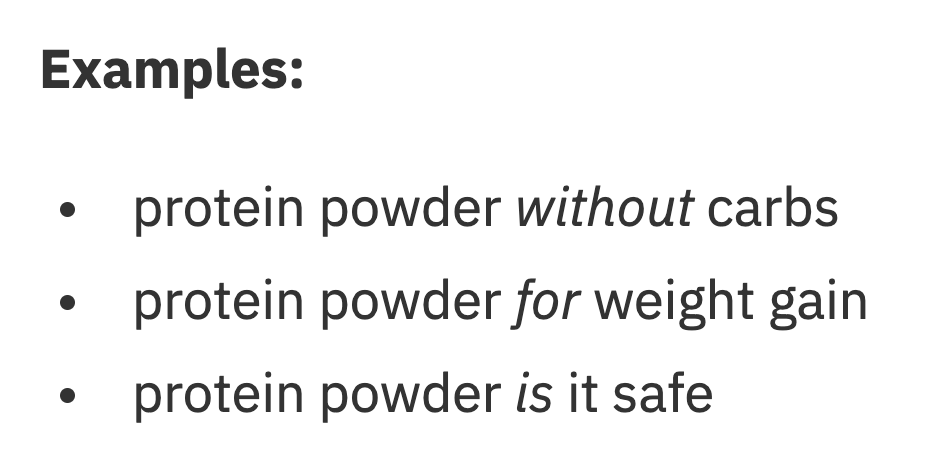
ii) Prepositions: For, can, is, near, without, with, to.
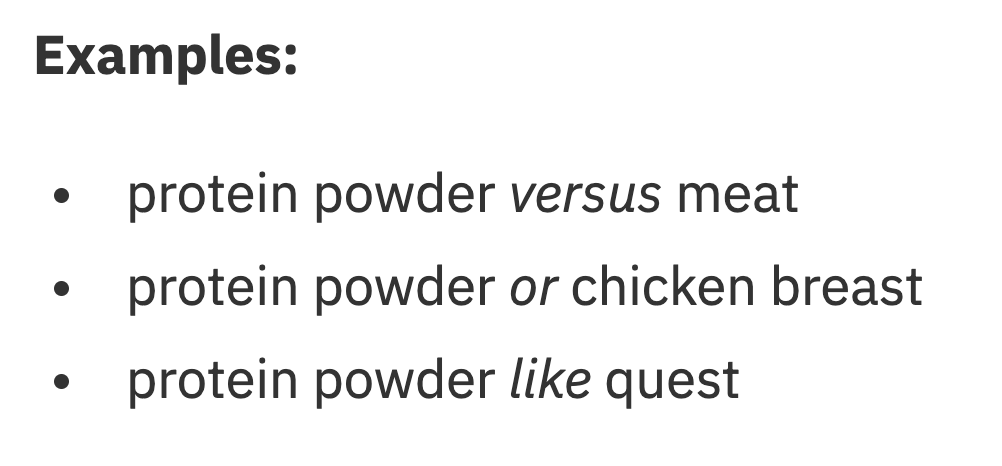
iii) Comparisons: Verus, vs., and, like, or.
In both cases, the format is: [seed] [preposition/comparison][______].
Check out these examples:
ii) Prepositions: For, can, is, near, without, with, to.
iii) Comparisons: Verus, vs., and, like, or.
In both cases, the format is: [seed] [preposition/comparison][______].
Check out these examples:
4. Answer the Public (continued)
iv) Alphabeticals: Google autocomplete suggestions.
v) Related: While it's unclear how Answer the Public sources for these, you will find gems from time to time.
All data can be downloaded in CSV format too—an added bonus.
iv) Alphabeticals: Google autocomplete suggestions.
v) Related: While it's unclear how Answer the Public sources for these, you will find gems from time to time.
All data can be downloaded in CSV format too—an added bonus.

5. Keyword Surfer
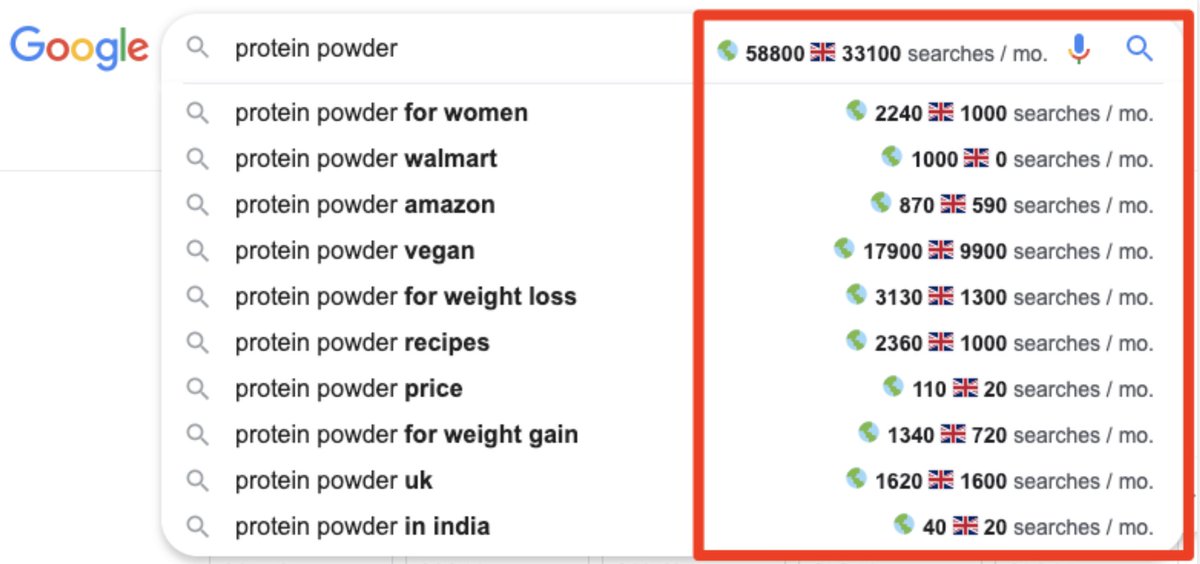
This free Chrome extension shows estimated global and monthly search volumes for any query in Google—including autocomplete results.
Note that these aren't true global search volumes, but the total sum of searches from the 19 countries in their database.
This free Chrome extension shows estimated global and monthly search volumes for any query in Google—including autocomplete results.
Note that these aren't true global search volumes, but the total sum of searches from the 19 countries in their database.
6. Keyworddit
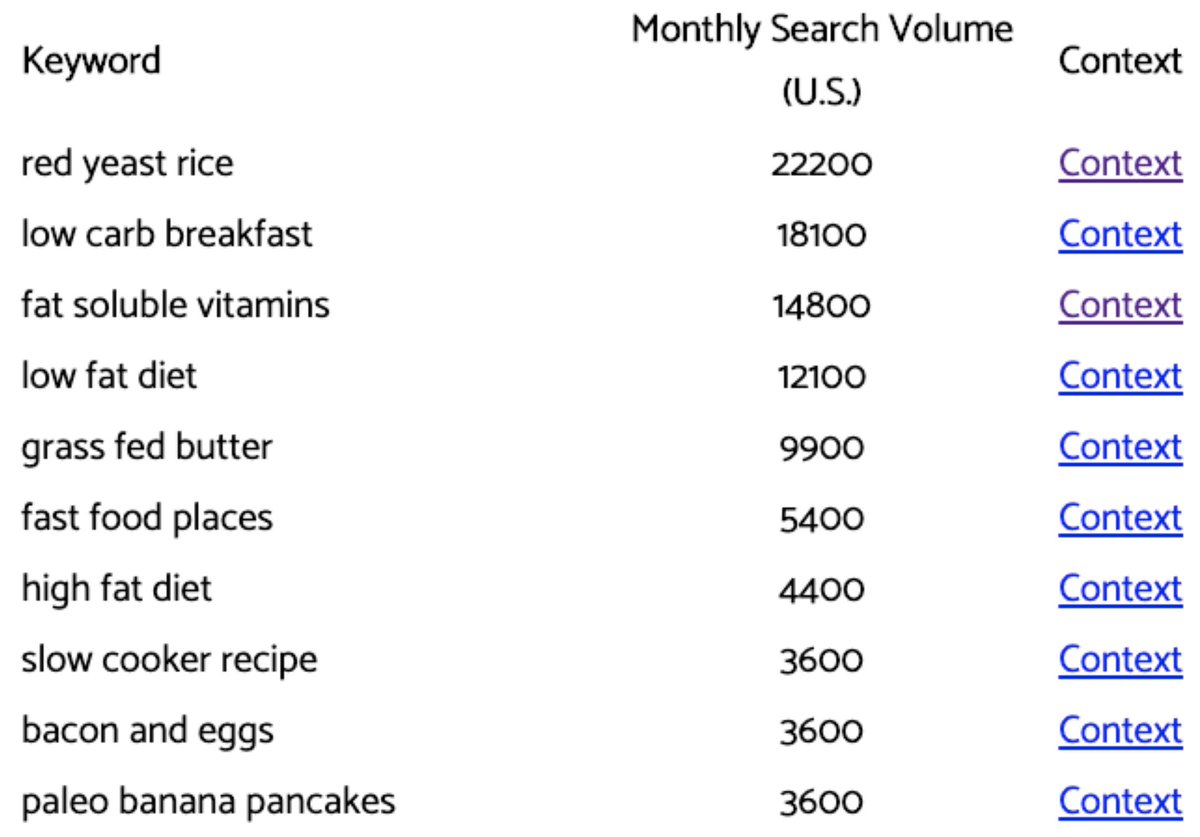
Keyworddit pulls keywords ideas from Reddit.
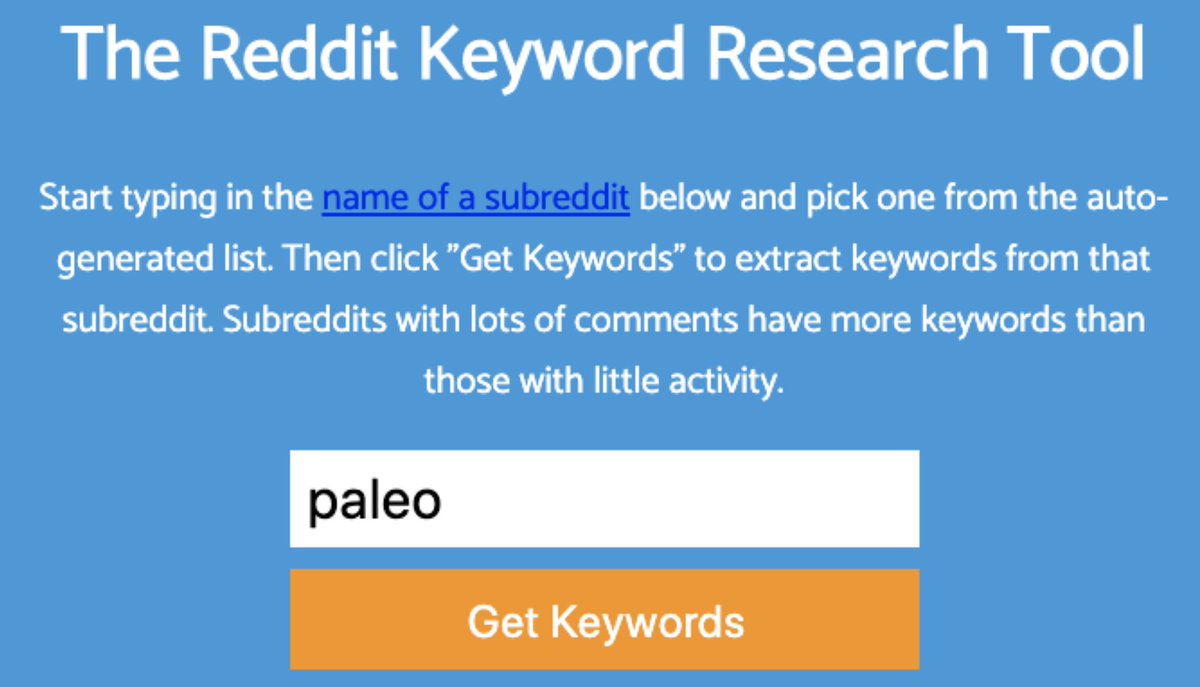
Enter a subreddit, and it’ll mine the titles + comments of threads to find up to 500 keywords.
The tool also pulls estimated US monthly search volumes for each keyword, so you can gauge the popularity of each subtopic.
Keyworddit pulls keywords ideas from Reddit.
Enter a subreddit, and it’ll mine the titles + comments of threads to find up to 500 keywords.
The tool also pulls estimated US monthly search volumes for each keyword, so you can gauge the popularity of each subtopic.
7. Google Search Console
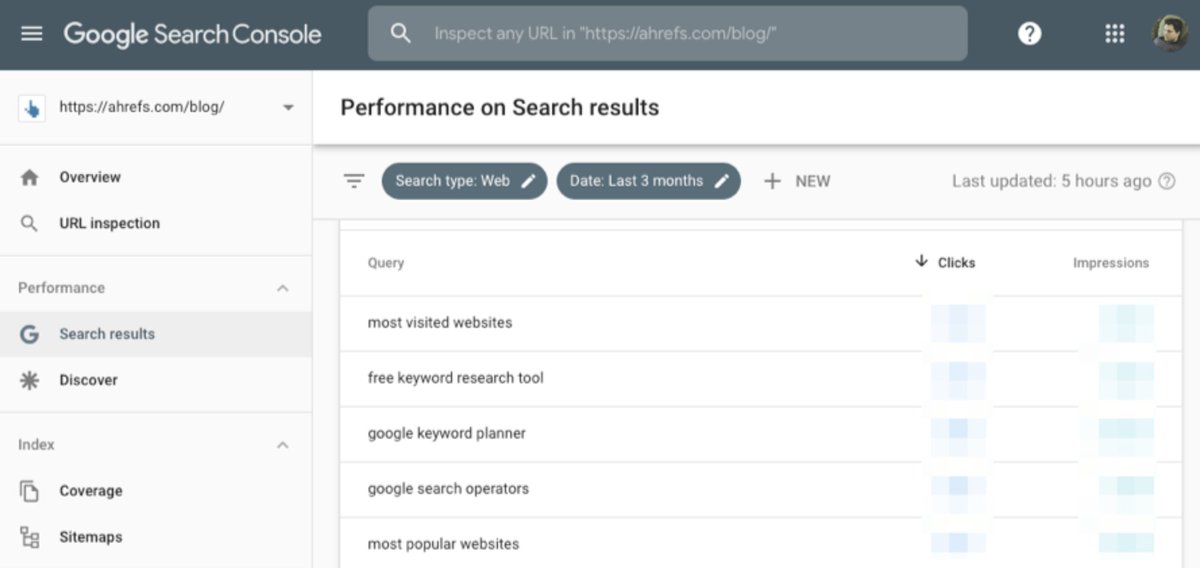
GSC helps to track your website’s performance in organic search, and shows data about the keywords you already rank for.
For e.g., the "Search results" report shows keywords that have sent the most traffic to the Ahrefs Blog over the past 3 months.
GSC helps to track your website’s performance in organic search, and shows data about the keywords you already rank for.
For e.g., the "Search results" report shows keywords that have sent the most traffic to the Ahrefs Blog over the past 3 months.
7. Google Search Console (continued)
We can also see each keyword’s average ranking position and CTR.
If we're getting a lot of traffic from a keyword despite ranking in position 3 - 10, it means we should focus on ranking higher for that instead of targeting new keywords.
We can also see each keyword’s average ranking position and CTR.
If we're getting a lot of traffic from a keyword despite ranking in position 3 - 10, it means we should focus on ranking higher for that instead of targeting new keywords.

8. Questiondb
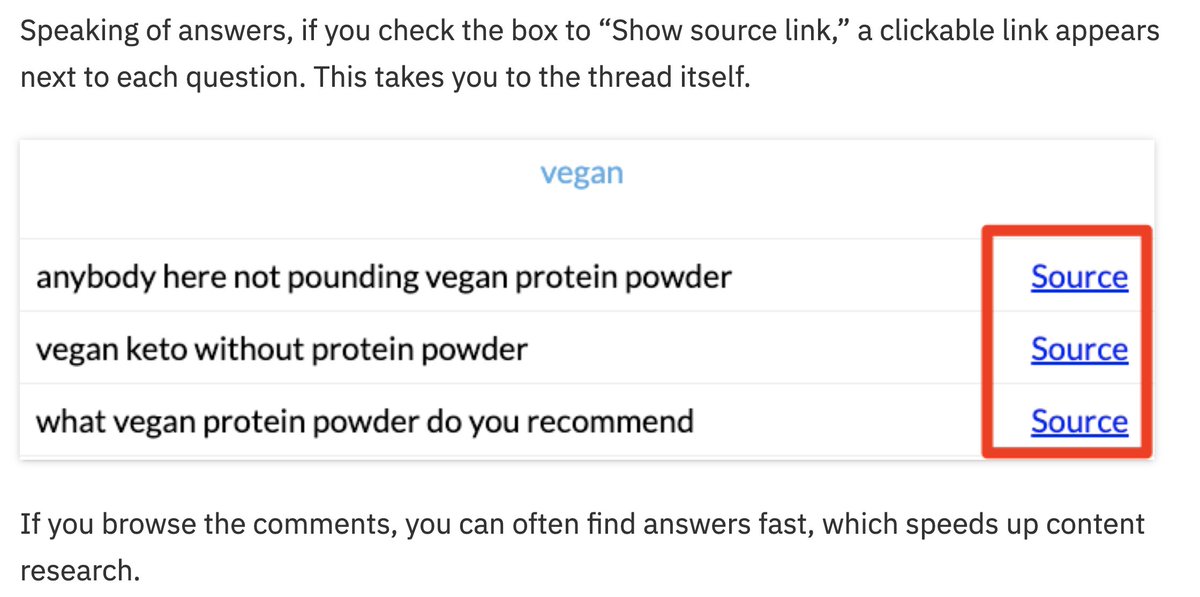
This tool finds the questions people are asking about a specific topic.
It pulls these from a database of 48M questions sourced from Reddit.
You can sort questions by popularity or topic—which lets you group questions for easier reference.
Here's a bonus tip 🔽
This tool finds the questions people are asking about a specific topic.
It pulls these from a database of 48M questions sourced from Reddit.
You can sort questions by popularity or topic—which lets you group questions for easier reference.
Here's a bonus tip 🔽
9. Bulk Keyword Generator
This keyword research tool for local SEO lets you generate keywords by industry type + location.
However, it doesn’t reflect the way people search.
Most Londoners would search "drain relining", and not "london drain relining".
So do this instead 🔽
This keyword research tool for local SEO lets you generate keywords by industry type + location.
However, it doesn’t reflect the way people search.
Most Londoners would search "drain relining", and not "london drain relining".
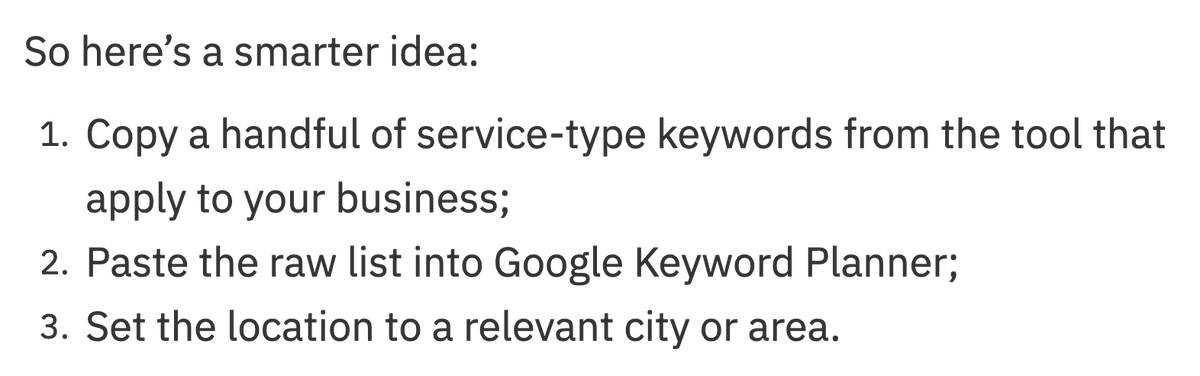
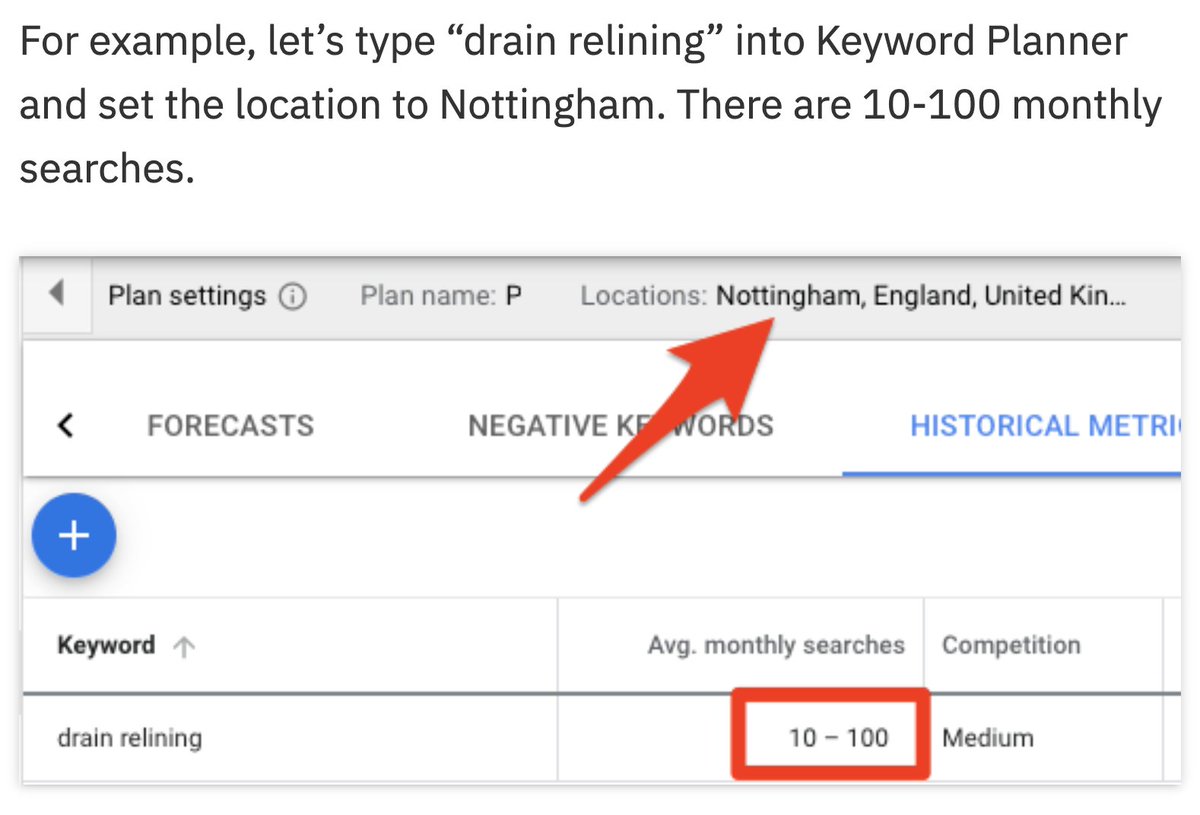
So do this instead 🔽
10. Google (of course!)
Use its autocomplete feature + its "People also ask" box.
You should also identify search intent: Decide if people are in buying mode or learning mode by looking up the query in Google.
E.g. "how to fry eggs" = learning mode; "buy eggs" = buying mode.
Use its autocomplete feature + its "People also ask" box.
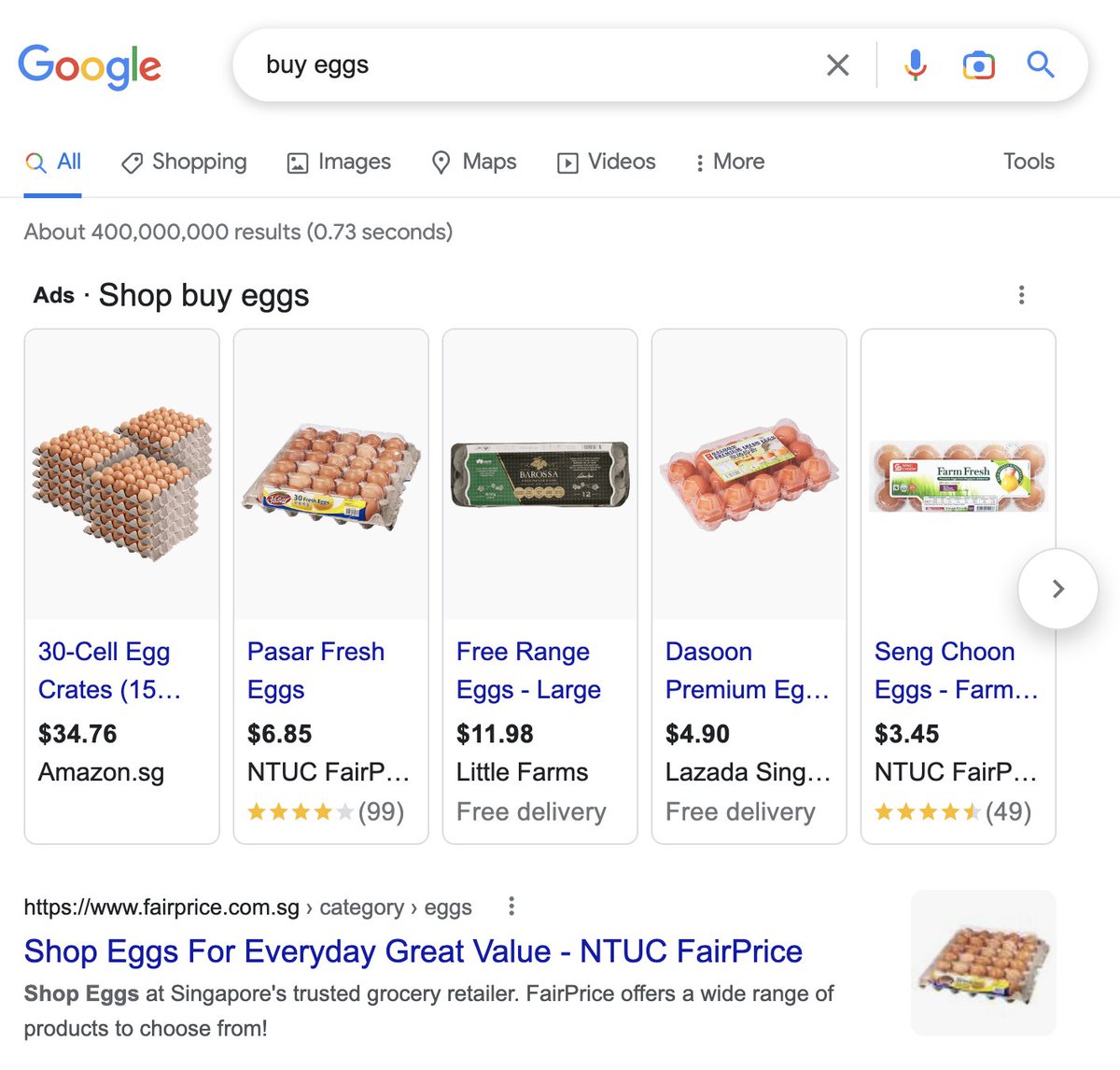
You should also identify search intent: Decide if people are in buying mode or learning mode by looking up the query in Google.
E.g. "how to fry eggs" = learning mode; "buy eggs" = buying mode.

Did we miss out on any of your favorite free keyword research tools? Let us know in the comments! 👀
Loading suggestions...