

😳 OMG, We can delete all "node_modules" using a single command:🧵

- It's very tedious work to delete all node_modules folders individually. That's why "npkill" comes into the picture.
- In this thread, we are going to see how we can easily delete all node_modules from our computer.
let's start...
- In this thread, we are going to see how we can easily delete all node_modules from our computer.
let's start...
- We can use these tools using 2 ways:
1️⃣ We can directly run a command that is "npx npkill" and it will display all "node_modules"folders inside that folder, like this.🖼️
🤔 But the above command doesn't work on my PC(see the next way)
1️⃣ We can directly run a command that is "npx npkill" and it will display all "node_modules"folders inside that folder, like this.🖼️
🤔 But the above command doesn't work on my PC(see the next way)
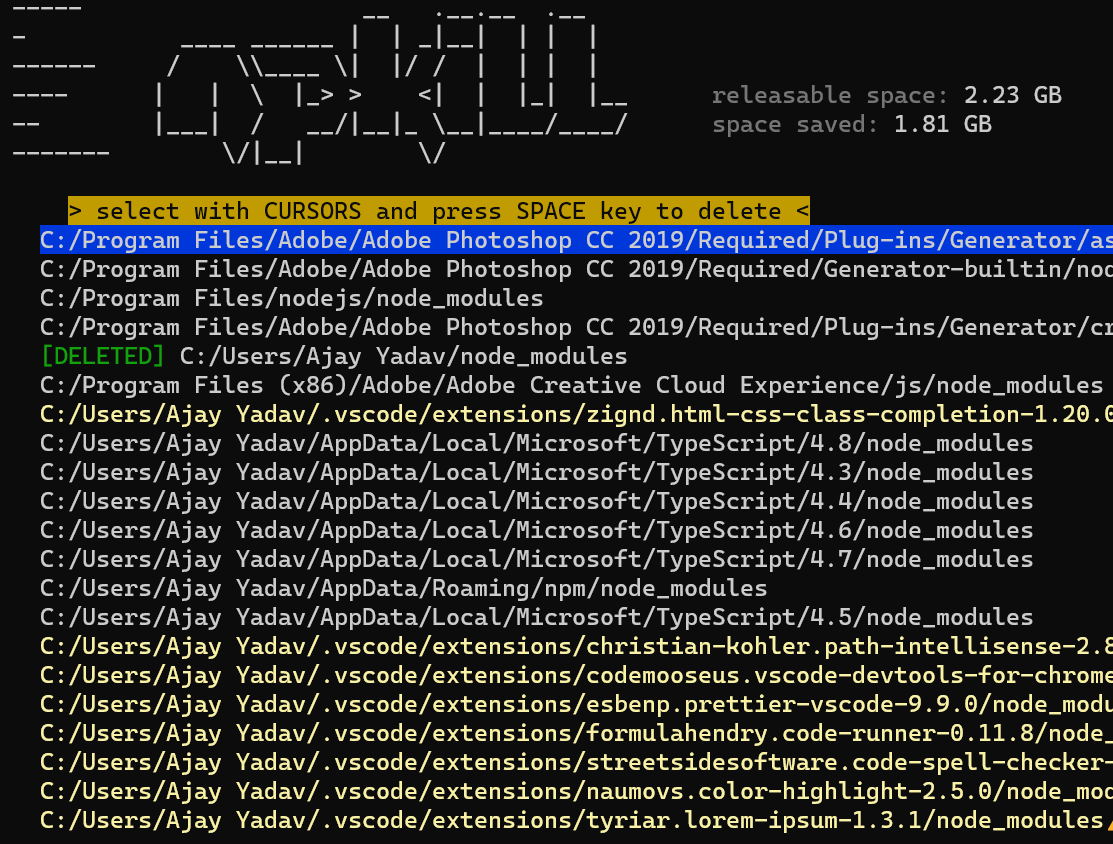
2️⃣ If the above command does not work on your computer, then you can follow the 2nd way of using it. We need to install it on our computer first.
- Then the above command will be easily run on your computer.
- Run any of the below commands:
$ npm i npkill
$ npm i -g npkill
- Then the above command will be easily run on your computer.
- Run any of the below commands:
$ npm i npkill
$ npm i -g npkill
- Now, we need to run the first command "npx npkill" and then it will display all "node_modules" inside a directory.
- After that navigate to the particular "node_modules" folder using the up and down arrow.
- After that navigate to the particular "node_modules" folder using the up and down arrow.
- Now just hit "spacebar" on your keyboard and that's it, it will be deleted your selected "node_modules".
- In short:)
Select the desired "node_modules" and hit the "spacebar".
Learn more: npmjs.com
- In short:)
Select the desired "node_modules" and hit the "spacebar".
Learn more: npmjs.com
That's all for now, we will meet in the next thread😍
🔔 Follow Me @ATechAjay
For:
🌐 Web Development
✨ JavaScript
⚛️ React JS
📝 Writing Skill
🔥 Motivation
💹 Growth
⛔ But Not For Only Resources & Shitpost 😁
Thank you so much for staying to the end of this thread💚
🔔 Follow Me @ATechAjay
For:
🌐 Web Development
✨ JavaScript
⚛️ React JS
📝 Writing Skill
🔥 Motivation
💹 Growth
⛔ But Not For Only Resources & Shitpost 😁
Thank you so much for staying to the end of this thread💚
Loading suggestions...