

How to import Postman collection into RapidAPI Studio.
Thread 🧵👇
Thread 🧵👇
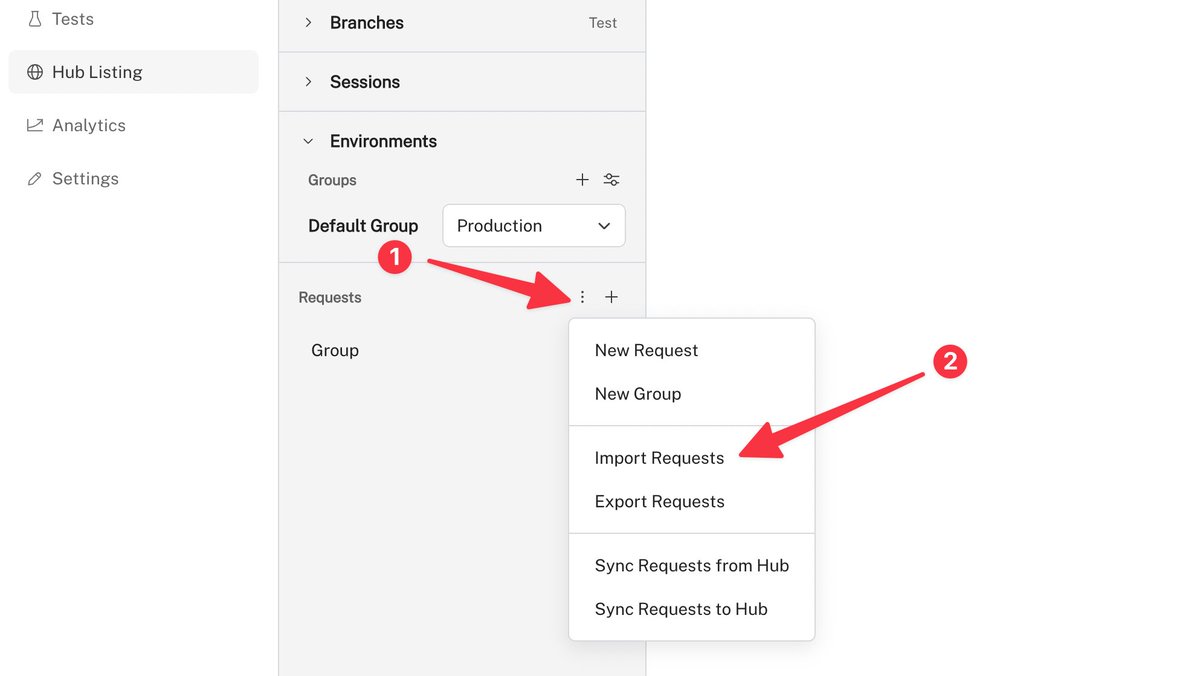
1️⃣ In RapidAPI Studio, open Hub Listing and click the three dots icon next to the "Requests" section.
It will open up a popup menu.
2️⃣ Next, click on "Import requests".
It will open up a popup menu.
2️⃣ Next, click on "Import requests".
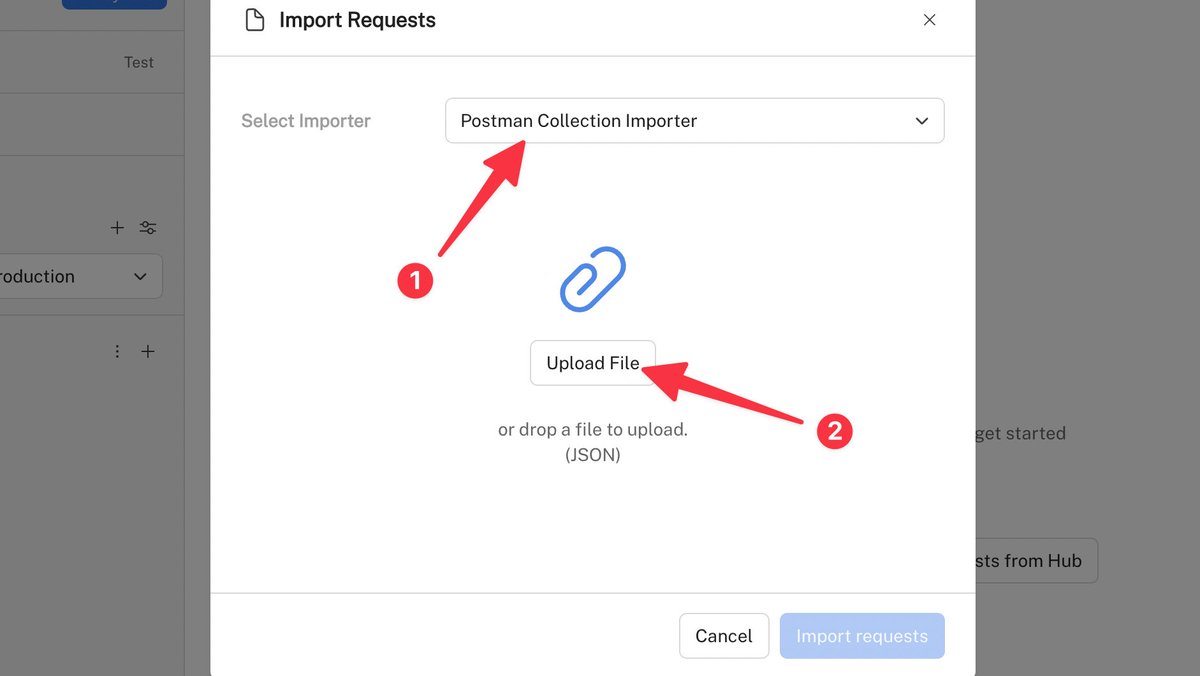
This modal dialog will appear.
3️⃣ Select "Postman collection importer".
4️⃣ Click "upload file".
3️⃣ Select "Postman collection importer".
4️⃣ Click "upload file".
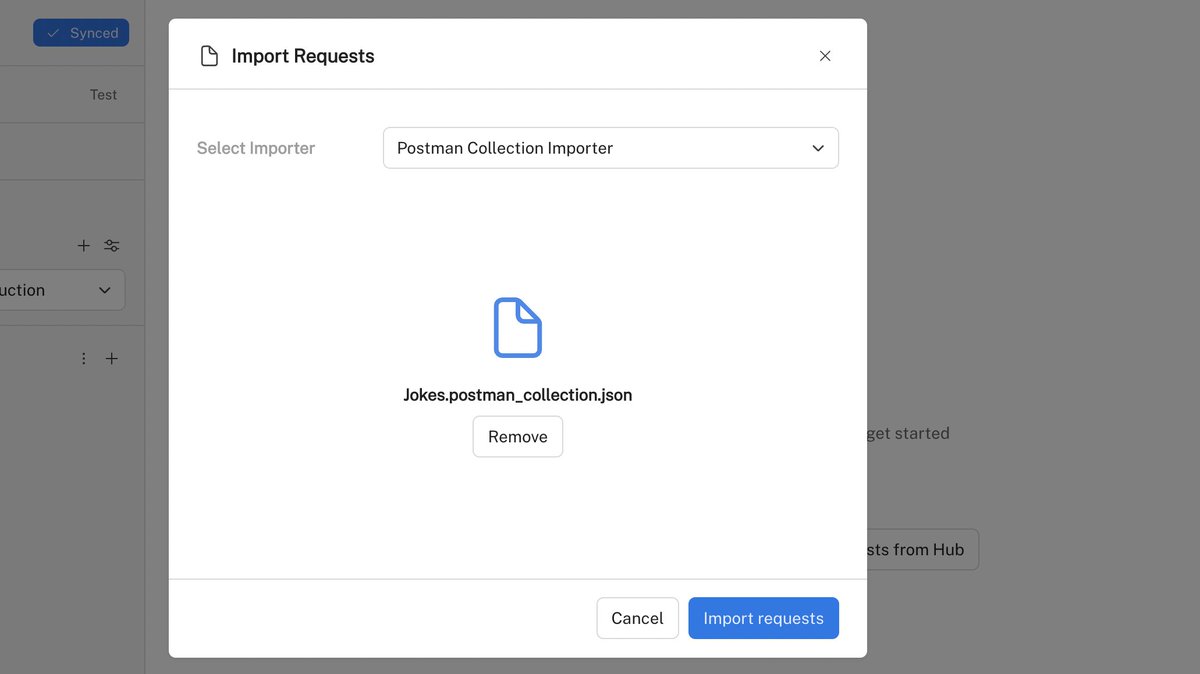
5️⃣ Select the postman collection file you want to import.

7️⃣ Click "Import requests".
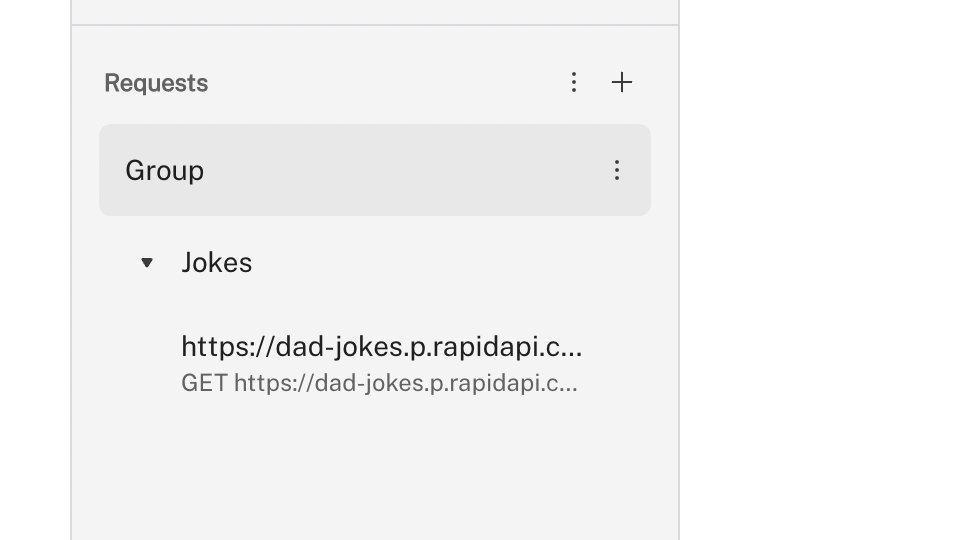
Awesome! Our collection has been imported.
Hope you enjoyed this short tutorial.
If you found this thread helpful, follow @Rapid_API 🐙💙
If you found this thread helpful, follow @Rapid_API 🐙💙
Loading suggestions...