

pidof command in Linux explained (with a practical example) 🐧↓
pidof is a Linux command-line utility that returns the process IDs of a specific running program by its name.
Those IDs are printed on the standard output. A process ID is a unique identifier assigned to each process when it is created on the system.
Those IDs are printed on the standard output. A process ID is a unique identifier assigned to each process when it is created on the system.
The basic sysntax of pidof is as follows:
$ pidof [OPTIONS] PROGRAM_NAME
$ pidof [OPTIONS] PROGRAM_NAME
The pidof command takes zero or more program names as parameters, but usually, only one program name is passed to it.
pidof will show the PIDs of all running programs that match the given name when executed without any options. For example, to find the PID of bash shell:
$ pidof bash
$ pidof bash

If any processes with names that match bash are running, their PIDs will be shown on the screen. The output will be empty if no matches are detected.
By default, all PIDs of matching running applications are displayed. To force pidof to display only one process ID use the -s option. Here is an example:

Now that you understand what the pidof command does and how to use it, let's look at a practical example of using pidof in conjunction with other commands.
Assume the flameshot program is consuming excessive memory and has become unresponsive, and you need to terminate the flameshot processes. To begin, use pidof to find the PIDs:
$ pidof flameshot
$ pidof flameshot

The above command will display all the process IDs associated with the flameshot program.
Once you've identified the flameshot process IDs, use the kill command to send a signal (SIGTERM) to terminate the processes.
$ kill 539569
Once you've identified the flameshot process IDs, use the kill command to send a signal (SIGTERM) to terminate the processes.
$ kill 539569
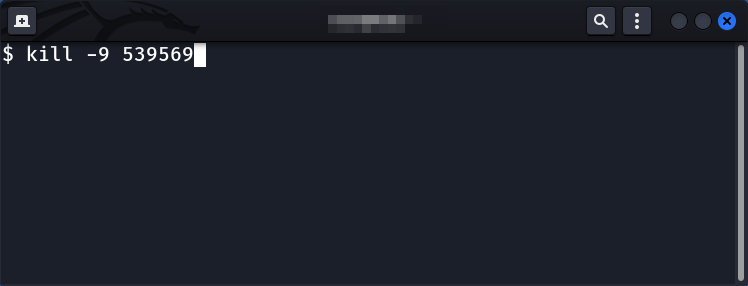
Alternatively, you can use the command-line substitution $(...) or '.....' to find the process IDs and then terminate them in a simple one-liner.
$ kill -9 `pidof flameshot`
$ kill -9 $(pidof flameshot)
$ kill -9 `pidof flameshot`
$ kill -9 $(pidof flameshot)

If you want to learn more about the kill command we have written a detailed article on that, so feel free to check it out:
kill Command in Linux Explained
linuxopsys.com
kill Command in Linux Explained
linuxopsys.com
This information should be enough to help you find the process IDs of programs using the pidof command and terminate them when necessary.
That's all! Thank you for getting this far. I hope you find this thread useful.
That's all! Thank you for getting this far. I hope you find this thread useful.
If you found this thread valuable:
1. Toss us a follow for more daily threads on Linux, sysadmin, and DevOps →
@linuxopsys
2. Like and RT the first tweet so other Linux folks can find it too.
1. Toss us a follow for more daily threads on Linux, sysadmin, and DevOps →
@linuxopsys
2. Like and RT the first tweet so other Linux folks can find it too.
Loading suggestions...