

⚡ map( ) array method in JavaScript
💡 One of the most important topics in JavaScript, thus you can't miss it.
🧵...
💡 One of the most important topics in JavaScript, thus you can't miss it.
🧵...

💡 map( ):
🍭 map() method accepts a callback function once for each array element and constructs a new array.
🍭 It returns a new array and does not change the original array.
🍭 map() method accepts a callback function once for each array element and constructs a new array.
🍭 It returns a new array and does not change the original array.
🍭 The map( ) method doesn't execute the function for an empty array.
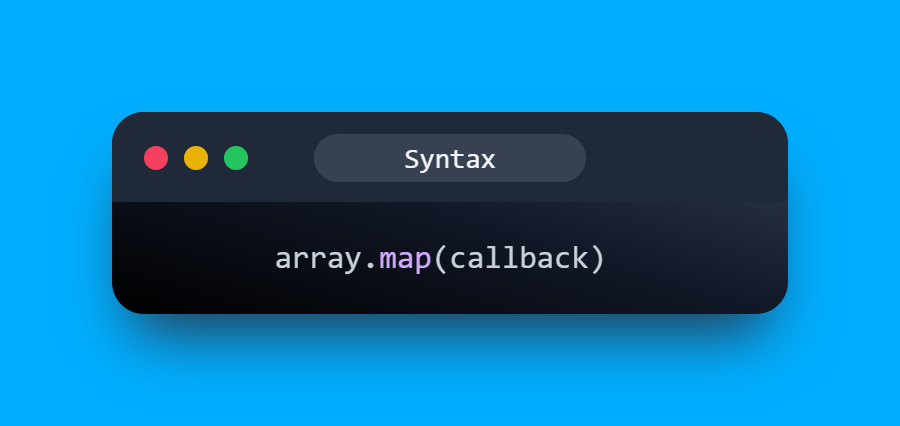
🚩 Syntax:
🚩 Syntax:
Example 1:
🥰 Suppose, if you want to add "5" to each element of the array, we can quickly achieve this goal using the map() method.
🍭 The new array will be "add"
🥰 Suppose, if you want to add "5" to each element of the array, we can quickly achieve this goal using the map() method.
🍭 The new array will be "add"

🚩 In the above snippet:
🍭 I've passed a function to the map() method and it takes 2 parameters.
🍭 element: It's a required parameter, that is the value of the current item.
🍭 index: Optional, it is the current index of the array element that is being processed.
🍭 I've passed a function to the map() method and it takes 2 parameters.
🍭 element: It's a required parameter, that is the value of the current item.
🍭 index: Optional, it is the current index of the array element that is being processed.
Example 2:
🥰 Now, if I want to find the square of each element of the array, then we can also do this using map( ) method.
🍭 The new array will be "square"
🥰 Now, if I want to find the square of each element of the array, then we can also do this using map( ) method.
🍭 The new array will be "square"

Example 3:
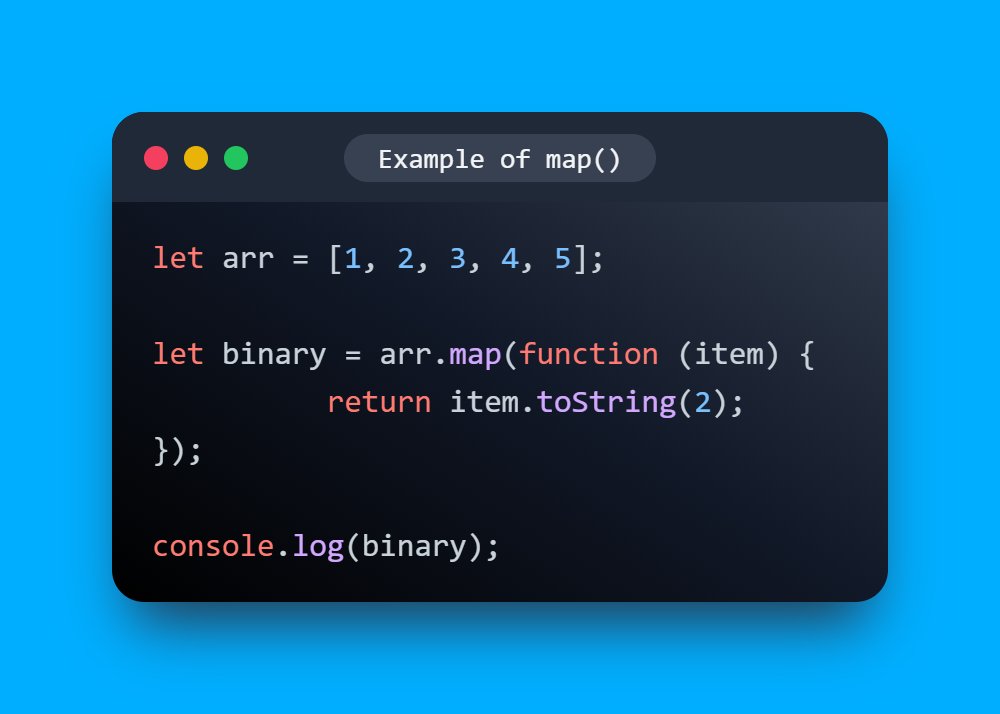
🥰 And now if we want to convert each element of the array into binary.
🍭 The new array will be "binary"
🥰 And now if we want to convert each element of the array into binary.
🍭 The new array will be "binary"
Example 4:
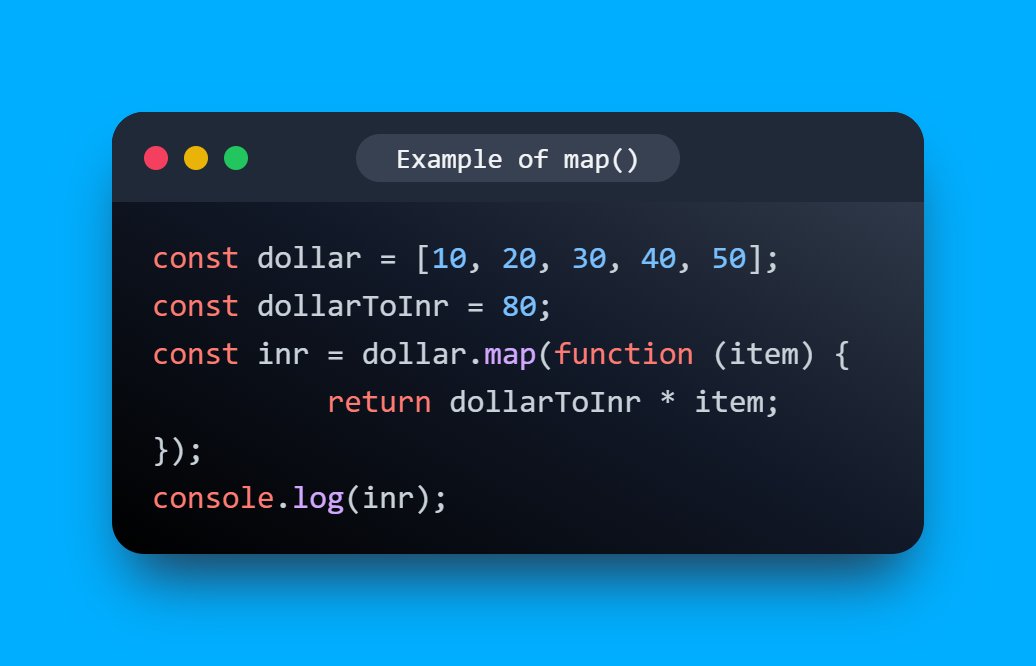
🥰 We can use it at many places like if we want to receive an array with converted currency to INR from USD.
🍭 The new array will be "inr"
🥰 We can use it at many places like if we want to receive an array with converted currency to INR from USD.
🍭 The new array will be "inr"
📢 Create beautiful code snippet images in a snap using a tool called "CodeLet"
Made By My Friend @wahVinci
tweetlet.net
Made By My Friend @wahVinci
tweetlet.net
That's all for now, we will meet in the next thread😍
🔔 Follow Me @ATechAjay
For:
🌐 Web Development
✨ JavaScript
📝 Writing Skill
🔥 Motivation
💹 Growth
⛔ But Not For Only Resources & Shitpost 😁
Thank you so much for staying to the end of this thread💚
🔔 Follow Me @ATechAjay
For:
🌐 Web Development
✨ JavaScript
📝 Writing Skill
🔥 Motivation
💹 Growth
⛔ But Not For Only Resources & Shitpost 😁
Thank you so much for staying to the end of this thread💚
Loading suggestions...