

7 Insanely Powerful Git Commands That Almost Nobody Knows:
🧵👇
🧵👇
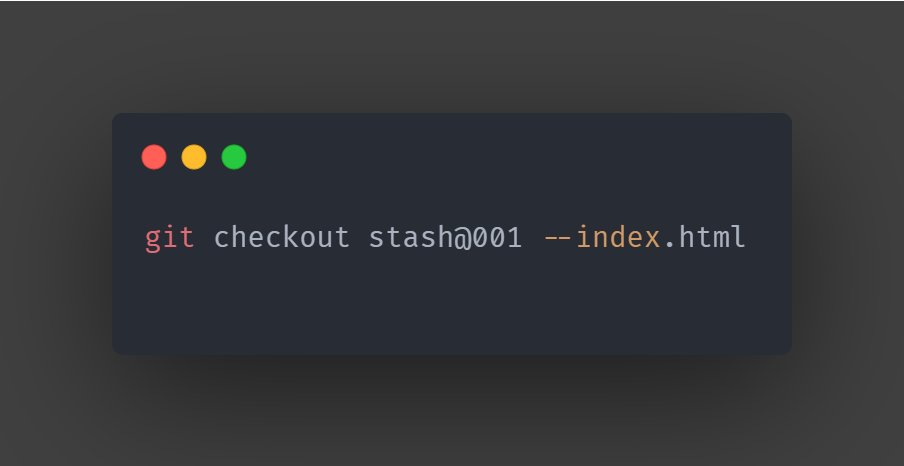
1. Choose Selected Files from Stash
- Most of the time, we stash a group of files and apply the whole stash together what if you only need selected files from the stash
- Use the below command to achieve this
"git checkout <stash_id> -- <file_path>"
Eg:
- Most of the time, we stash a group of files and apply the whole stash together what if you only need selected files from the stash
- Use the below command to achieve this
"git checkout <stash_id> -- <file_path>"
Eg:
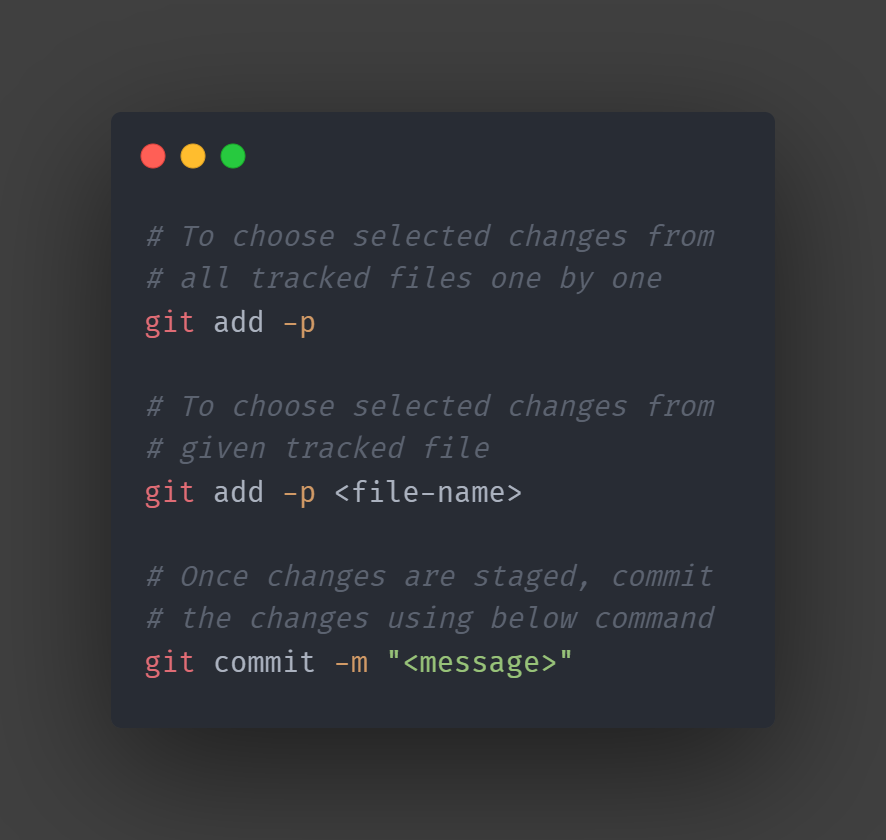
2. Commit Selected Portion of File
- To Stage only selected portion of a file (instead of whole file) use below command
"git add -p"
- This will open an interactive editor and let you pick which change you want to stage, once your changes are staged you can commit it.
Eg:
- To Stage only selected portion of a file (instead of whole file) use below command
"git add -p"
- This will open an interactive editor and let you pick which change you want to stage, once your changes are staged you can commit it.
Eg:
3. New Way to Revert Local Changes
- Normally we use git checkout or reset command to revert local changes, it could be confusing as these commands can be used in various other use cases
- Instead, use restore which is specially made for this:
"git restore <file-name>"
Eg:
- Normally we use git checkout or reset command to revert local changes, it could be confusing as these commands can be used in various other use cases
- Instead, use restore which is specially made for this:
"git restore <file-name>"
Eg:

4. View All Staged Changes
- The regular "git diff" command only shows unstaged changes difference
- Add the below argument to the diff command to see all staged changes
"git diff --staged"
Eg:
- The regular "git diff" command only shows unstaged changes difference
- Add the below argument to the diff command to see all staged changes
"git diff --staged"
Eg:

5. Switch to previously active branch in no time
- Use either switch (in the newer git version) to switch to the previously active git branch
"git switch -"
- Or use the checkout command (for older git)
"git checkout -"
Eg:
- Use either switch (in the newer git version) to switch to the previously active git branch
"git switch -"
- Or use the checkout command (for older git)
"git checkout -"
Eg:

6. Smart search inside git log
- Use different arguments in the git log command to perform a powerful search. i.e. viewing logs with particular commit message, viewing logs with specific file content changes, etc.
Eg:
- Use different arguments in the git log command to perform a powerful search. i.e. viewing logs with particular commit message, viewing logs with specific file content changes, etc.
Eg:

7. Direct commit in one go
- Yes, there's a shortcut where you don't have to separately stage your files and then commit.
- Use the below command to stage and commit all your changes in one go:
"git commit -a -m"
Eg:
- Yes, there's a shortcut where you don't have to separately stage your files and then commit.
- Use the below command to stage and commit all your changes in one go:
"git commit -a -m"
Eg:

Thanks for staying till the end!
Before you go, do you know?
From next week I am starting to write on LinkedIn as well.
I'll be sharing some exclusive content there, which I am never going to share here.
Make sure to follow me there:
linkedin.com
Before you go, do you know?
From next week I am starting to write on LinkedIn as well.
I'll be sharing some exclusive content there, which I am never going to share here.
Make sure to follow me there:
linkedin.com
Namaste, I'm Vikas!
Every Mon, Wed & Friday - I tweet a thread on Backend Development. Follow me @vikasrajputin to read all my future threads.
Like and RT the first tweet below to support my work.
Every Mon, Wed & Friday - I tweet a thread on Backend Development. Follow me @vikasrajputin to read all my future threads.
Like and RT the first tweet below to support my work.
جاري تحميل الاقتراحات...