

Build a GraphQL server from scratch using Node.js
Thread 🧵
Thread 🧵
Let's start with the theoretical discussion.
Quickly take a look at this thread to get started with GraphQL. 👇🏻
Quickly take a look at this thread to get started with GraphQL. 👇🏻
We are assuming you have Node.js installed on your machine. If you haven't installed it, click on the following link and install it simply.
nodejs.org
nodejs.org
As now you know what GraphQL is, let's start creating a quick GraphQL server.
Open your terminal and run the following commands: 👇🏻
It will simply create a new directory as "graphql" and initialize the project.
It will simply create a new directory as "graphql" and initialize the project.

The next step is to create an empty JavaScript file (File name could be anything, in this case, app.js) and install all the necessary packages.
We will discuss the use of each package as we progress further into this thread.
We will discuss the use of each package as we progress further into this thread.

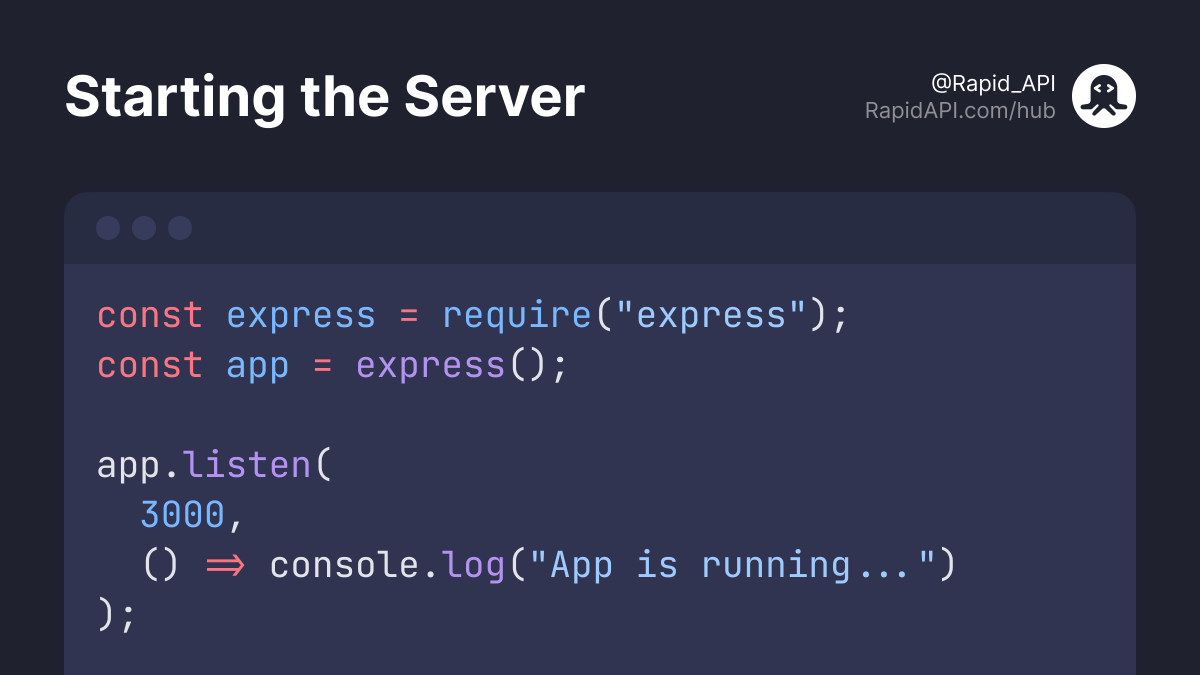
Perfect! Now we have all the necessary packages and files, let's create a basic local server. 👇🏻
In the below code snippet, we initialize our `app` and start the local server at port 3000.
Run `node index.js` to start the server.
Run `node index.js` to start the server.
Our server is now running, it's time to build the schema that is nothing but the description of data that the client can request.
Let's create a new "schema" folder in our graphql directory.
Inside that schema folder, create a JavaScript file as schema.js.
graphql > schema > schema.js
Inside that schema folder, create a JavaScript file as schema.js.
graphql > schema > schema.js
Let's start with creating a simple `User` schema inside the schema.js file.
We need two things:
- Schema that defines the Query type.
- A “resolver” function for each API endpoint.
The resolver function is a collection of functions that generate responses for a GraphQL query.
We need two things:
- Schema that defines the Query type.
- A “resolver” function for each API endpoint.
The resolver function is a collection of functions that generate responses for a GraphQL query.
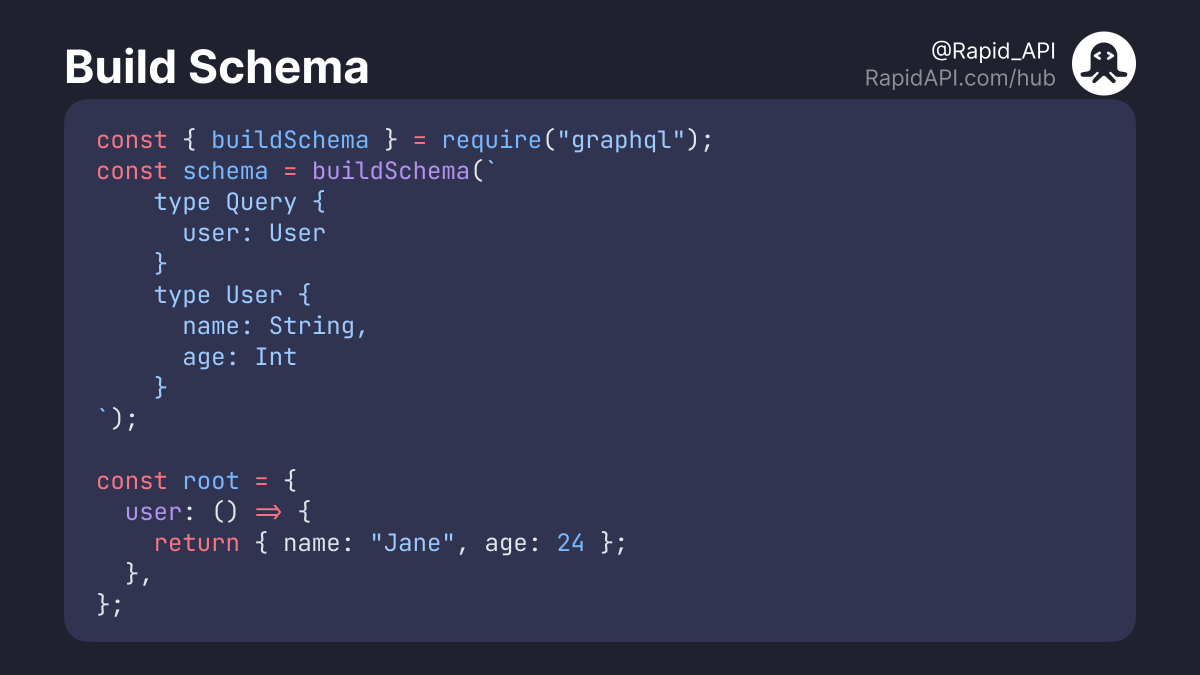
The above code is pretty intuitive.
`User` type has two fields, name and age of type string and integer, respectively.
The `root` provides the resolver function. In this case, we are resolving `user` type which returns the value of name and age.
`User` type has two fields, name and age of type string and integer, respectively.
The `root` provides the resolver function. In this case, we are resolving `user` type which returns the value of name and age.
Visit RapidAPI Learn and get in-depth details about Schema Definition Language for more context.
RapidAPI.com
RapidAPI.com
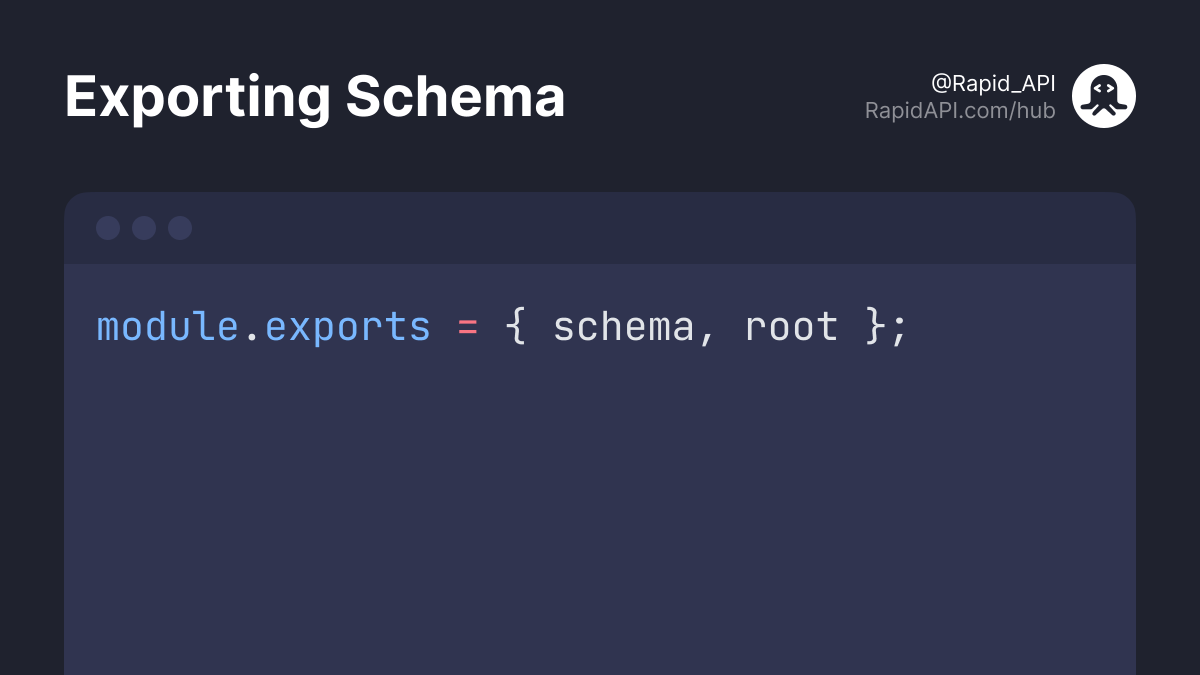
Export `schema` and `root` so that we can use them in our app.js file.
Add below code snippet at the end of schema.js file.
Add below code snippet at the end of schema.js file.
It's time to run this query on the GraphQL Server that we just built (app.js file).
We will use `graphql-express` libaray to run GraphQL server on "/graphql" HTTP endpoint.
We will use `graphql-express` libaray to run GraphQL server on "/graphql" HTTP endpoint.
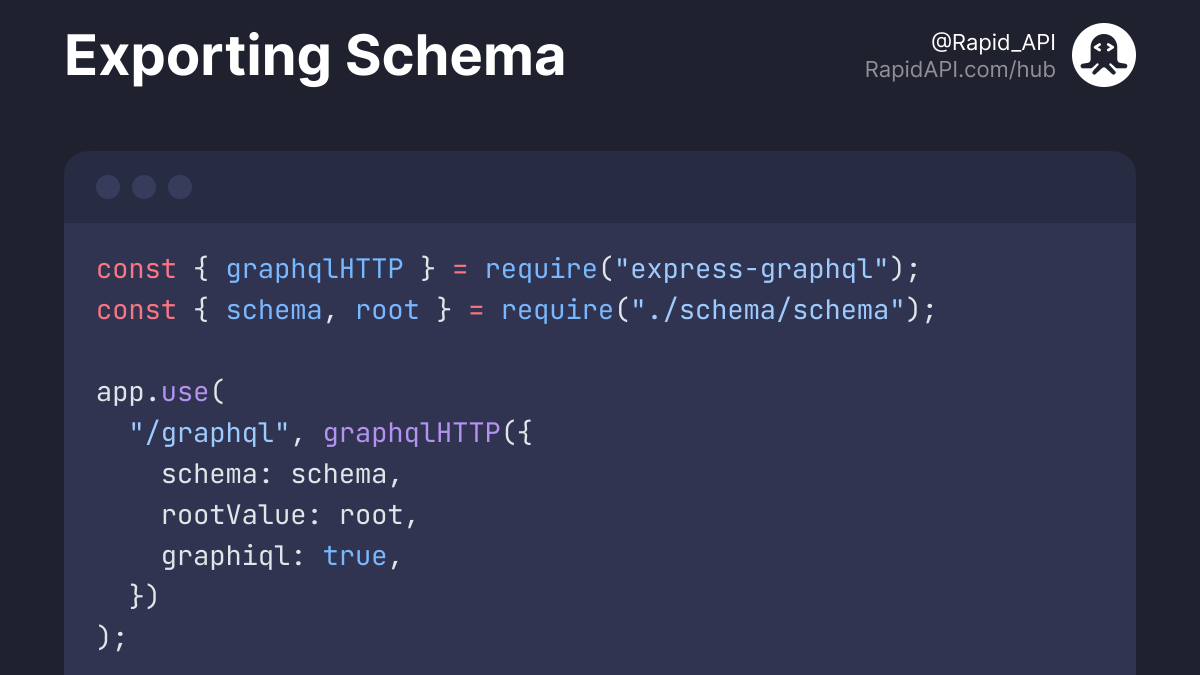
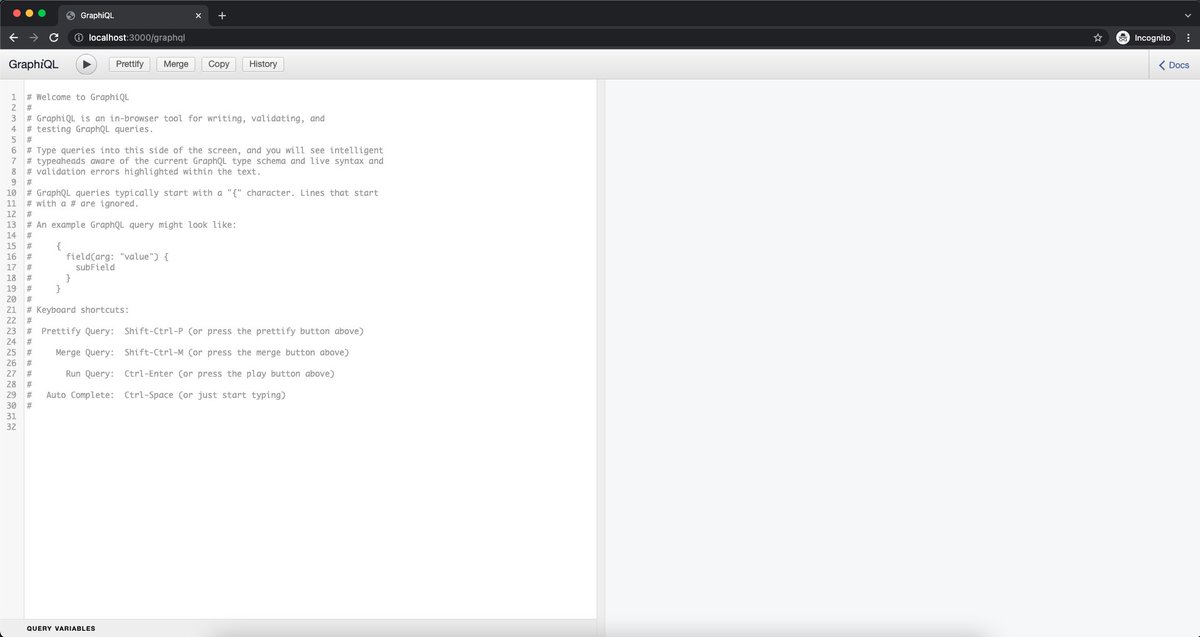
`graphiql: true` provides the GraphQL playground.
Head over to http://localhost:3000/graphql and you see the playground like this. 👇🏻
Head over to http://localhost:3000/graphql and you see the playground like this. 👇🏻
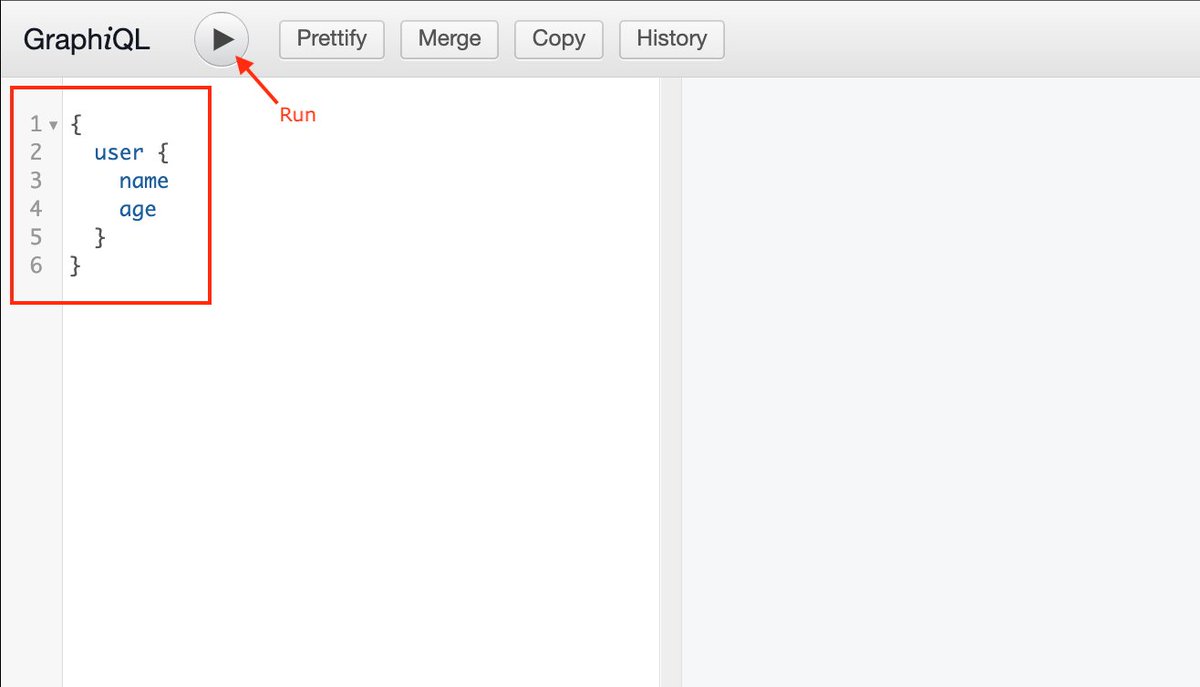
Let's try to run the query and see what we get.
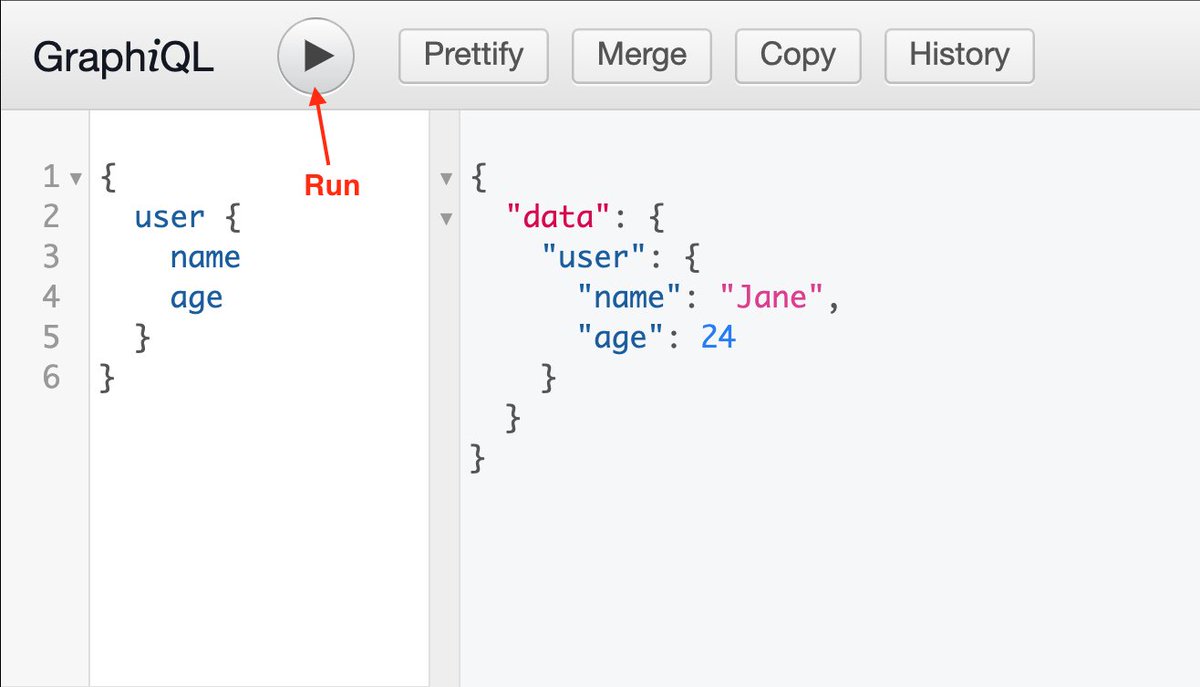
And we are getting the data.
In our query, we requested for `name` and `age` fields of the `User` type.
In our query, we requested for `name` and `age` fields of the `User` type.
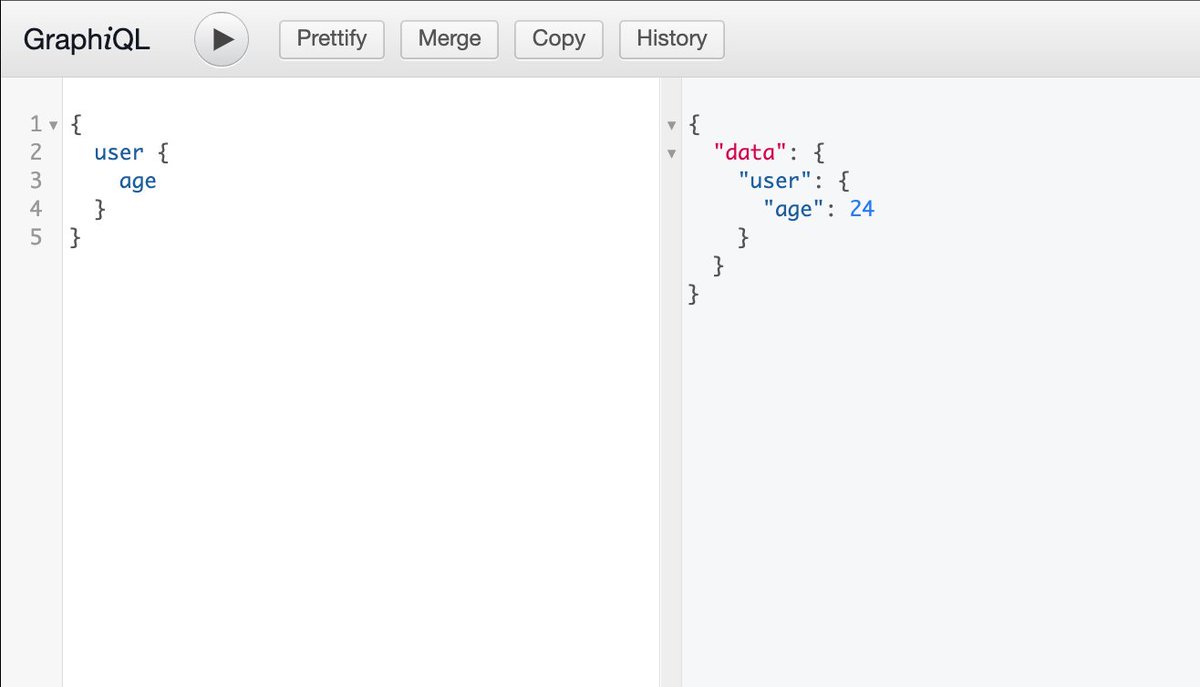
Assuming you only need to fetch `age`, in GraphQL, you don't need to create a separate endpoint that you would have needed if you were working with REST API.
And with that being said, this is the end of this thread.
Follow @Rapid_API for more excellent content such as this one. 💙🐙
Follow @Rapid_API for more excellent content such as this one. 💙🐙
Loading suggestions...