

6 Excel features that will blow your mind:
1. Data Types (DT)
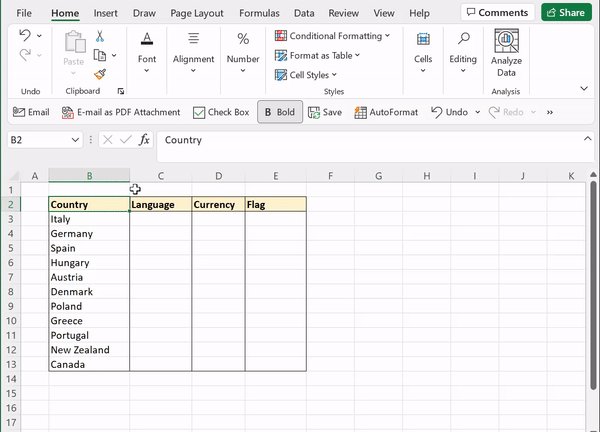
Spare yourself the google search and let Excel search for you using DT. DT pull real-time data into Excel. To convert text strings into linked DT, just select the data category under the data tab. Now, simply select the attributes you want to pull into Excel.
Spare yourself the google search and let Excel search for you using DT. DT pull real-time data into Excel. To convert text strings into linked DT, just select the data category under the data tab. Now, simply select the attributes you want to pull into Excel.
2. Flash Fill (FF)
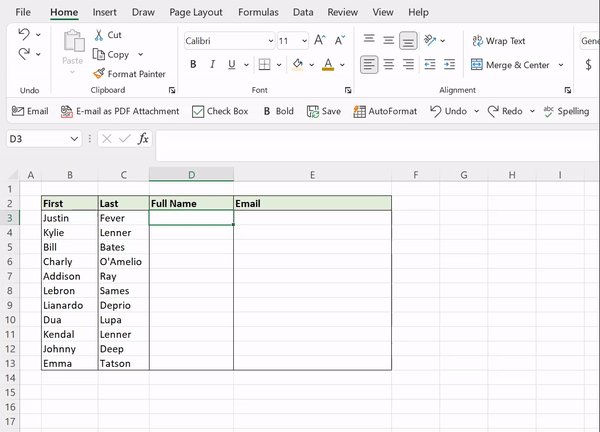
Say goodbye to writing complex functions to manipulate data, and hello to FF. FF automatically fills data down a column based on detected patterns. Just enter how you want the data to appear, hit CTRL E, and Excel will auto-fill the pattern down the column!
Say goodbye to writing complex functions to manipulate data, and hello to FF. FF automatically fills data down a column based on detected patterns. Just enter how you want the data to appear, hit CTRL E, and Excel will auto-fill the pattern down the column!
3. Power Query (PQ)
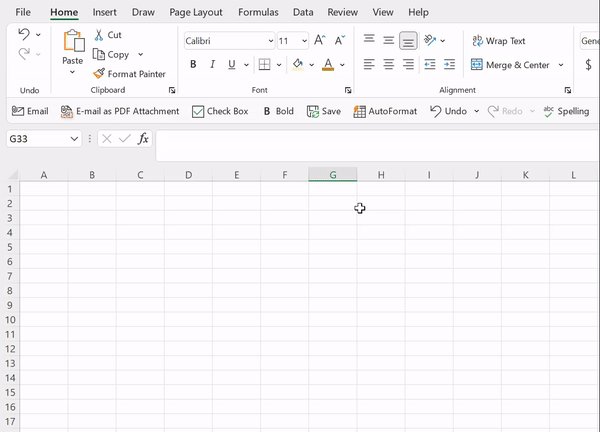
Teleport data into Excel using PQ. PQ is a powerful tool that imports data from various sources (the web, PDFs, CSVs, etc.) into Excel. Instead of copying data from the web, just go to the Data tab > From Web > enter URL > Select the data table and hit load.
Teleport data into Excel using PQ. PQ is a powerful tool that imports data from various sources (the web, PDFs, CSVs, etc.) into Excel. Instead of copying data from the web, just go to the Data tab > From Web > enter URL > Select the data table and hit load.
4. AutoSum (AS)
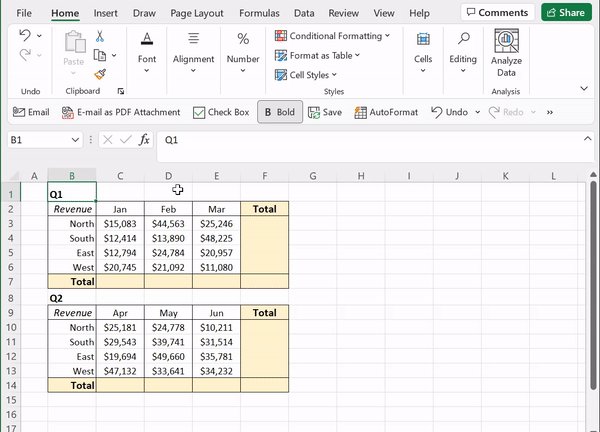
Summing data in Excel can be tedious, but not with AS! AS automatically detects data in adjacent cells and sums it using the SUM function. To use AS, select an empty cell adjacent to the data that needs to be summed and simply press ALT =.
Summing data in Excel can be tedious, but not with AS! AS automatically detects data in adjacent cells and sums it using the SUM function. To use AS, select an empty cell adjacent to the data that needs to be summed and simply press ALT =.
5. Analyze Data (AD)
Analyzing large datasets can be a daunting task, so why not let Excel analyze the data for you? Just select AD under the Home tab and insert any of the high-level visual summaries created, or simply type how you want to summarize your data in the text box.
Analyzing large datasets can be a daunting task, so why not let Excel analyze the data for you? Just select AD under the Home tab and insert any of the high-level visual summaries created, or simply type how you want to summarize your data in the text box.

6. Sparklines (SL)
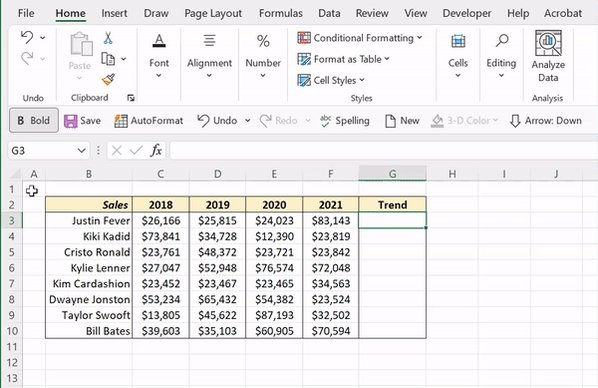
Visualizing data trends have never been easier, thanks to SL! SL are mini in-cell line charts that visualize data. To insert SL, go to the Insert tab > Line > insert the range you want to visualize and hit okay. Lastly, fill the SL down using the fill handle.
Visualizing data trends have never been easier, thanks to SL! SL are mini in-cell line charts that visualize data. To insert SL, go to the Insert tab > Line > insert the range you want to visualize and hit okay. Lastly, fill the SL down using the fill handle.
That’s all for today. If you felt the spark(lines) from these tips, make sure to follow @exceldictionary for more!
Shop all ebooks and merch👉🏼shop.morningbrew.com
Shop all ebooks and merch👉🏼shop.morningbrew.com

Loading suggestions...