

Want to learn Tailwind CSS?
It's pretty easy.
Save hours of research, read this thread 🧵
It's pretty easy.
Save hours of research, read this thread 🧵

You don't need resources, tutorials, or courses.
The official documentation is all you'll ever need.
Here's the bare minimum you should read:
The official documentation is all you'll ever need.
Here's the bare minimum you should read:
Utility-First Fundamentals
Understand the ideas behind Tailwind CSS and why many devs fall in love with it.
👉 tailwindcss.com
Understand the ideas behind Tailwind CSS and why many devs fall in love with it.
👉 tailwindcss.com

Responsive Design
Tailwind CSS makes it easy to build Responsive Designs.
It's one of its greatest benefits.
Learn more about that here:
👉 tailwindcss.com
Tailwind CSS makes it easy to build Responsive Designs.
It's one of its greatest benefits.
Learn more about that here:
👉 tailwindcss.com

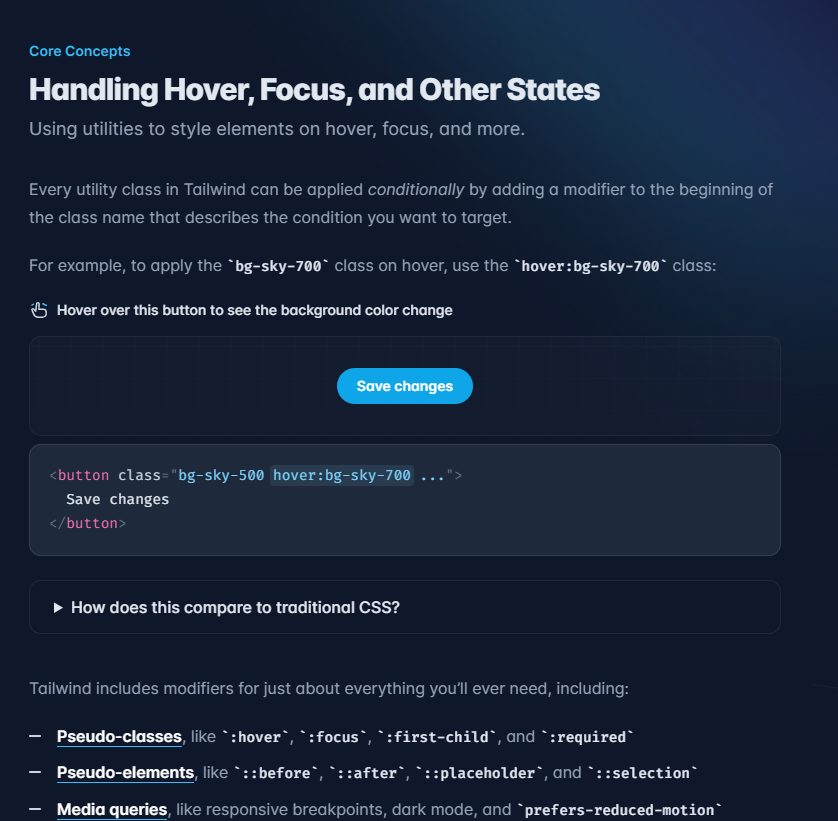
Enough reading for now.
As for the rest, you will gradually learn everything as you build and run into problems.
Now install VS Code extension.
👉 marketplace.visualstudio.com
As for the rest, you will gradually learn everything as you build and run into problems.
Now install VS Code extension.
👉 marketplace.visualstudio.com

Create a Project
Use Create TW. It's like create-react-app, but for Tailwind CSS.
You can create all sorts of projects with it: React, Vue, Svelte, Solid, Vanilla, Astro, etc.
(Don't forget to star ⭐ on GitHub if you like it 😊)
👉 github.com
Use Create TW. It's like create-react-app, but for Tailwind CSS.
You can create all sorts of projects with it: React, Vue, Svelte, Solid, Vanilla, Astro, etc.
(Don't forget to star ⭐ on GitHub if you like it 😊)
👉 github.com
Tip 💡
Don't try to memorize utility classes.
Start typing what comes to your mind, and autocomplete will help you.
Utility class names are very similar to CSS properties:
display: flex; → flex
opacity: 0.5; → opacity-50
justify-content: center; → justify-center;
Don't try to memorize utility classes.
Start typing what comes to your mind, and autocomplete will help you.
Utility class names are very similar to CSS properties:
display: flex; → flex
opacity: 0.5; → opacity-50
justify-content: center; → justify-center;
Now open the official docs and start building.
If you have solid CSS fundamentals, you will experience a very pleasant learning curve.
That's it!
Was it helpful? Let me know in the comments!
Follow @reactive_dude for more web development tips 🙌
If you have solid CSS fundamentals, you will experience a very pleasant learning curve.
That's it!
Was it helpful? Let me know in the comments!
Follow @reactive_dude for more web development tips 🙌
جاري تحميل الاقتراحات...