

I tweeted yesterday that "Arbitrum is the new alpha".
For those that don't know how to interact with Arbitrum,
here's a brief explanation on how to bridge and interact with Arbitrum.
For those that don't know how to interact with Arbitrum,
here's a brief explanation on how to bridge and interact with Arbitrum.
Arbitrum is a Layer 2 solution on Ethereum.
The network currently has around 2.5B locked assets and has processed over 3 million transactions.
Gas fees are less expensive on Arbitrum compared to the Ethereum Mainnet
The network currently has around 2.5B locked assets and has processed over 3 million transactions.
Gas fees are less expensive on Arbitrum compared to the Ethereum Mainnet
What makes gas fees lower on Arbitrum is the use of optimistic rollups.
Optimistic rollups are smart contracts that roll up transactions into bundles,
that use less computation and therefore less gas for fast and less expensive transactions
Optimistic rollups are smart contracts that roll up transactions into bundles,
that use less computation and therefore less gas for fast and less expensive transactions
Now let's get into how you bridge your ETH to Arbitrum
First, add the Arbitrum network directly from your MetaMask in three steps.
Step 1: Open your MetaMask and click “Ethereum Mainnet” at the top
First, add the Arbitrum network directly from your MetaMask in three steps.
Step 1: Open your MetaMask and click “Ethereum Mainnet” at the top
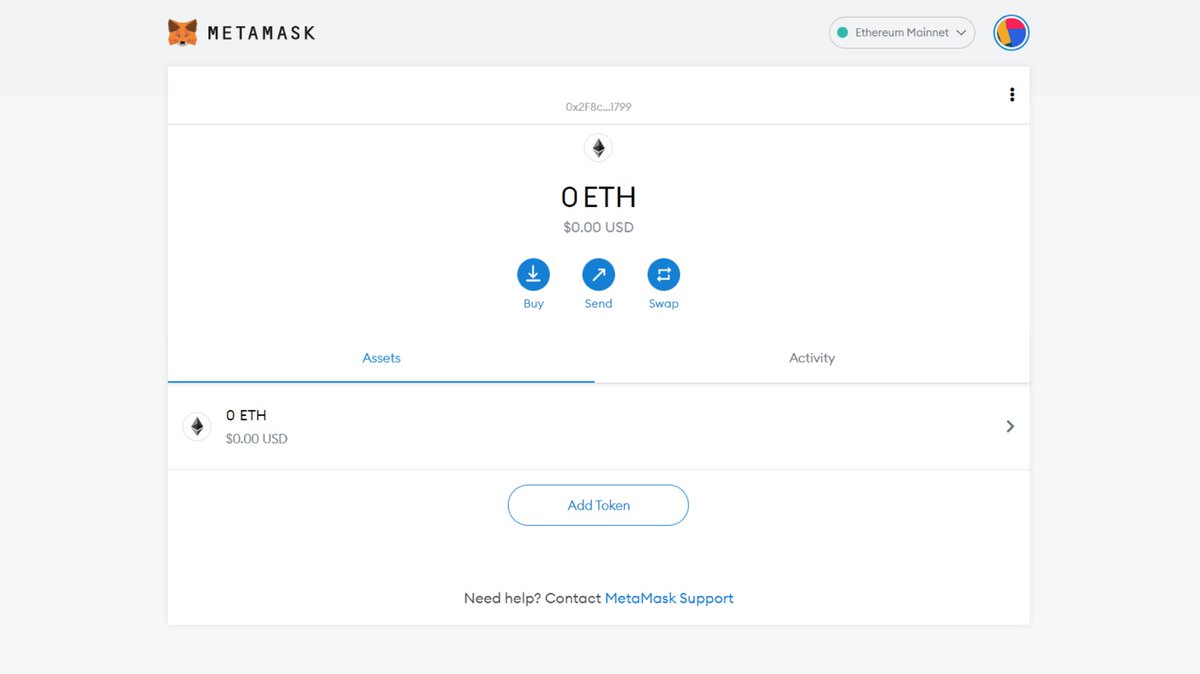
Step 2 :Then, select “Custom RPC.”
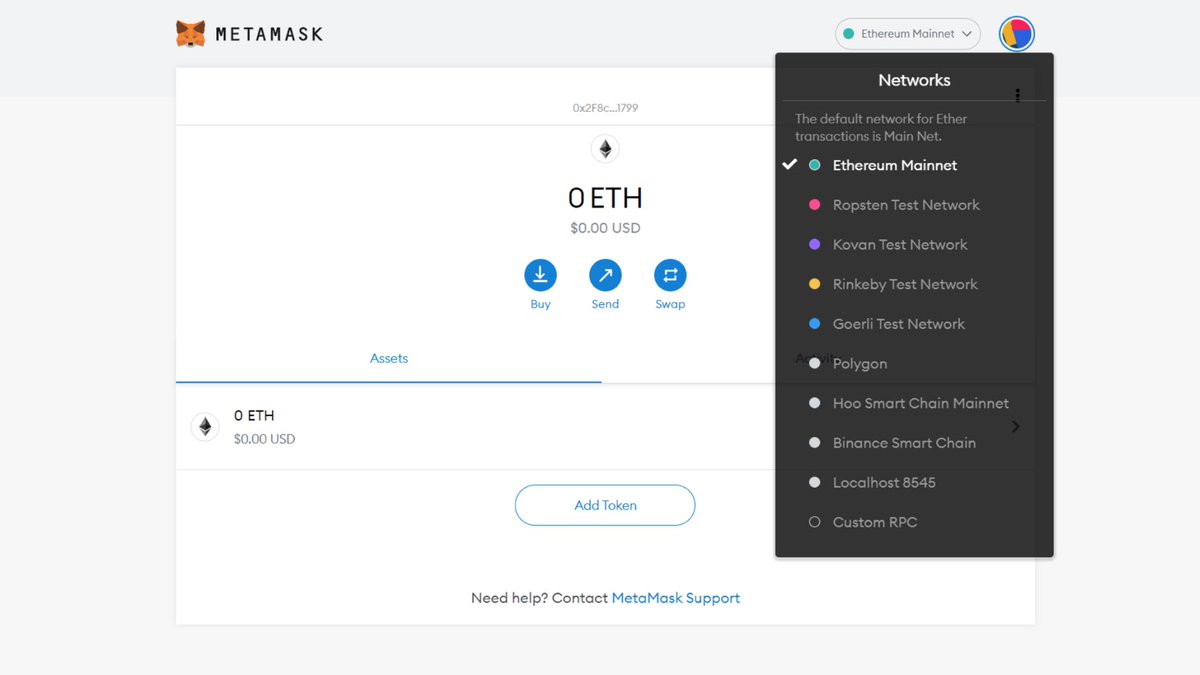
Step 3: input the network credentials shown below and click, “Add Network.”
•Network Name: Arbitrum One
•RPC: arb1.arbitrum.io
• Chain ID: 42161
•Currency Symbol: ETH
•Block Explorer URL: arbiscan.io
•Network Name: Arbitrum One
•RPC: arb1.arbitrum.io
• Chain ID: 42161
•Currency Symbol: ETH
•Block Explorer URL: arbiscan.io
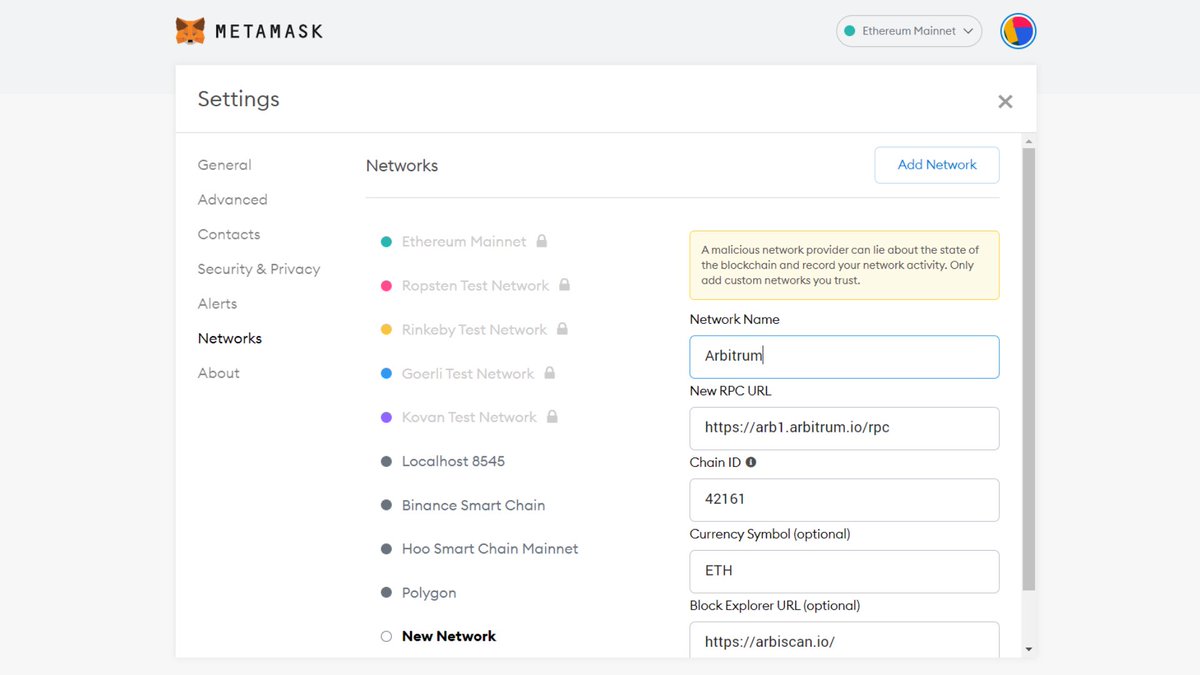
Voilà! Now that you’ve connected the Arbitrum network to your MetaMask.
You can bridge your ETH and discover new dapps.
You can bridge your ETH and discover new dapps.
BRIDGING YOUR ASSETS FROM ETHEREUM to ARBITRUM
Here’s how to send your ETH from Layer 1 Ethereum to Layer 2 Arbitrum.
Go to bridge.arbitrum.io
Since you’re MetaMask is already connected, the screen will appear as shown below, with the option to make a deposit:
Here’s how to send your ETH from Layer 1 Ethereum to Layer 2 Arbitrum.
Go to bridge.arbitrum.io
Since you’re MetaMask is already connected, the screen will appear as shown below, with the option to make a deposit:
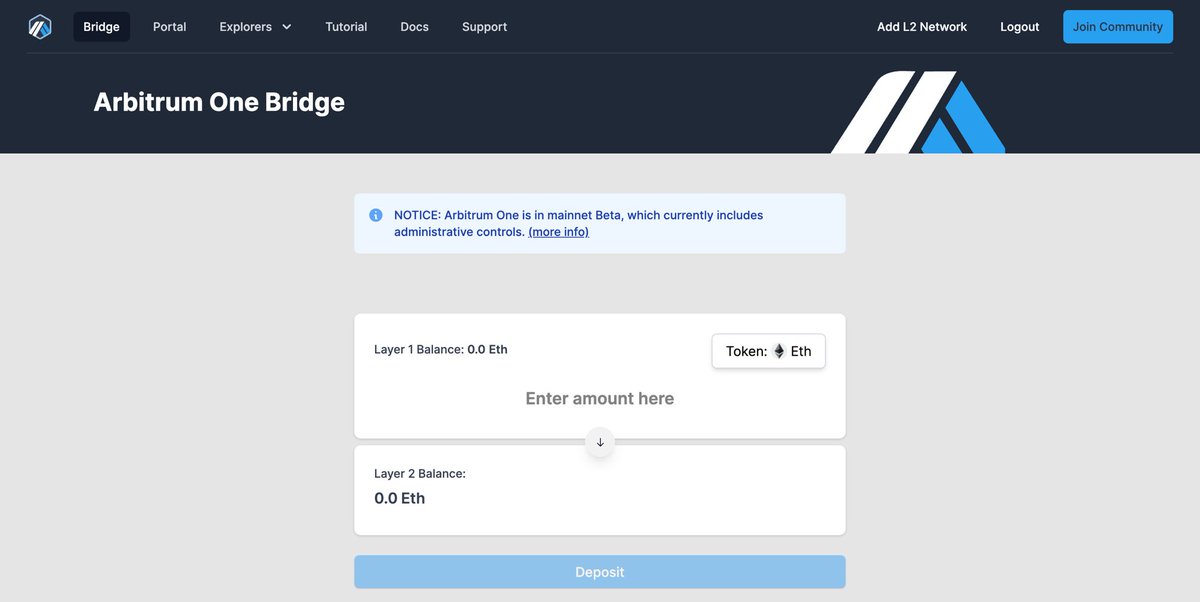
Then, simply enter the amount of ETH you wish to use on Arbitrum and click “Deposit”.
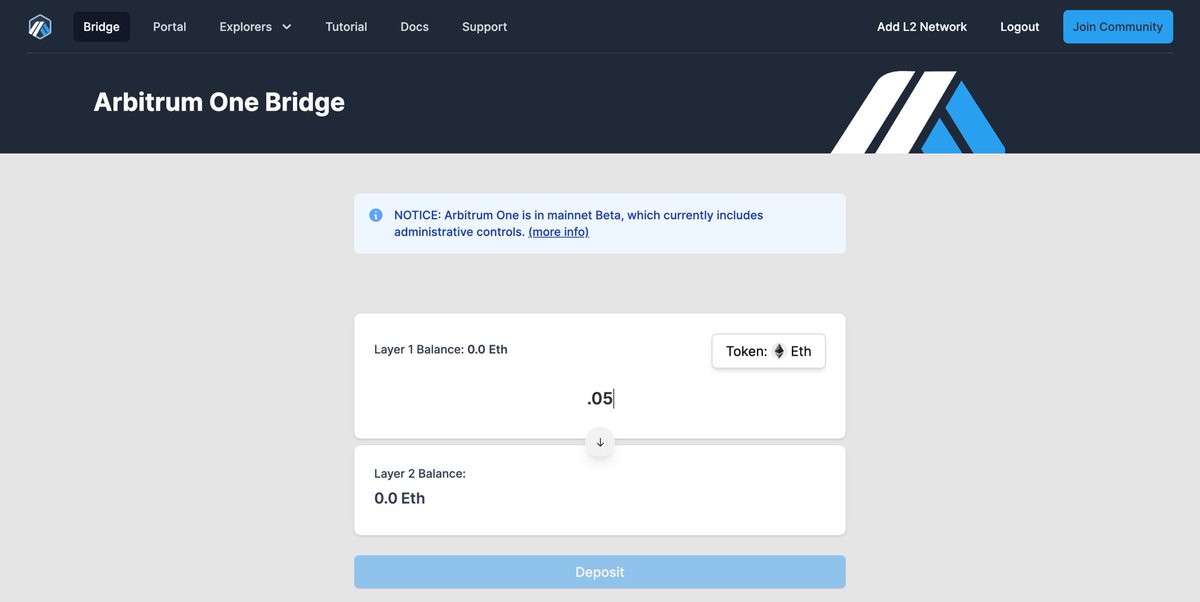
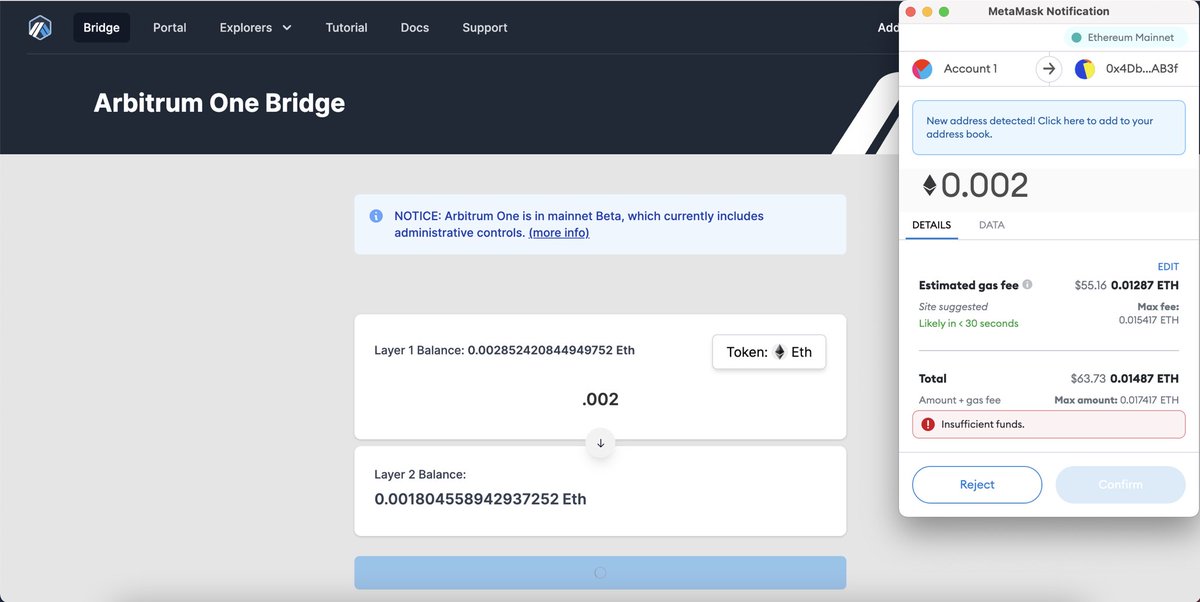
Next, you will need to confirm the transaction in your wallet.
Please note that this transaction is on Layer 1 and standard gas fees will apply.
However, once on Arbitrum you can enjoy lower gas fees. Once the amount is correct, click “Confirm”.
Please note that this transaction is on Layer 1 and standard gas fees will apply.
However, once on Arbitrum you can enjoy lower gas fees. Once the amount is correct, click “Confirm”.
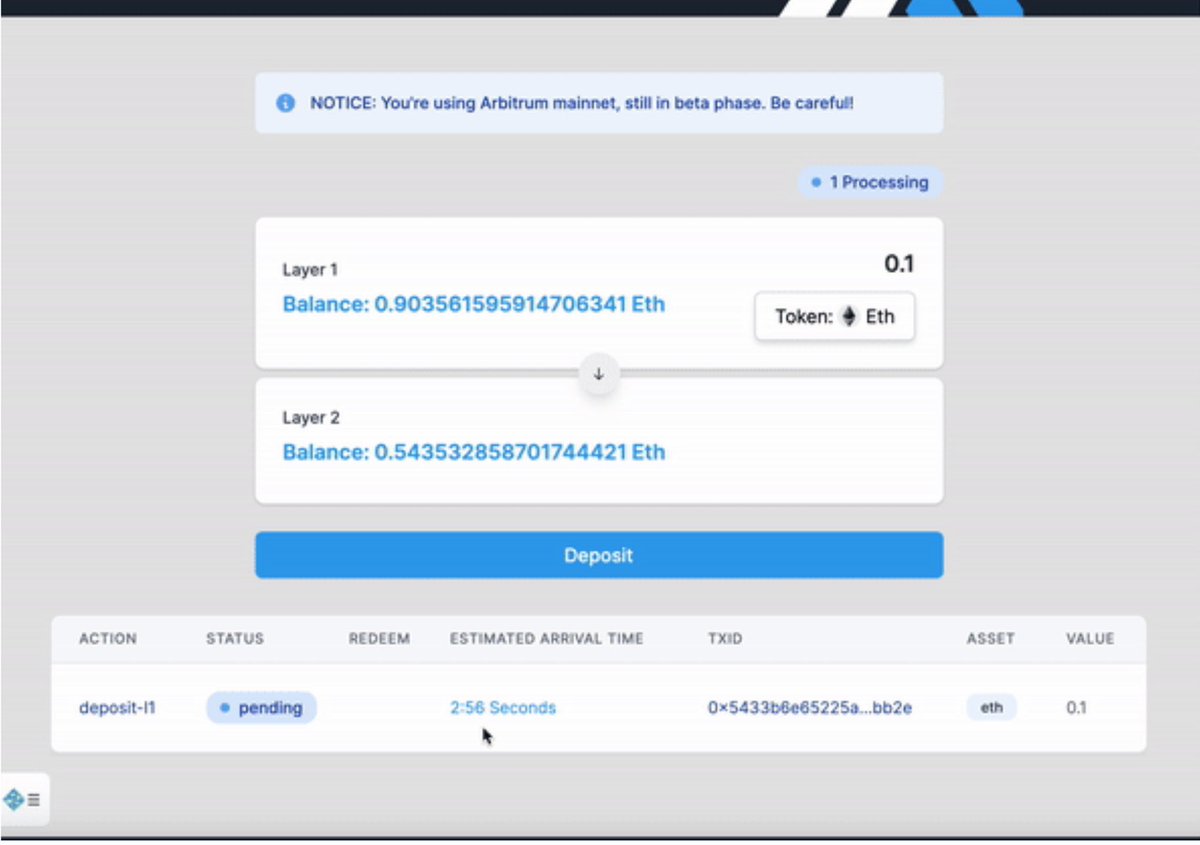
Once confirmed, you will see the transaction appear and process at the bottom of your screen.
This can take a few minutes.
This can take a few minutes.
As soon as you have some ETH on Arbitrum, you can start to use it!
Next, let’s explore the many dapps available on the Arbitrum One Portal.
Next, let’s explore the many dapps available on the Arbitrum One Portal.
BROWSE DAPPS ON ARBITRUM
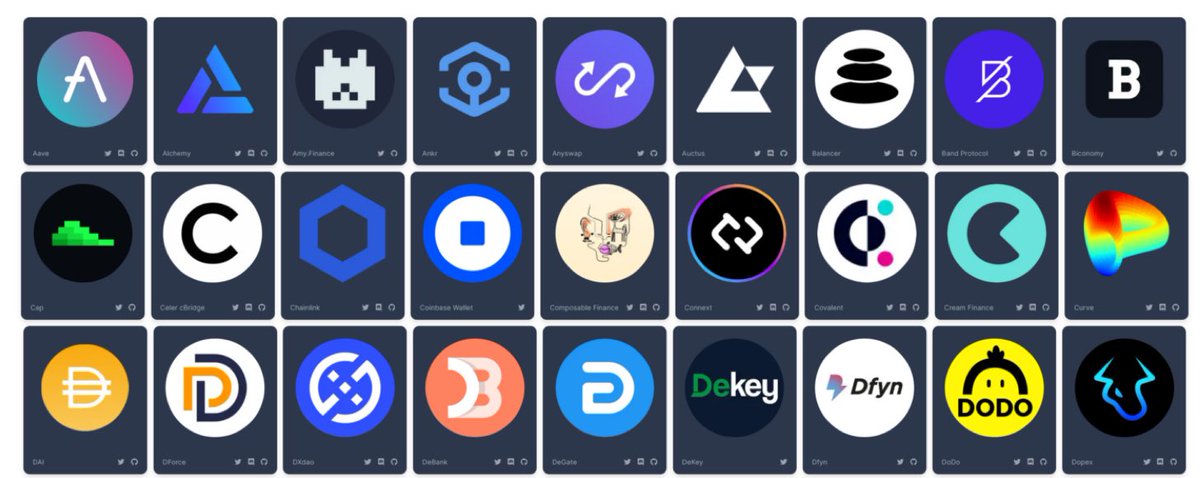
The Arbitrum One Portal is described as the “gateway to the Arbitrum ecosystem”
and currently supports over 50 of the most used dapps on Web3.
Here's how you access it 👇🏾
portal.arbitrum.one
The Arbitrum One Portal is described as the “gateway to the Arbitrum ecosystem”
and currently supports over 50 of the most used dapps on Web3.
Here's how you access it 👇🏾
portal.arbitrum.one
Now that you know how to access Arbitrum.
Position yourself for the next trend.
Position yourself for the next trend.
Loading suggestions...