

⚡ An awesome guide on Map object in JavaScipt!
A Thread 🧵↓
A Thread 🧵↓
🔔I'm also planning to make a video JavaScript video series on YouTube as well!
⚡ Series Name: JavaScript 💛 Comrade
- But I'm not good at english speaking😊, so forgive me if I made any mistakes;)
⚡ Series Name: JavaScript 💛 Comrade
- But I'm not good at english speaking😊, so forgive me if I made any mistakes;)
- Initially, it takes more time but after 10 - 20 videos maybe I will improve my english speaking.
- So, I am not going to commit that I will post a new video every day.
Episode 1:⬇️
youtu.be
- So, I am not going to commit that I will post a new video every day.
Episode 1:⬇️
youtu.be
📍 First of all, we have to keep in mind that "map" are 2 different concepts in JavaScript.
1️⃣ Class Map (Object)
2️⃣ Functional map (Array)
- So in this thread, we are going to cover the class "Map" in JavaScript.
1️⃣ Class Map (Object)
2️⃣ Functional map (Array)
- So in this thread, we are going to cover the class "Map" in JavaScript.
📍 Map object in JavaScript?
- The Map object stores key-value pairs, we can specify any type of primitive key-value pair inside the Map object.
- Map object is a collection of unique elements.
- The Map object stores key-value pairs, we can specify any type of primitive key-value pair inside the Map object.
- Map object is a collection of unique elements.
📍 In short:
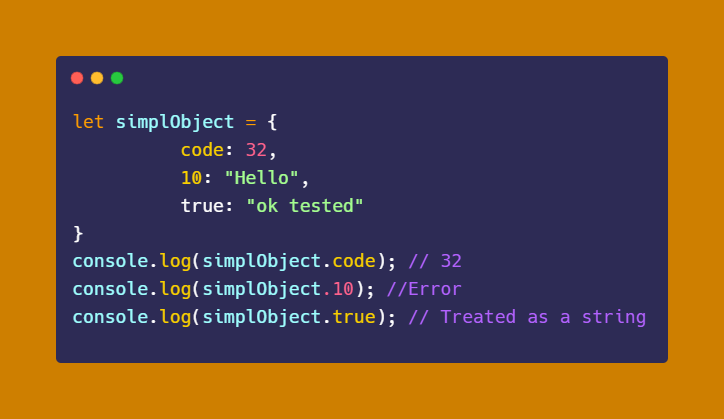
- In a Map object key and value can be any primitive data type but it's not true with simple objects.
- We can not define the number or boolean data type as the name of the key in simple objects.
Here:
- 10 - Error
- true - Treated as a string
- In a Map object key and value can be any primitive data type but it's not true with simple objects.
- We can not define the number or boolean data type as the name of the key in simple objects.
Here:
- 10 - Error
- true - Treated as a string
📍 Syntax of the Map object:
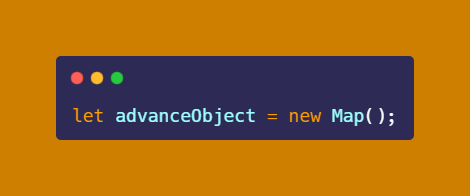
- We can create a Map object using the following syntax:
- And now we have to set the properties to the Map object using 2 ways.
- We can create a Map object using the following syntax:
- And now we have to set the properties to the Map object using 2 ways.
1. Using the "set" keyword
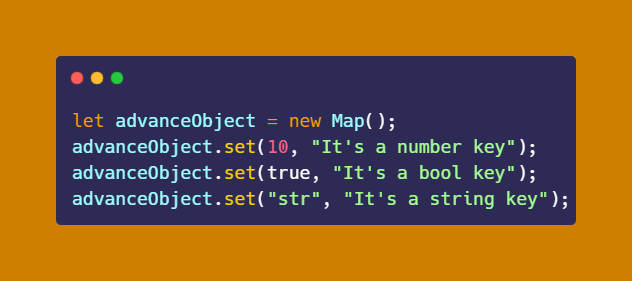
- We can set the key pairs using the "set" method.
Here:
- keys = 10, true, "str"
- values = It's a number key, It's a bool key, It's a string key
- We can set the key pairs using the "set" method.
Here:
- keys = 10, true, "str"
- values = It's a number key, It's a bool key, It's a string key
2. Using square[ ] brackets
- We can also set the key pairs using square brackets[ ].
Here:
- keys = "str", true, 10
- values = This is str key, This is bool key, This is number key
- We can also set the key pairs using square brackets[ ].
Here:
- keys = "str", true, 10
- values = This is str key, This is bool key, This is number key
![2. Using square[ ] brackets
- We can also set the key pairs using square brackets[ ].
Here:
- ke...](https://pbs.twimg.com/media/FZKU-2zacAE9aUp.png)
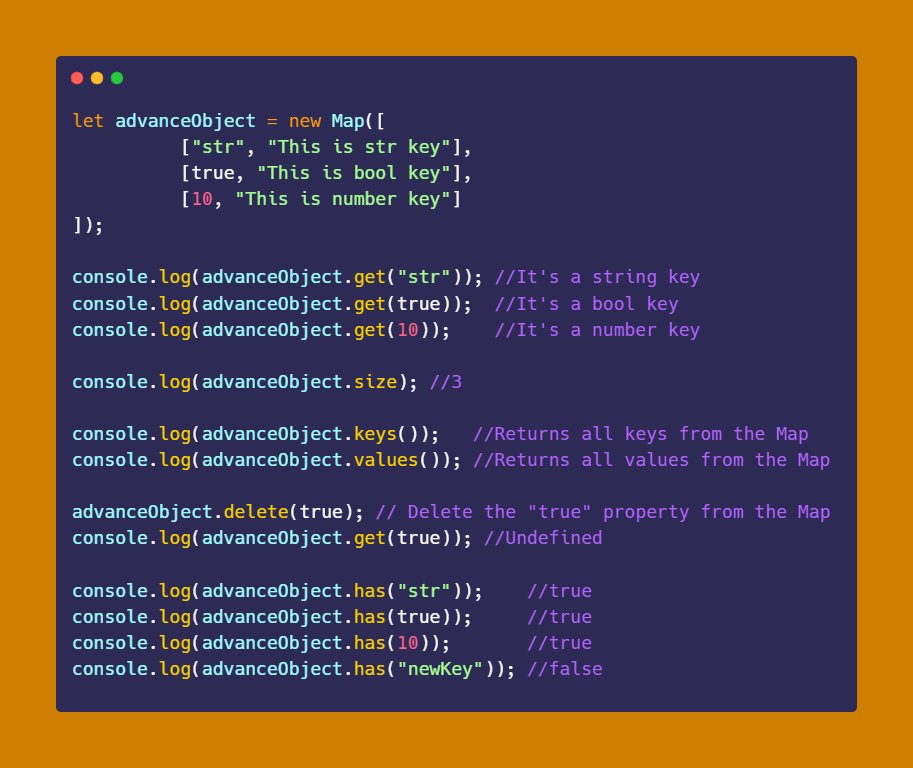
😊 Once we set the key pairs to the Map object, it provides some awesome Map methods that are used to manipulate its elements.
- I've already covered a Map method that is "set" which is used to insert elements in the Map object.
- I've already covered a Map method that is "set" which is used to insert elements in the Map object.
📍 Most important Map methods:
get( ): Returns the value
size: Returns the size of the Map
keys( ): Returns the key from the Map
values( ): Returns the value from the Map
delete( ): Remove the key pairs from the Map
has( ): Check the availability of the key pairs in the Map
get( ): Returns the value
size: Returns the size of the Map
keys( ): Returns the key from the Map
values( ): Returns the value from the Map
delete( ): Remove the key pairs from the Map
has( ): Check the availability of the key pairs in the Map
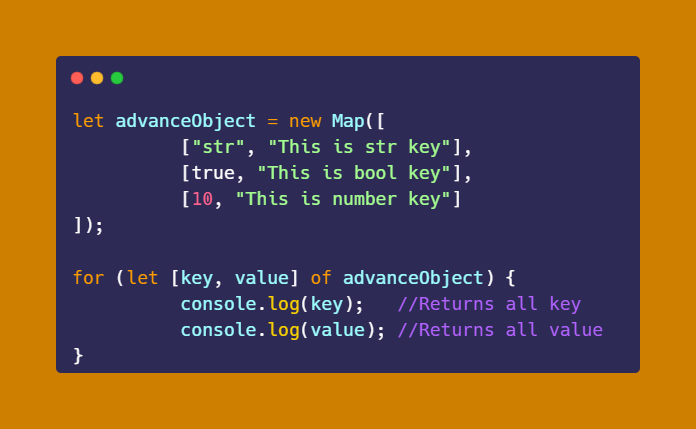
- Also, we can iterate Map elements through the "for...of" loop.
⚡ You can learn the "for...of" loop from this thread:
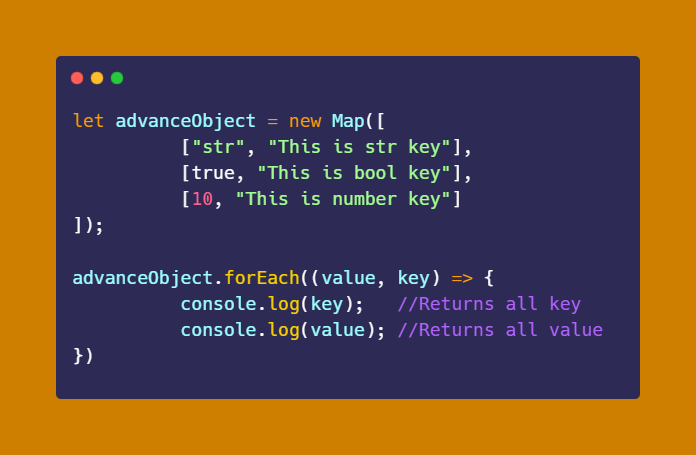
- And Map elements can be iterate through forEach( ) method/loop as well.
- You can also learn forEach loop from this thread:
Loading suggestions...