

How to create your first Express server.
Thread 🧵👇
Thread 🧵👇
Express is a web framework that is fast, unopinionated, and minimalist.
Express is ideal for creating fast REST APIs in NodeJS.
Its middleware support makes it even more versatile.
Let's show how to create a simple Express server.
Express is ideal for creating fast REST APIs in NodeJS.
Its middleware support makes it even more versatile.
Let's show how to create a simple Express server.
For this to work on your PC, you have to install NodeJS.
You can find instructions on the official NodeJS site:
nodejs.org
You can find instructions on the official NodeJS site:
nodejs.org
1️⃣ Initialize project
Please make a new folder. Jump into this folder and run the following command in your terminal.
You will be prompted for information like name, version, author, and more.
The new package.json file for the project will be created for you.
Please make a new folder. Jump into this folder and run the following command in your terminal.
You will be prompted for information like name, version, author, and more.
The new package.json file for the project will be created for you.

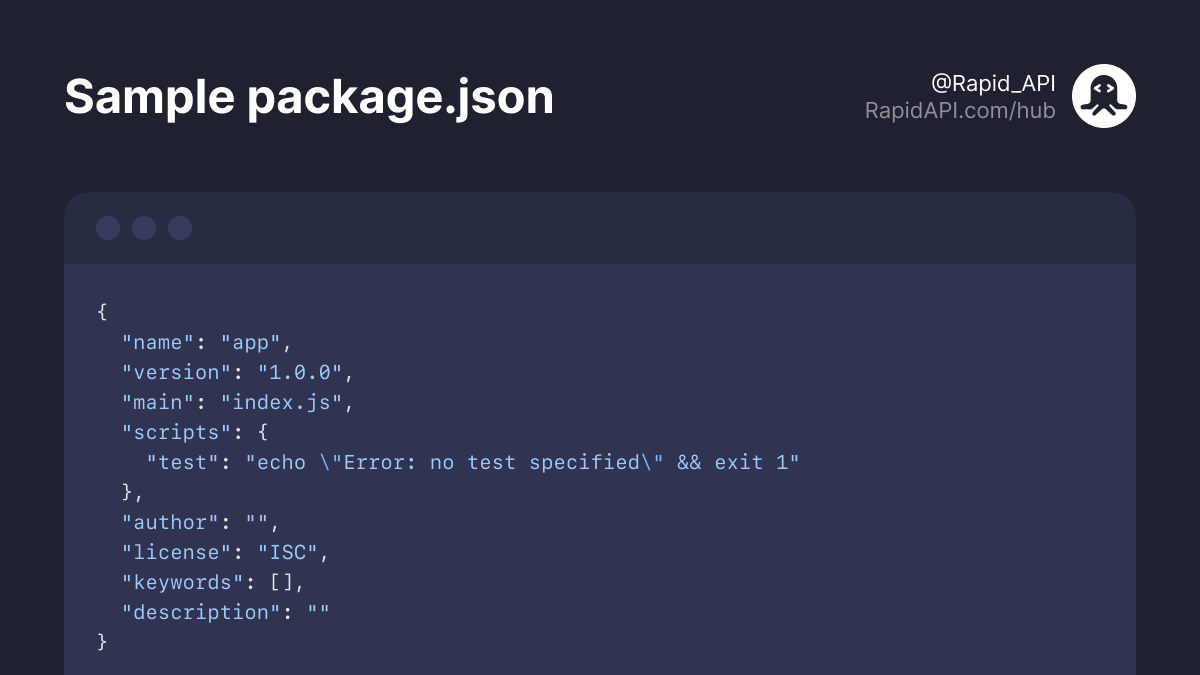
Below you can see a sample package.json file.
If you prefer to generate the file for you with default settings, you can run: "npm init -y"
If you prefer to generate the file for you with default settings, you can run: "npm init -y"
2️⃣ Install Express package
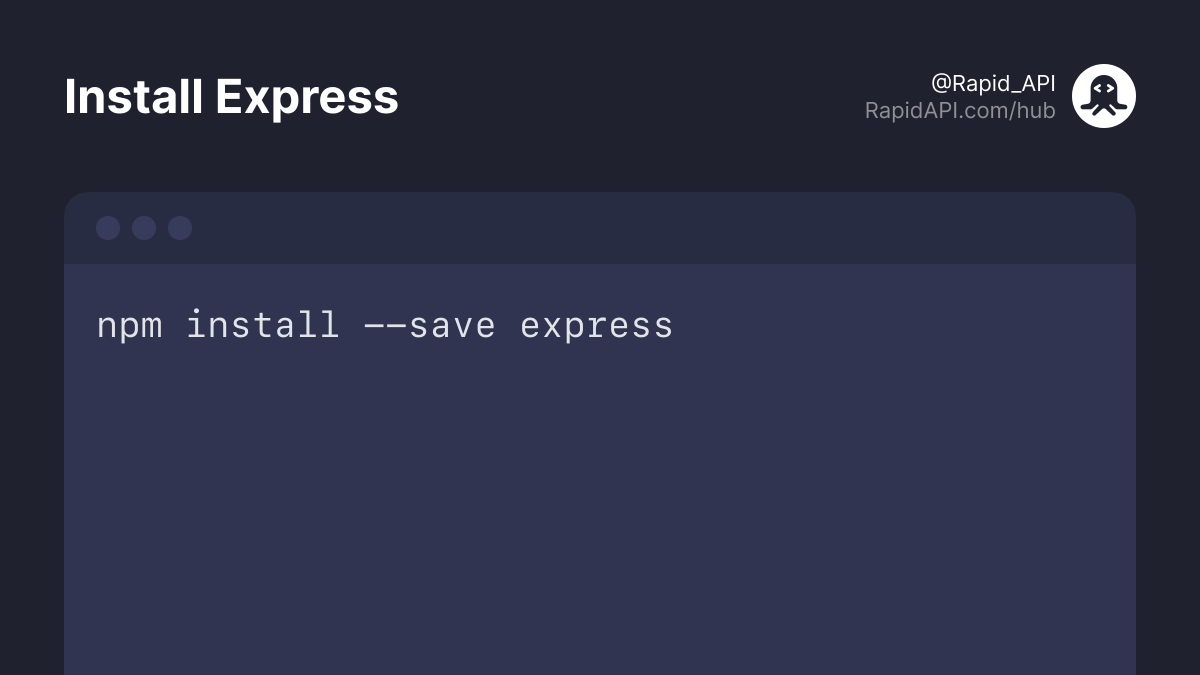
In the next step, we're going to install Express.
In the next step, we're going to install Express.
3️⃣ Create index.js file
Create an index.js file in the root of your folder.
This file is going to be the main file for our project.
Create an index.js file in the root of your folder.
This file is going to be the main file for our project.
4️⃣ Server code
Let's explain the code below.
First, we require the installed Express package.
In the next step, we create a new express application and hold it in the "app" variable.
We're also defining the port. Our server app will run on port 3000.
Let's explain the code below.
First, we require the installed Express package.
In the next step, we create a new express application and hold it in the "app" variable.
We're also defining the port. Our server app will run on port 3000.
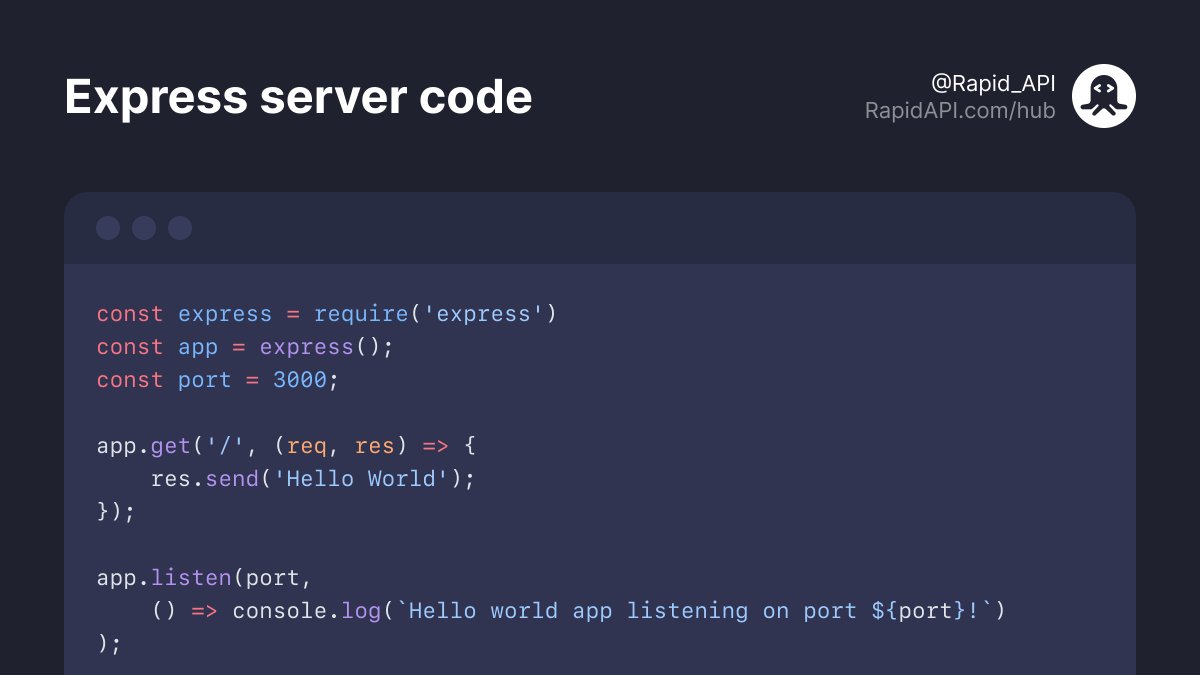
We start our server with "app.listen" method.
This method has a second parameter that defines a callback function.
In our case, it's a simple console.log output.
This method has a second parameter that defines a callback function.
In our case, it's a simple console.log output.
The "app.get" method is the actual endpoint defined on our express server.
In our case, if you call http://localhost:3000/ (without space), the server will return "Hello world".
In the next tutorial, we'll improve our Express server and add more API-related methods.
In our case, if you call http://localhost:3000/ (without space), the server will return "Hello world".
In the next tutorial, we'll improve our Express server and add more API-related methods.
I hope you enjoyed this thread.
If you found this thread useful, follow @Rapid_API. 🐙💙
If you found this thread useful, follow @Rapid_API. 🐙💙
جاري تحميل الاقتراحات...