

Three easy steps to find, connect, and integrate any API into your application.
Thread 🧵
Thread 🧵
STEP 1: Discovery 🔍
Head over to the RapidAPI Hub (RapidAPI.com) and search for the APIs as per your need.
There are over 40,000 APIs to search and choose from.
Head over to the RapidAPI Hub (RapidAPI.com) and search for the APIs as per your need.
There are over 40,000 APIs to search and choose from.

For example, search for the "Food recipe" API.
You’ll find a lot of APIs for that. Hover over on any API for quick details about that API.
You’ll find a lot of APIs for that. Hover over on any API for quick details about that API.

STEP 2: Connect to an API 🖇
Gather information about your chosen API using the endpoints page to view a list of endpoints.
Go ahead, pick the endpoint that works for you.
Gather information about your chosen API using the endpoints page to view a list of endpoints.
Go ahead, pick the endpoint that works for you.

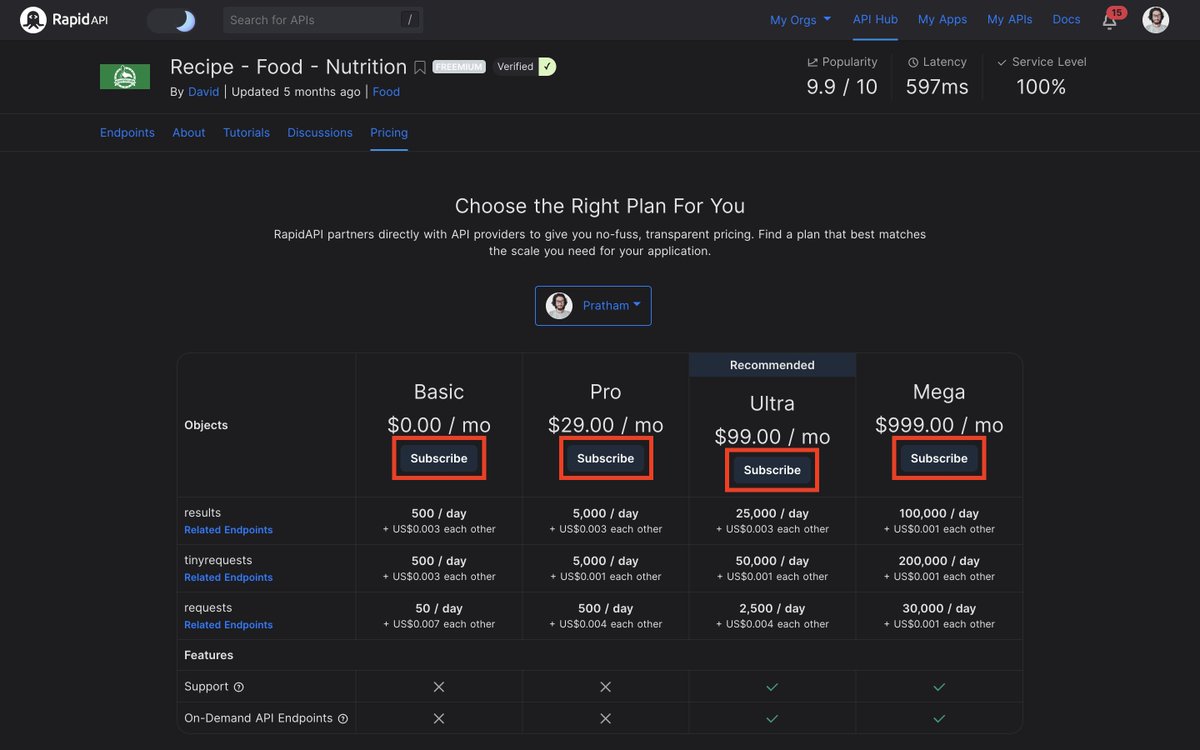
Click the "Subscribe to Test" button, and it will take you to the pricing page.
Or you can click on the "Pricing" tab directly.
Or you can click on the "Pricing" tab directly.

Choose your subscription plan according to your needs. Register an account while at it (super easy 1-click tap to sign up with Google or GitHub).
Awesome! Now you're good to go to test the API. 🚀
Awesome! Now you're good to go to test the API. 🚀
STEP 3: API Playground 🧪
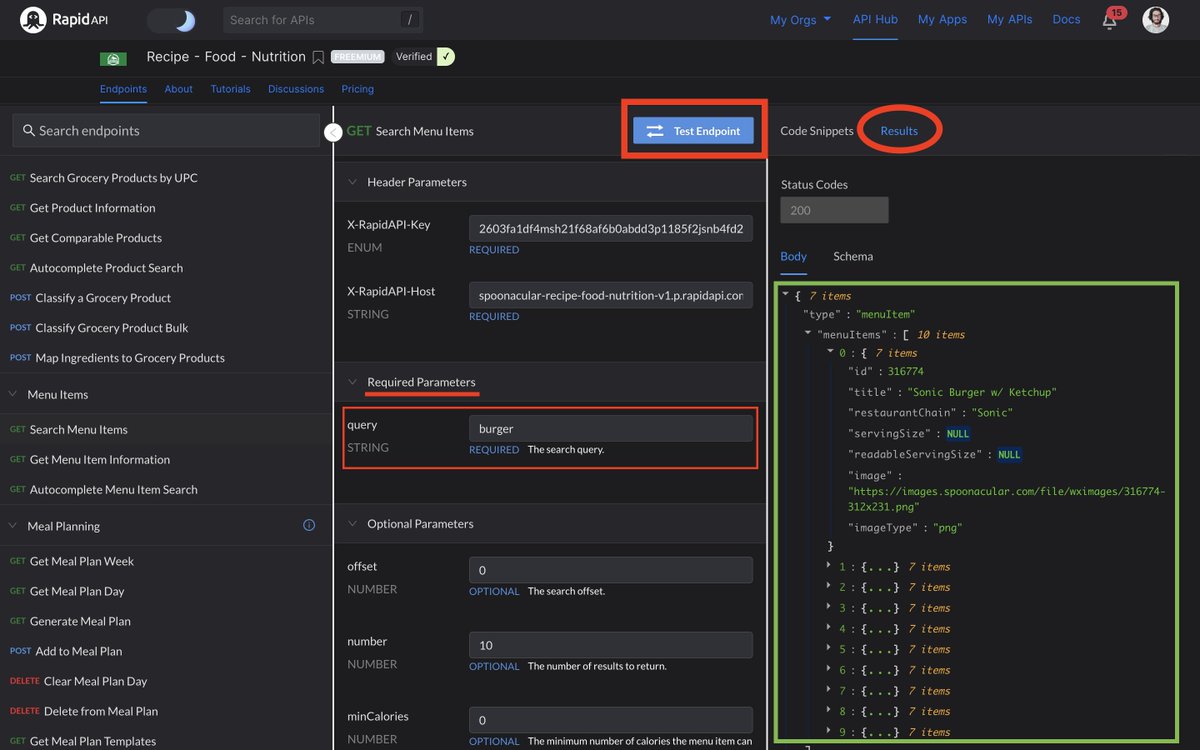
Choose the endpoint from the left-hand sidebar and then click on "Test Endpoint" after filling all the required parameters, if any.
And here we go. You'll see the endpoint’s response on the right-hand side.
Choose the endpoint from the left-hand sidebar and then click on "Test Endpoint" after filling all the required parameters, if any.
And here we go. You'll see the endpoint’s response on the right-hand side.
Fun fact: RapidAPI generates API code for you in 20 programming languages with 40 different libraries.
You can copy-paste the code snippet directly into your app.
You can copy-paste the code snippet directly into your app.
And that's pretty much about it for this thread.
That's how you can use RapidAPI and create software.
Follow @Rapid_API because we fulfill all your API needs. 🐙💙
That's how you can use RapidAPI and create software.
Follow @Rapid_API because we fulfill all your API needs. 🐙💙
Loading suggestions...