

1️⃣2️⃣ -🅰 / 5️⃣0️⃣ The Ultimate JavaScript Projects Series!
🎉 Progress Page Steps!
A Thread🧵↓
🎉 Progress Page Steps!
A Thread🧵↓
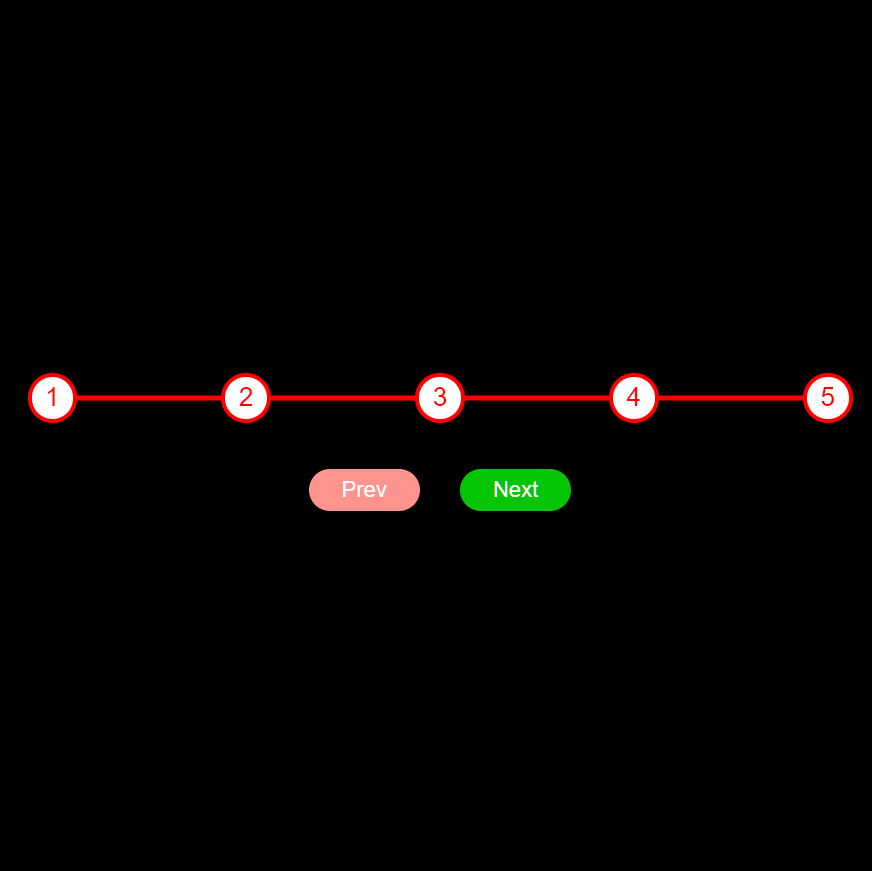
⛔ We are going to build this project in 2 days, which means some explanation of this project will be posted tomorrow.
🔔 So stay tuned with me, and if you want to learn about this project then you can follow this thread.
🔔 So stay tuned with me, and if you want to learn about this project then you can follow this thread.
⛔ There is a small change for the "line" of the progress in the HTML element.
😍 And rest things are the same as in the above thread.
😍 And rest things are the same as in the above thread.
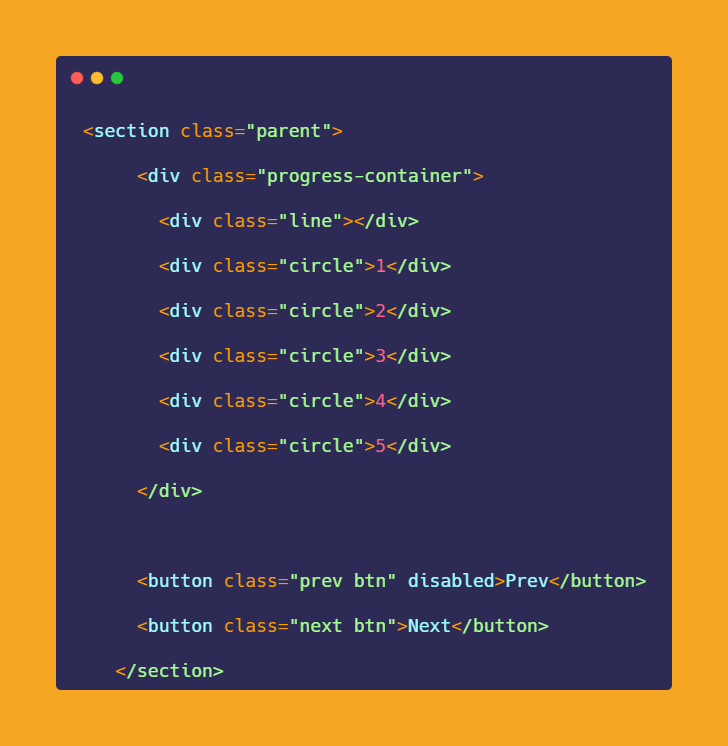
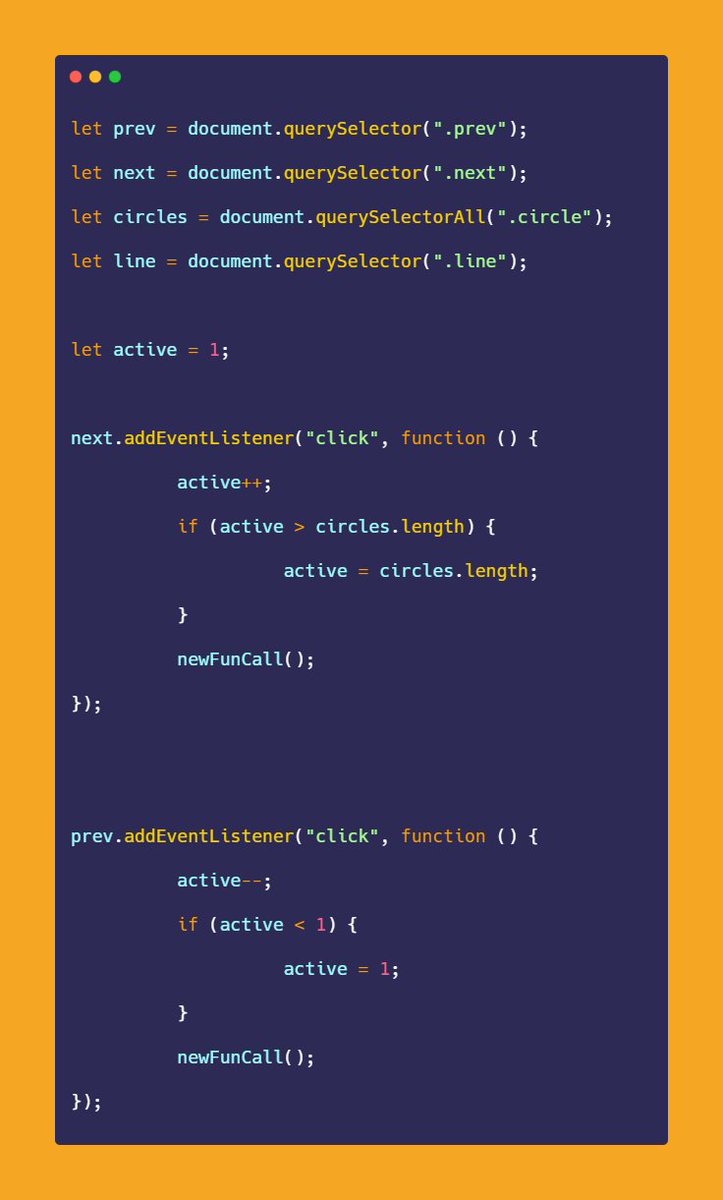
◩ So first of all we have to select all required HTML elements using JavaScript.

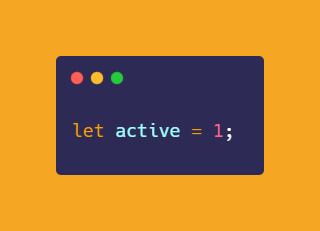
◩ And create a variable called "active" it's responsible for current active circles and lines of the "progress step" as well.
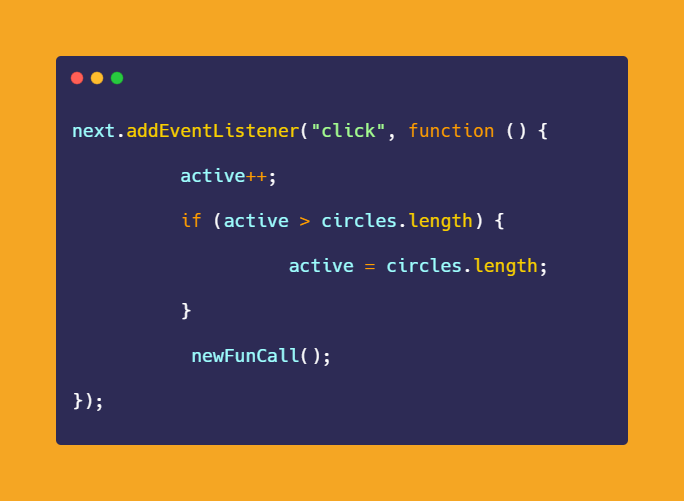
🔔 Then we have to listen to an event on both buttons, so for the "next" button, we want to increase the active value after each click.
◩ That's why I'm going to increase active value with increment operator.
◩ That's why I'm going to increase active value with increment operator.
◩ And the value of the "active" variable shouldn't be greater than the elements.
◩ That's why we are checking, if the active value is greater than the circles then the last value should be assigned as the value of the "active" variable.
◩ That's why we are checking, if the active value is greater than the circles then the last value should be assigned as the value of the "active" variable.
◩ Finally, we have to call a new function!
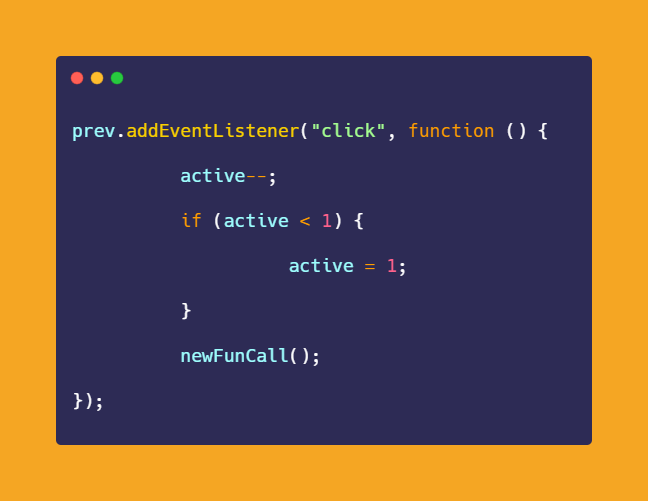
◩ Now for the "prev" (previous) button we have to decrease the "active" variable value.
◩ And the value of the "active" variable shouldn't be less than 1 if yes then the value will be 1 as well.
◩ Finally, we have to call a new function for the rest of things.
◩ And the value of the "active" variable shouldn't be less than 1 if yes then the value will be 1 as well.
◩ Finally, we have to call a new function for the rest of things.
◩ Here is the final code for this thread, but you will see more code in tomorrow's thread.
🔔 This project is incomplete right now, so you have to wait for the next thread:)
Thank you <3
🔔 This project is incomplete right now, so you have to wait for the next thread:)
Thank you <3
🔔 One more thing, if you want to learn the awesome projects from this series then you should follow this Github repository.
🔔 Don't forget to give a star ⭐ to this repository, also if you didn't follow me on GitHub then consider following me.
github.com
🔔 Don't forget to give a star ⭐ to this repository, also if you didn't follow me on GitHub then consider following me.
github.com
That's all for now, we will meet in the next thread😍
🔔 Follow Me @ATechAjay
For:
🌐 Web Development
✨ JavaScript
📝 Writing Skill
🔥 Motivation
💹 Growth
⛔ But Not For Only Resources & Shitpost 😁
Thank you so much for staying to the end of this thread💚
🔔 Follow Me @ATechAjay
For:
🌐 Web Development
✨ JavaScript
📝 Writing Skill
🔥 Motivation
💹 Growth
⛔ But Not For Only Resources & Shitpost 😁
Thank you so much for staying to the end of this thread💚
Loading suggestions...