

Managing API calls in React.
Thread 🧵
Thread 🧵
You often need to make an API call in your React application.
In this thread, we will discuss four widely used ways to make an API call in React.
In this thread, we will discuss four widely used ways to make an API call in React.
1️⃣ Fetch
The most convenient way to make an API call in React is to use Fetch web API.
It returns a promise that resolves into the response.
The most convenient way to make an API call in React is to use Fetch web API.
It returns a promise that resolves into the response.
You don't need to install or import any third-party app for using Fetch.
It comes with native JavaScript.
You can call it inside the `useEffect` hook from React.
It comes with native JavaScript.
You can call it inside the `useEffect` hook from React.
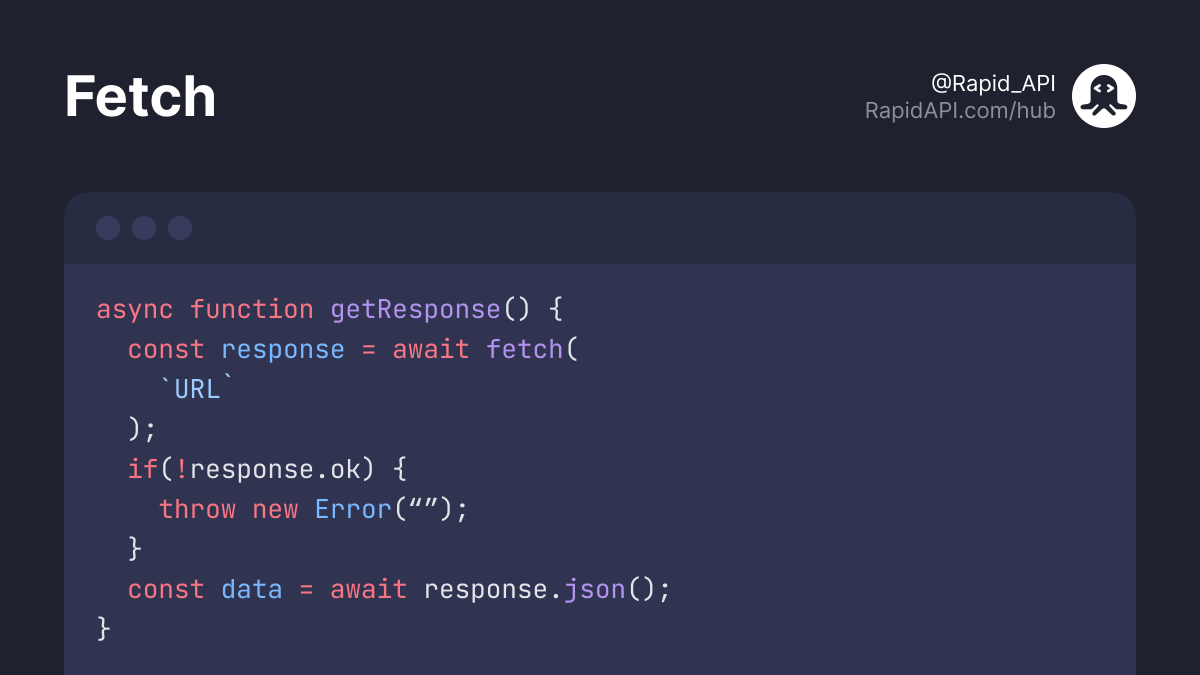
Here's the typical syntax of Fetch.
2️⃣ Axios
Axios is the most popular third-party app for making API calls.
It allows you to make HTTP requests using a promise-based HTTP client.
Axios is the most popular third-party app for making API calls.
It allows you to make HTTP requests using a promise-based HTTP client.
You can install it inside your React app using the following command.
`npm install axios`
`axios.get()` function allows you to make a GET request.
`axios.put()` function allows you to make a PUT request. And so on.
`npm install axios`
`axios.get()` function allows you to make a GET request.
`axios.put()` function allows you to make a PUT request. And so on.
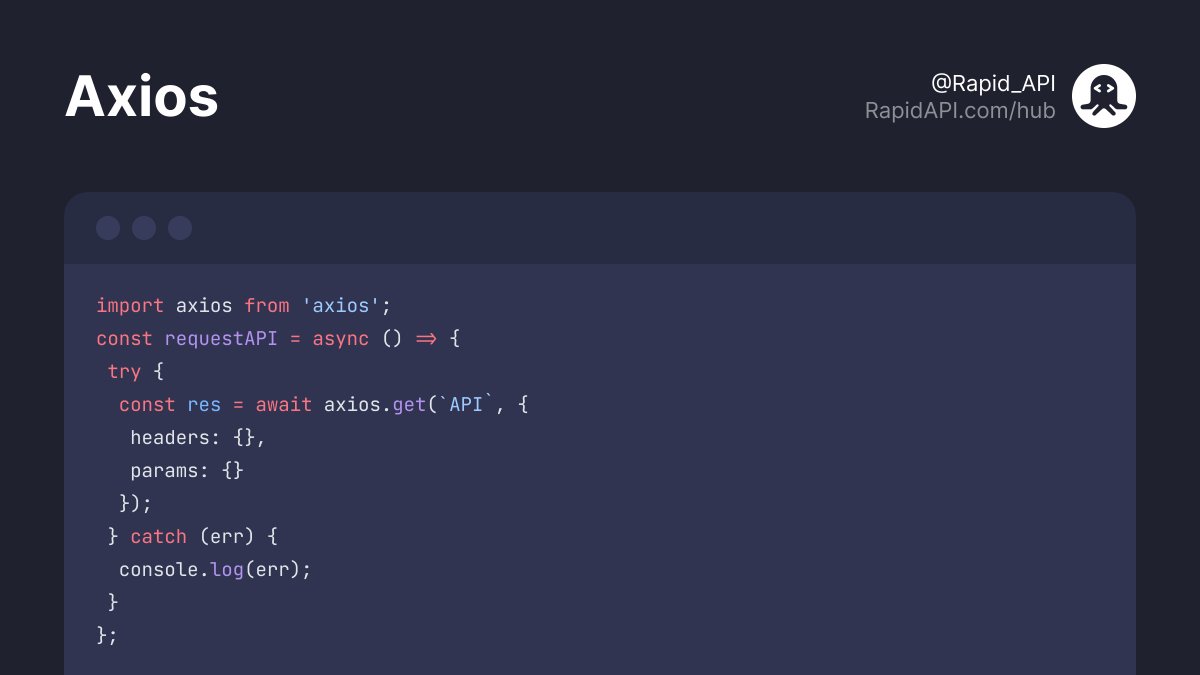
Here's the typical syntax of Axios.
3️⃣ SWR
SWR is a modern library of React hooks created by Vercel.
It has a lot of extra features like:
• built-in caching
• reusable data fetching
• request deduplication
• revalidation on focus
• network discovery, etc
SWR is a modern library of React hooks created by Vercel.
It has a lot of extra features like:
• built-in caching
• reusable data fetching
• request deduplication
• revalidation on focus
• network discovery, etc
To use SWR, we need to install it first.
`npm install swr`
Here's the typical syntax of SWR.
`npm install swr`
Here's the typical syntax of SWR.

4️⃣ Apollo Client
You can use Apollo Client if you're consuming GraphQL API.
It provides a comprehensive tool for GraphQL data fetching.
You can use Apollo Client if you're consuming GraphQL API.
It provides a comprehensive tool for GraphQL data fetching.
Read this thread on RapidAPI Guides.
RapidAPI.com
RapidAPI.com
With that said, this is the end of this thread.
Follow @Rapid_API to read more exclusive content. 💙 🚀
Follow @Rapid_API to read more exclusive content. 💙 🚀
Loading suggestions...