

Linux fundamentals - Everything you need to know about copying files.🧵🐧
You will frequently need to copy files and directories from one location in the filesystem to another as a system administrator. This is made possible by the cp command.
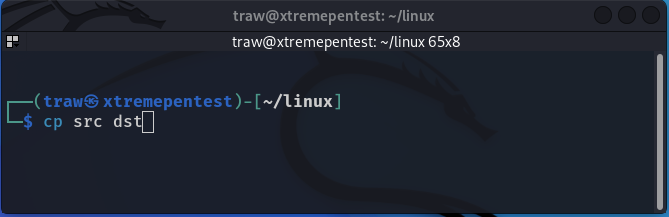
The cp command, in its most basic form, takes two parameters: the source object and the destination object:
The cp command, in its most basic form, takes two parameters: the source object and the destination object:
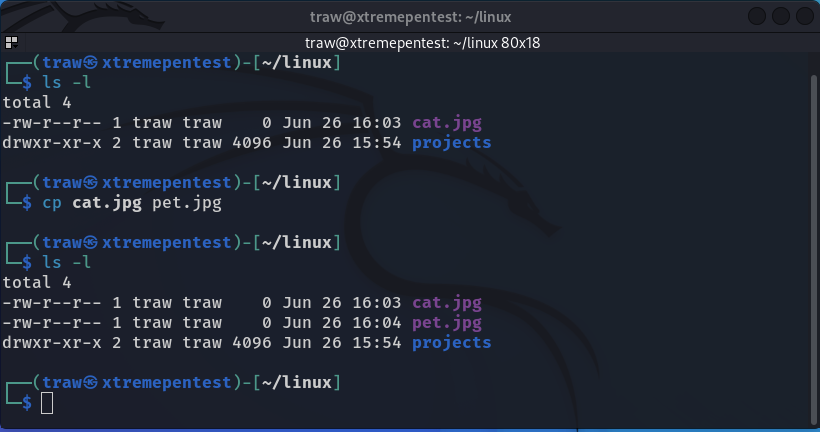
If both the source and the destination parameters are filenames instead of a directory, the cp command copies the source file to a new destination file. After that, the destination file modification time is then updated.
If the destination file already exists, the cp command may not notify you; this can be dangerous because you may accidentally replace the contents of an important file. To force the shell to ask whether you want to overwrite a file, use the -i option:
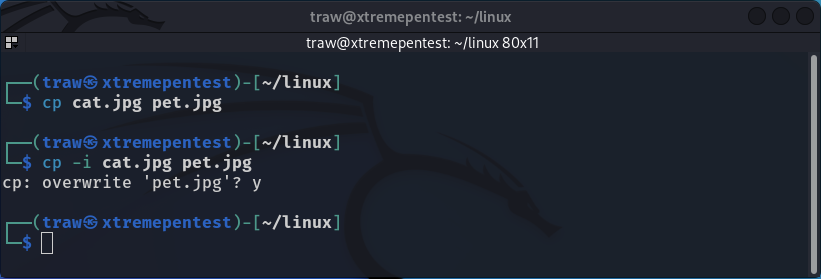
If you answer y, the file copy will continue; if you answer n, it will stop.
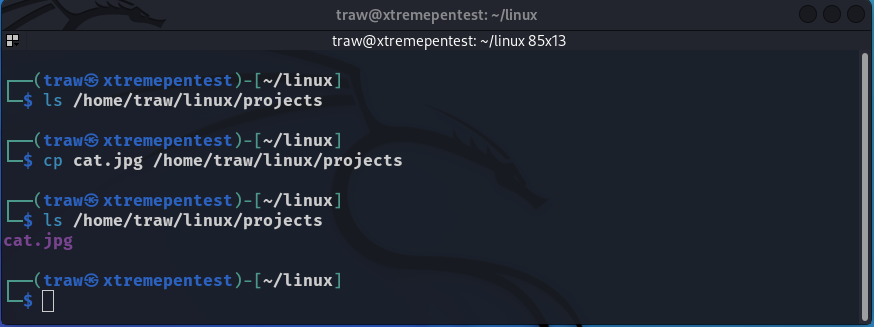
A file can also be copied into an already existing directory:
Tip💡
You should a trailing forward slash (/) at the end of directory name. The slash indicates that the projects is a directory not a filename. This is useful for clarity and is essential when copying single files.
You should a trailing forward slash (/) at the end of directory name. The slash indicates that the projects is a directory not a filename. This is useful for clarity and is essential when copying single files.
If no forward slash is used and the subdirectory
/home/traw/linux/projects does not exist, a file called projects is created in the current directory and no error message is displayed.
So you should always use forward slashes to denote directory names.
/home/traw/linux/projects does not exist, a file called projects is created in the current directory and no error message is displayed.
So you should always use forward slashes to denote directory names.
Note that, you can also copy a file at the same time changing it's name.
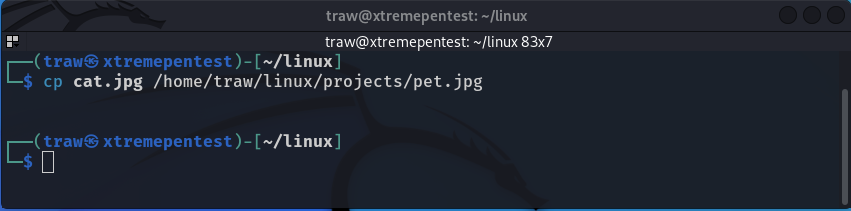
In the last examples we have been using absolute directory paths, but we can just use relative paths.
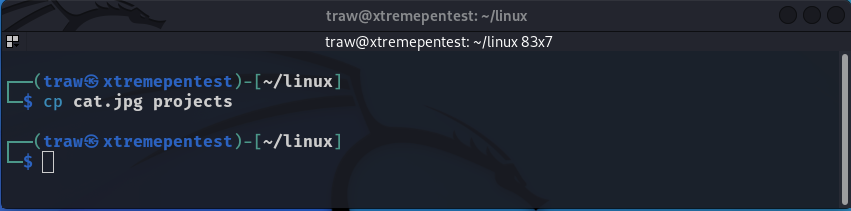
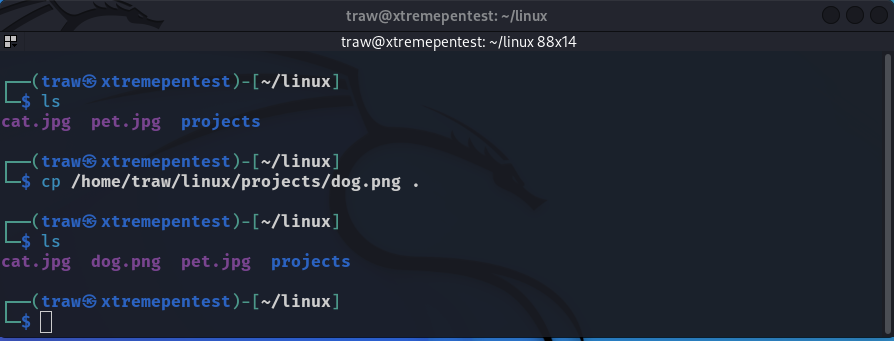
You can also use cp with a single dot (.). Keep in mind that the single dot denotes your current working directory. When copying a file with a long source object name to your current working directory, the single dot can help.
The -R option is a powerful cp command parameter. It allows you to copy the contents of an entire directory recursively in a single command:
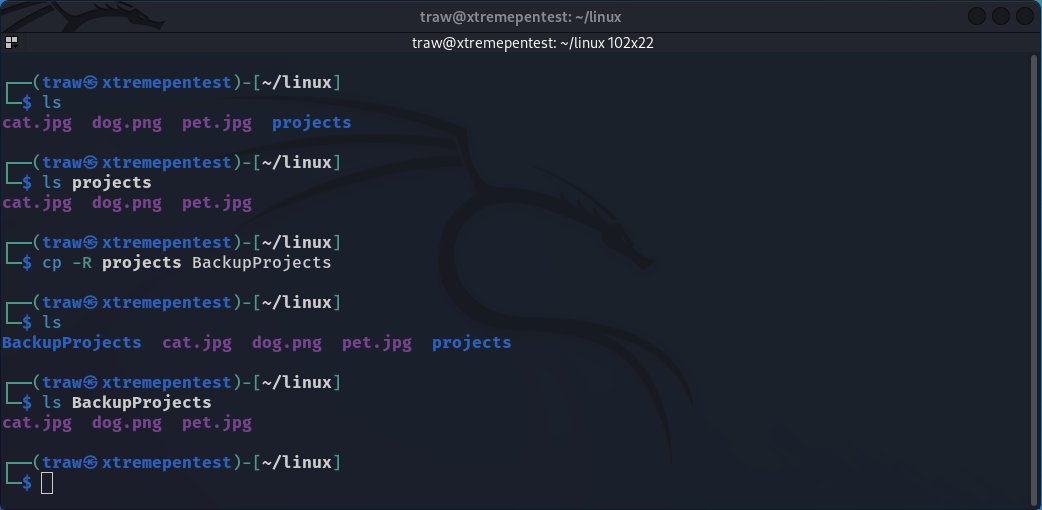
Notice, If the destination directory does not already exist, the cp -R command will create it before copying the contents of the source directory into it.

This command copied any files that started with my to MyPets. Now the directory contains three pets images instead of being empty.
Tip💡
There are numerous other cp command parameters besides those I have talked about.
Remember that by typing 'man cp' or 'cp --help', you can see all of the different parameters available for the cp command.
There are numerous other cp command parameters besides those I have talked about.
Remember that by typing 'man cp' or 'cp --help', you can see all of the different parameters available for the cp command.
That's it for today's thread!
Thank you for taking the time to read my brief Linux thread!
If you enjoyed this thread, follow me @xtremepentest for future Linux posts, which I will be posting on a daily basis.
Thank you for taking the time to read my brief Linux thread!
If you enjoyed this thread, follow me @xtremepentest for future Linux posts, which I will be posting on a daily basis.
Loading suggestions...