

💡Quick Linux tip
You can use the asterisk(*) together with the ls command to list the contents of directories recursively.
Examples:
ls Docuements/*/
OR
ls Documents/**/ to recursively search into each subdirectory
Curious how it works? Great! Follow this small thread 🧵↓
You can use the asterisk(*) together with the ls command to list the contents of directories recursively.
Examples:
ls Docuements/*/
OR
ls Documents/**/ to recursively search into each subdirectory
Curious how it works? Great! Follow this small thread 🧵↓

A single asterisk (*)
matches zero or more characters within one segment. It is used to glob/search files within a single directory.
ls Documents/*/
matches zero or more characters within one segment. It is used to glob/search files within a single directory.
ls Documents/*/


Double Asterisk (**)
matches zero or more characters across multiple segments. It is used for globbing/searching files that are in nested directories.
ls Documents/**/
matches zero or more characters across multiple segments. It is used for globbing/searching files that are in nested directories.
ls Documents/**/

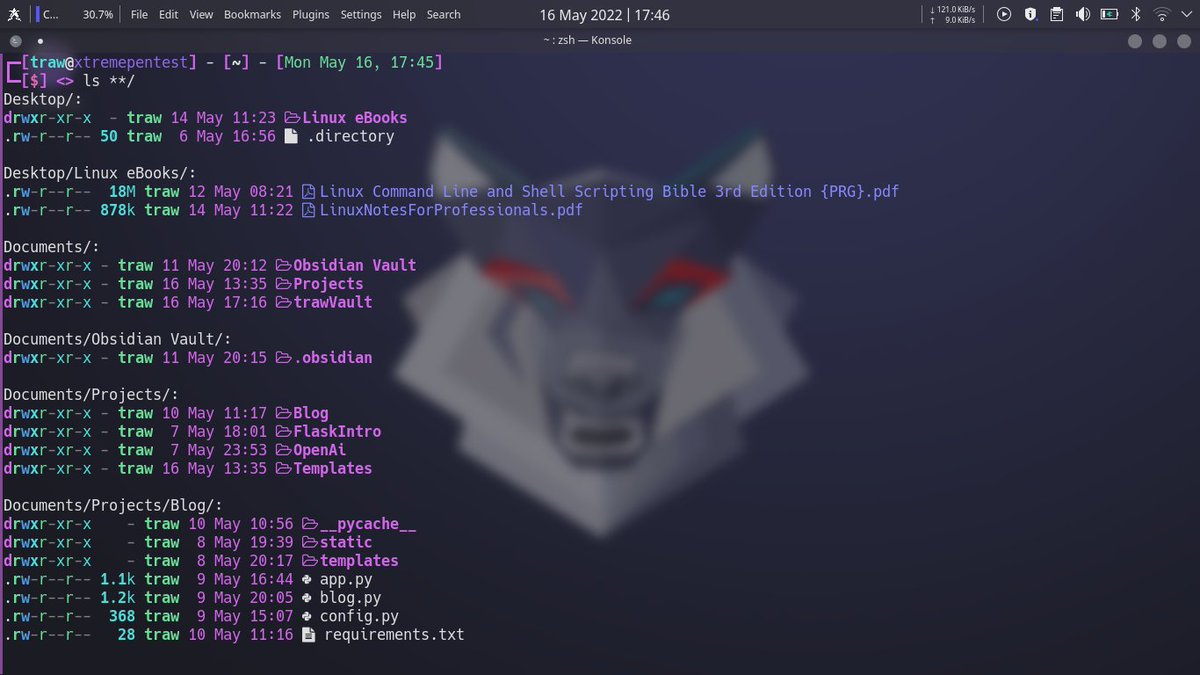
Double Asterisk's real power comes when you use it in more specific patterns. For example, you can list all .txt files no matter what subdirectory they are in with **/*.txt, whereas *.txt only matches those in the current directory.


That's it for this thread ! If you find it useful and want more Linux content, do follow me @xtremepentest as I'll be posting more useful Linux content and Linux tips 🐧💪
Loading suggestions...