

Buy & Hold Strategy: Defend Your Position Using @nansen_ai Smart Alerts!
🧵👇🏼
🧵👇🏼
2/ In the last 2 chapters, we discovered $SRM as a token that is bought by Alameda and we did our due diligence. Now that we are in our "position", let's look at how we can defend it.
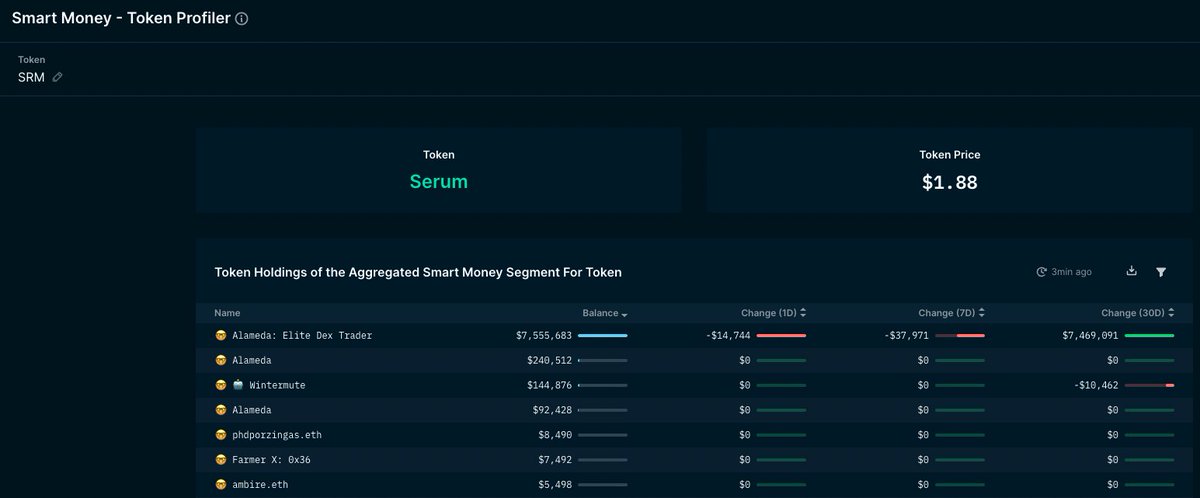
3/ Step 1: Take note of all the Smart Money wallet with this exposure, especially the larger positions. Use "Smart Money - Token Profiler" for this.
pro.nansen.ai
pro.nansen.ai
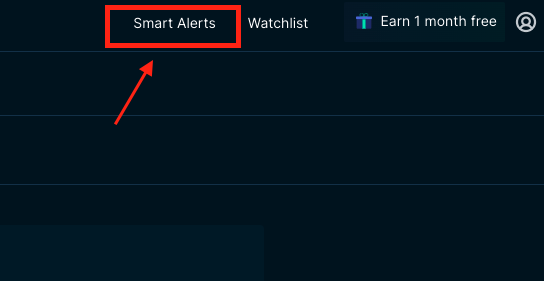
4/ Step 2: Open "Smart Alerts"
5/ Step 3: Create new alert

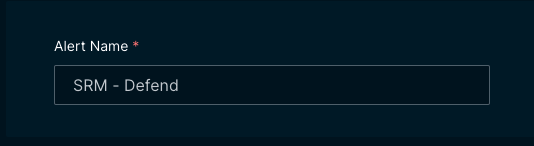
6/ Step 4: Name your alert for easy reference
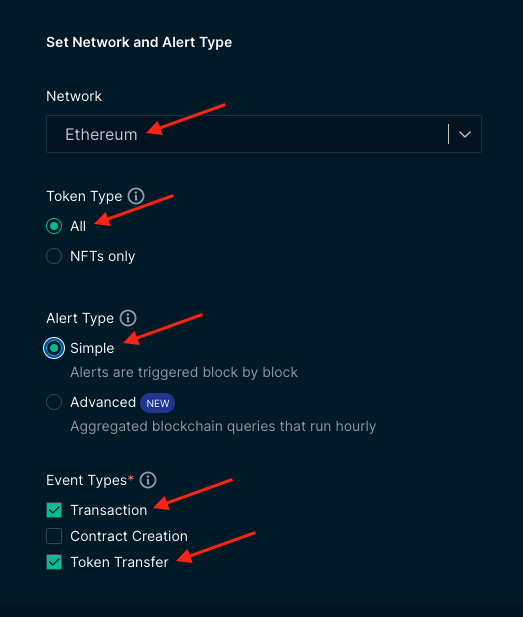
7/ Step 5: Update your settings to below
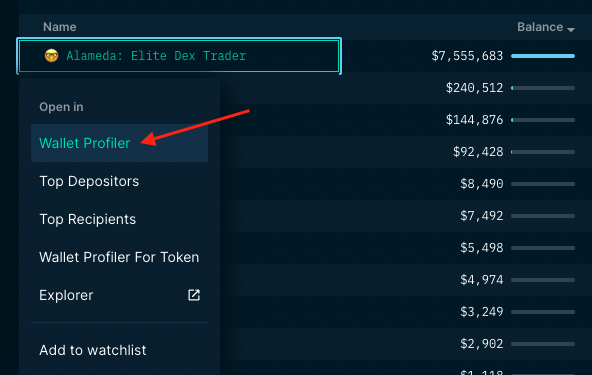
8/ Step 6: Go back to "Smart Money - Token Profiler". Right-click on the Smart Money wallet and select "Wallet Profiler"
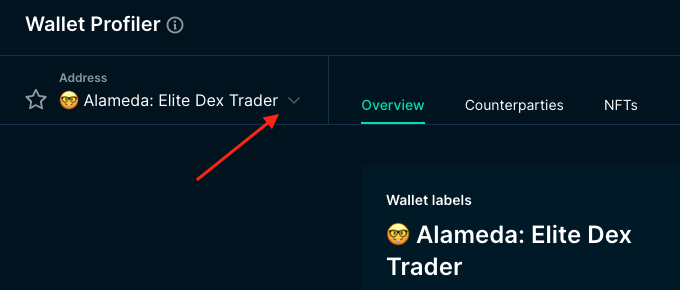
9/ Step 7: Click the "down arrow" for drop down list.
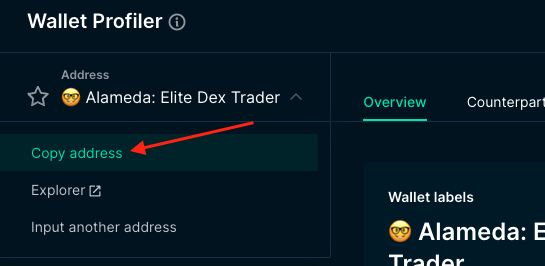
10/ Step 8: Click on "Copy address"
11/ Step 9: Head back to your "Smart Alerts" tab, paste the address you just copied into "Addresses"

12/ Step 10: Head back to "Smart Money - Token Profiler" and repeat step 6-11 for the rest of the Smart Money
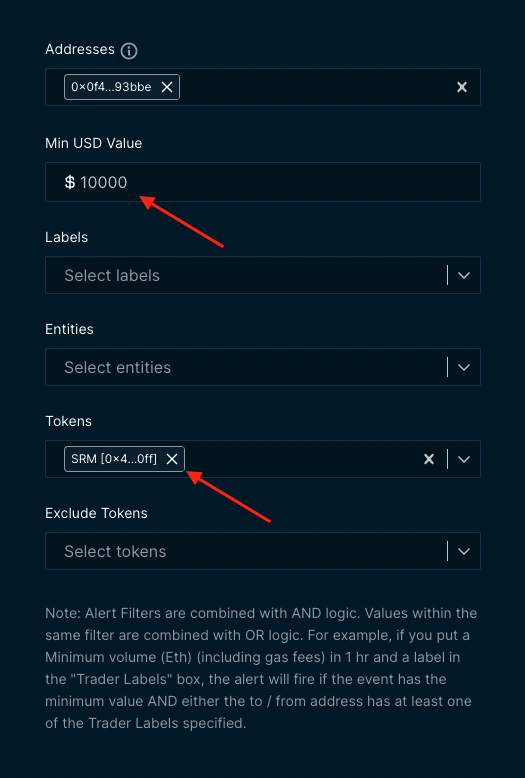
13/ Step 11: Fill in "Min USD Value", this catches transaction above the amount inputted. Fill up the "Tokens" as SRM for this example
14/ Step 12: Select how you want to get notified. Just make sure you organise it properly. In Discord, you can create a server with different channels for these alerts
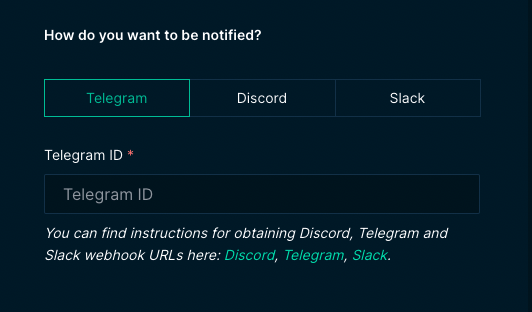
15: Step 13: Hit "Save", you are now good to go! Wait for the alerts and hop back onto Nansen to find reassess your position. This is how I caught Alameda selling their position without watching this token 24/7

16/ Take away the concept instead of looking at the token specifically. I will use different examples in this guide and use the ones that has the clearest example for you to understand.
17/ This is Chapter 7 of the guide. For other chapters, check out -
18/ Next chapter, we will be looking at how to identify farming opportunities.
Loading suggestions...