

Buy & Hold Strategy: How To Discover Opportunities?
🧵👇🏼
🧵👇🏼
2/ This is the part you guys have been waiting for. If you have read up to this point, you definitely will have what it takes to do the work needed to uncover opportunities using on-chain analytics.
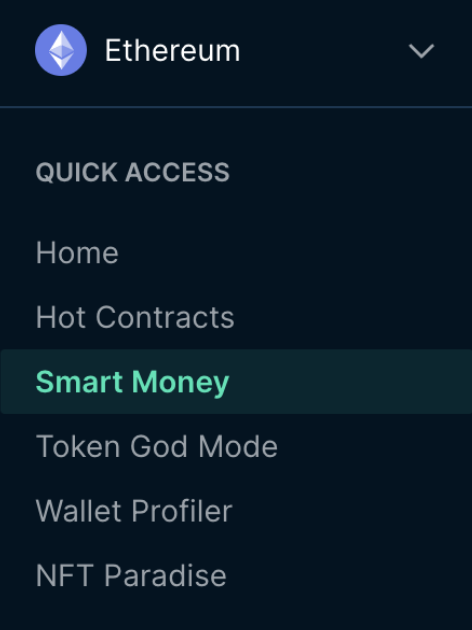
3/ Step 1: Navigate to the “Smart Money” tab.
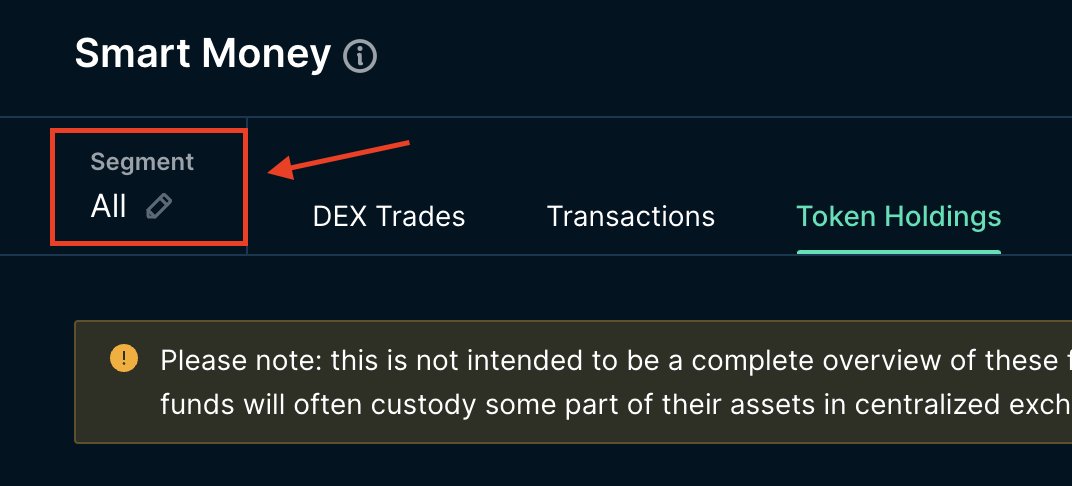
4/ Step 2: Click on “Segment” to select the category of Smart Money you want to look at.
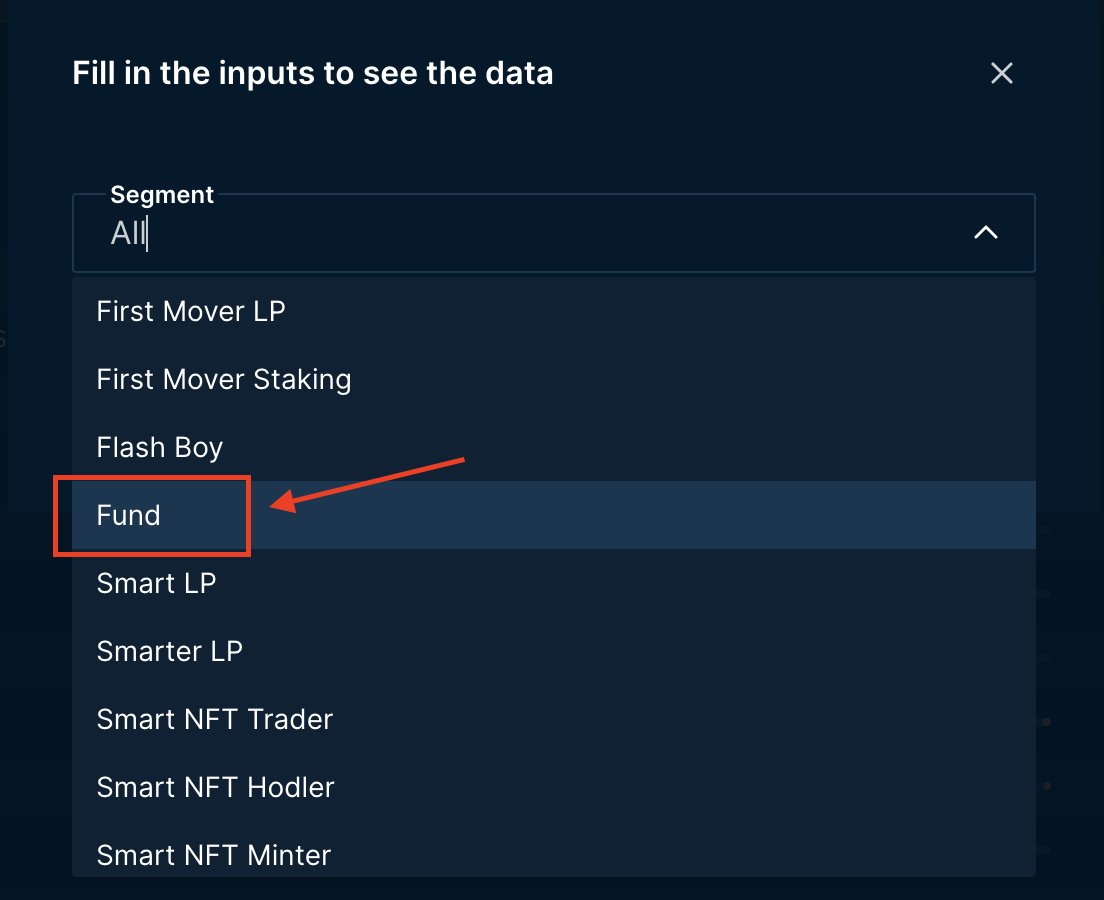
5/ Step 3: Select “Fund” as the segment for this example.
6/ Step 4: Go onto the “Token Holdings” tab.
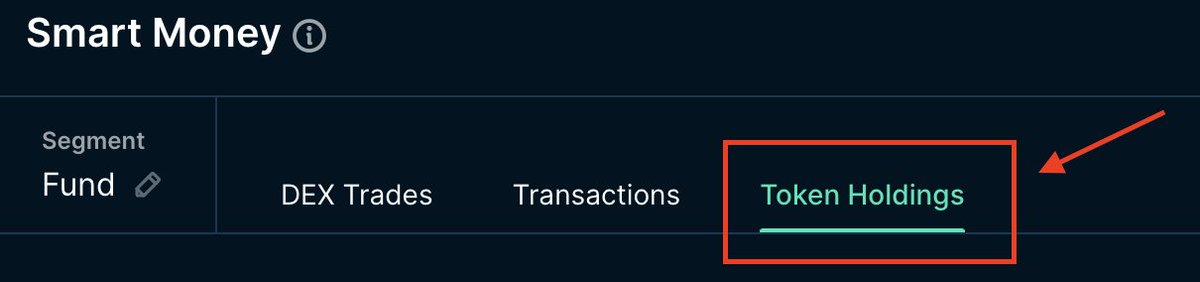
7/ Step 5: “Token Holdings” tab shows you a list of tokens that have a positive balance change to funds’ wallet. As we can see from the picture below, funds have the most positive balance change for WETH and WBTC.
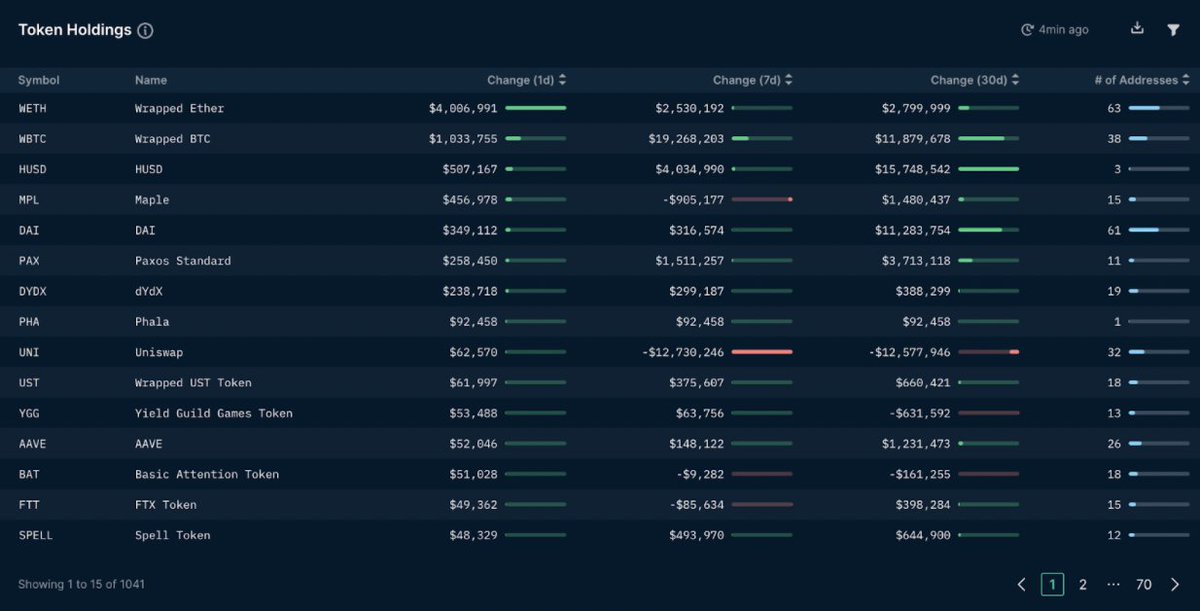
8/ As I mentioned earlier, do not ape into a token upon seeing this. Dig deeper into understanding what causes the balance change.
9/ There can be a couple of reasons for this:
- Fund receiving their vesting allocation from early round investment
- Fund receiving token from centralised exchange (eg ftx, coinbase etc)
- Fund doing swap on decentralised exchange (eg uniswap, sushiswap)
- Fund receiving their vesting allocation from early round investment
- Fund receiving token from centralised exchange (eg ftx, coinbase etc)
- Fund doing swap on decentralised exchange (eg uniswap, sushiswap)
10/
- Fund withdrawing liquidity from liquidity pool or staking pool
- Fund receiving token from bridge contract
Hence, it is always best to understand better where the token comes from to build your thesis.
- Fund withdrawing liquidity from liquidity pool or staking pool
- Fund receiving token from bridge contract
Hence, it is always best to understand better where the token comes from to build your thesis.
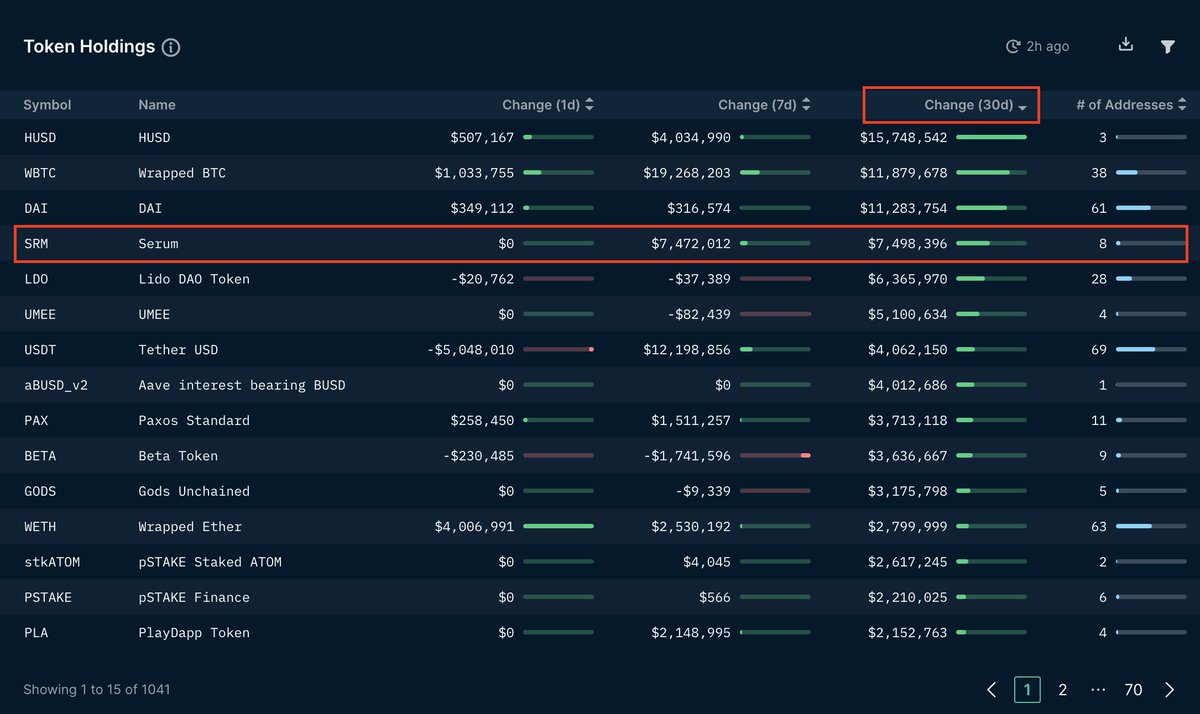
11/ Step 6: Look at change for the last 24 hours, 7 days and 30 days. I will go down the list and start doing my digging to see if there are any purchases by funds. When I got to SRM (Serum), something caught my attention, so I will use this as an example
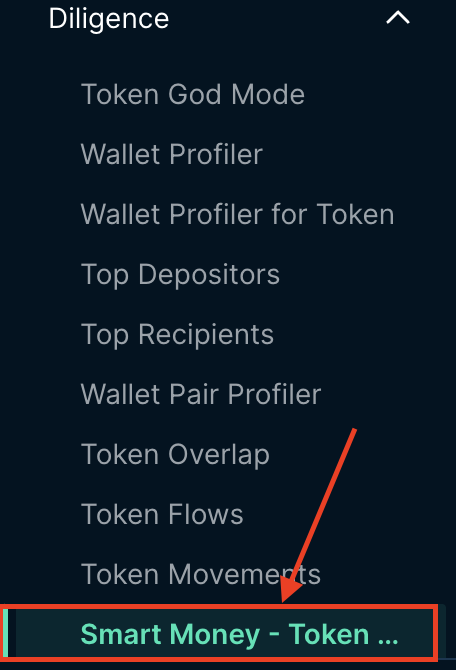
12/ Step 7: On the left hand side, open the drop down for “Diligence” and select “Smart Money - Token Profiler”
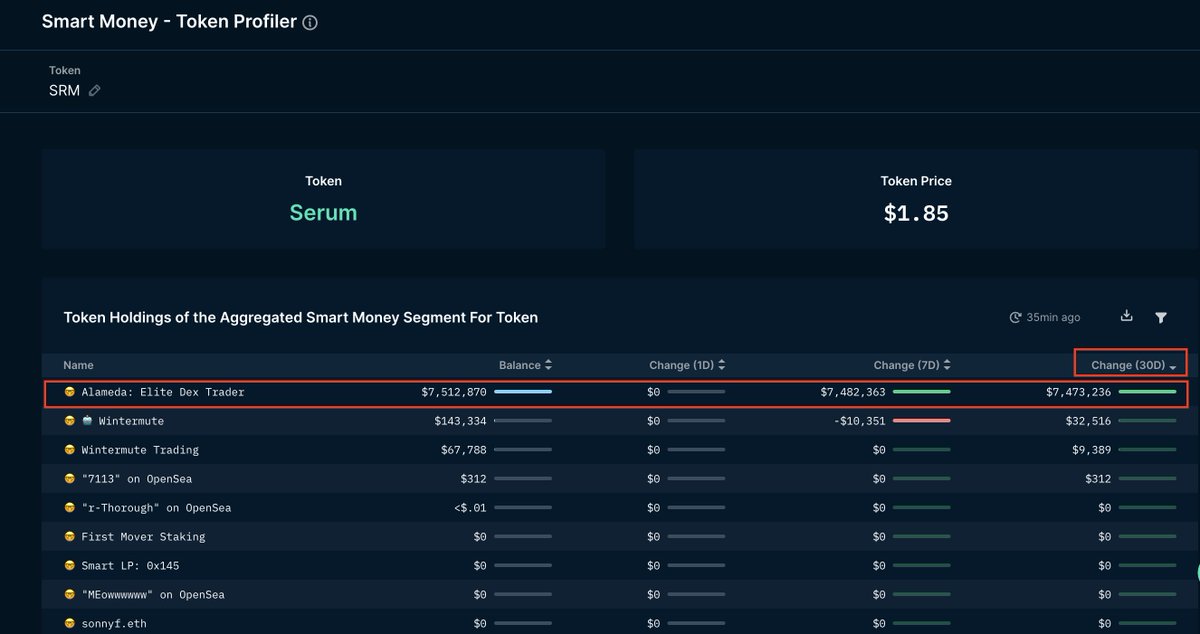
13/ Step 8: By sorting by 30 Days change, you can see the transaction by Alameda that contributed to the positive balance change we saw earlier on the “Token Holdings” tab.
14/ Step 9: Right-click and select “Wallet Profiler For Token”.
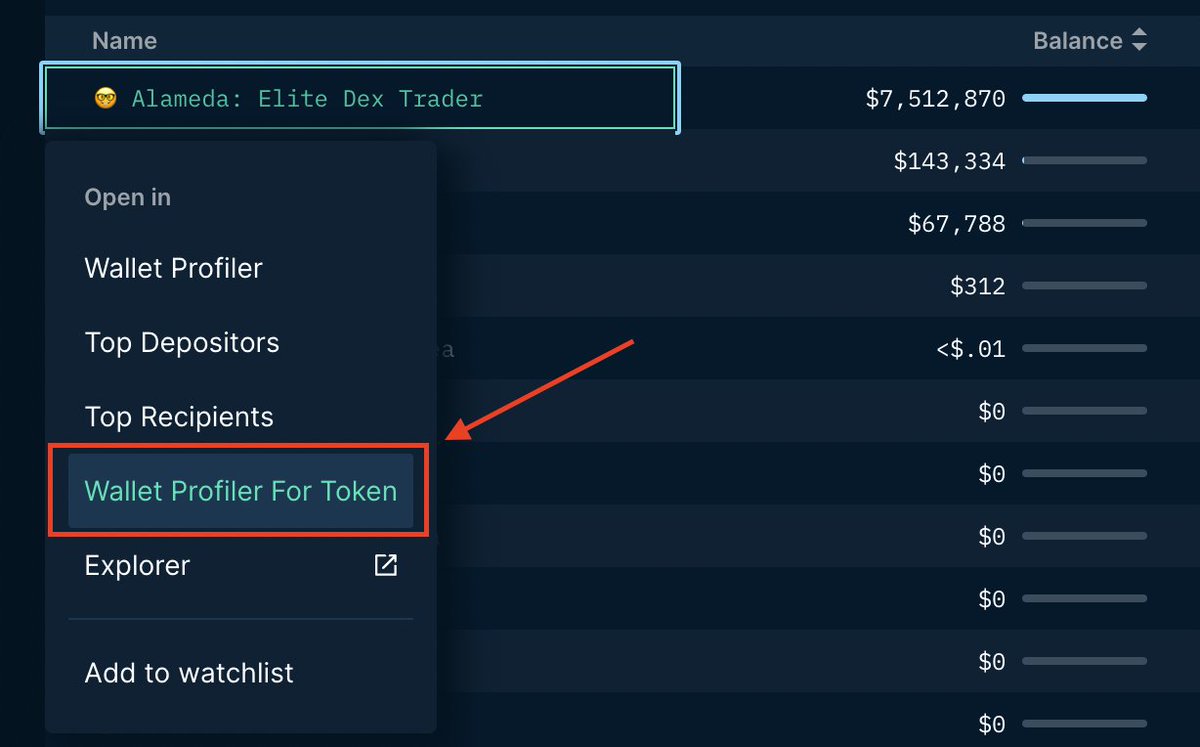
15/ Step 10: “Wallet Profiler For Token” shows all the historical transactions for Alameda’s wallet for SRM token. The top transaction, we can see that 4,000,000 SRM came from a bridge, which might not mean that they bought the token.

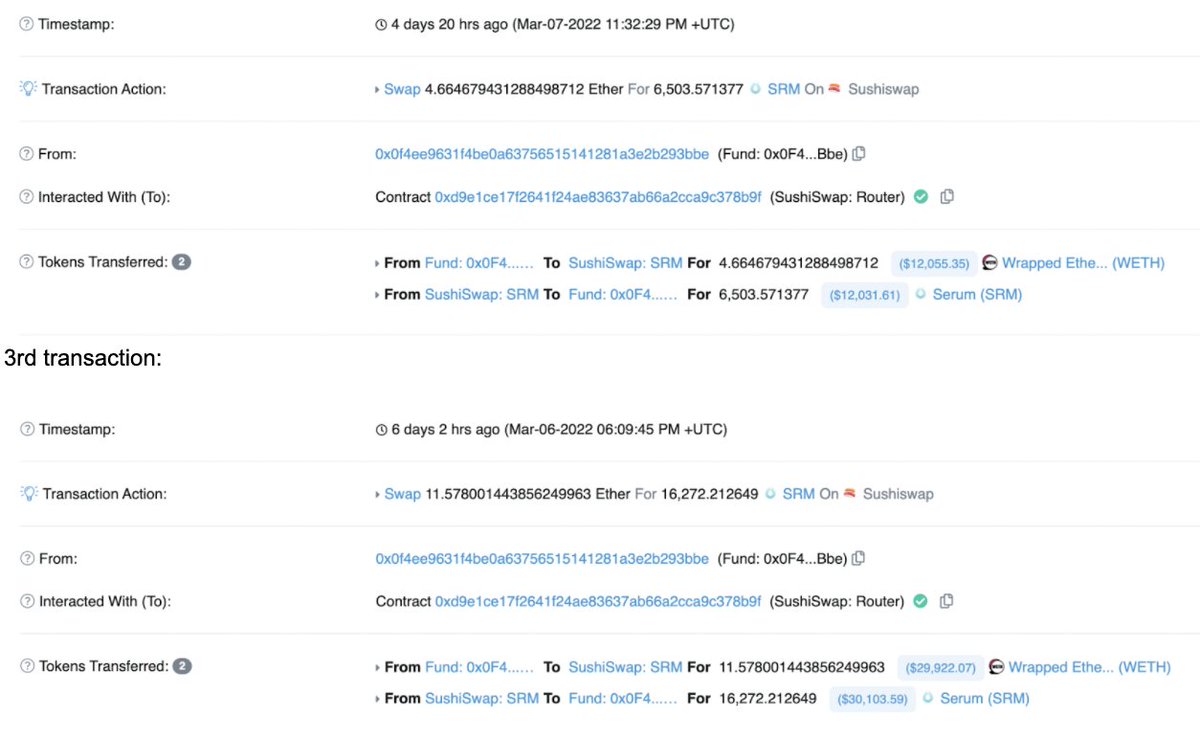
16/ The second, third and fourth transaction is what we are looking for. It came from “Sushiswap Pool: SRM-WETH”, which means that either they bought SRM through SushiSwap or they withdrew liquidity from the pool.
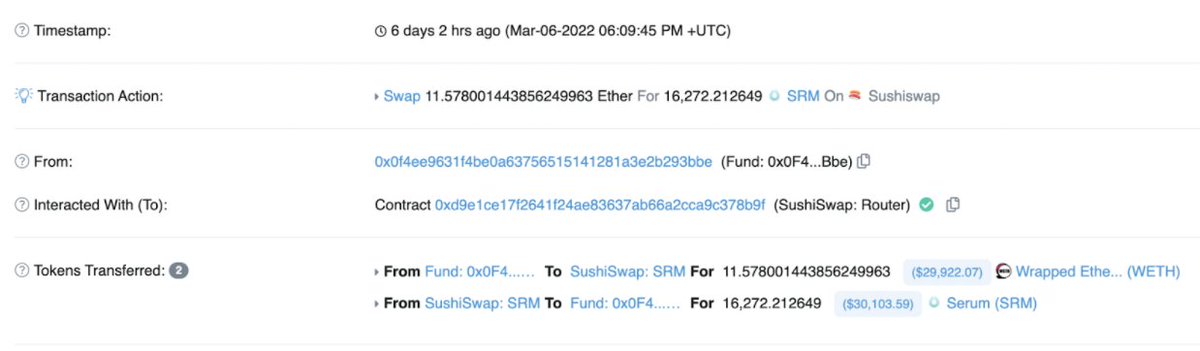
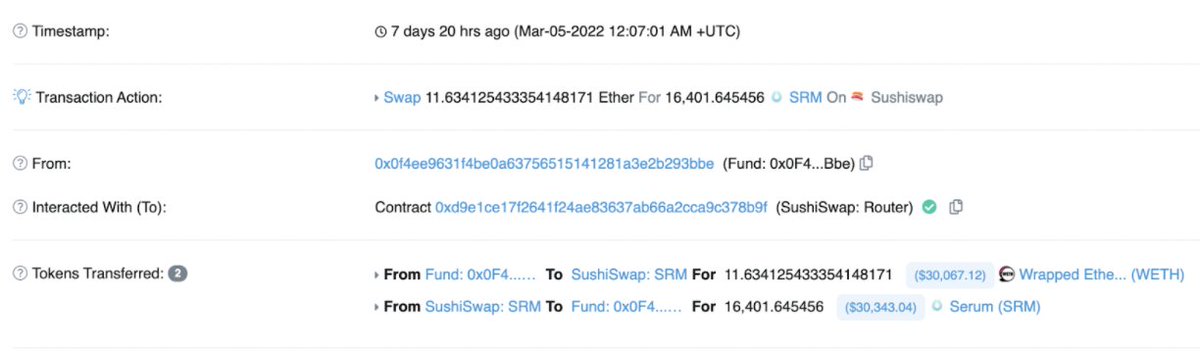
17/ Step 11: Looking at the individual Etherscan transaction, we can clearly see that it was a swap transaction, which means that they bought SRM.
18/ 2nd transaction
19/ 3rd transaction
20/ 4th Transaction
21/ Now that I have verified that Alameda bought SRM from SushiSwap, I will start doing my due diligence to see who are the other market participants that have exposure to SRM and what they are doing with it.
22/ In the next chapter, we will go through the steps you can take to start doing your due diligence. The examples used here is not an indication for you to buy/sell. This is meant for educational purpose to show the steps you can take.
23/ Take away the concept instead of looking at the token specifically. I will use different examples in this guide and use the ones that has the clearest example for you to understand.
24/ This is Chapter 5 of the guide. For other chapters, check out -
Loading suggestions...