

An often asked question among traders is regarding the best book to learn trading from. The best book is nothing but your trading journal. I use @evernote for this purpose.
How to use Evernote as a Trading Journal
A thread 🧵:
How to use Evernote as a Trading Journal
A thread 🧵:
Why Evernote? Because it’s reliable, cross-platform, fast, efficient, & free.
Do note that Evernote’s trading journal is not a replacement for a traditional spreadsheet journal. You analyse numbers & statistics from a spreadsheet, and words & pictures from Evernote.
Do note that Evernote’s trading journal is not a replacement for a traditional spreadsheet journal. You analyse numbers & statistics from a spreadsheet, and words & pictures from Evernote.

Notebooks
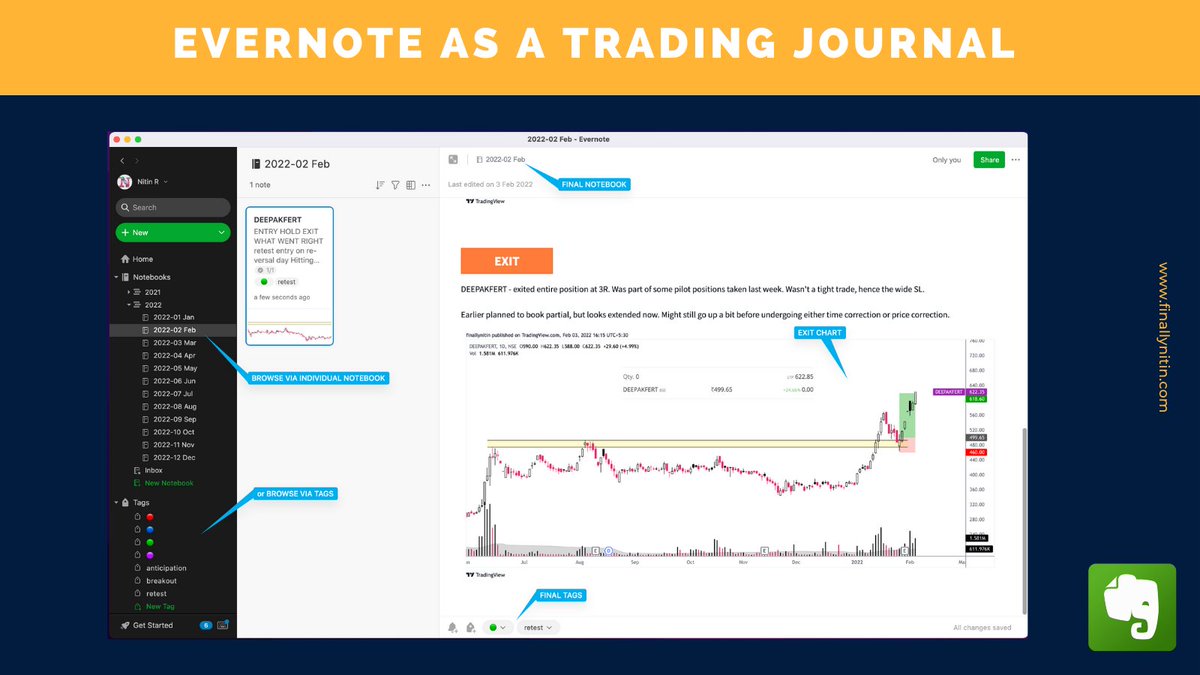
I organise my trades in Notebooks, sorted by year & month. This has the advantage that we can look at a particular timeframe’s trades in one go, & see how our strategy performed during the market conditions of that timeframe.
I organise my trades in Notebooks, sorted by year & month. This has the advantage that we can look at a particular timeframe’s trades in one go, & see how our strategy performed during the market conditions of that timeframe.

Tags
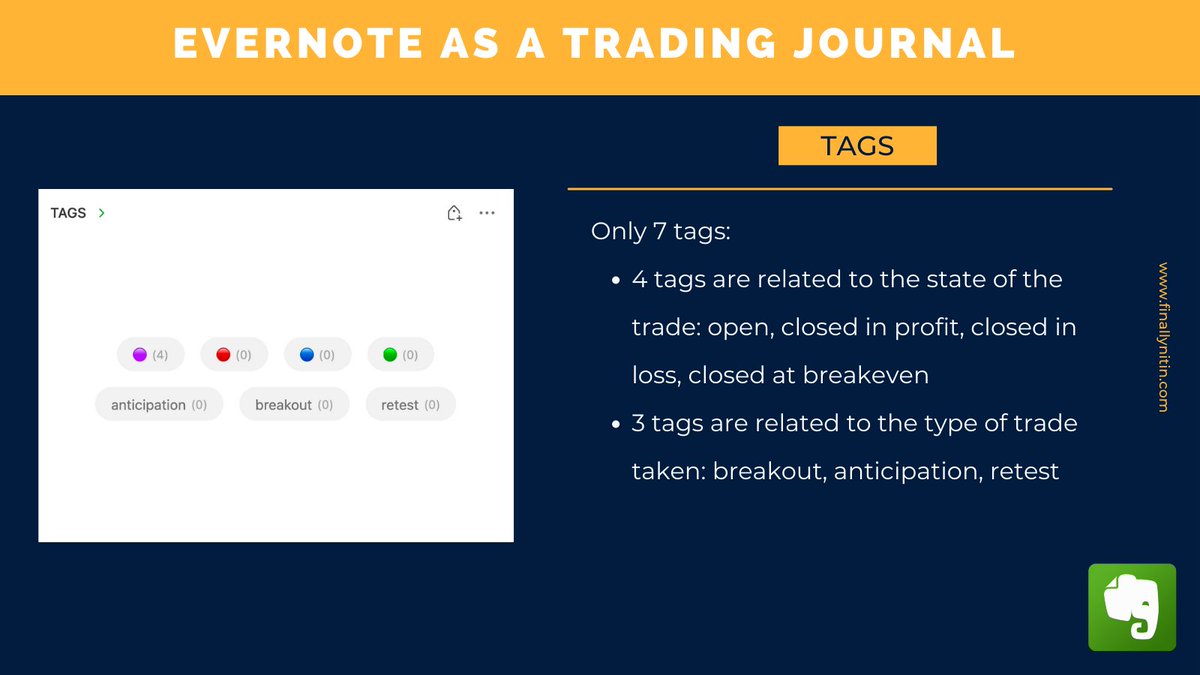
I tag individual trades only in 7 categories:
- open
- closed in profit
- closed in loss
- closed at breakeven
- breakout
- retest (or pullback)
- anticipation
I tag individual trades only in 7 categories:
- open
- closed in profit
- closed in loss
- closed at breakeven
- breakout
- retest (or pullback)
- anticipation
Entering a new Trade
I have a trade analysis TEMPLATE within Evernote, which I use to create a new note per trade. Here I add the tags & paste the charts.
I have a trade analysis TEMPLATE within Evernote, which I use to create a new note per trade. Here I add the tags & paste the charts.

Tasks
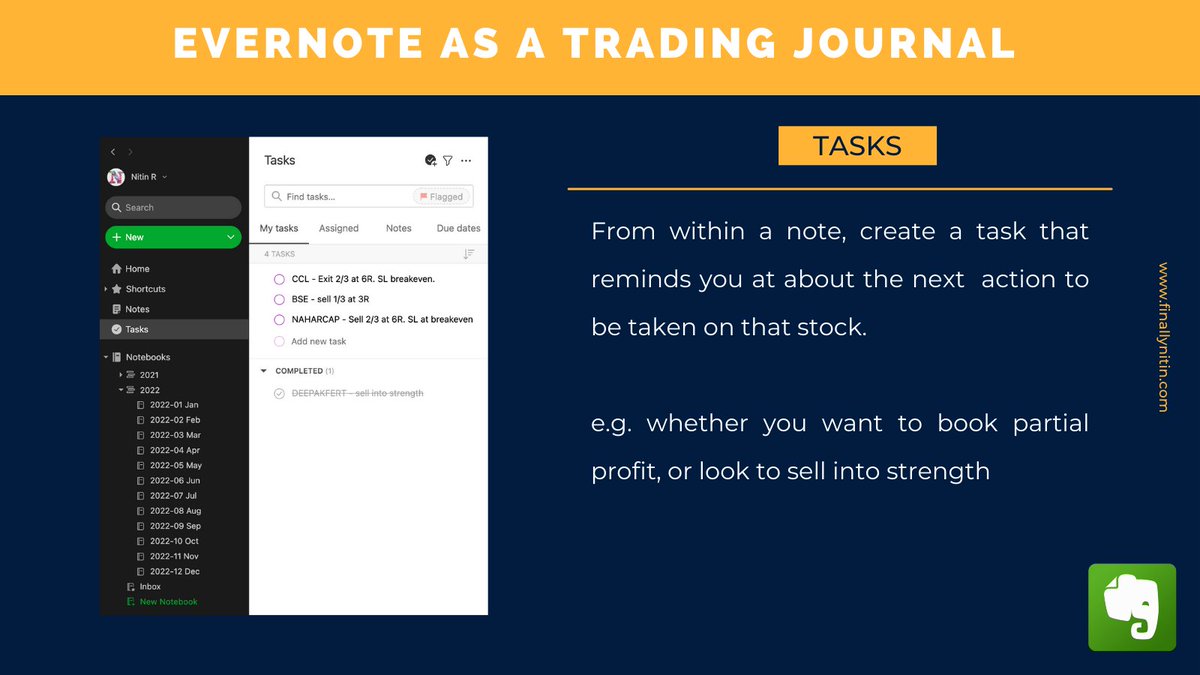
Within each note, I create a TASK that gives me an at-a-glance information about my expectations from that trade, & what action do I have to take on that stock.
Within each note, I create a TASK that gives me an at-a-glance information about my expectations from that trade, & what action do I have to take on that stock.
Closing a trade
When I close an open trade, I move that from the INBOX to that month’s notebook. Change the OPEN tag to one of profit/loss/breakeven.
When I close an open trade, I move that from the INBOX to that month’s notebook. Change the OPEN tag to one of profit/loss/breakeven.
Reminders
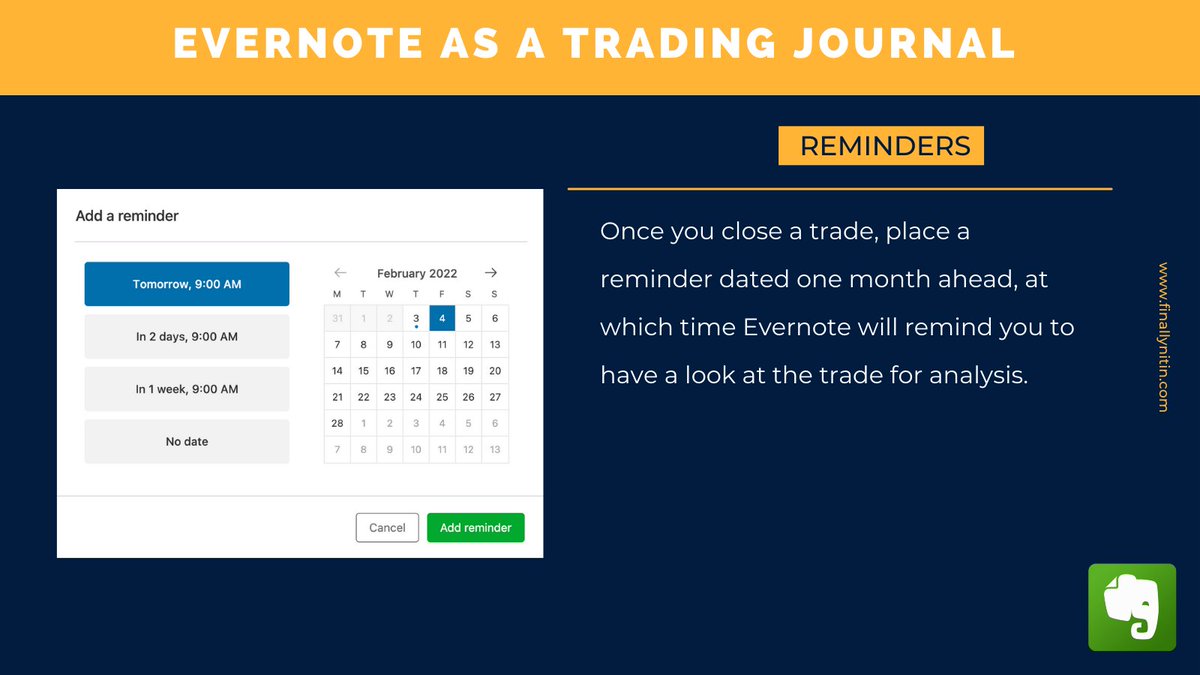
Once a trade is over, I just add a reminder from within Evernote dated one month later. This helps in analysing/looking at a past trade without any emotions, & we can understand if the execution could’ve been better.
Once a trade is over, I just add a reminder from within Evernote dated one month later. This helps in analysing/looking at a past trade without any emotions, & we can understand if the execution could’ve been better.
Search
Evernote has an excellent SEARCH function. You can search a combination of parameters, including tags, dates, keywords. The search parameters can be saved as shortcuts for easy access. For instance, you can create a search for open breakout trades.
Evernote has an excellent SEARCH function. You can search a combination of parameters, including tags, dates, keywords. The search parameters can be saved as shortcuts for easy access. For instance, you can create a search for open breakout trades.

Homepage
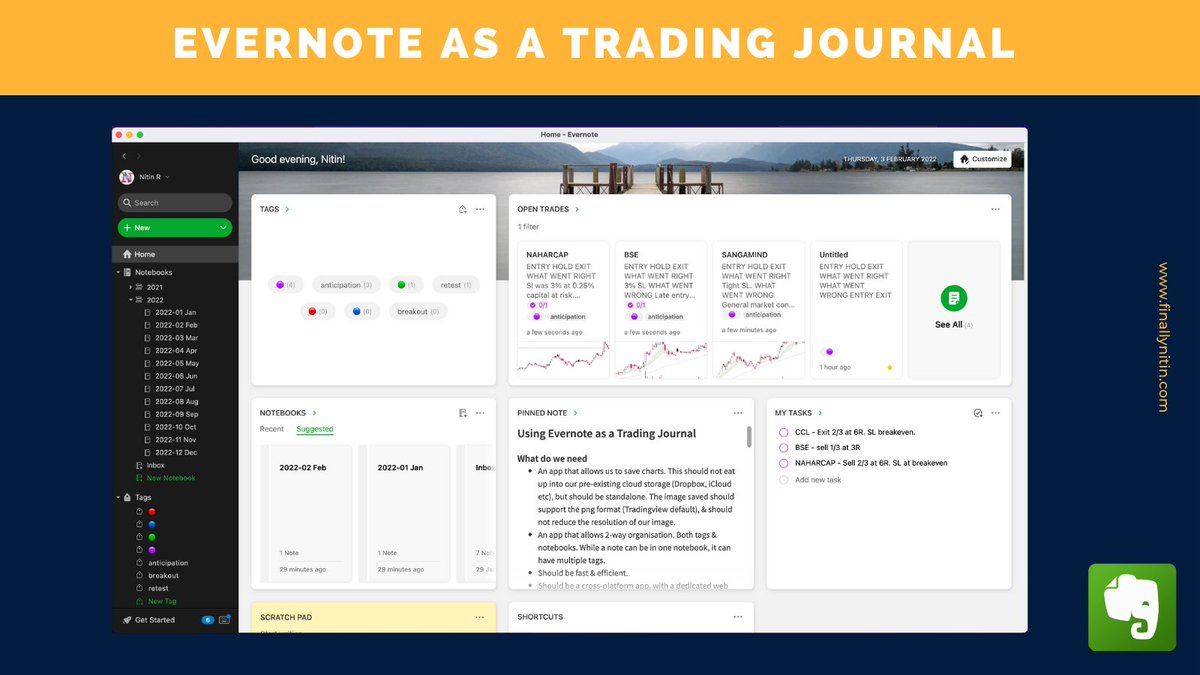
All these components are easily available as an overview from Evernote’s homepage. This would be your stock dashboard from where you can get insights about existing & past trades.
All these components are easily available as an overview from Evernote’s homepage. This would be your stock dashboard from where you can get insights about existing & past trades.
So, that’s how I use Evernote as a Trading Journal. While this is my way, you can use it in your own unique way; something that matches with your style of functioning, & something which comes naturally to you.
Disclaimer: I’m not affiliated to Evernote in any way.
Disclaimer: I’m not affiliated to Evernote in any way.
You can read this thread in more detail at my page here:
world.hey.com
world.hey.com
Loading suggestions...