

How to quickly transfer Chartink scan results to a Tradingview list?
A thread 🧵:
A thread 🧵:

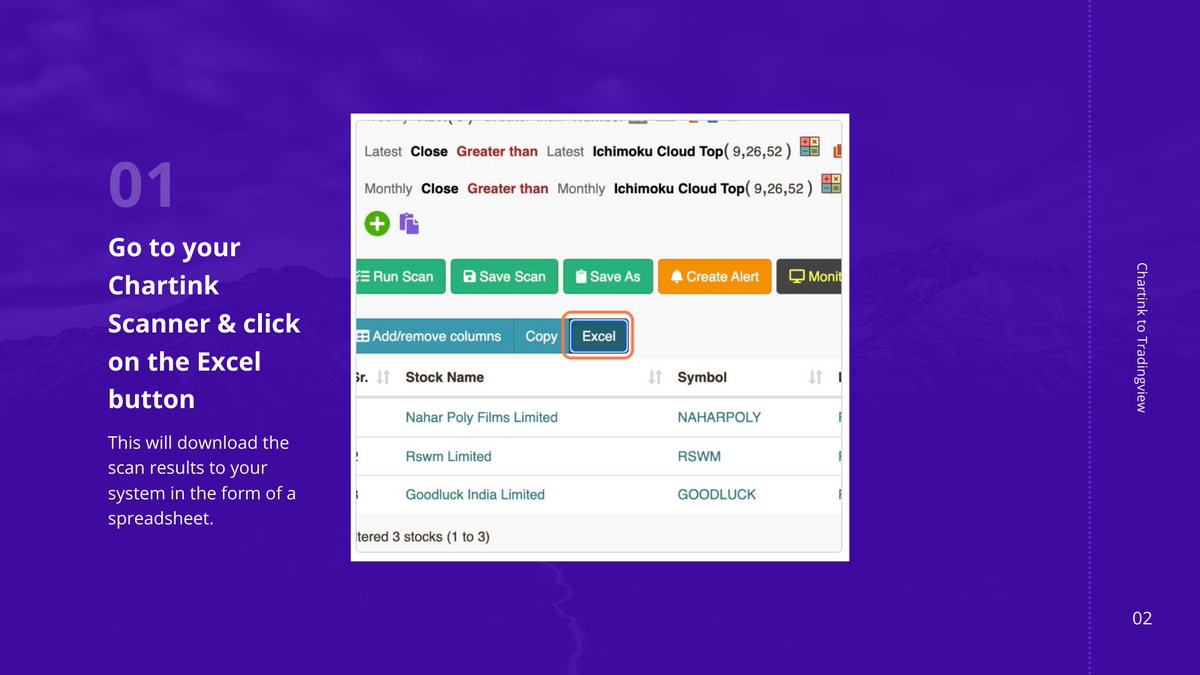
After you have finished scanning the names, you need to export them out of Chartink in the form of an excel file.
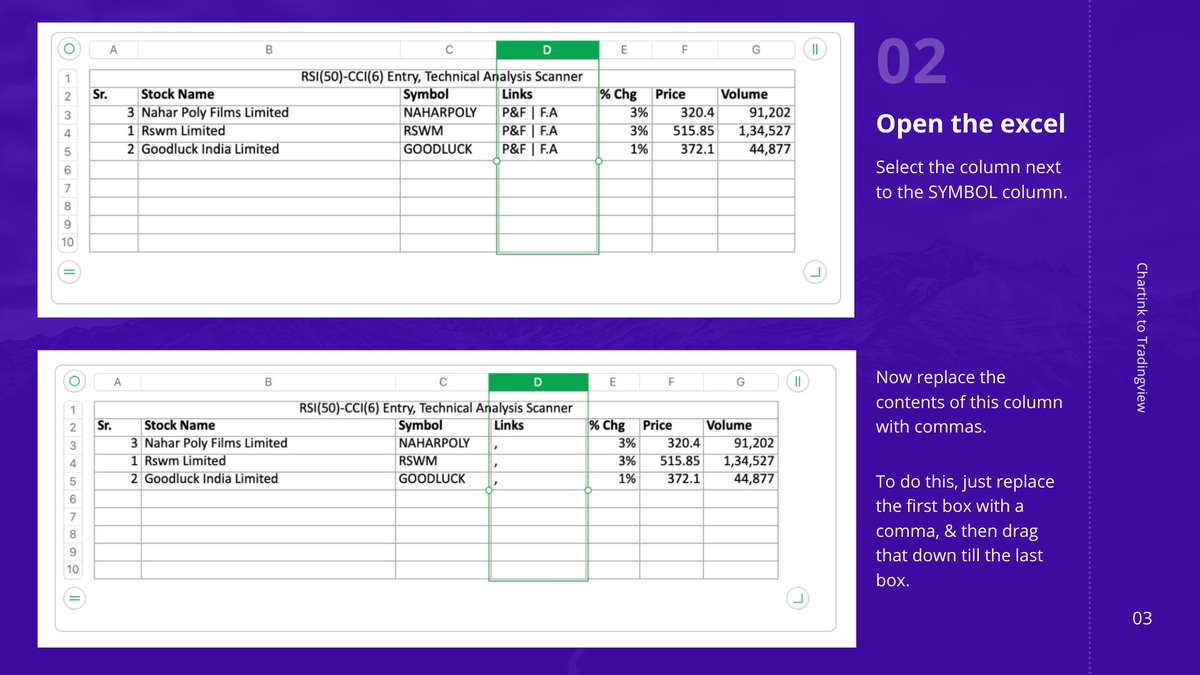
This spreadsheet needs a few modifications to get it ready for Tradingview.
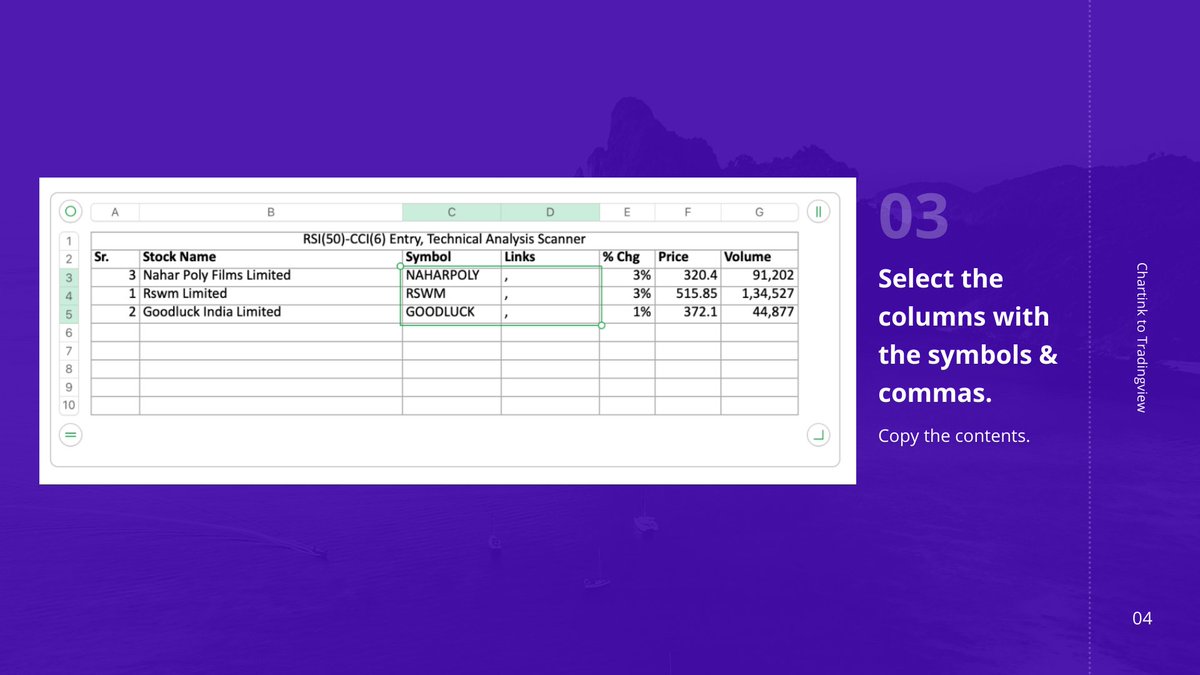
Just copy the contents of both the columns.
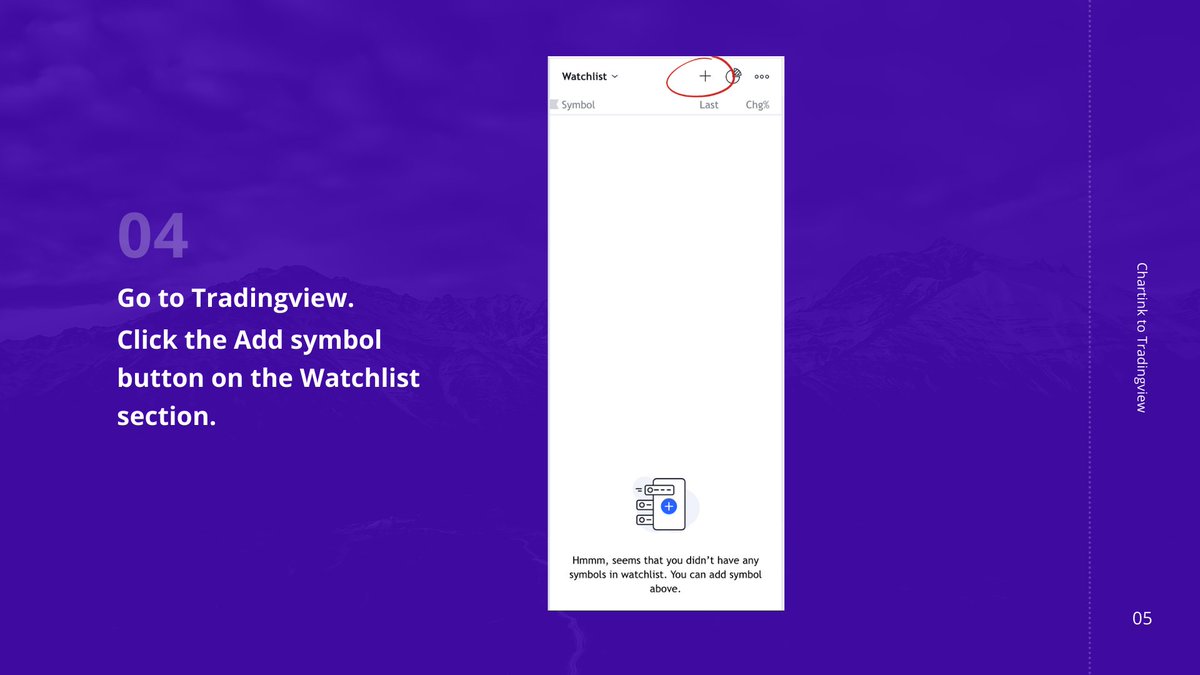
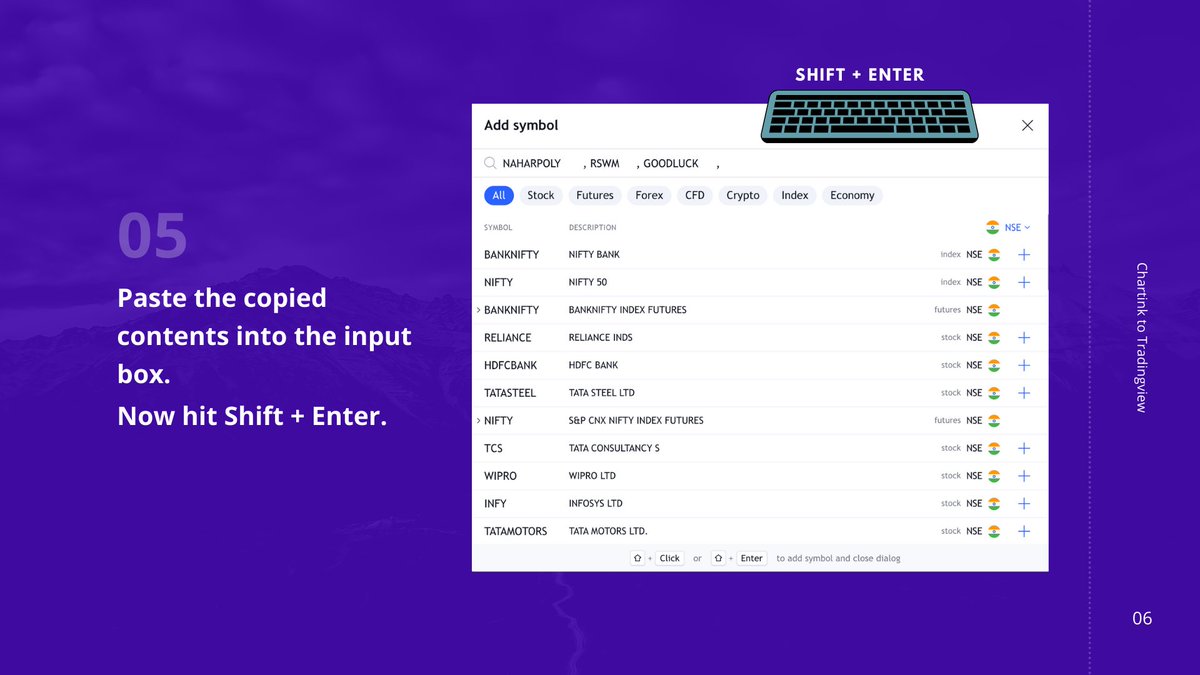
Now we just need to paste the selected fields onto Tradingview.
After pasting the names, remember to hit both Shift & enter keys.
Enjoy!

Loading suggestions...