

ℍ𝕠𝕨 𝕥𝕠 𝕤𝕖𝕥 𝕦𝕡 𝕄𝕖𝕥𝕒𝕄𝕒𝕤𝕜/𝕋𝕣𝕦𝕤𝕥𝕎𝕒𝕝𝕝𝕖𝕥
Jump into DeFi or NFT world require compatible wallets. Yes, wallets that can connects to web3 DApps.
Most of these wallets have similarities in configuration, therefore I will simply illustrate using MetaMask:
Jump into DeFi or NFT world require compatible wallets. Yes, wallets that can connects to web3 DApps.
Most of these wallets have similarities in configuration, therefore I will simply illustrate using MetaMask:
1️⃣Download MetaMask wallet
Browse MetaMask.io, download it and add as an extension on your favorable browser. You can pin the extension on your browse for easy access.
Browse MetaMask.io, download it and add as an extension on your favorable browser. You can pin the extension on your browse for easy access.

2️⃣Creat a Wallet
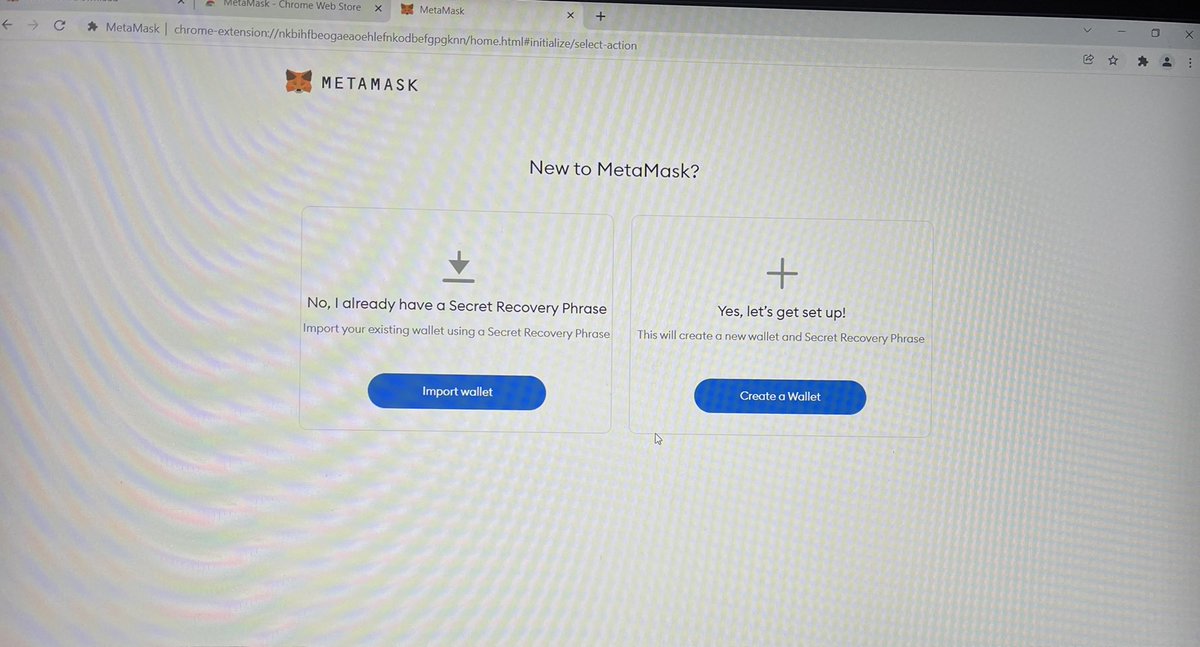
A new tab will auto pop up asking to import wallet or creat a new one. You may hit import wallet if you have one, otherwise select Creat a Wallet.
A new tab will auto pop up asking to import wallet or creat a new one. You may hit import wallet if you have one, otherwise select Creat a Wallet.
3️⃣Create Password
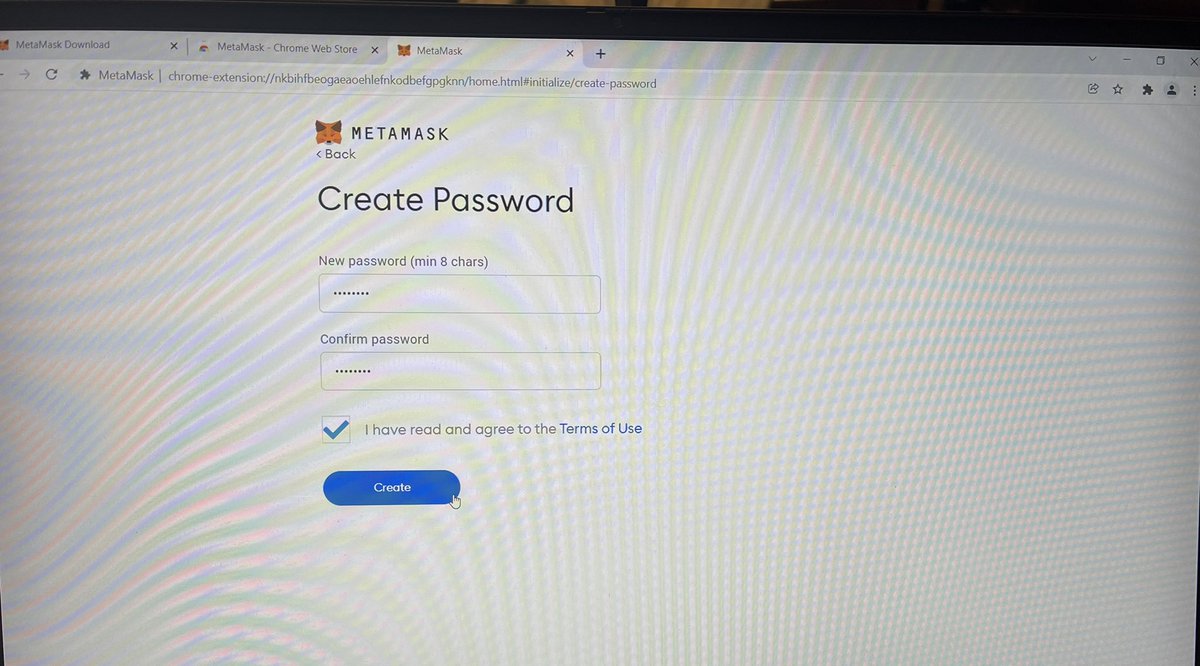
Create a password, the strong the password the safer the account. Check on terms of users and hit create.
Create a password, the strong the password the safer the account. Check on terms of users and hit create.
4️⃣Secret Recovery Phrase
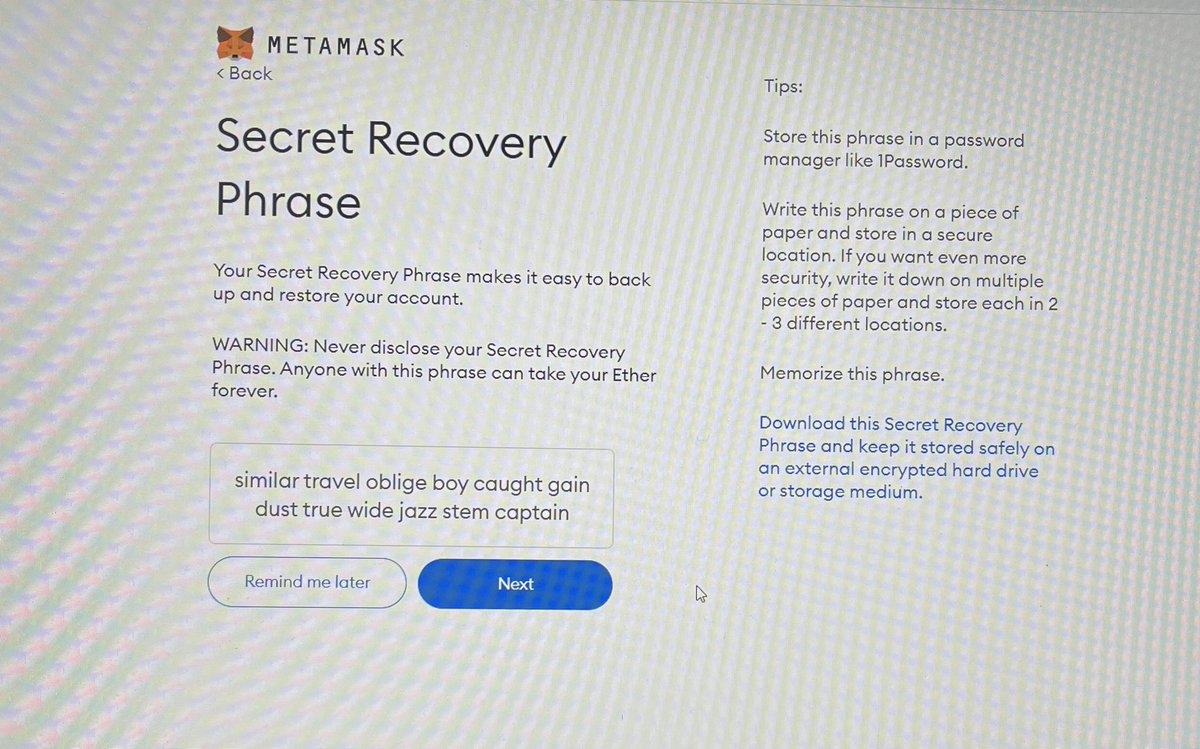
These are 12 random words used for account restoring and back up. Don’t ever share with nobody. Write them on piece of papers (multiple copies) and keep them on safe place (different places) where nobody can reach. Don’t take picture or screenshot.
These are 12 random words used for account restoring and back up. Don’t ever share with nobody. Write them on piece of papers (multiple copies) and keep them on safe place (different places) where nobody can reach. Don’t take picture or screenshot.
5️⃣Confirm your Recovery Phrase
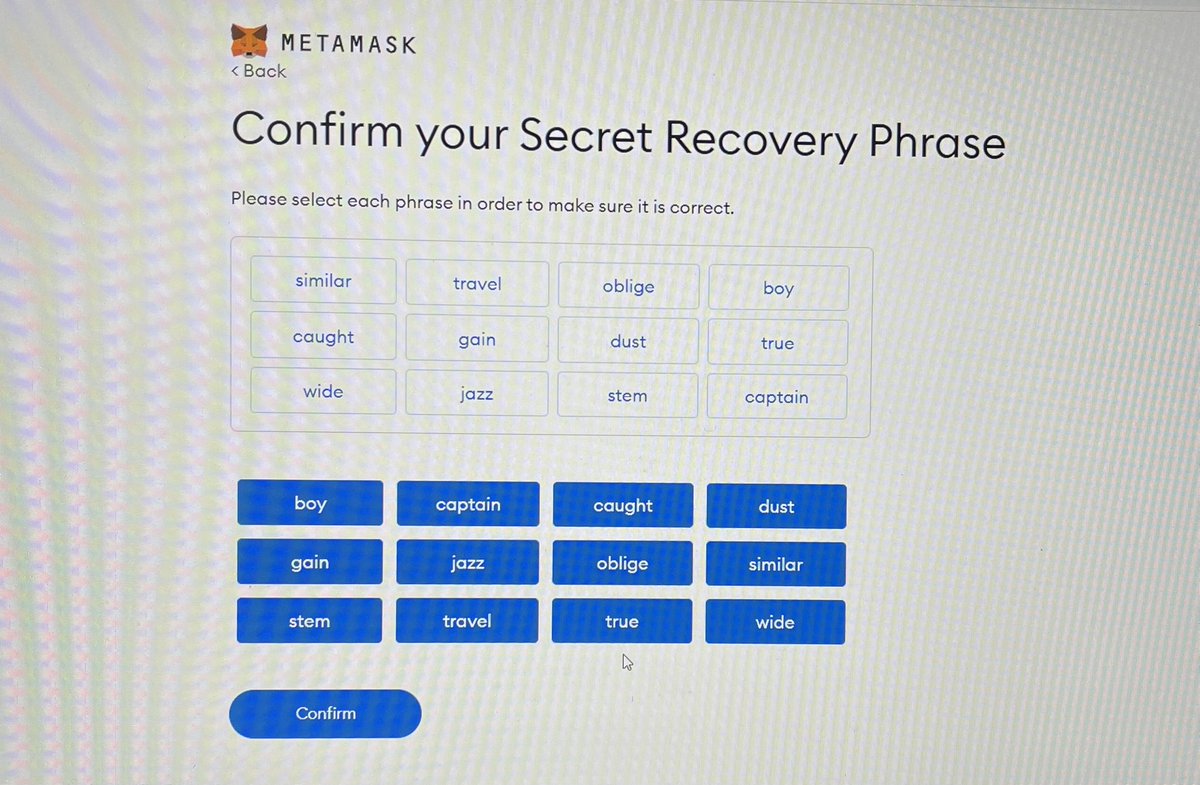
Select/write them in the same chronological order as they were written previously and then hit confirm.
Congratulations all is set😀!
Select/write them in the same chronological order as they were written previously and then hit confirm.
Congratulations all is set😀!

6️⃣Add Networks (Chains) on your Wallet
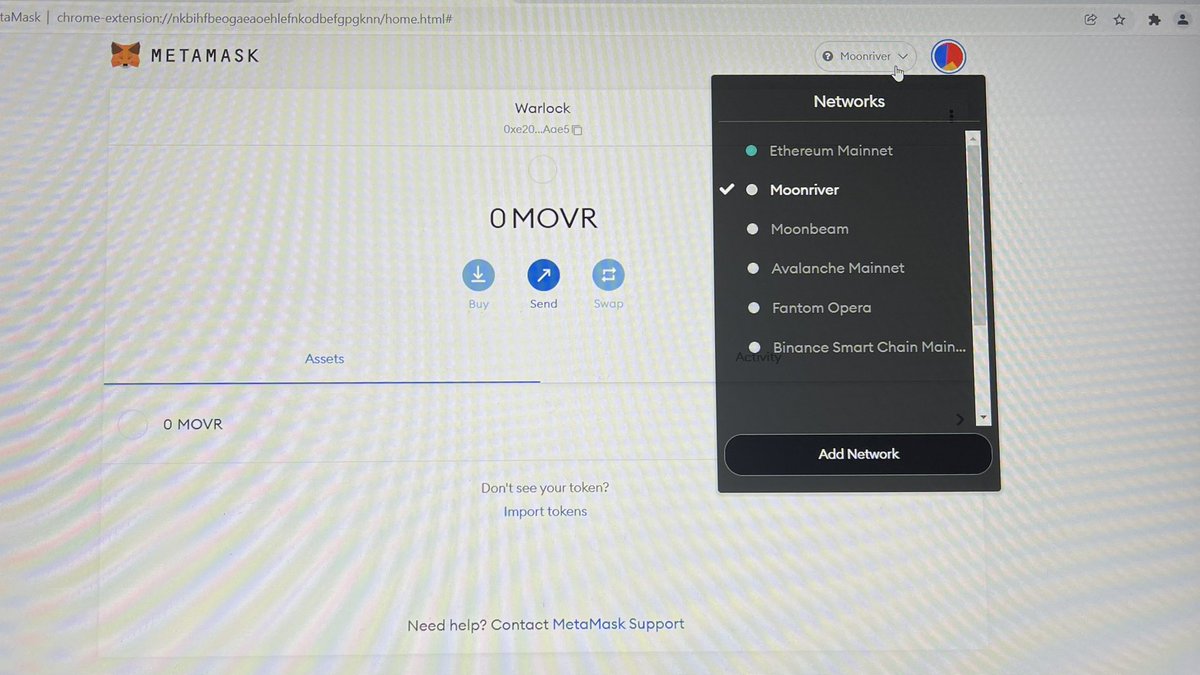
By default your wallet will come with Ethereum network but you may need some other network in your wallet like Binance smart chain, Fantom opera, Avalanche, Moonriver etc
Two ways to add networks:
By default your wallet will come with Ethereum network but you may need some other network in your wallet like Binance smart chain, Fantom opera, Avalanche, Moonriver etc
Two ways to add networks:
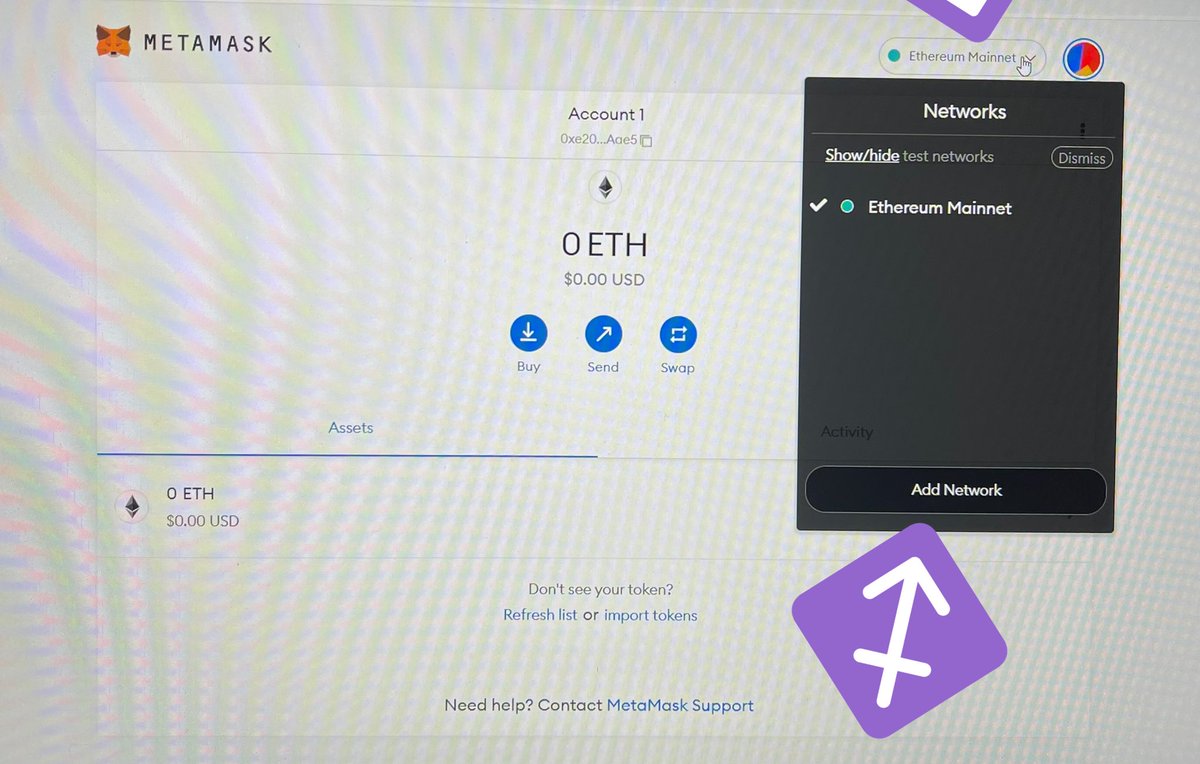
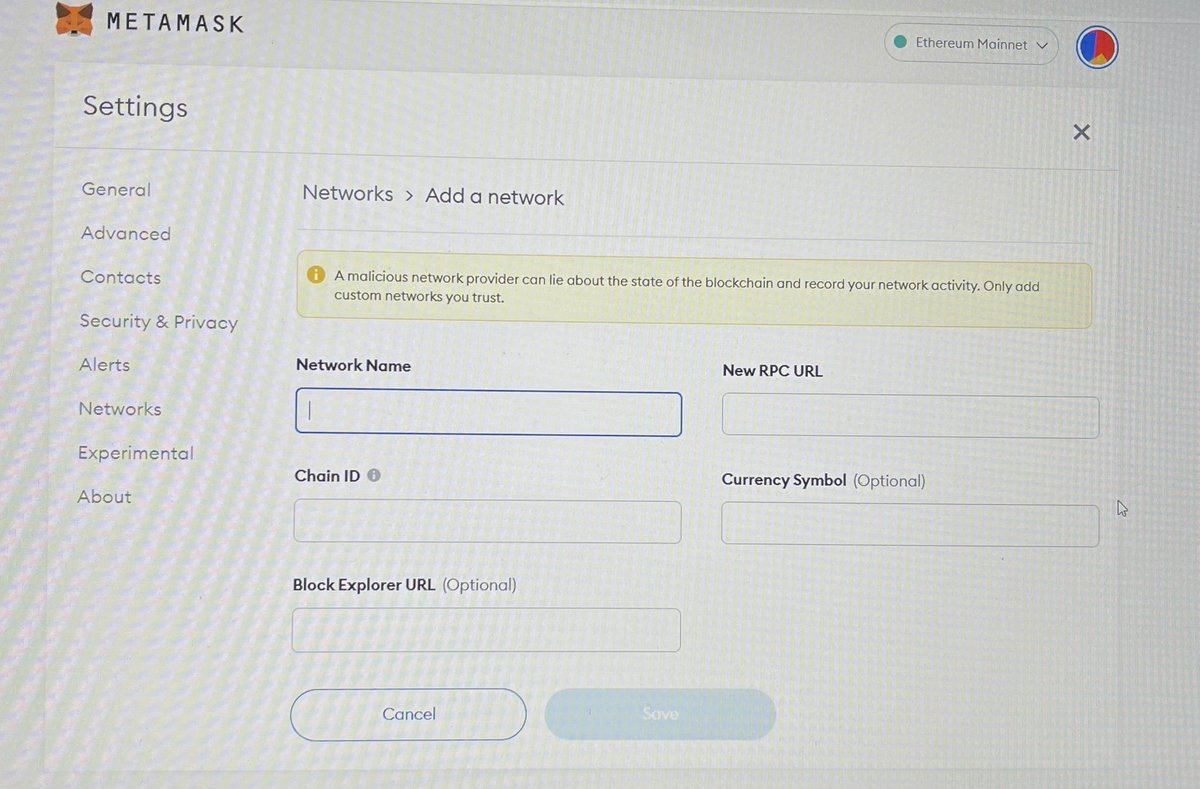
First way: Go to network, add network then write down all the required info, find them on CoinGecko
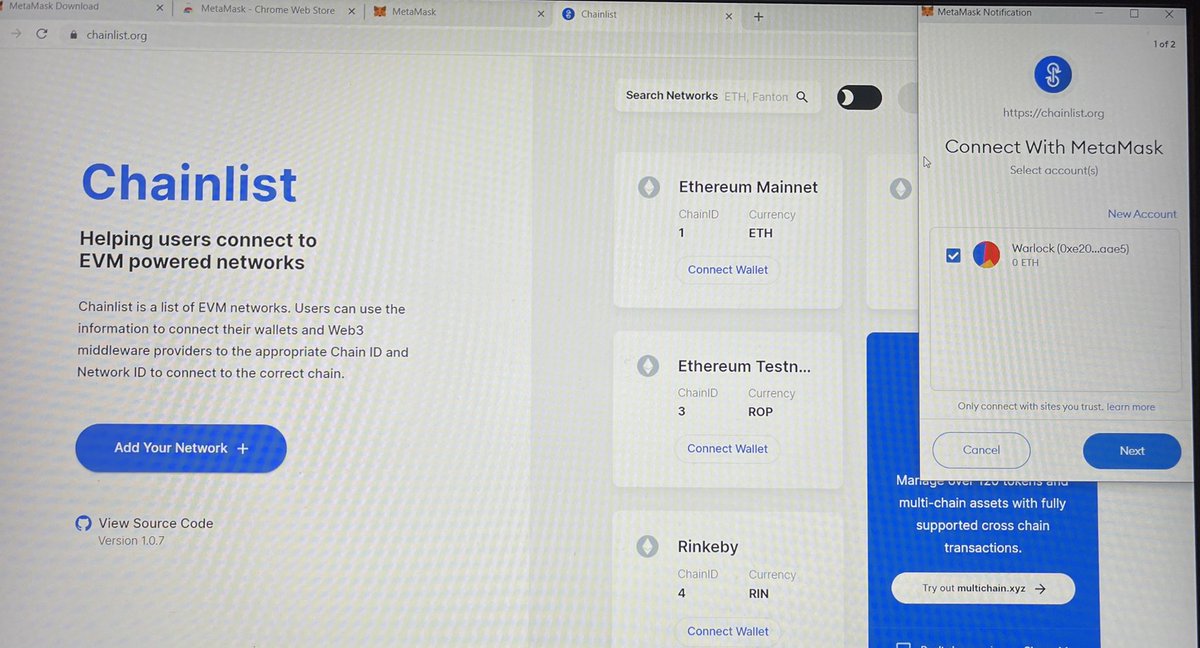
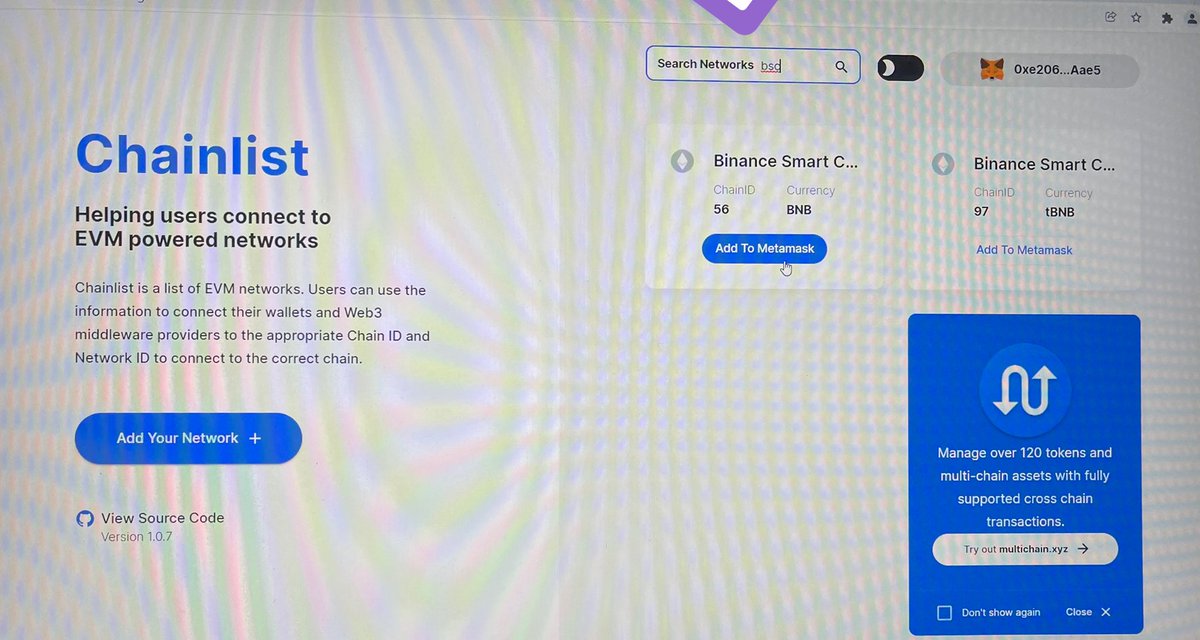
Second way: browse chainlist.org, connect your wallet then go to search bar and search any network you wanna add and add to your wallet.
See the photos below:
Second way: browse chainlist.org, connect your wallet then go to search bar and search any network you wanna add and add to your wallet.
See the photos below:

7️⃣How to navigate in your Wallet
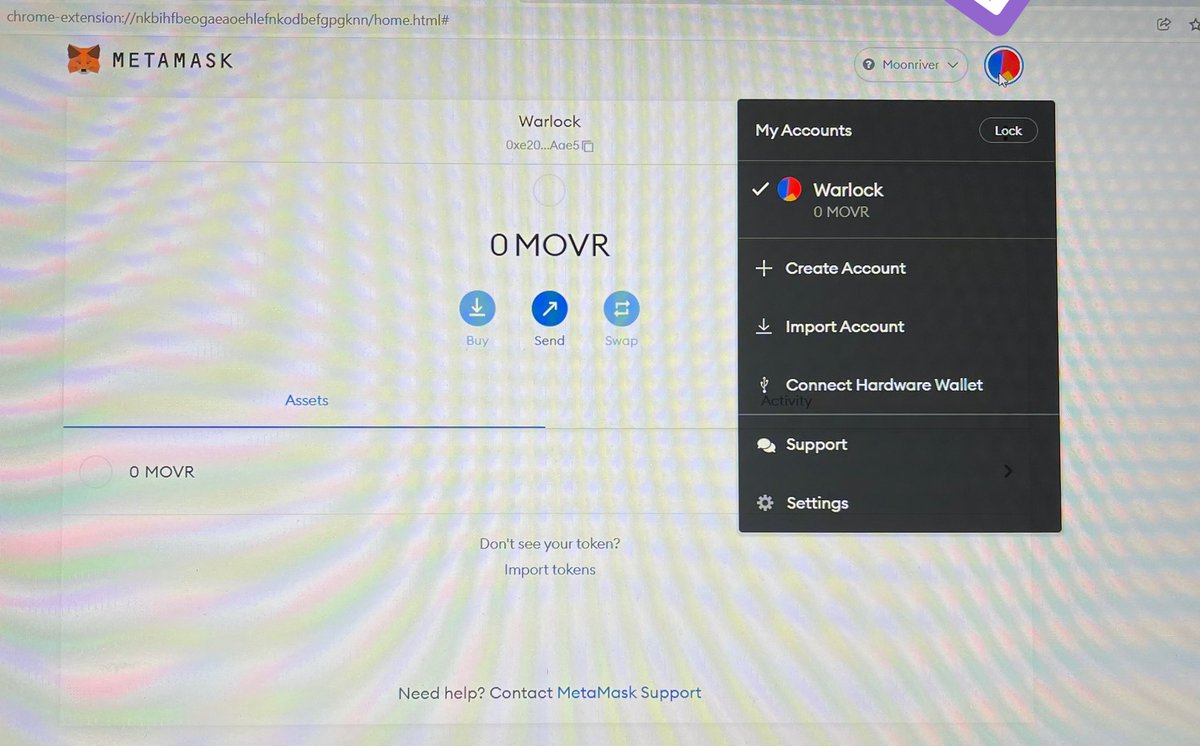
Select my account to can create another account, import existing account or connect your hardware wallet.
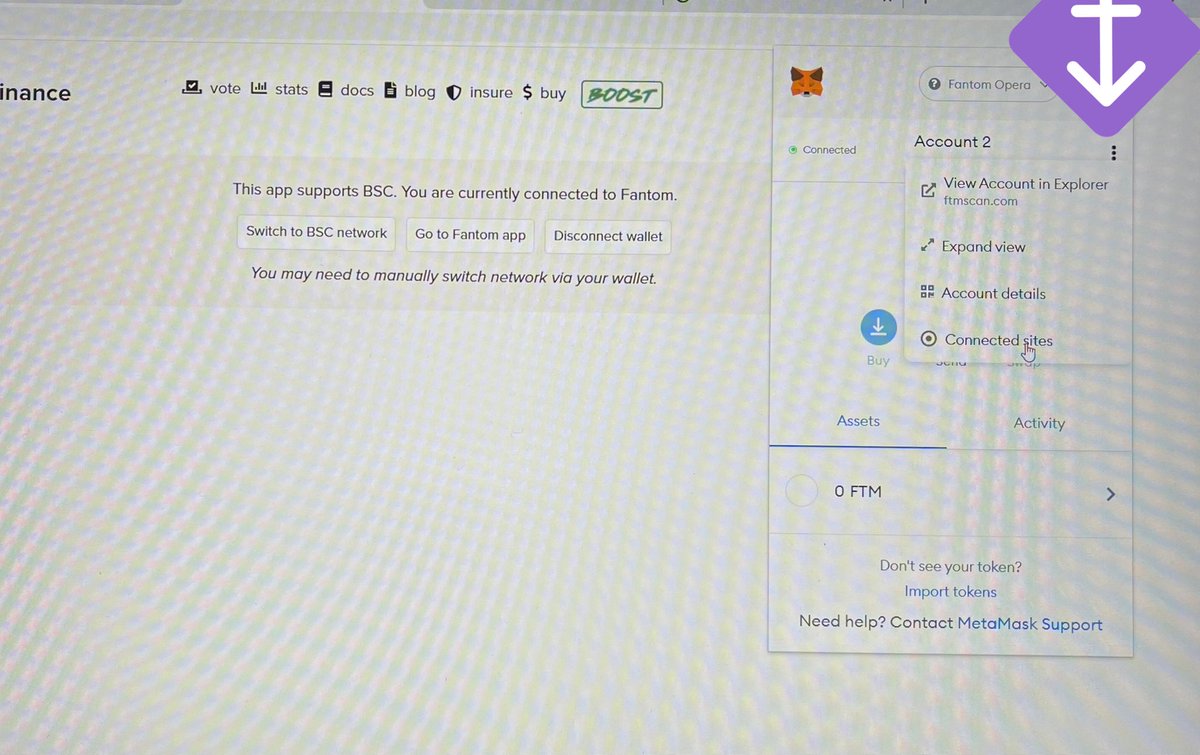
Hit three dots to see the explorer (scan), expand the wallet, account details and connected sites.
Select my account to can create another account, import existing account or connect your hardware wallet.
Hit three dots to see the explorer (scan), expand the wallet, account details and connected sites.

8️⃣Other important wallets
You may also be interested in the following wallets:
XDefi or TerraStation for Luna ecosystem
Polkadot.js for Polkadot ecosystem
Phantom for Solana ecosystem
Thanks for reading. If you find this useful kindly share the love. #DeFi
You may also be interested in the following wallets:
XDefi or TerraStation for Luna ecosystem
Polkadot.js for Polkadot ecosystem
Phantom for Solana ecosystem
Thanks for reading. If you find this useful kindly share the love. #DeFi
Loading suggestions...