

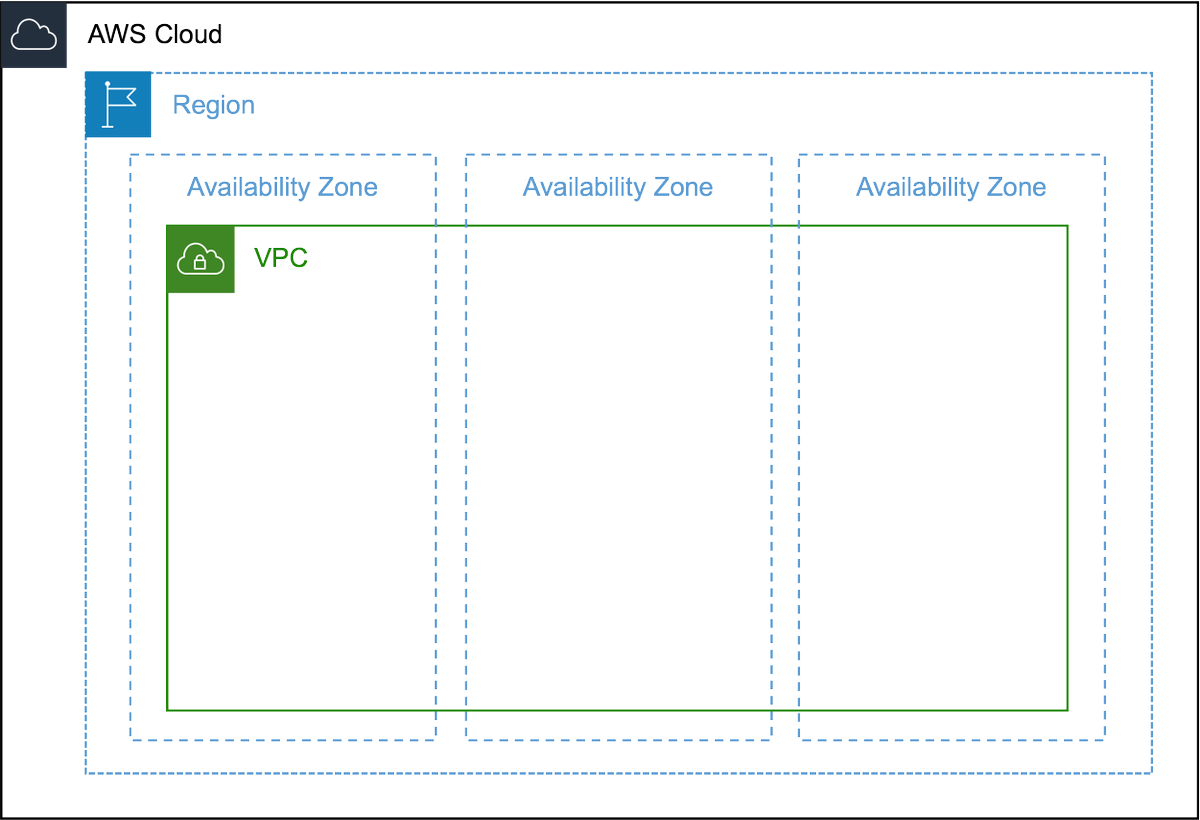
1️⃣ A VPC is basically a virtual representation of a physical network in the cloud. It's logically isolated and you need one to launch resources on AWS like EC2 instances. A VPC is created on a per-region basis and spans across all Availability Zones in that region.
2️⃣For creating a VPC, we have to assign a range of IPv4 addresses as CIDR (Classless Inter-Domain Routing) blocks. The allowed block size is between /16 & /28 netmask (65,536 - 16 IP addresses).
More info on CIDR:
en.wikipedia.org
More info on CIDR:
en.wikipedia.org
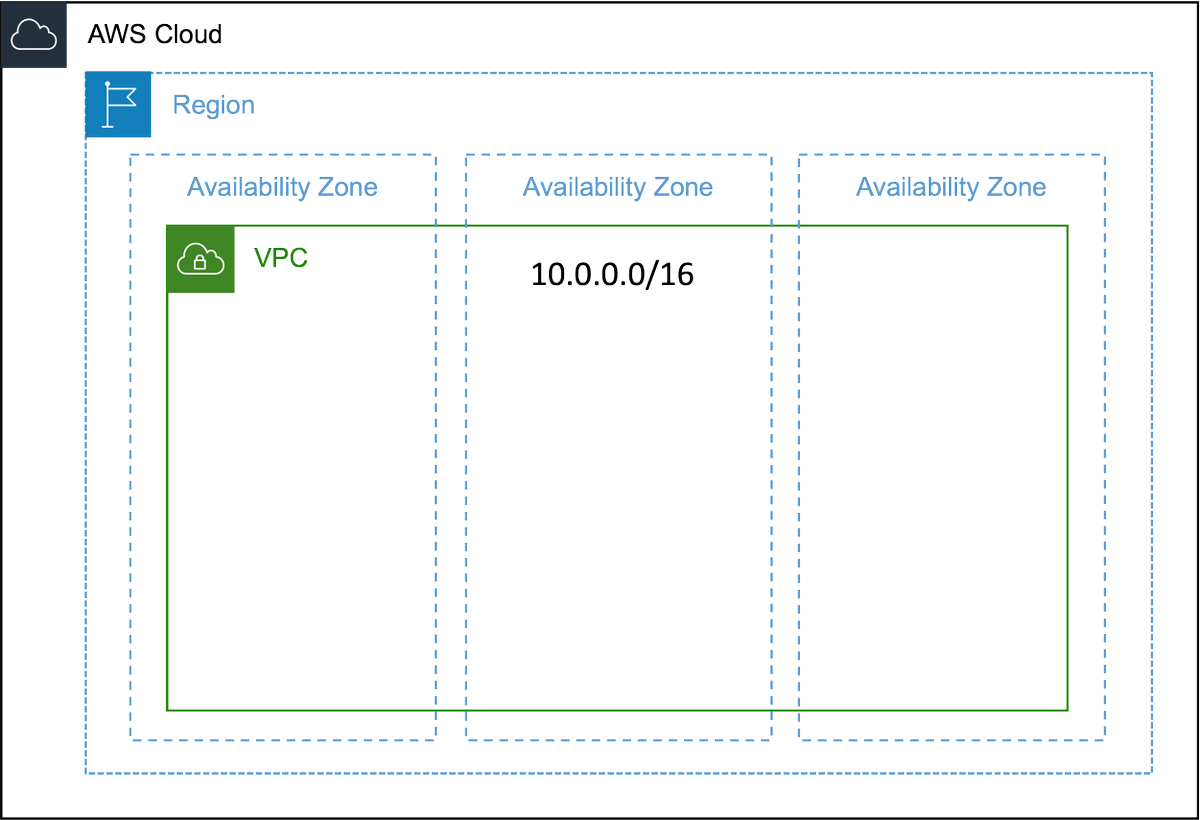
3️⃣AWS suggest you to use a range from RFC 1918 for your VPC:
10.0.0.0 - 10.255.255.255 (10.0.0.0/8)
172.16.0.0 - 172.31.255.255 (172.16.0.0/12)
192.168.0.0 - 192.168.255.255 (192.168.0.0/16)
More info on RFC 1918
faqs.org
10.0.0.0 - 10.255.255.255 (10.0.0.0/8)
172.16.0.0 - 172.31.255.255 (172.16.0.0/12)
192.168.0.0 - 192.168.255.255 (192.168.0.0/16)
More info on RFC 1918
faqs.org
4️⃣ After creating a VPC, we can further break it into so-called subnets. Subnets are ranges of IP addresses from the VPC CIDR block that contain your resources in one Availability Zone. Your subnets can either be public (internet-facing) or private.
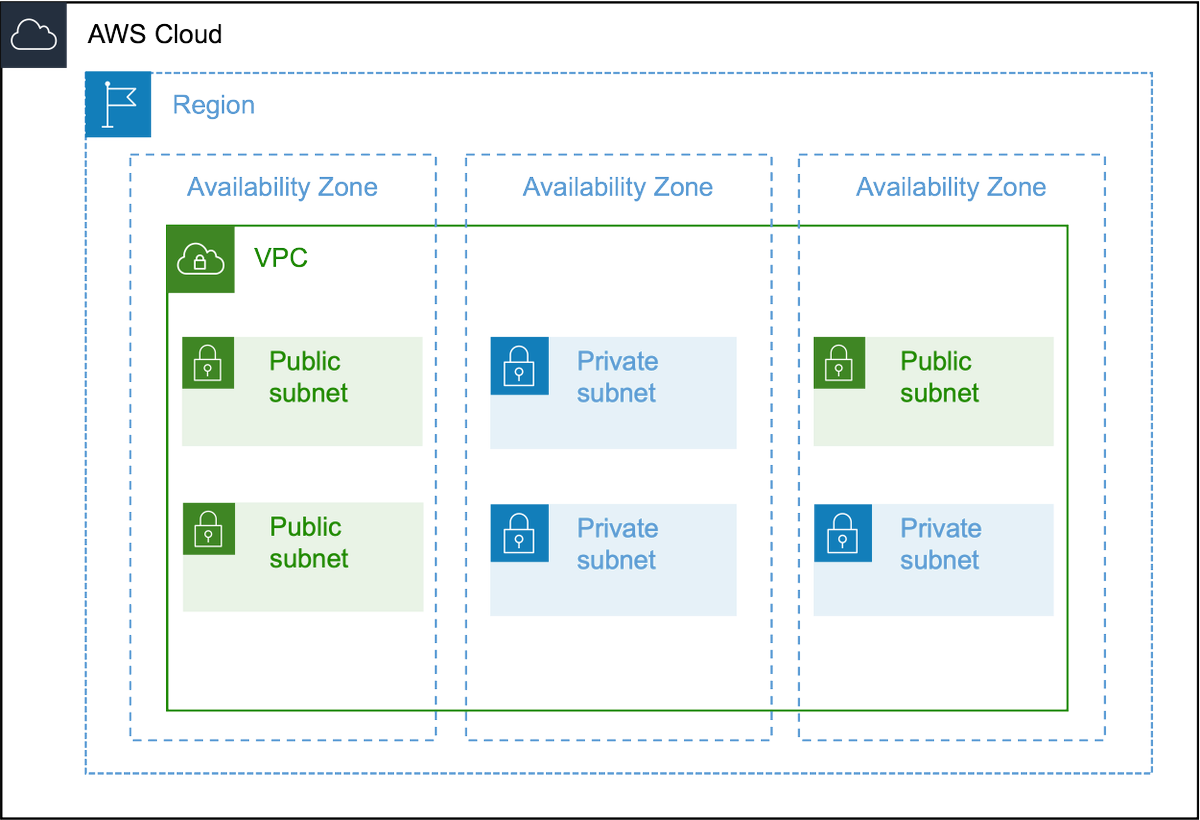
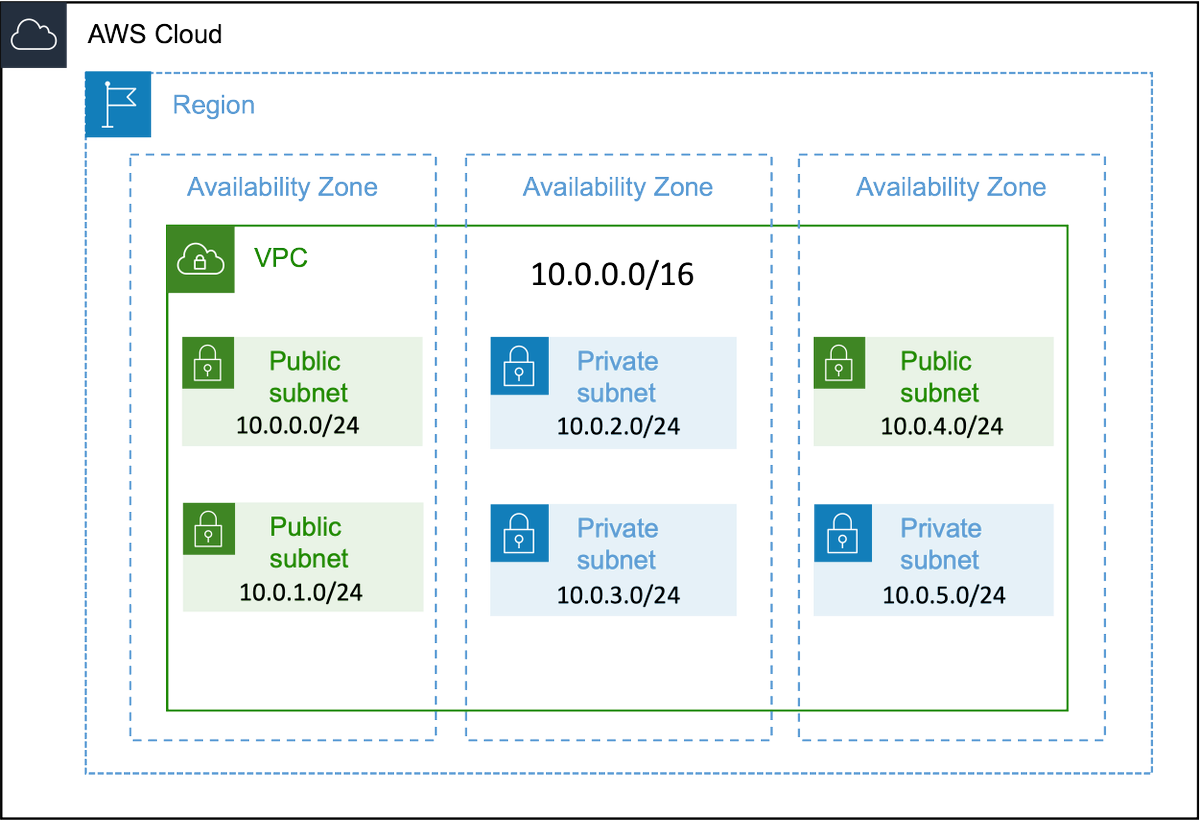
5️⃣In this example, we have created 6 subnets in our VPC (10.0.0.0/16).
Each one receives 256 IPv4 addresses:
Subnet-1: 10.0.0.0/24
Subnet-2: 10.0.1.0/24
Subnet-3: 10.0.2.0/24
...
Here's a tool for you to determine the number of addresses for a block:
ipaddressguide.com
Each one receives 256 IPv4 addresses:
Subnet-1: 10.0.0.0/24
Subnet-2: 10.0.1.0/24
Subnet-3: 10.0.2.0/24
...
Here's a tool for you to determine the number of addresses for a block:
ipaddressguide.com
6️⃣Let's take a closer look at the subnets. In a subnet, you can host your resources. A subnet is public when its traffic is routed through an Internet Gateway. The IGW is basically the door between your VPC and the World Wide Web.
Find out more about IGW:
docs.aws.amazon.com
Find out more about IGW:
docs.aws.amazon.com
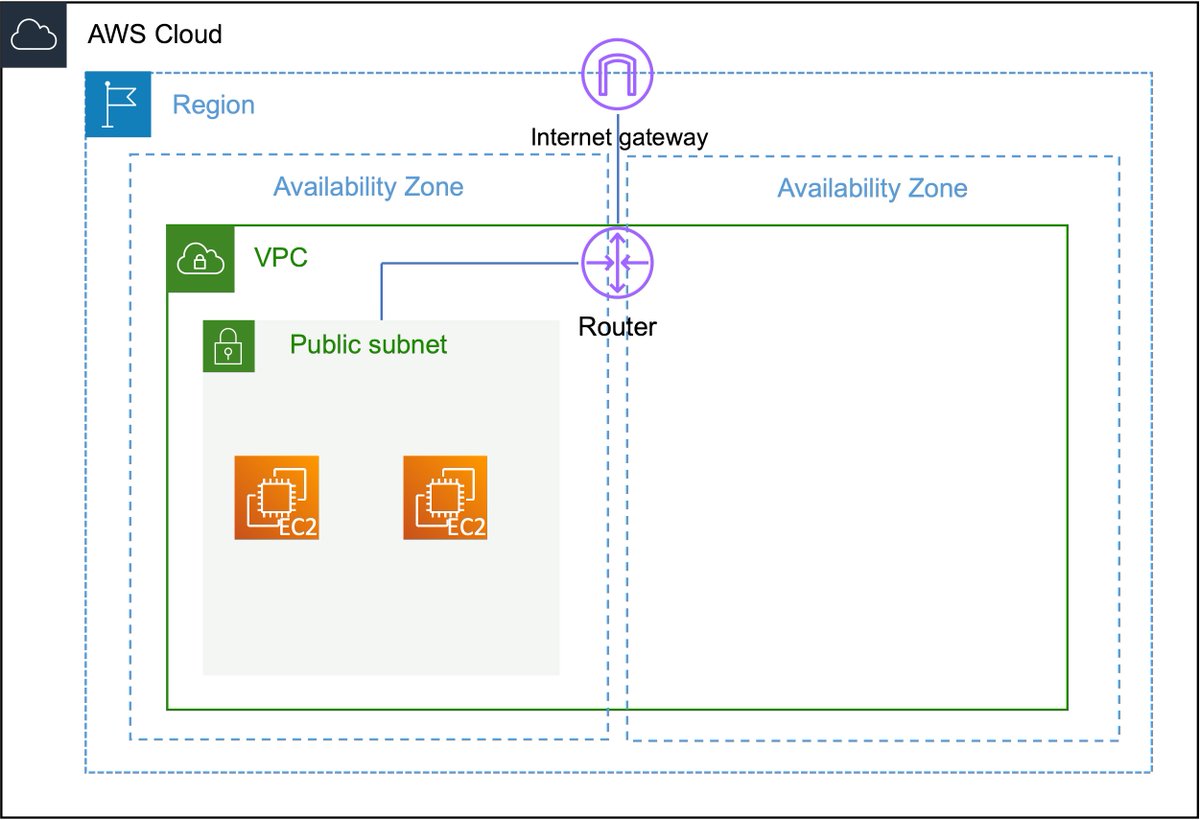
7️⃣To allow instances in public subnets access to the public internet, they also need a public IPv4 address or an Elastic IP address (EIP). They still have a private IP address as well! You can access these instances via their public IP addresses.
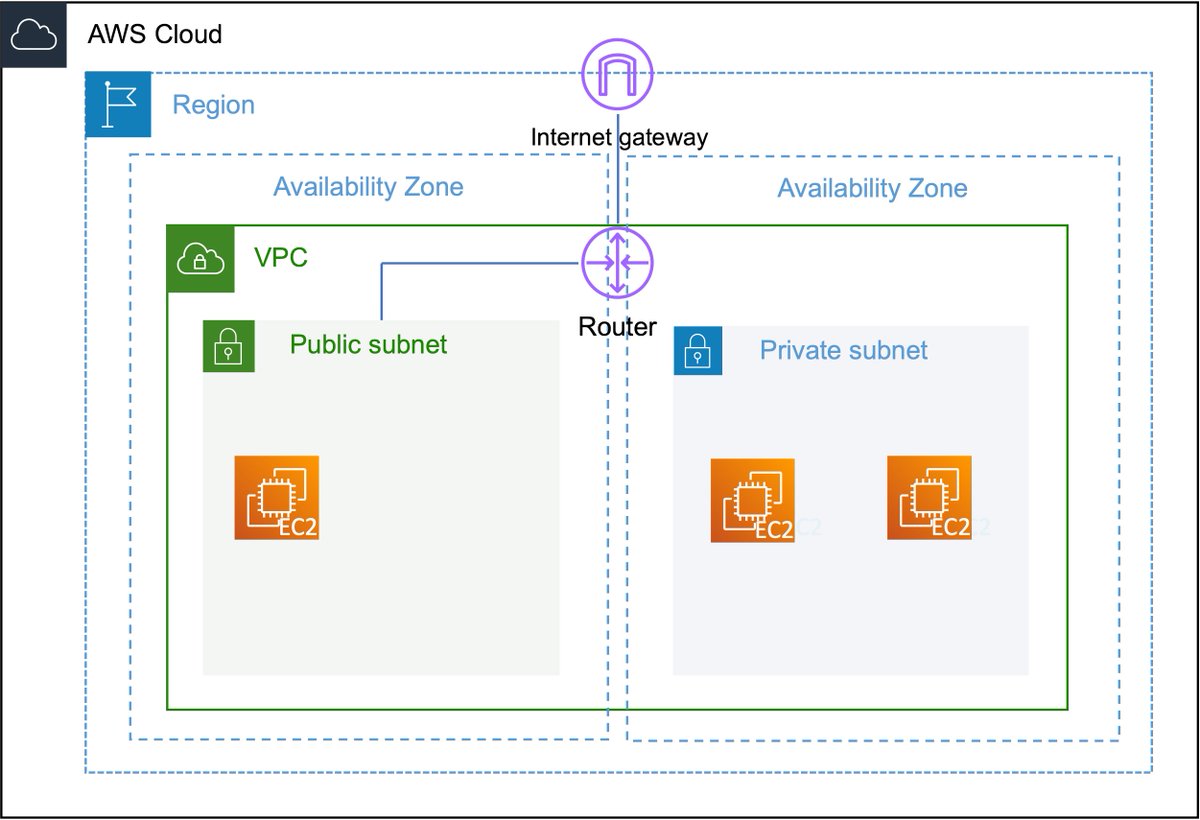
8️⃣Besides being public, subnets can also be private. That means that resources in that subnet cannot access the public internet by default because there is no routing connection to the IGW. The instances in this private subnet have only private IP addresses assigned to them.
9️⃣ If you still want your instances in a private subnet to access the internet, you need to deploy something called a NAT Gateway in one of your public subnets and adjust the route table. The NAT-GW has an EIP and routes traffic to the Internet Gateway.
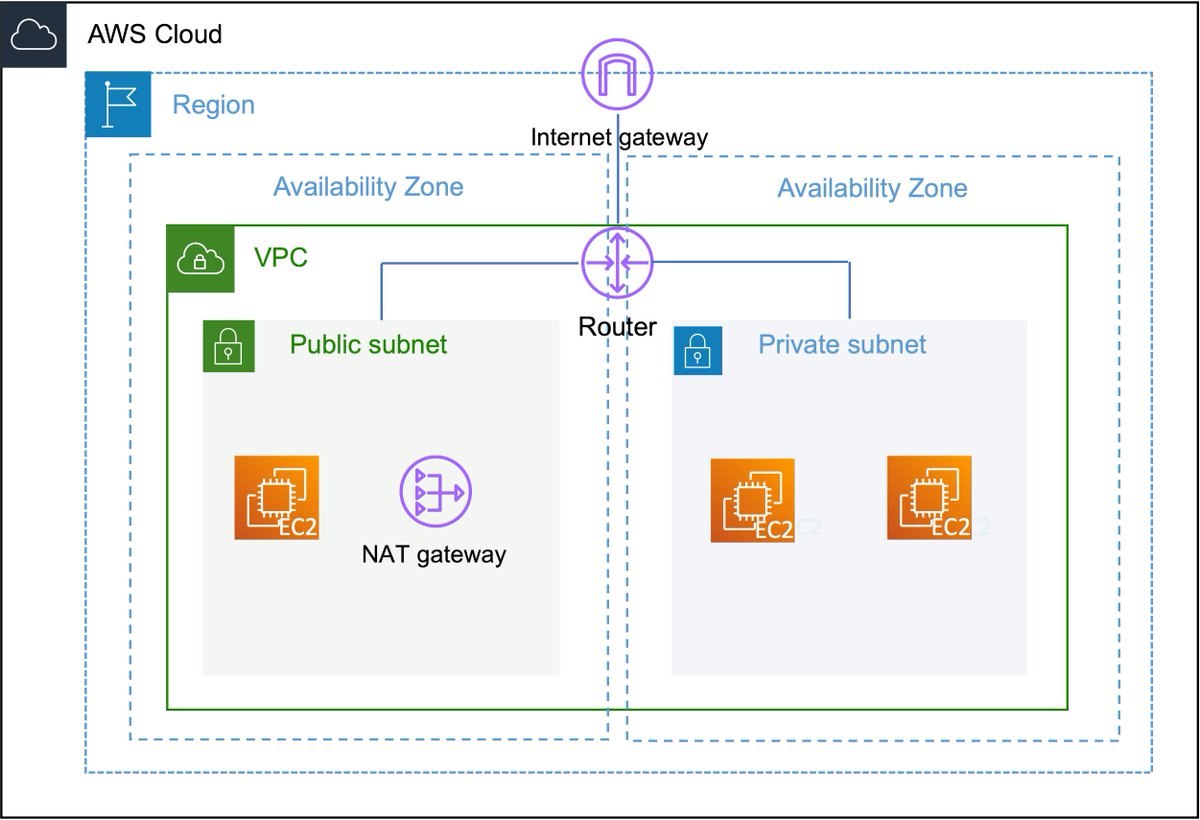
🔟A route table basically contains rules (called routes) for how the traffic follows in your VPCs. It helps the instances in your subnets to reach a NAT Gateway or Internet Gateway and to communicate with each other.
More on route tables:
docs.aws.amazon.com
More on route tables:
docs.aws.amazon.com
1️⃣1️⃣ Another important aspect of a VPC is a Network Access Control List (NACL). It's basically a firewall that controls traffic in and out of your subnets. This adds an additional layer of security to your VPC. Each subnet must be assigned to a NACL.
docs.aws.amazon.com
docs.aws.amazon.com
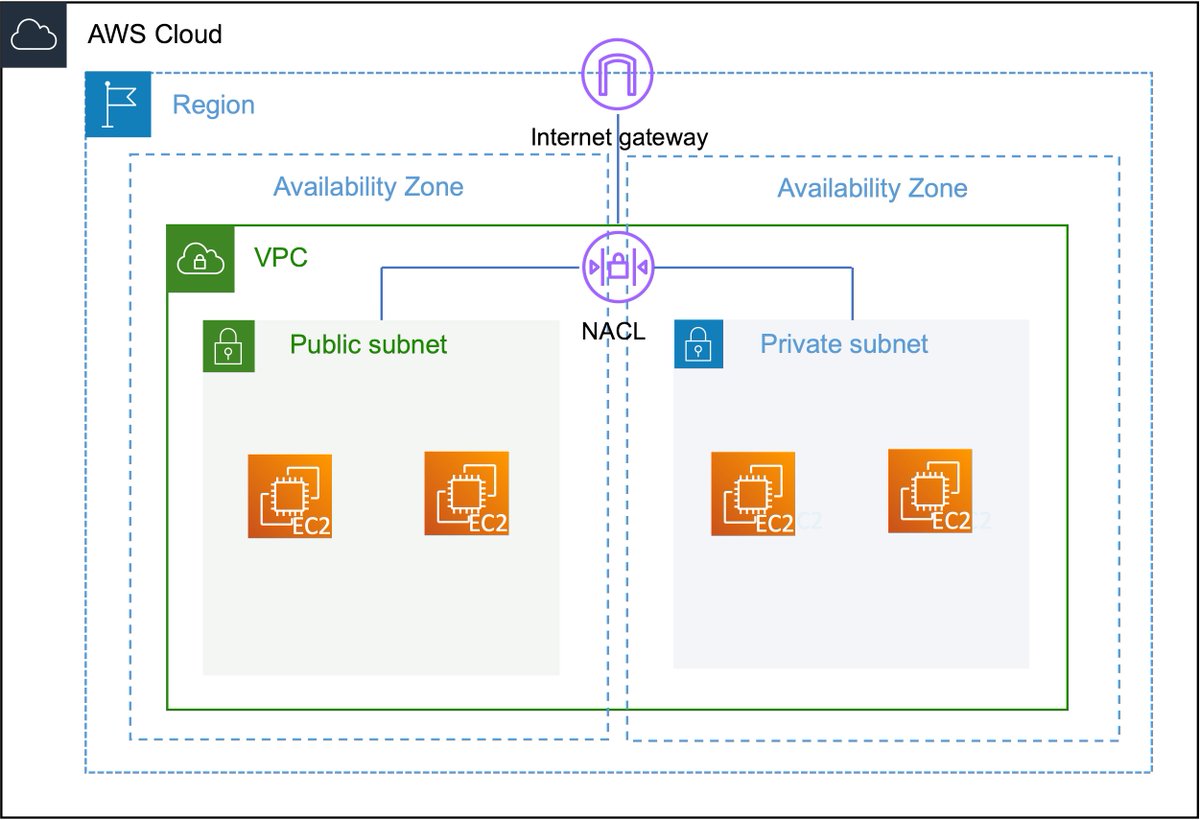
1️⃣2️⃣ A similar concept to NACLs is Security Groups (SG). They also protect your resources but operate at the instance level. Think of it as a dedicated firewall for your instances. You can control inbound & outbound traffic to the assigned instances.
docs.aws.amazon.com
docs.aws.amazon.com
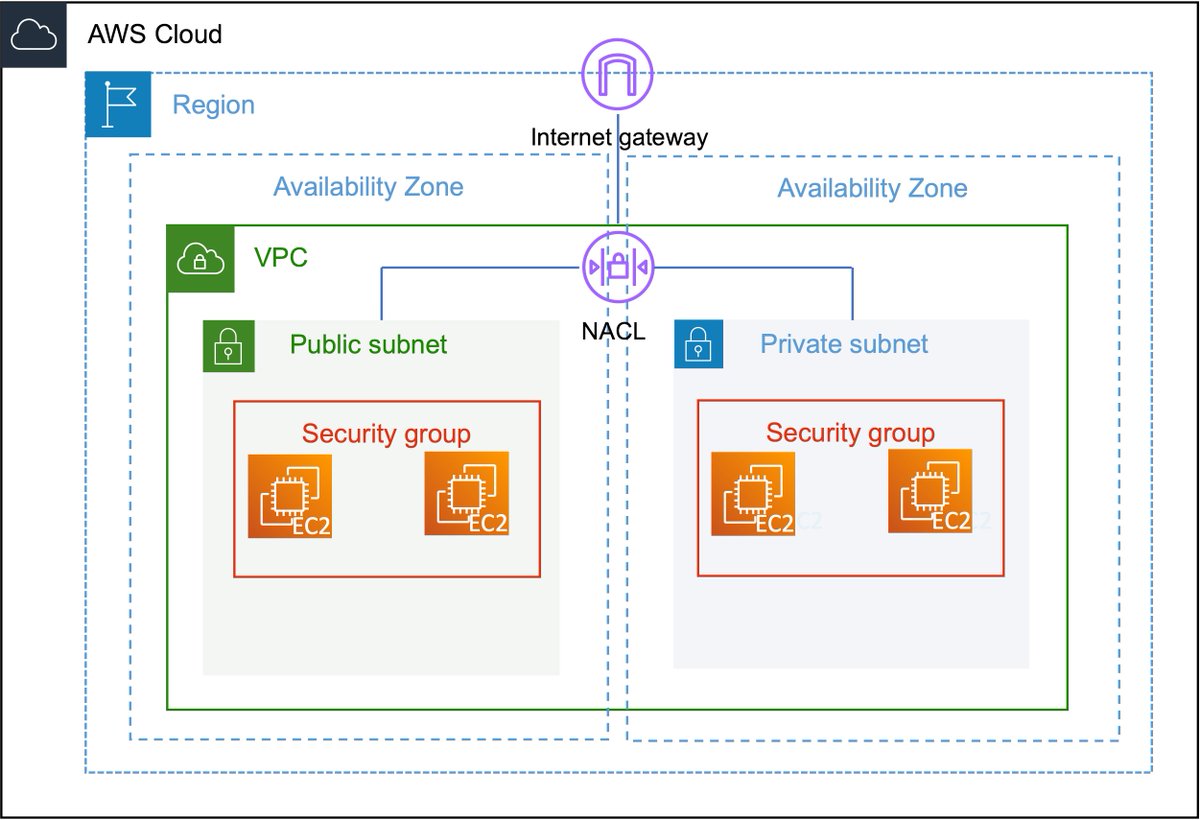
1️⃣3️⃣Although NACLs and SGs are quite similar, there are some important differences. SGs are stateful which means that if incoming traffic is allowed, returning traffic is allowed as well. NACLs are stateless so return traffic has to be explicitly allowed!
#VPC_Security_Comparison" target="_blank" rel="noopener" onclick="event.stopPropagation()">docs.aws.amazon.com
#VPC_Security_Comparison" target="_blank" rel="noopener" onclick="event.stopPropagation()">docs.aws.amazon.com
1️⃣4️⃣As VPCs are isolated, they cannot talk to another by default. You can however create a peering connection between them. This enables the resources in different VPCs to interact as if they were in the same network (they are not, the VPCs have non-overlapping CIDR blocks!).

1️⃣5️⃣Here are a few more facts about VPC:
- When you create a new AWS Account a default VPC is automatically created for you
- You can create peering connections between VPCs in different accounts
- You can have 5 VPCs per region and 200 subnets per VPC by default
- When you create a new AWS Account a default VPC is automatically created for you
- You can create peering connections between VPCs in different accounts
- You can have 5 VPCs per region and 200 subnets per VPC by default
1️⃣6️⃣I think this is enough information for a 101. There is, of course, much more to VPCs. I suggest you create a free AWS account and start exploring VPC on your own!
If you like this thread, please retweet the first Tweet and kindly follow me for more #AWSome stuff 🔥
If you like this thread, please retweet the first Tweet and kindly follow me for more #AWSome stuff 🔥
Somehow the images are not as expected, apologies. Hope it's still useful for you 🙏
جاري تحميل الاقتراحات...